
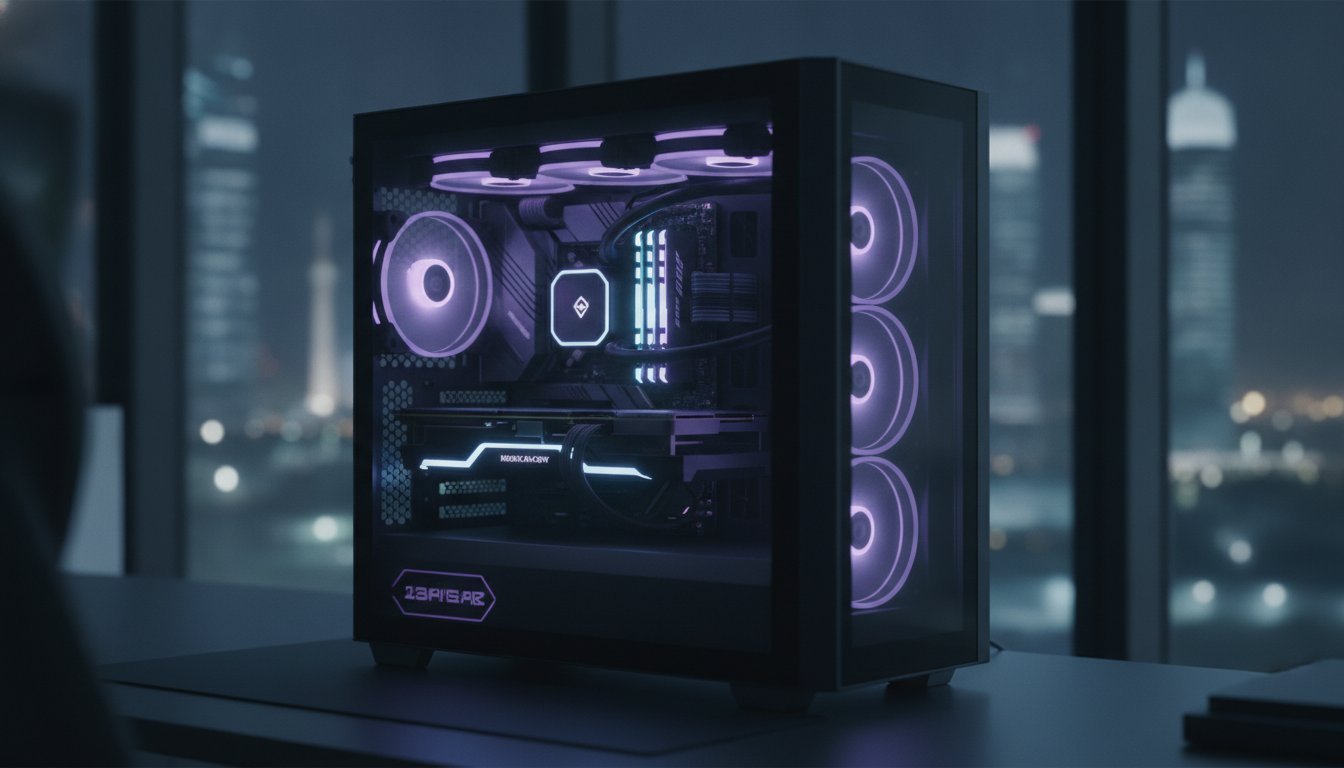

Why are you still tethered to a clunky dual-PC setup when a single, precision-engineered machine can now outperform it? It’s incredibly frustrating to watch your frame rate tank or your stream turn into a blocky mess the moment the action heats up. You’ve likely spent hours tweaking software settings only to face the same stuttering issues and thermal throttling during long sessions. Finding the best pc for streaming and gaming simultaneously isn’t just about throwing money at the most expensive parts. It’s about mastering the internal character of the technology to ensure your 4K gameplay and high-bitrate broadcast live in perfect harmony.
You’re about to discover how to balance raw power with intelligent encoding. This guide shows you how to build or buy a system that handles intense loads without dropping a single frame. We’ll explore the impact of the latest RTX 5090 GPUs, Intel Core Ultra 200S Plus processors, and the critical role of DLSS 4. We provide the professional blueprint for a crystal-clear broadcast and a future-proof rig that will dominate for the next five years. We’ll break down the exact component combinations, from 6000MHz DDR5 RAM to PCIe 5.0 storage, that eliminate micro-stutter for good.
Key Takeaways
- Learn how to solve the “Dual-Load” crisis where 3D rendering and video encoding compete for vital system resources.
- Identify the specific synergy between RTX 50-series GPUs and high-core CPUs to build the best pc for streaming and gaming simultaneously.
- Discover why high-frequency DDR5 RAM and Gen5 NVMe storage are the secret weapons for maintaining perfect frame time stability.
- Implement advanced thermal management tactics that prevent heat from sabotaging your performance during high-stakes, 24/7 broadcasts.
- Explore why a bespoke Grey PC Custom Build offers the precision and reliability that mass-produced machines simply can’t match.
Why Simultaneous Gaming and Streaming Requires a Specialized Build
Launching a high-fidelity game while broadcasting to a global audience creates a unique technical phenomenon known as the “Dual-Load” challenge. Your system must simultaneously render complex 3D environments and encode that massive data stream into a format viewers can watch in real time. Standard gaming PCs often crumble under this pressure. While they might handle the game perfectly on its own, the moment you launch OBS or Streamlabs, the background processes begin competing for the same hardware resources. This internal conflict leads to the “blocky” video or micro-stutters that drive viewers away instantly.
Most builders focus on average FPS, but for a creator, the 1% lows are far more critical. A high average frame rate means nothing if your 1% lows are inconsistent. This results in jarring stutters that appear on both your screen and your broadcast. Achieving the best pc for streaming and gaming simultaneously requires a build that prioritizes frame time stability over raw, unoptimized speed. By 2026, we’ve moved past the era of the “Single-Machine Monster” being a myth; it’s now a requirement for anyone serious about their craft.
The Evolution of Single-PC Streaming
Modern hardware has effectively killed the need for cumbersome dual-PC setups. We’ve transitioned into an era where high core counts and dedicated hardware encoders do the work of two systems with better efficiency. Looking back at the history and technology of video game live streaming, it’s clear that the shift from CPU-heavy software encoding to GPU-based hardware encoding changed everything. With Windows 12 scheduling, your system can now intelligently partition tasks, keeping your gameplay smooth while your encoder runs in a dedicated hardware lane. It’s a transformative leap in how we handle professional content creation.
Identifying the Performance Bottlenecks
Bottlenecks are the silent killers of a professional broadcast. Even with an elite GPU, poor CPU core management or “core-parking” can sabotage your stream by introducing micro-latency at the worst possible moments. High-bitrate streaming also places an immense burden on your system bus bandwidth, requiring every lane to operate at peak efficiency. Bottlenecking occurs when the slowest component in your system prevents the rest of your hardware from reaching its full potential during the simultaneous demands of gaming and video encoding. To secure the best pc for streaming and gaming simultaneously, you need a machine where every component is synchronized for the heavy-lift of modern multitasking.
The 2026 Hardware Standard: CPU and GPU Synergy for Streamers
Building the best pc for streaming and gaming simultaneously requires more than just high-end parts. It demands a meticulous balance between the engine that drives your game and the architect that encodes your broadcast. In 2026, the era of the “Single-Machine Monster” is defined by how these two pieces of silicon communicate. If your CPU is pinned at 100% while your GPU sits idle, or vice versa, you’ve failed the build. The goal is total synergy, where the load is distributed with surgical precision across dedicated hardware lanes.
Choosing the Right Processor (CPU)
The debate between Intel Core i9-14900K vs the Ryzen 9 9950X has evolved with the release of the Intel Core Ultra 200S Plus series. While high clock speeds are vital for pushing frames in AAA titles, streamers must prioritize thread density. Intel’s architecture uses E-cores to handle background tasks like OBS and Discord, keeping the P-cores free for the game. Conversely, AMD’s Ryzen 9 9950X offers 16 full-power cores that thrive under heavy multitasking. For a professional 4K stream, 32 threads is the current baseline to ensure your system never chokes during a chaotic firefight.
The Graphics Card: Your Encoding Powerhouse
Your GPU is no longer just for pretty pictures. It’s the heart of your broadcast. You should buy the NVIDIA GeForce RTX 5090 if you want the gold standard in dual-encoder architecture. The Blackwell era introduced fifth-generation Tensor Cores and DLSS 4, but the real star for creators is the dual NVENC setup. This allows the GPU to offload the entire encoding process from the CPU, resulting in zero performance loss for your game. With 16GB of VRAM now being the absolute minimum for 4K assets, the 5090’s massive memory pool provides the headroom needed for high-resolution textures and complex stream overlays.
The AV1 codec has completely disrupted the status quo for platforms like Twitch and YouTube. In 2026, AV1 offers roughly 50% better efficiency than the aging H.264 standard. This means you can deliver a crisp 4K image at bitrates that previously only allowed for 1080p. When balancing your budget, always overspend on the GPU and CPU. You can save money on a less flashy case or non-RGB fans, but you can’t compromise on the silicon that powers your identity as a creator. If you’re feeling overwhelmed by the technical specs, choosing a professional Grey PC custom build ensures your hardware is tuned for this exact synergy from day one.
DDR5 RAM and High-Speed Storage: Eliminating Multitasking Bottlenecks
Your CPU and GPU might be the heavy lifters, but your system memory and storage act as the high-speed nervous system of the build. In the quest for the best pc for streaming and gaming simultaneously, many builders overlook the impact of data throughput. If your RAM can’t feed your processor fast enough, or your storage drive chokes while saving a replay buffer, your stream quality will suffer. High CAS latency in DDR5 can lead to inconsistent data delivery to the CPU, manifesting as perceptible micro-stuttering during high-bitrate broadcasts. Eliminating these bottlenecks requires a strategic approach to both speed and capacity.
Memory Capacity vs. Speed
While 32GB was the standard for years, 64GB of DDR5 is rapidly becoming the baseline for professional creators in 2026. Running a modern AAA title alongside OBS, high-resolution overlays, and dozens of browser tabs for stream management eats into your memory pool faster than you’d expect. “Out of Memory” errors are a streamer’s nightmare, often causing the entire broadcast to crash without warning. For the best results, aim for a frequency sweet spot between 6000MHz and 7200MHz. This range provides the necessary bandwidth to keep your 1% lows stable while the system juggles multiple high-priority tasks.
Storage Solutions for Content Creators
Storage speed directly impacts how your system handles assets. In open-world games, slow drives cause “asset pop-in,” where textures and models fail to load before they enter your field of view. This looks unprofessional to your audience. You should buy the Samsung 990 Pro 2TB to serve as your primary system drive, ensuring your OS and streaming software remain lightning-fast. For a truly elite setup, we recommend the “Three-Drive Rule” to partition your data load effectively:
- Drive 1 (NVMe Gen4/5): Dedicated to your Operating System and streaming tools like OBS or Streamlabs.
- Drive 2 (NVMe Gen5): Reserved exclusively for your game library to maximize load times and asset streaming.
- Drive 3 (High-Capacity SSD): Used as a media scratch disk for instant-replay clipping and local recordings.
By isolating these tasks, you prevent one process from “stealing” bandwidth from another. This level of organization is what separates a standard gaming rig from the best pc for streaming and gaming simultaneously. When your storage can keep up with the 10,000+ MB/s speeds of modern Gen5 drives, your system feels responsive even under the most punishing multitasking loads.

Thermal Management and Cooling: Sustaining Performance Under Heavy Load
Raw power is a liability without superior thermal control. When you’re pushing a high-performance rig to its absolute limits, heat becomes your primary adversary. Thermal throttling isn’t just a technical term; it’s the moment your hardware sacrifices performance to prevent physical damage. For creators, this means dropped frames and jarring stuttering mid-broadcast. To build the best pc for streaming and gaming simultaneously, you must engineer a thermal solution that maintains peak clock speeds for eight hours or more without breaking a sweat. It’s about creating enough thermal headroom so your silicon never has to hold back.
Advanced Cooling for High-TDP Components
If you’re running an i9 or Ryzen 9 processor, a standard 240mm liquid cooler simply won’t cut it. These chips generate immense heat during simultaneous gaming and 4K encoding. A 360mm or 420mm radiator is non-negotiable for maintaining the professional stability your audience expects. While high-end air coolers are legendary for their mechanical simplicity, the thermal mass of a large All-In-One (AIO) liquid cooler is the clear winner for dissipating heat during a 4K broadcast. Don’t overlook VRM cooling either. High-end motherboards with dedicated heatsinks and active cooling prevent your power delivery system from overheating under sustained loads. We recommend optimizing your fan curves with surgical precision to prioritize a silent stream environment, ensuring your microphone doesn’t pick up a jet engine in the background.
Bespoke Airflow Configurations
Case selection is a critical engineering decision that dictates the “soul” of your build’s performance. The Lian Li PC-O11 Dynamic remains a builder favorite because of its versatile chamber design and massive airflow potential. Achieving positive pressure by having more intake fans than exhaust fans is vital for keeping dust out of your premium hardware. While vertical GPU mounting looks elite, ensure your card isn’t pressed against the glass. This can choke the fans and spike temperatures by 10 or 15 degrees, instantly sabotaging your frame rates. To ensure your machine is operating at its peak, follow this guide to check for thermal throttling:
- Download HWMonitor: Launch the software and let it run in the background before you start your stream.
- Monitor Max Temps: Play a demanding AAA title for at least 30 minutes while broadcasting at your target bitrate.
- Check Performance Limiters: Look for the “Thermal Throttling” or “Reliability Voltage” flags in the CPU and GPU sensor sections.
- Analyze the Data: If your CPU hits 95°C or your GPU exceeds 85°C, your current cooling solution is insufficient for professional multitasking.
Don’t let heat sabotage your career or your hardware’s lifespan. If you want a machine built with the soul of a specialist and the precision of a master builder, explore a Grey PC Custom Build where every cooling path is optimized for 24/7 performance. We don’t just assemble parts; we engineer thermal environments that allow the best pc for streaming and gaming simultaneously to thrive under any load.
Grey PC Custom Builds: Bespoke Engineering for the Modern Creator
Mass-produced machines lack a pulse. When you buy off-the-shelf, you’re often getting a generic solution for a highly specific, high-intensity problem. At Grey PC, we believe in building the Ultimate Gaming PC with what we call a “builder’s soul.” This means every component is selected not just for its spec sheet, but for how it interacts with the entire ecosystem. Achieving the best pc for streaming and gaming simultaneously requires this level of bespoke engineering. We don’t just plug in parts; we tune the BIOS and debloat the operating system to reclaim every ounce of processing power for your broadcast. Standard pre-builts often hide cost-cutting measures like slow-latency RAM or budget power supplies. We do the opposite, ensuring every lane of data is optimized for zero-lag performance.
The Custom Build Process
Our process begins with your specific vision. Whether you’re dominating Twitch with high-refresh gameplay or building a 4K library on YouTube, your hardware needs differ. We tailor the component selection to your platform and goals. Every machine undergoes rigorous 24-hour stress testing before it leaves our bench. We push the thermals and power stability to their absolute limits to ensure your hardware won’t flinch during a marathon session. Our cable management isn’t just about aesthetics. It’s a functional art form that optimizes airflow and creates a clean, professional look that reflects your personal brand to your audience.
Beyond the Hardware: Professional Support
We act as your long-term partners in performance. High-end hardware requires elite maintenance to stay at its peak. Our technical services include professional cleaning and storage formatting to prevent the software rot that eventually slows down unmanaged systems. We also support corporate creators and professional agencies who need reliable, high-uptime workstations for their teams. In Bahrain, having local expertise means you aren’t waiting weeks for international shipping or generic support tickets. You’re dealing with specialists who understand the internal character of your machine. Consult with a Grey PC specialist for your custom streaming build today and experience the difference that precision engineering makes.
Choosing a custom build is a transformative experience for any creator. It moves you away from the frustrations of hardware limitations and into a world of pure creativity. By focusing on component synergy and professional-grade binning, we deliver the best pc for streaming and gaming simultaneously for those who refuse to compromise on quality. Your stream deserves a machine that is as serious about your content as you are.
Elevate Your Content with Precision-Engineered Power
Transitioning from a hobbyist to a professional creator requires hardware that matches your ambition. You’ve seen how the synergy between RTX 50-series GPUs and high-thread CPUs eliminates the need for clunky dual-PC setups. By mastering thermal management and prioritizing high-frequency DDR5 RAM, you’ve laid the groundwork for a flawless 4K broadcast. Finding the best pc for streaming and gaming simultaneously is a journey of balancing raw power with surgical precision. It’s about ensuring your system’s “soul” is tuned for the specific demands of your audience.
Don’t leave your career to chance with mass-market pre-builts that compromise on internal quality. Our team at Grey PC are specialists in RTX 50-series and i9/Ryzen 9 custom builds; we understand the character of every component we assemble. We provide national technical support across Bahrain and implement bespoke thermal optimization for high-performance multitasking to ensure your rig never throttles during a critical moment. Build Your God-Tier Streaming Rig with Grey PC today. Your viewers are waiting for the crystal-clear quality only a master-built machine can provide. It’s time to lead the pack.
Frequently Asked Questions
Is an Intel i9 or Ryzen 9 better for streaming and gaming in 2026?
Both are elite choices, but they excel in different ways. The Intel Core Ultra 7 270K Plus uses a sophisticated hybrid architecture with E-cores that efficiently handle background streaming tasks. AMD’s Ryzen 9 9950X provides 16 high-performance cores that thrive under massive multitasking loads. For the best pc for streaming and gaming simultaneously, Intel currently holds a slight edge in task scheduling, while AMD dominates in raw multi-threaded capacity.
How much RAM do I really need for 4K streaming?
You need 32GB of high-speed DDR5 RAM as an absolute baseline for 4K content. Professional creators usually opt for 64GB to provide enough headroom for complex overlays, browser tabs, and high-resolution assets. Capacity isn’t the only factor; ensure your kit runs at 6000MHz or higher. This speed is vital for maintaining the frame time stability required for a smooth, professional broadcast that won’t stutter during intense action.
Do I need a capture card if I am using a single-PC setup?
You don’t need a capture card for a single-PC configuration. Capture cards are designed to grab video signals from external sources like a PlayStation 5 or a secondary streaming PC. Modern GPUs, particularly the RTX 50-series, feature dedicated internal encoders that handle the broadcast load with negligible impact on your game’s performance. Save your budget for a better processor or higher-quality cooling instead of redundant external hardware.
What is AV1 encoding and why should streamers care?
AV1 is a revolutionary video codec that offers roughly 50% better efficiency than the traditional H.264 standard. This technology allows you to broadcast 4K quality at bitrates that previously only supported 1080p. It’s a massive win for your audience because they get a much clearer image without needing a faster internet connection. The latest NVIDIA and AMD hardware now includes native AV1 support, making it the new gold standard for creators.
Can a gaming laptop handle simultaneous streaming and gaming?
A high-end gaming laptop can handle the load, but it’s rarely the ideal solution for long-term professionals. While the latest mobile i9 and Ryzen 9 chips are powerful, they face extreme thermal constraints in thin chassis. You’ll likely experience thermal throttling during long sessions, which leads to dropped frames. If you must use a laptop, invest in an active cooling pad and stick to GPU-based encoding to keep temperatures manageable.
How do I prevent my PC from overheating during long streams?
Install a 360mm or 420mm AIO liquid cooler and use a high-airflow case like the Lian Li PC-O11 Dynamic. Ensure you have more intake fans than exhaust fans to create positive pressure, which keeps dust out and cool air moving. To build the best pc for streaming and gaming simultaneously, you must also optimize your fan curves. This ensures your components stay cool under sustained load without creating excessive noise that your microphone might pick up.
Is the RTX 5090 worth it for a starting streamer?
The RTX 5090 is a significant investment, but it’s the only choice if you’re serious about 4K future-proofing. Its dual-encoder architecture and massive VRAM pool allow you to run the most demanding games at max settings while maintaining a flawless broadcast. While a starting streamer can get by with an RTX 5070, the 5090 ensures you won’t need a hardware upgrade for at least the next five years of your career.
Should I use CPU (x264) or GPU (NVENC) encoding?
You should almost always use GPU (NVENC) encoding on modern systems. NVIDIA’s dedicated hardware encoders are designed specifically for this task, allowing your CPU to focus entirely on game logic and high frame rates. Software encoding (x264) puts a massive strain on your processor and often causes micro-stuttering in AAA titles. Unless you’re running a secondary PC with a high-core-count workstation chip, the GPU is the superior choice for efficiency.