
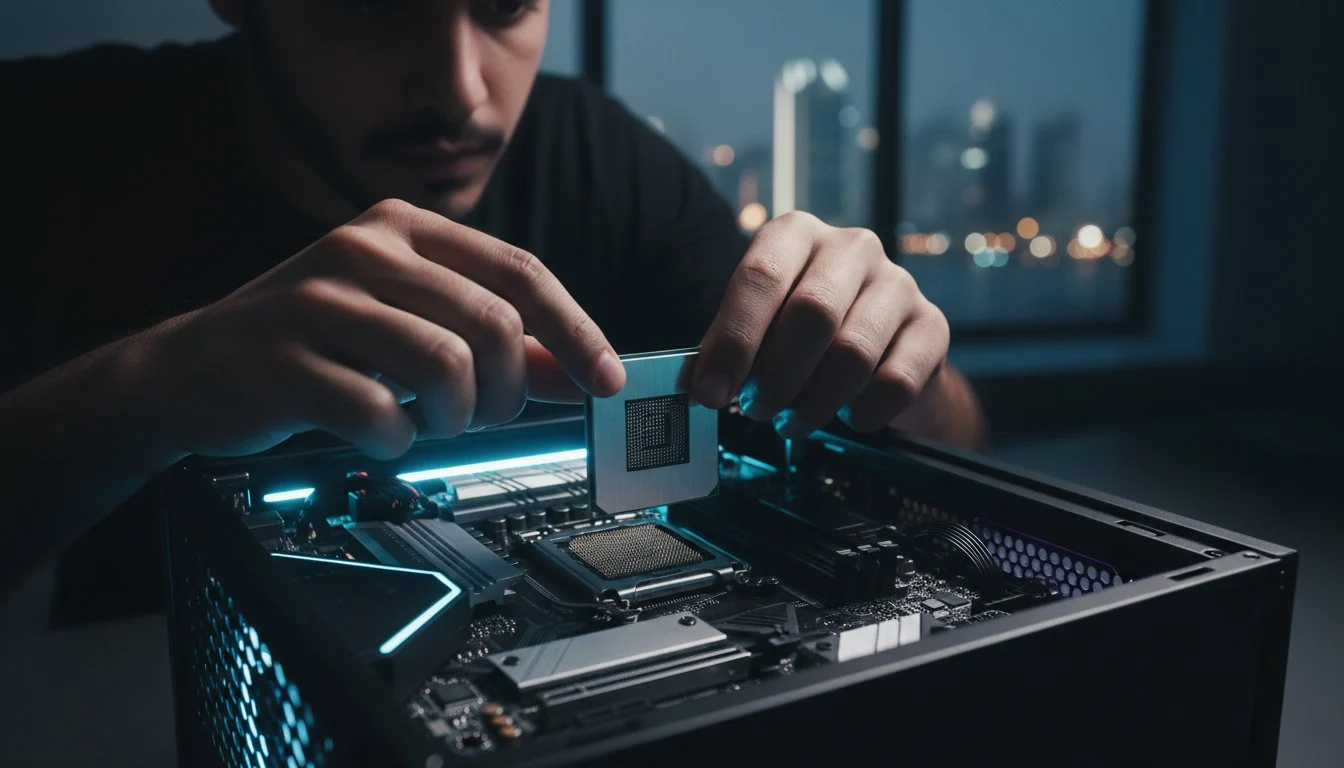

A high-end gaming rig isn’t just a collection of parts; it’s a precision instrument where a single millimeter of misalignment can turn a flagship dream into a thermal nightmare. Whether you’re unboxing a $549 NVIDIA RTX 5070 or the latest Intel Core Ultra series, the stakes have never been higher for enthusiast builders. It’s completely normal to feel a surge of anxiety when seating a processor into the new LGA 1851 socket or wondering if your airflow can handle the 600W draw of a modern powerhouse. We’ve all been there, staring at a nest of cables and hoping we don’t hear that dreaded static pop.
This survival guide will help you master the assembly process by identifying the critical gaming pc build mistakes to avoid that often ruin expensive hardware. As a team that builds machines designed by PC enthusiasts for PC enthusiasts, we’ll show you how to secure a stable, high-FPS experience without sacrificing the elegant aesthetics Grey PC is known for. We’ll cover everything from the transition to 32GB of DDR5 RAM to the dual-channel configurations that can boost performance by 15%. It’s time to stop worrying about bottlenecks and start seeing some magic in your setup.
Key Takeaways
- Identify architectural bottlenecks and dimension constraints before purchasing to ensure every high-performance component fits and functions perfectly.
- Master the physical assembly process and learn the critical gaming pc build mistakes to avoid, from protective film oversights to delicate socket pressure techniques.
- Optimize your thermal signature by distinguishing between static pressure and airflow fans to keep your high-end hardware cool under heavy loads.
- Unlock the full speed of your DDR5 RAM and flagship GPU by correctly configuring BIOS settings and hardware connections after the build is complete.
- Understand why professional-grade stress testing and hand-crafted precision are the secrets to a rig that delivers unparalleled stability and longevity.
Pre-Build Pitfalls: Compatibility and Planning Mistakes
The blueprint phase of a high-performance rig is where the most expensive errors take root. Many enthusiasts rush into buying a flagship NVIDIA RTX 5080 without considering the architectural ecosystem required to support it. This lack of foresight leads to the most common gaming pc build mistakes to avoid: the dreaded hardware mismatch. Success begins with a clear vision of how every component interacts, ensuring your investment delivers the magic you expect from a premium machine.
Understanding Component Bottlenecks
A bottleneck occurs when one component acts as a performance ceiling, preventing the rest of your hardware from reaching its peak potential. For example, pairing a cutting-edge RTX 50-series GPU with a mid-range processor or slow memory creates a massive data logjam. In 2026, a processor like the Intel Core Ultra 9 285K requires high-speed DDR5 RAM to truly shine, as modern game engines demand lightning-fast data transfers between the CPU and memory. System balance for high-refresh-rate gaming means ensuring your CPU can feed frames to your GPU fast enough to maintain a 240Hz output without stuttering. This balance becomes even more critical when your rig needs to power demanding applications like Pimax Crystal Light VR for PC, where every bottleneck directly impacts immersion and visual clarity.
Dimensions and Bandwidth: The Hidden Constraints
Physical space is a non-negotiable reality of modern hardware. Flagship GPUs have grown significantly, often exceeding 340mm in length. Forgetting to check case clearance against your specific GPU model is a classic error that leads to mid-build frustration. Beyond physical size, you must understand PCIe lane limitations. Modern motherboards often share bandwidth between the primary PCIe slot and the M.2 NVMe slots. If you populate every storage slot with PCIe 5.0 drives, you might inadvertently drop your GPU’s connection from x16 to x8 speeds, slashing your performance in half. Identifying these gaming pc build mistakes to avoid early saves you from the heartbreak of an unstable machine.
Power Supply: The Unsung Hero
Buying a low-tier power supply for a high-transient-load system is a recipe for disaster. While an 80 Plus Gold rating is a standard starting point, it’s not the ultimate goal for an enthusiast build. Modern components, particularly the Blackwell-based RTX cards, exhibit massive transient spikes where power draw can momentarily double. To maintain stability, you need an ATX 3.1 compliant PSU that handles these surges without tripping safety sensors. A high-end build with an AMD Ryzen 9 9800X3D and an RTX 5080 draws approximately 600W under full load; however, you should aim for a unit with at least 20% more wattage than your estimated peak to ensure long-term reliability. This overhead is essential for anyone looking to master the art of custom-built PCs.
The Physical Assembly: Common Errors on the Workbench
Once you’ve verified compatibility, the workbench becomes your arena. This is where precision craftsmanship separates a professional build from a frustrating weekend project. One of the most common gaming pc build mistakes to avoid is the “Forbidden Peel.” Leaving the clear plastic protective film on the base of your CPU cooler is a thermal death sentence. It blocks heat transfer entirely, causing your flagship processor to throttle or shut down within seconds of booting. It’s a small oversight with massive consequences for your hardware’s longevity.
Before you secure the motherboard, check the I/O shield. Forgetting this silver plate is a rite of passage for many, but it requires dismantling the entire system to fix. Even more critical is “Standoff Sabotage.” Motherboard standoffs ensure the PCB doesn’t touch the metal case. A single extra standoff in the wrong place can cause a catastrophic short circuit, potentially frying your motherboard or power supply instantly. Always count your standoffs and match them exactly to the mounting holes on your board.
CPU and Motherboard Delicate Handling
With the transition to high-density sockets like LGA 1851 and AM5, pin protection is paramount. Follow these steps to ensure a flawless install:
- Step 1: Use a flashlight to inspect the motherboard socket pins for any factory defects or bends before you even touch the CPU.
- Step 2: Use the “zero-pressure” technique. Align the gold triangle on the processor with the mark on the socket; the chip should fall into place without any resistance.
- Step 3: Secure the tension arm. While it requires some force, it shouldn’t feel like you’re snapping the board. If the resistance feels unnatural, stop and recheck the orientation.
RAM and Storage Seating
Modern DDR5 platforms are picky about placement and seating. To avoid stability issues, follow the “Two-Click” rule. Always consult your manual to find the optimal dual-channel slots, which are usually slots 2 and 4. You must apply even pressure until you hear a distinct “click” from both ends of the DIMM. That audible click is the ultimate indicator of a secure connection. For storage, avoid the “bend” during M.2 SSD installation. Ensure the drive sits flat on its dedicated standoff before tightening the screw. Overtightening can crack the controller or the PCB. If this level of technical detail feels overwhelming, choosing a Grey PC Custom Build ensures every component is seated with master craftsman precision.

Thermal Management: Defeating the Heat
Building a high-performance rig in Bahrain presents unique environmental challenges that generic Western guides often overlook. High ambient temperatures and fine desert dust are the constant enemies of hardware longevity. One of the most subtle gaming pc build mistakes to avoid is the “Airflow Short-Circuit,” where exhaust fans are positioned so they accidentally feed hot air directly back into the intake. This creates a loop of rising temperatures that can lead to thermal throttling even if your fans are spinning at 100% capacity.
Understanding the difference between static pressure and airflow fans is equally vital for a professional setup. High-airflow fans are designed to move massive volumes of air through unobstructed spaces, like the front of an open mesh case. However, if you are pushing air through a dense liquid cooling radiator or a fine dust filter, you need static pressure fans. These are engineered to overcome resistance, ensuring that cool air actually reaches your components rather than just swirling fruitlessly against the mesh. Identifying these thermal gaming pc build mistakes to avoid is critical for maintaining the “soul” of your machine and ensuring long-term stability. To keep that soul intact over time, following a dedicated gaming PC maintenance cleaning routine is just as important as the initial build quality.
Fan Orientation and Pressure
Identifying fan direction is simple once you know the secret: the “pretty side” with the logo is almost always the intake, while the “bracket side” with the plastic frame is the exhaust. In dusty environments, maintaining positive pressure is a non-negotiable rule. By having more intake fans than exhaust fans, you create a slight internal pressure that forces air out of every un-filtered crack in the case. This prevents dust from being sucked in through gaps, keeping your internals pristine. Your fan curve should be set to ramp up aggressively once the CPU hits 65°C to combat high room temperatures during the summer months.
Advanced Cooling for High-End Rigs
Modern enthusiast hardware requires more than just a basic heatsink. When installing an All-In-One (AIO) liquid cooler, ensure the pump is never the highest point in the loop. Air bubbles naturally rise to the top; if they settle in the pump, you’ll hear a grinding noise and see your temperatures skyrocket. Additionally, don’t ignore your storage. High-speed Gen5 SSDs generate significant heat and require dedicated thermal pads to prevent thermal throttling during long rendering sessions. Air-cooled systems in the Middle East require a more aggressive fan curve and superior case ventilation to maintain peak boost clocks. For thermal paste, the “spread” method is now preferred for large IHS chips to ensure total coverage across the entire surface.
Post-Build Blunders: BIOS and Software Setup
Your hardware is assembled, but the soul of the machine is still dormant. One of the most frustrating gaming pc build mistakes to avoid is assuming that a successful boot means maximum performance. Many builders leave their high-speed DDR5 RAM running at base JEDEC speeds, effectively throttling a system they spent thousands of dollars on. Without a trip to the BIOS, your 7200MT/s kit might languish at 4800MT/s, wasting the potential of your custom build. This oversight can lead to a 10% to 15% loss in frame rates in CPU-bound scenarios.
Then there’s the “Display Cable Confusion.” It sounds simple, but in the heat of the moment, plugging your monitor into the motherboard’s HDMI port instead of the dedicated GPU is a common oversight. This forces the system to use integrated graphics, leaving your powerful RTX 50-series card idle while you wonder why your performance is so poor. Always double-check that your display cable is connected directly to the horizontal ports of your graphic card. For enthusiasts who need to source reliable LCD panels or other computer hardware online, you can visit Computech-Solutions to explore a wide range of professional IT equipment. Neglecting BIOS updates is another critical error, especially for new architectures like Intel Arrow Lake or AMD Ryzen 9000 series, where early stability patches are non-negotiable for system health.
Maximizing Hardware Potential in BIOS
To unlock the speed you paid for, you must enable Intel XMP or AMD EXPO. This single toggle allows your motherboard to read the pre-set performance profiles on your RAM modules. While you’re in there, activate “Resizable BAR.” This feature allows the CPU to access the entire GPU frame buffer at once, providing a free 5% to 10% FPS boost in modern titles. Finally, ensure your fan headers are set to PWM mode for 4-pin fans. This prevents them from running at 100% speed constantly, ensuring a quiet, sophisticated gaming environment that matches the elegant power of your build.
The Software First-Run Checklist
Software installation requires a specific order of operations to ensure long-term stability. Always install your motherboard chipset drivers before your GPU drivers. This ensures the operating system understands how to communicate with the CPU and PCIe lanes effectively. Avoid generic Windows Update drivers; they’re often outdated and lack the specific optimizations found in manufacturer releases. Once your drivers are settled, use HWInfo64 to monitor your temperatures under a synthetic load. If you notice your CPU hitting 100°C instantly, refer back to our thermal section to check your cooler mounting.
For competitive gamers, don’t forget to disable “Enhanced Pointer Precision” in the Windows mouse settings. This feature adds artificial acceleration, which ruins the 1:1 muscle memory needed for precision aiming. If you want a rig that’s perfectly tuned from the first boot, explore a Grey PC Custom Build where our master craftsmen handle every BIOS optimization and driver update for you. We ensure your machine is ready to show you some magic the moment you press the power button.
The Professional Touch: Why Grey PC Builds Differ
Building a PC is a rewarding journey, but there is a vast gulf between a machine that simply boots and one that is engineered for peak endurance. At Grey PC, we eliminate the gaming pc build mistakes to avoid by applying a level of hand-crafted precision that mass-produced retailers cannot match. Every G-R7 series machine we build undergoes a rigorous 48-hour stress test. We push every component to its limit using industry-standard benchmarks to ensure that when it reaches your desk, it is bulletproof. This isn’t just assembly; it’s a transformative process that ensures your hardware’s soul is perfectly tuned.
Our enthusiast-grade cable management is a prime example of this dedication. While many DIY builders struggle with a nest of wires behind the motherboard tray, our master craftsmen route every cable with surgical precision. This isn’t just about clean aesthetics. It’s about reducing air turbulence. By clearing the path for intake and exhaust, we maximize the efficiency of your cooling system. This is a critical factor for anyone battling the high ambient temperatures of Bahrain. We curate every part based on twenty-five years of experience, selecting only the components proven to survive the intense regional heat. Pairing that build quality with a proper high-performance gaming PC maintenance and cleaning regimen ensures your investment continues to deliver peak results for years to come.
Designed by Enthusiasts for Enthusiasts
The Grey PC philosophy is rooted in quality over quantity. We don’t just sell boxes; we build workstations and gaming rigs that we would be proud to use ourselves. With twenty-five years of experience witnessing the evolution from early silicon to the current Blackwell architecture, we understand the nuances of system stability better than anyone. We invite you to see some magic by exploring our custom gallery, where every build reflects our commitment to unparalleled performance and elegant design.
Eliminating the Risk of DIY
Choosing a professional assembly is more than just a convenience; it’s a strategic investment in your system’s longevity. When you build yourself, you face the constant anxiety of bending pins or short-circuiting expensive motherboards. By letting us handle the technical heavy lifting, you eliminate the gaming pc build mistakes to avoid and gain the security of a single point of warranty for the entire system. If a component fails, you don’t have to troubleshoot alone. You get direct access to the builders who assembled your rig. Build your dream rig with Grey PC experts today and experience the peace of mind that comes with a master-crafted machine.
Secure Your High-Performance Legacy
Mastering a 2026 rig requires more than just following a manual; it demands an eye for architectural balance and thermal resilience. We’ve explored how identifying the most common gaming pc build mistakes to avoid, such as ignoring PCIe lane bandwidth or mismanaging fan pressure, can save your hardware from premature failure. Whether it’s the precision required for the new LGA 1851 socket or the necessity of ATX 3.1 power standards, every detail contributes to a machine that truly has a soul.
If the complexities of modern component synergy feel like a barrier, let us handle the technical wizardry. With over 25 years of enthusiast expertise, Grey PC specializes in crafting machines that are as elegant as they are powerful. Every G-R7 series build undergoes a rigorous 48-hour professional stress test to ensure unparalleled stability in the intense Bahraini climate. Don’t settle for a generic assembly when you can own a hand-crafted masterpiece. Design your unparalleled custom gaming PC with Grey PC and start your next session with absolute confidence. Your ultimate gaming experience is just a few clicks away.
Frequently Asked Questions
Is it easy to break a gaming PC while building it?
Physical damage is the most significant risk for DIY builders, particularly when handling the motherboard socket. Modern sockets like the LGA 1851 are incredibly delicate; a single dropped screw or a misplaced thumb can bend pins instantly. One of the primary gaming pc build mistakes to avoid is applying uneven pressure during component installation. While parts are generally durable, a $400 motherboard can become a paperweight through one second of carelessness.
What happens if I put too much thermal paste on the CPU?
Excess thermal paste usually results in a messy cleanup rather than immediate hardware failure. If the paste is electrically conductive, it can bridge contacts on the motherboard and cause a catastrophic short circuit. Even with non-conductive paste, too much can overflow into the socket or onto the PCB, making future upgrades difficult. Stick to a pea-sized amount or a thin, even spread for total coverage across the heat spreader.
Do I really need an anti-static wrist strap for a 2026 build?
You don’t strictly need one if you ground yourself frequently by touching the metal chassis of your case. However, in the dry and dusty conditions often found in Bahrain, static buildup is a persistent threat to sensitive electronics. Using a strap is a professional habit that eliminates the small but real chance of an ESD event. It is a cheap insurance policy for the soul of your high-end machine.
Why is my PC turning on but showing no display on the monitor?
This is usually caused by plugging the display cable into the motherboard’s I/O panel instead of the graphic card. If your cable is correctly placed in the GPU, check your RAM seating immediately. Modern DDR5 modules require significant force to click into place. If they aren’t perfectly aligned, the system will power on and spin the fans but fail to initialize the display output for the user.
Can I use an old power supply for a new RTX 40-series card?
We don’t recommend using legacy power supplies for modern high-performance builds. New RTX cards are designed for the ATX 3.1 standard, which manages high-speed power transitions much better than older units. An old PSU lacks the native 12VHPWR cable, and using adapters can lead to melted connectors or system instability. For a stable 2026 build, a modern 850W Gold-rated unit is the safest investment for your hardware.
How do I know if my fans are facing the right way?
Check the side of the fan for small embossed arrows indicating rotation and airflow direction. If there are no arrows, remember that the side with the plastic four-arm bracket is the exhaust. The open side without the bracket is where the air is pulled in. Orienting these correctly is vital for preventing the airflow short-circuits that cause thermal throttling in high-ambient temperature environments like the Middle East.
What is the most common reason a new PC won’t POST?
The most frequent reason a build won’t POST is a simple cable oversight or seating issue. Builders often forget the 8-pin CPU power connector at the top left of the motherboard, which is required for the processor to initialize. Always double-check that every connection, including the 24-pin main power and the GPU cables, is pushed in until the plastic retention clip fully engages with a distinct clicking sound.
Is liquid cooling better than air cooling for gaming in hot climates?
Liquid cooling is generally superior for managing the specific thermal challenges of Bahrain. AIO coolers use a liquid medium with higher thermal capacity than air, allowing them to soak up heat spikes more effectively during intense gaming sessions. This is especially useful when room temperatures are high, as the radiator can be positioned to exhaust hot air directly out of the case before it affects your other components. If you are planning to push your rig even further with immersive peripherals like the Pimax Crystal Light VR for PC, robust liquid cooling becomes even more essential to sustain the sustained GPU loads that high-clarity VR demands.