
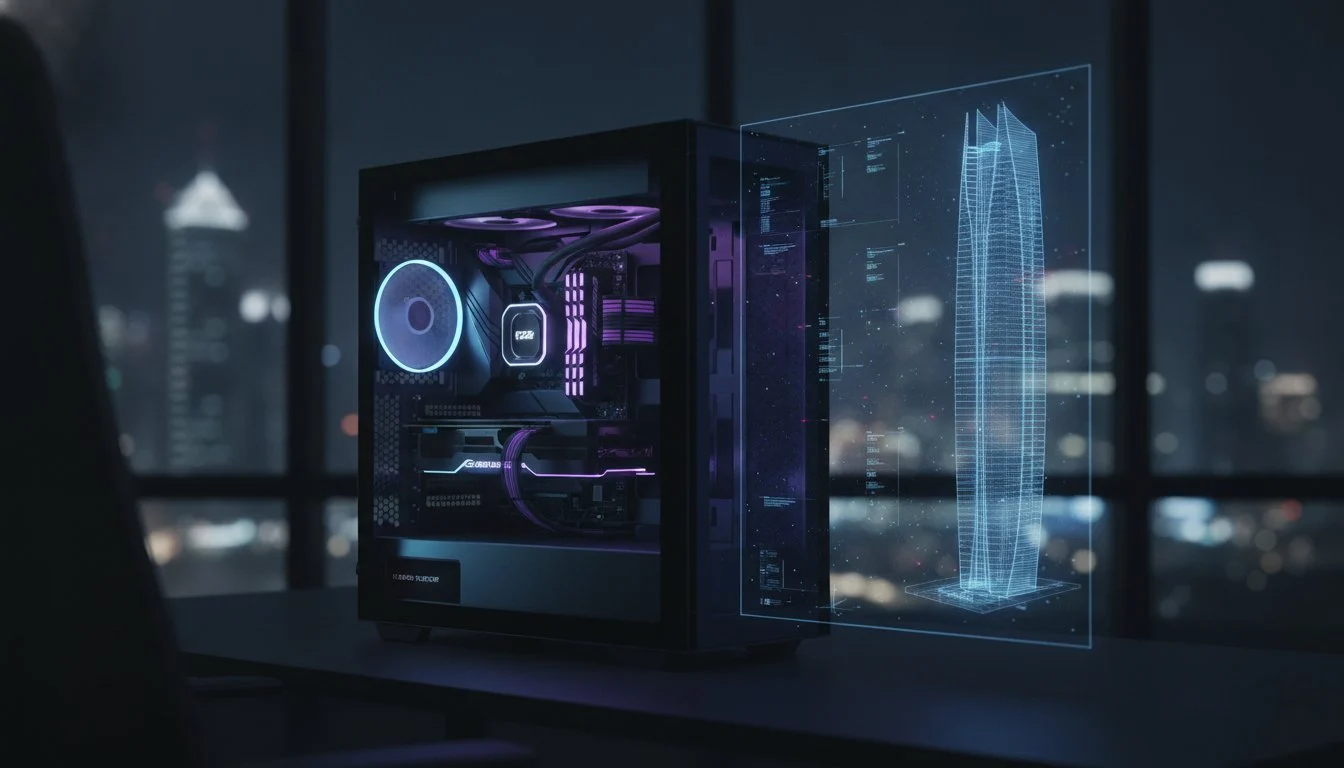

A standard off-the-shelf PC is a liability when your project’s profitability depends on millisecond-perfect responsiveness. Most architects realize too late that the wrong pc hardware for autocad and revit turns a complex 3D navigation into a frustrating slideshow, especially as AutoCAD 2026 demands more precision than ever before. You’ve likely felt the sting of a system freeze during a critical Revit 2026.4.1 sync or watched rendering times eat into your project’s margin. We believe your workstation should be a seamless extension of your expertise, not a bottleneck that stutters under the weight of a 10 million polygon model.
This 2026 professional guide is designed to help you master the “split-personality” requirements of modern CAD and BIM. We’ll show you how to balance the high-frequency single-core power needed for modeling with the massive multi-threaded VRAM required for rapid rendering. We’re diving deep into the latest benchmarks, explaining why the AMD Ryzen 9 9950X is currently crushing Revit CPU tests and how the NVIDIA RTX 5070 provides a zero-lag modeling experience. You’re about to build a future-proof investment that ensures your hardware never dictates your creative limits for the next five years.
Key Takeaways
- Identify why high clock speeds (GHz) take priority over high core counts for smooth, lag-free 3D navigation in active design environments.
- Select the ideal pc hardware for autocad and revit by balancing specialized GPU acceleration for real-time viewports with multi-threaded power for final frame rendering.
- Future-proof your workstation with the 2026 memory standard, ensuring 64GB of DDR5 RAM provides the stability needed for massive BIM project files.
- Eliminate system instability during peak deadlines with advanced thermal management solutions designed to handle intensive 24/7 rendering workloads.
- Learn why bespoke, precision-engineered workstations outperform generic pre-builts when running complex software combinations like Revit, V-Ray, and Enscape.
The Architecture of Performance: Why AutoCAD and Revit Demand Specialized Hardware
Building a professional workstation isn’t just about picking the most expensive parts. It’s about matching the architecture of the silicon to the logic of the software. For years, the industry has chased high core counts, yet users still suffer through viewport lag. This happens because the core engine of AutoCAD and Autodesk Revit relies heavily on single-threaded processing. Choosing the right pc hardware for autocad and revit means understanding that most modeling tasks happen in a linear sequence. One calculation must finish before the next begins, creating a natural bottleneck that more cores simply cannot solve.
Clock speed is your primary weapon. While a 64-core server sounds impressive, it will likely lose to a high-frequency 8-core processor during active design work. AutoCAD 2026 has introduced massive efficiency gains, boasting file opening speeds up to 11x faster than previous versions, but these gains still rely on the CPU’s ability to cycle through instructions at lightning speed. Professional software handles hardware interrupts with extreme precision. While a game might drop a frame to keep up, CAD software cannot drop a coordinate. Revit 2026 is evolving, however. The latest tech preview for accelerated graphics shows a clear trend toward offloading more viewport tasks to the GPU. This shift means your choice of pc hardware for autocad and revit must now account for a more balanced synergy between the processor and the graphics card than in previous years.
Modeling vs. Rendering: The Workload Split
Active modeling is a solitary task for a CPU core. When you rotate a complex assembly, your processor isn’t sharing that load across thirty cores; it’s pushing one core to its absolute limit. High core counts only truly shine during final frame rendering or multi-threaded background calculations like thermal analysis or structural simulations. You need a machine that can pivot between these two worlds without breaking a sweat. In the high-stakes world of professional design, single-core frequency is the heartbeat of CAD speed, dictating every line you draw and every wall you move.
BIM Complexity and Hardware Scaling
As your models grow, so does the demand on your CPU’s cache. Large-scale BIM projects involve massive datasets and linked models that can quickly saturate a standard processor. Linked models are the silent killers of performance. Every time you open a project with five linked architectural and MEP models, your system has to reconcile thousands of relationships in real-time. This is where high-speed DDR5 memory and massive CPU cache become your best friends. Entry-level specifications might handle a small house, but they’ll buckle under the weight of a commercial skyscraper. Investing in a Grey PC Custom Build ensures your hardware scales with your project’s ambition, providing the stability required for 24/7 professional output.
Choosing the Engine: CPU and GPU Synergy for CAD Workflows
The core of your productivity lives or dies by the synergy between your processor and your graphics card. While many users look at these components in isolation, the most effective pc hardware for autocad and revit operates as a unified ecosystem. If your CPU can’t feed data fast enough, your high-end GPU sits idle. Conversely, a weak GPU will choke on the massive 4K textures and AI-assisted workflows that define 2026 design standards. Official benchmarks often paint a conservative picture, but professional reality demands more. Following Graitec’s Revit 2026 system requirements is a solid starting point, but elite performance requires looking at the latest silicon innovations.
The Best CPUs for CAD in 2026
The battle for the desktop crown has never been more intense. When deciding between the Intel Core i9-14900K vs the Ryzen 9 9950X, you aren’t just choosing a brand; you’re choosing a processing philosophy. As of April 2026, the AMD Ryzen 9 9950X has taken a commanding lead in Revit benchmarks, posting a median CPU test time of 7652 ms. This performance jump is largely driven by its massive L3 cache, which acts as a high-speed staging area for complex AutoCAD geometry. Intel remains a formidable contender for those who prioritize raw single-core clock speeds, but the efficiency of the latest Ryzen architecture makes it a powerhouse for sustained BIM workloads. You need that high-frequency cadence to ensure your lines don’t lag behind your cursor.
GPU Selection: Powering the Viewport
Graphics cards have evolved beyond simple display adapters. They’re now essential co-processors that handle everything from real-time viewport acceleration to hardware-accelerated ray tracing. The NVIDIA GeForce RTX 5090, built on the Blackwell architecture, has redefined what’s possible for Revit walkthroughs. With 24GB of VRAM, it effortlessly handles massive projects that would crash an 8GB card. For most professionals, 16GB of VRAM is now the absolute floor for serious 2026 BIM projects. While consumer GeForce cards offer incredible value, professional RTX PRO (formerly Quadro) cards remain the gold standard for firms that require ISV-certified stability. If you’re building a custom-engineered workstation, consider the following GPU priorities:
- NVIDIA RTX 5070: The current performance leader for Revit, boasting a median GPU test time of 1821.5 ms.
- RTX PRO Blackwell Series: Essential for users who need certified drivers to prevent crashes in mission-critical environments.
- Studio Drivers: Always opt for NVIDIA Studio Drivers over Game Ready versions to ensure maximum compatibility with Autodesk’s latest updates.
Don’t let your hardware dictate the speed of your imagination. By pairing a high-cache CPU with a Blackwell-era GPU, you create a workstation that responds instantly to every design decision. This isn’t just about speed; it’s about maintaining a creative flow that isn’t interrupted by the spinning blue wheel of frustration.
Memory and Storage: Eliminating Bottlenecks in Large-Scale BIM Projects
Your workstation’s raw horsepower is useless if the data pipeline is clogged. While the CPU and GPU handle the heavy lifting, your memory and storage subsystems act as the high-speed highway connecting every calculation. Selecting the right pc hardware for autocad and revit requires a surgical focus on memory latency and storage throughput. If your system stutters during a simple 3D orbit, it’s rarely the graphics card’s fault. Usually, it’s the result of the system struggling to swap data between the drive and the RAM fast enough to keep up with your movements.
Modern architectural workflows in 2026 have moved beyond the days when 32GB of RAM was considered plenty. Between the overhead of Windows 11 and the rise of AI-assisted design plugins, 64GB of DDR5 has become the professional baseline. This capacity ensures that your entire project remains resident in high-speed memory. When you invest in pc hardware for autocad and revit, you’re buying the ability to switch between complex floor plans and high-detail sections without waiting for the “Not Responding” ghost to vanish from your title bar.
DDR5 RAM: Speed and Capacity
Speed is just as critical as capacity. Professional builds should prioritize DDR5-6000+ kits to minimize micro-stutter during viewport navigation. High-frequency memory allows the CPU to access geometry data with minimal delay, making the entire modeling experience feel fluid. Be careful with your motherboard configuration, though. Filling all four DIMM slots on consumer-grade boards often forces the memory controller to downclock, significantly reducing your effective speed. It’s almost always better to use two high-capacity sticks rather than four smaller ones. Remember that Revit loads the entire model into RAM for active editing, so having that massive, high-speed buffer is what keeps your project responsive during peak deadlines.
Storage Solutions for Speed and Safety
Mechanical hard drives have no place in a 2026 CAD workstation. Even standard SATA SSDs are starting to show their age when handling massive .rvt and .dwg files. The performance boost of the Samsung 990 Pro 2TB is transformative for project loading times. Using a Gen5 NVMe drive for your operating system and active projects can cut startup times by seconds that add up to hours over a year. For local redundancy, we recommend a secondary storage tier. A RAID 1 array of high-capacity SSDs provides a mirrored safety net for your local project archives. This setup ensures that if one drive fails, your billable hours aren’t lost to the void. Precision storage isn’t just about speed; it’s about the professional peace of mind that comes from a stable, redundant environment.

Thermal Management and Stability: Protecting Your Professional ROI
Heat is the silent killer of professional productivity. You can invest in the most expensive pc hardware for autocad and revit, but if your cooling solution fails, your hardware will throttle to a crawl or crash entirely. In high-ambient temperature environments, thermal management isn’t just a technical detail; it’s a fundamental requirement for protecting your professional ROI. High-performance components like the i9-14900K or the Blackwell-era GPUs generate immense heat during sustained Revit rendering sessions. Without a robust thermal strategy, you’re essentially driving a supercar with a broken radiator. System instability doesn’t just delay projects. It erodes client trust and eats your billable hours.
Advanced Cooling for Professional Rigor
Achieving 24/7 stability requires more than just a standard fan. We prioritize liquid cooling for high-end builds because it moves heat away from the CPU faster than air ever could. A 360mm AIO (All-In-One) liquid cooler is mandatory for keeping high-frequency chips stable under load, preventing the sudden frequency drops that cause viewport lag. The choice of chassis is equally critical for maintaining a cool environment. The Lian Li PC-O11 Dynamic has become a professional favorite because its dual-chamber design separates the power supply from the heat-generating core components. This layout ensures a clean, unobstructed path for airflow that keeps your VRAM and VRMs within safe operating limits.
- 80+ Platinum PSU: High-efficiency power supplies generate less internal waste heat and provide cleaner voltage to sensitive components.
- Positive Pressure Airflow: Using more intake fans than exhaust fans keeps dust out of your system, which is vital for hardware longevity.
- Industrial-Grade Fans: We select fans with high static pressure to push air through dense radiators and cluttered internal spaces.
Stability and Technical Support
A workstation crash at 2:00 AM before a major deadline is a disaster that costs more than any hardware repair. Professional assembly includes rigorous stress testing to ensure every component can handle the specific demands of pc hardware for autocad and revit. We build machines that are “Middle East Ready,” meaning they’re engineered to perform at peak capacity even when external summer temperatures soar. This level of stability only comes from a builder who understands the internal soul of the technology and the environment it operates in. Every machine we build undergoes a 24-hour burn-in period to catch potential failures before they ever reach your desk.
Don’t settle for a generic office PC that buckles under the weight of a complex BIM model. If you’re ready to invest in a machine that stays cool under pressure, explore our range of bespoke 3D rendering workstations today. Our builds provide the refined, reliable performance that professional architects and engineers demand.
The Grey PC Advantage: Bespoke Workstations for Architects and Engineers
Choosing the right pc hardware for autocad and revit shouldn’t involve settling for a mass-produced compromise. Most off-the-shelf workstations from global giants rely on proprietary motherboards and locked power supplies that make future upgrades a nightmare. We take a different approach. A Grey PC Custom Build is a precision-engineered tool designed to evolve alongside your career. We use only premium, standardized components, ensuring your system remains 100% upgradeable for the next five years. Whether your workflow prioritizes Revit’s single-threaded modeling or Enscape’s real-time ray tracing, we tailor the silicon to your specific software mix.
Craftsmanship and Precision Assembly
Every workstation we build follows our “soul of the machine” philosophy. This isn’t just about mechanical assembly. It’s a transformative process where every cable is routed with intent and every component is verified for peak synergy. We subject every CAD workstation to a rigorous 24-hour stress test, pushing the pc hardware for autocad and revit to its absolute thermal limits before it ever reaches your office. This ensures that when your deadline arrives, your hardware won’t flinch. Our builds are clean, aesthetic, and professional, reflecting the same level of precision you put into your own architectural designs.
Ready to Upgrade Your Workflow?
A high-performance studio requires more than just one fast computer. We offer specialized consultation services for architectural firms looking to modernize their entire digital infrastructure. From individual elite workstations to bulk procurement requirements for Dell, Lenovo, or HP fleets, we manage the technical complexity so you can focus on design. We provide comprehensive fleet management and local support to ensure your team never loses a billable hour to a hardware failure. Your expertise deserves a machine built with the same level of care you give your projects.
Don’t let outdated hardware limit your creative vision or slow your project delivery. The path to a zero-lag modeling experience starts with a conversation about your specific technical needs. Consult with Grey PC for your next professional workstation build and experience the difference that bespoke, precision-engineered hardware makes in your daily CAD and BIM workflows.
Architecting Your Future: The Path to Zero-Lag Design
Mastering your workflow in 2026 requires a workstation that understands the nuanced logic of your software. You’ve seen how the right pc hardware for autocad and revit balances high-frequency single-core power for fluid modeling with massive VRAM for complex rendering. By prioritizing 64GB of DDR5 RAM and the groundbreaking Blackwell architecture of the RTX 5090, you eliminate the bottlenecks that stall your creative momentum. Stability is no longer a luxury; it’s a professional necessity that protects your billable hours and studio reputation.
We specialize in 3D rendering and professional workstations that bridge the gap between technical specs and artistic vision. Our team in Bahrain provides expert local technical support and precision assembly, ensuring every build is a masterpiece of thermal efficiency and raw speed. From high-capacity DDR5 RAM kits to the latest flagship processors, we source the most exclusive components to build your ideal digital foundation. It’s time to stop fighting your hardware and start commanding it. Build Your God-Tier CAD Workstation with Grey PC and experience the transformative power of a machine built specifically for your expertise. Your most ambitious projects are waiting for a system that can finally keep up.
Frequently Asked Questions
Do I need an NVIDIA Quadro card for AutoCAD and Revit in 2026?
You don’t strictly need an NVIDIA RTX PRO card for most AutoCAD and Revit workflows. High-end GeForce cards like the RTX 5090 offer incredible raw power and VRAM for a more competitive price. However, large architectural firms often prefer the PRO series for its ISV-certified drivers. These drivers provide a guarantee of stability and direct technical support from Autodesk that consumer gaming cards simply cannot match.
How much RAM do I actually need for complex Revit models?
64GB of DDR5 RAM is the professional baseline for 2026 Revit projects. While 32GB might suffice for small residential designs, complex commercial models with linked files will quickly consume your system’s memory. If you’re working on skyscrapers or massive industrial sites, upgrading to 128GB ensures your workstation remains responsive. This prevents the system from using the slower storage drive as virtual memory, which causes significant lag.
Is a gaming laptop good enough for professional CAD work?
Gaming laptops can handle light CAD tasks, but they aren’t ideal for sustained professional workloads. The primary issue is thermal management. High-performance pc hardware for autocad and revit generates intense heat that most thin laptops cannot dissipate effectively. This leads to thermal throttling, where your CPU slows down to protect itself, resulting in sluggish performance during long 3D navigation or rendering sessions.
What is the best CPU for AutoCAD single-core performance?
The AMD Ryzen 9 9950X and the Intel Core Ultra 9 285k are currently the top contenders for single-core dominance. AutoCAD is primarily a single-threaded application, meaning it relies on one core doing the heavy lifting. The Ryzen 9 9950X is particularly impressive in 2026 benchmarks, offering the high clock speeds necessary for a zero-lag modeling experience. High single-core frequency ensures that every line and snap command feels instantaneous.
Why does Revit crash when I try to render a 3D view?
Rendering crashes are typically caused by VRAM saturation or insufficient system memory. When you initiate a 3D render, Revit loads high-resolution textures and complex geometry into your GPU’s memory. If your card has less than 12GB of VRAM, the system may fail to process the scene and crash. Ensuring your pc hardware for autocad and revit includes a Blackwell-era GPU with at least 16GB of VRAM will solve most rendering stability issues.
Should I choose Intel or AMD for a 2026 CAD workstation?
AMD currently holds the performance crown for Revit in 2026. The Ryzen 9 9950X has shown superior median test times in independent benchmarks compared to its Intel counterparts. While Intel still offers excellent single-core performance, AMD’s recent architectural leaps and larger cache sizes provide a more balanced experience for both modeling and multi-threaded rendering tasks. We recommend AMD for firms looking for the most efficient BIM engine.
How does thermal throttling affect my project deadlines?
Thermal throttling is a silent productivity killer that can turn a two-hour render into a four-hour ordeal. When your cooling system fails to keep up, the CPU and GPU automatically lower their speeds to prevent permanent damage. This slowdown happens exactly when you need performance the most, such as during peak deadlines. Investing in high-end liquid cooling and a high-airflow chassis ensures your workstation maintains its maximum rated speed indefinitely.
Can Grey PC build a workstation specifically for my architectural firm?
Absolutely. We specialize in building bespoke workstations tailored to the specific software mix used by your studio. Whether your team relies on Revit, Enscape, V-Ray, or AutoCAD, we engineer the hardware to eliminate your specific bottlenecks. Our builds undergo a 24-hour stress test to guarantee stability. We also offer bulk procurement solutions for firms in Bahrain looking to upgrade their entire fleet with high-performance, non-proprietary hardware.