
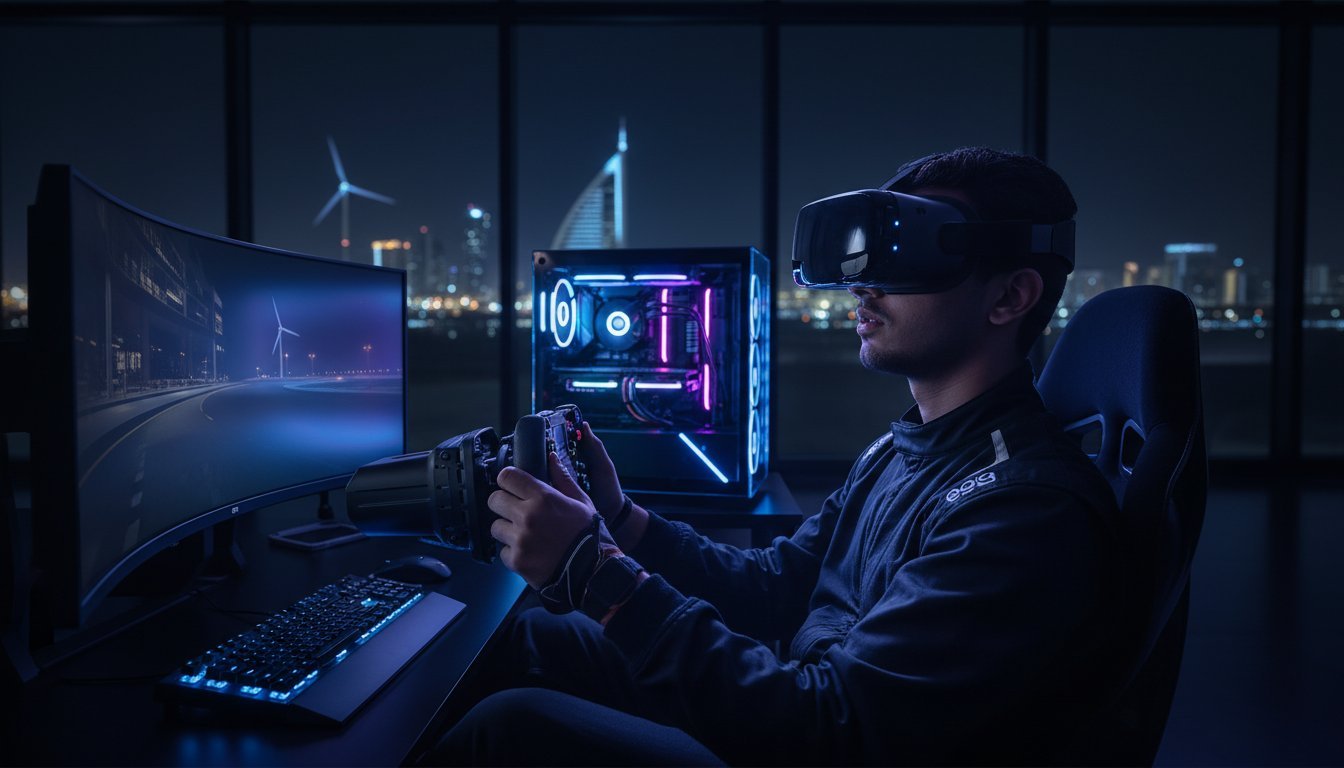

If you are still squinting to see the apex on a virtual track or reading flight instruments through a digital haze, you aren’t just losing the race; you are missing the soul of the simulation. The Pimax Crystal Light – VR for PC represents a total paradigm shift, delivering a staggering 35 Pixels Per Degree that makes visual blurriness a relic of the past. At Grey PC, we believe high-performance hardware should feel like magic, not a struggle with complex base stations or neck-straining weight. You deserve the unparalleled clarity of 2880 x 2880 pixels per eye without the guesswork that usually haunts high-end VR setups.
We understand the anxiety of investing in a premium headset only to find your current rig stuttering under the load. Discover why this 815g powerhouse is the ultimate upgrade for sim-enthusiasts and exactly which components you need to power its 8K clarity. This guide provides a complete breakdown of the hardware requirements, from the entry-level RTX 2070 to the recommended RTX 4070 Ti, so you can build your 2026-ready workstation with absolute confidence.
Key Takeaways
- Discover how the streamlined, PC-only design removes unnecessary weight and heat to provide a more comfortable experience during long-haul flight or endurance racing sessions.
- Learn why premium Glass Aspheric Lenses are the secret to eliminating “God Rays” and maximizing the visual sweet spot for total immersion.
- Identify the critical hardware thresholds, including why 16GB of VRAM is the new baseline for running the Pimax Crystal Light – VR for PC at its native resolution.
- Evaluate the pros and cons of Inside-Out tracking versus Lighthouse setups to determine which configuration best suits your specific simulator cockpit.
- Understand how a Grey PC custom build provides the precision-tuned horsepower required to transform high-resolution technical specs into a seamless, magical experience.
What is the Pimax Crystal Light? VR for PC Redefined
The Pimax Crystal Light – VR for PC is a surgical strike on the high-end headset market. It takes the award-winning visual core of the original Pimax Crystal and strips away every ounce of unnecessary fat. By removing the onboard battery, the XR2 processor, and the standalone operating system, Pimax created a device that prioritizes raw performance over mobile gimmicks. It’s a specialist tool designed for the cockpit, where visual fidelity and long-term comfort are the only metrics that matter.
For sim-racers and flight-simmers, this evolution is exactly what the community requested. You don’t need a heavy battery when you’re tethered to a high-performance workstation. You don’t need a mobile processor when you have a dedicated GPU doing the heavy lifting. The Pimax Crystal Light – VR for PC delivers the same industry-leading 2880 x 2880 per-eye resolution but does so in a package that won’t cause neck strain after three hours on the track. It provides an 8K visual experience without the typical 8K price tag.
Crystal Light vs. Original Crystal: What Changed?
The most immediate difference is the physical footprint. The Pimax Crystal Light is roughly 30% lighter than its predecessor. This weight reduction transforms the ergonomics, shifting the center of gravity closer to your face for a more balanced feel. Because it’s a pure PCVR machine, you never have to worry about charging a battery or managing firmware updates for a standalone OS. It’s a direct line from your graphics card to your eyes. This streamlined approach also allowed Pimax to lower the barrier to entry, making professional-grade clarity accessible to more enthusiasts.
The “Light” Philosophy: Why Less is More
In the world of high-end hardware, complexity is often the enemy of reliability. The “Light” philosophy centers on reducing heat and simplifying the electronics. By removing the standalone components, the headset runs cooler and stays more stable during intensive 120Hz gaming sessions. Setup is equally elegant. You get a true plug-and-play experience via DisplayPort 1.4, avoiding the compression lag and visual artifacts found in USB-streaming headsets.
Looking back at the Pimax company history, it’s clear they’ve mastered the art of high-resolution displays. With the Crystal Light, they’ve finally matched that visual prowess with a user-friendly, lightweight design. It’s about focusing every engineering dollar on the glass and the panels rather than features a desktop user will never touch. At Grey PC, we appreciate this “no compromise” approach to technical craftsmanship.
Unparalleled Clarity: The Magic of 2880 x 2880 Resolution
High-fidelity VR isn’t just about raw pixel counts; it’s about how those pixels translate to your eyes. The Pimax Crystal Light – VR for PC delivers a staggering 35 Pixels Per Degree (PPD). This is the “magic number” for simulation enthusiasts. It means you can read the fine print on a Cessna dashboard or identify a distant braking marker on the Nürburgring without leaning forward or squinting. The 2880 x 2880 per-eye resolution effectively kills the screen door effect, creating a solid, cohesive image that feels like looking through a window rather than a screen.
This massive resolution does more than just sharpen the image; it fundamentally changes how light behaves in the headset. Because the pixel density is so high, the light doesn’t scatter as easily. This drastically reduces “God Rays,” those annoying streaks of light that often ruin high-contrast scenes. By providing true clarity for the cockpit, the Crystal Light ensures that every digital instrument is sharp from the center of your vision to the very edge of the lens.
Glass Lenses vs. Plastic: The Visual Difference
Most consumer headsets use plastic Fresnel lenses because they are cheap and lightweight. However, plastic blurs easily and distorts light. Pimax uses aspherical glass lenses that offer superior light transmission and edge-to-edge clarity. Glass is more durable and resists the micro-scratches that eventually plague plastic optics. One key technical detail: aspheric lenses are the primary reason for reduced chromatic aberration and a larger “sweet spot” in your field of view. If you want to see this optical precision in action, you’ll need a Grey PC custom build designed to push these high-bandwidth visuals.
QLED and Local Dimming Explained
Black levels define immersion in space sims like Star Citizen or horror titles like Half-Life: Alyx. The Pimax Crystal Light – VR for PC utilizes QLED panels paired with 2160 individual dimming zones. This local dimming technology allows the headset to turn off the backlight in dark areas while keeping bright elements, like stars or flashlights, incredibly vibrant. It mimics the deep contrast of an OLED panel without the risk of pixel burn-in or the dimness often found in older VR displays. The result is a balanced, realistic image with punchy colors and shadows that actually feel dark.
- 2160 Dimming Zones: Precision control over light and dark areas.
- 35 PPD: Professional-grade density for reading text and dials.
- Glass Optics: Unmatched durability and light transmission.

PC Requirements: Building a Rig for the Pimax Crystal Light
Powering the Pimax Crystal Light – VR for PC is not like running a standard 1080p gaming setup. You are asking your system to render two separate 2880 x 2880 images simultaneously. That’s nearly 17 million pixels being pushed at high refresh rates. Without the right horsepower, that 8K clarity turns into a stuttering slideshow. High-resolution VR demands a precision-built machine that can maintain consistent frame times under heavy load.
VRAM is your first major hurdle. Modern high-resolution VR textures are memory-hungry. We’ve found that 16GB of VRAM is quickly becoming the baseline for a stutter-free experience. If your card runs out of memory, the system swaps to slower system RAM, causing the “judder” that ruins immersion. Then there’s the CPU. In simulation titles like iRacing or Microsoft Flight Simulator, single-core clock speed is king. A slow processor creates a bottleneck that prevents even the fastest GPU from hitting its target. When deciding on the heart of your machine, check out our comparison on Intel Core i9-14900K vs the Ryzen 9 9950X which one should I go with to see which architecture handles these loads best.
The Enthusiast Tier (RTX 4080 / 5070 and Above)
For most users, the enthusiast tier is where the magic happens. Aim for an RTX 4080 or the newer RTX 5070 to maintain a native resolution at 90Hz. This level of performance ensures a smooth, nausea-free experience in complex cockpits. You’ll also want high-speed DDR5 RAM and a Gen4 or Gen5 NVMe SSD to eliminate asset-loading hitches. Don’t let a slow drive be the weak link in your chain; read our guide on Gaming PC Build Mistakes to Avoid to ensure your build is perfectly balanced for the Pimax Crystal Light – VR for PC.
The Ultra Tier (RTX 4090 / 5090)
If you demand 120Hz refresh rates and maximum supersampling, only the ultra tier will suffice. The RTX 4090 remains a gold standard, but the upcoming RTX 5090 is set to redefine what’s possible for Pimax users in 2026. These cards pull massive amounts of power. You must ensure your power supply can handle the transient spikes of a high-end VR-ready rig. A 1000W+ 80 Plus Gold unit is no longer an optional luxury; it’s a requirement for system stability.
- GPU: RTX 4080 / 5070 (Enthusiast) or RTX 4090 / 5090 (Ultra).
- VRAM: 16GB minimum to avoid texture swapping.
- PSU: 1000W+ to handle modern high-end GPU power spikes.
Optimized for Flight and Racing: VR for the Pro Simulator
Peripheral vision defines the difference between a good lap and a podium finish. The Pimax Crystal Light – VR for PC features a 135° diagonal Field of View (FOV) that transforms your awareness in the cockpit. In a racing sim, this means you can track a rival in your side mirror without turning your head away from the apex. In flight sims, it provides the spatial context needed for carrier landings or tight formation flying. This isn’t just about immersion; it’s about giving you the data you need to react faster.
Choosing your tracking method is a critical decision for any simulator build. The standard inside-out tracking utilizes integrated cameras to map your room, offering a clean, cable-free setup that’s perfect for most seated cockpits. However, if you already own SteamVR base stations, the optional Lighthouse faceplate provides that final 1% of tracking precision. To keep these high-resolution visuals smooth, the headset utilizes Fixed Foveated Rendering. This tech concentrates your PC’s power on the center of the lens where your eyes focus, dropping the resolution at the extreme edges to maintain a stable frame rate without sacrificing perceived quality.
A high-performance sim rig is a heat engine. When you’re pushing 8K textures, your GPU and CPU are working at their thermal limits. We recommend housing your build in a Lian Li PC-O11 Dynamic to ensure maximum airflow. This chassis is the gold standard for enthusiasts who understand that stable temperatures lead to stable frame times. If you are ready to stop fighting your hardware and start winning races, explore our custom VR workstations designed specifically for the Pimax ecosystem.
Flight Simulation: MSFS 2024 and DCS World
In the world of flight simulation, clarity is a safety requirement. With 35 PPD, the Pimax Crystal Light – VR for PC allows you to read tiny labels on an overhead panel or spot a distant bogie in DCS World long before your wingman does. The headset handles the massive CPU demands of MSFS 2024 with grace, especially when paired with a high-clock-speed processor. For those long-haul flights, the 815g weight and balanced head strap ensure you stay comfortable from takeoff to touchdown.
Sim Racing: iRacing, ACC, and F1 24
Pro racers target 120Hz for a reason: latency kills. The Crystal Light’s high refresh rate options provide the fluid motion needed to catch a slide or time a perfect overtake in Assetto Corsa Competizione. Seeing brake markers and apexes with absolute sharpness gives you a competitive edge that lower-resolution headsets simply can’t match. When you pair this visual fidelity with a high-end direct drive wheelbase, the “soul” of the machine finally comes alive, bridging the gap between digital and reality.
The Grey PC Advantage: Expert VR System Integration
Hardware is a commodity until a craftsman assembles it. We understand that the Pimax Crystal Light – VR for PC requires more than just a box of parts; it requires a workstation that breathes. At Grey PC, we don’t just sell components. We build the engine that drives your virtual reality experience. Buying from enthusiasts who understand the “soul” of the machine means your rig is optimized from the BIOS settings to the fan curves. We ensure your system is ready to handle the 17 million pixels this headset demands.
Our custom assembly service is tailored specifically to the unique requirements of 8K VR. We ensure every cable is managed for maximum airflow and every component is seated with absolute precision. This isn’t a mass-produced product. It is a hand-crafted workstation designed to eliminate the friction between you and the simulation. We invite you to see some magic during a professional VR consultation. We’ll map out a build that matches your specific sim-racing or flight-sim goals so you can stop troubleshooting and start racing.
Designed by Enthusiasts for Enthusiasts
With a twenty-five-year legacy in high-performance hardware, we’ve seen every major shift in the industry. We’ve learned that thermal management is the silent killer of VR performance. That’s why we stress-test every build to ensure zero thermal throttling, even during the most intensive 120Hz sessions. Our commitment doesn’t end at the point of sale. We offer national support and a robust warranty for all high-end components. We also provide professional hardware cleaning and maintenance services to ensure your investment maintains its peak performance for the long haul; our gaming PC maintenance and cleaning guide covers the expert techniques we use to eliminate thermal throttling and extend hardware lifespan. This level of local expert support is something generic international retailers simply cannot match.
Your Journey to Unreal Clarity Starts Here
Ordering your Pimax Crystal Light and a paired custom PC is a seamless, professional experience. We handle the technical heavy lifting, from the initial component selection to the final technical setup support. Our team ensures that your national delivery is handled with care, providing a plug-and-play experience the moment the boxes arrive. You don’t have to guess if your hardware is 2026-ready. We guarantee it. It’s time to stop settling for blurry visuals and start experiencing the best that PCVR has to offer. Explore our custom Pimax-ready builds at Grey PC and take the first step toward unparalleled clarity today.
Claim Your Seat in the Cockpit of the Future
The Pimax Crystal Light – VR for PC is more than an incremental update; it is a declaration of intent for the simulation community. By focusing on 35 PPD clarity and stripping away the unnecessary weight of standalone components, it sets a new benchmark for cockpit immersion. You’ve seen why precision hardware and high VRAM counts are non-negotiable for 2026. This headset demands a machine that can match its ambition without compromise.
At Grey PC, we bring 25 years of hardware expertise to every custom workstation we build. We don’t just assemble parts. We perform specialized VR stress-testing to ensure your rig never falters at the finish line or during a critical flight maneuver. With our national technical support standing behind every hand-crafted machine, you can focus on the simulation while we handle the technical precision. It’s time to stop fighting with blurry dials and start seeing your world with absolute sharpness.
Order your Pimax Crystal Light and Custom VR Rig today at Grey PC. Let us show you some magic and help you leave the digital haze behind forever. Your ultimate simulation experience is waiting.
Frequently Asked Questions
Does the Pimax Crystal Light require base stations?
No, the standard version of the headset utilizes inside-out tracking with four integrated cameras to map your environment. This setup eliminates the need for external base stations or complex mounting. You only need base stations if you choose to install the optional Lighthouse faceplate for use with existing SteamVR peripherals like Index controllers.
Can I run the Pimax Crystal Light on a laptop?
Yes, you can run the Pimax Crystal Light – VR for PC on a laptop provided it has a dedicated DisplayPort 1.4 output connected directly to the GPU. Many modern gaming laptops use “Optimus” switching which can cause compatibility issues; check your manufacturer’s specs. We recommend a high-end machine with at least an RTX 4080 Mobile to handle the massive 2880 x 2880 resolution.
What is the difference between the Crystal Light and the Quest 3?
The Pimax Crystal Light – VR for PC is a specialist tool that offers nearly double the pixel density of the Quest 3. While the Quest is a standalone mobile device that uses compressed video over USB or Wi-Fi, the Pimax uses a direct DisplayPort connection for uncompressed, lossless visuals. It sacrifices standalone portability to achieve professional-grade clarity and a much lighter head weight.
Do I need a special cable for the Pimax Crystal Light?
No, the headset ships with a proprietary 5-meter dual-plug cable that handles all necessary data and power requirements. This tether connects directly to your DisplayPort 1.4 and USB ports. For those who want a lighter or longer setup, a fiber optic version is available as an accessory, which is thinner and offers better flexibility for room-scale movement.
Is the Pimax Crystal Light comfortable for people who wear glasses?
Yes, the internal housing is designed with enough depth and width to accommodate most standard prescription frames. The facial foam provides a secure seal without pressing your glasses against your face. For a more streamlined experience, we recommend using custom prescription lens inserts which snap directly over the glass optics to eliminate the need for frames entirely.
What happens if my PC doesn’t meet the recommended specs?
If your hardware falls below the minimum RTX 2070 requirement, you’ll likely encounter significant frame drops and visual “judder” that can cause motion sickness. The headset’s high resolution requires massive bandwidth and processing power. While you can lower the rendering resolution in the software, this negates the primary benefit of the 35 PPD glass lenses and results in a blurry image.
Does it support SteamVR?
Yes, the headset is fully compatible with the SteamVR ecosystem through the Pimax Play software. Once you’ve completed the initial setup, SteamVR will recognize the headset as a native display device. This allows you to play your entire library of VR titles, including Half-Life: Alyx and every major flight or racing simulator, with full tracking and controller support.
What is Local Dimming and do I need it?
Local dimming uses 2160 individual LED zones to turn off the backlight in dark areas of an image, creating much deeper blacks. While the headset functions perfectly without it, this feature is essential for enthusiasts who play space simulators or horror games. It provides a contrast ratio that approaches OLED quality, making stars in the night sky look bright while the surrounding space stays pitch black.