
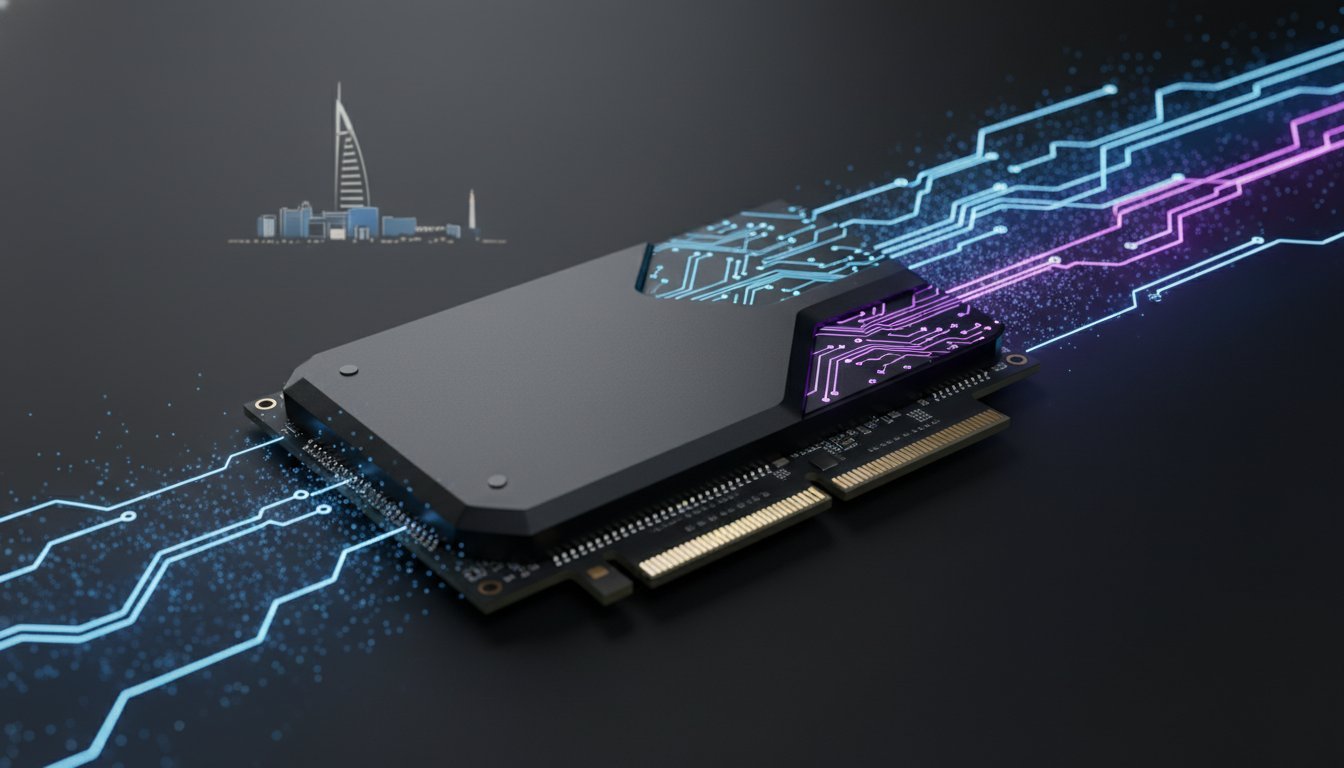

What if your storage was no longer a silent background component, but the high-octane engine driving your entire professional workflow? In 2026, the pcie 5.0 ssd has officially moved from a luxury enthusiast toy to the essential backbone of high-performance computing. With sequential read speeds now hitting a staggering 14,900 MB/s on drives like the WD Black SN8100, we’ve entered an era where data moves as fast as your ideas.
It’s natural to feel skeptical about whether these record-breaking speeds actually translate to smoother 8K timelines or faster local AI model execution. You likely want the performance, but you don’t want to deal with thermal throttling or complex motherboard compatibility headaches. This guide cuts through the marketing noise to show you exactly how Gen 5 technology is transforming modern workstations. We’ll provide a clear hardware compatibility checklist and help you decide if it’s time to invest in the soul of your next machine or wait for the market to shift further.
Key Takeaways
- Understand how the NVMe 2.0 protocol enables a pcie 5.0 ssd to shatter previous speed records, delivering data at over 14,000 MB/s.
- Verify your system’s readiness by identifying which Intel and AMD chipsets provide the dedicated lanes necessary for elite storage performance.
- Evaluate the real-world impact on professional workflows, from instantaneous 8K video scrubbing to lightning-fast local AI model execution.
- Learn the critical cooling requirements needed to prevent thermal throttling and maintain peak efficiency during sustained heavy workloads.
- Determine whether to invest in current flagship drives or prioritize capacity for your next high-performance custom build.
The Evolution of Speed: What Defines a PCIe 5.0 SSD in 2026?
The jump from Gen 4 to Gen 5 storage wasn’t just a minor iteration; it was a total recalibration of what’s possible in high-performance computing. In 2024, we celebrated drives that touched the 10,000 MB/s mark. Fast forward to 2026, and the standard has matured into a beast of efficiency. Flagship models like the WD Black SN8100 and the Corsair MP700 Pro XT now routinely clock sequential read speeds of 14,900 MB/s. This massive leap is anchored in the PCI Express (PCIe) standard, which provides the physical lanes for this data flood to travel without congestion.
Raw bandwidth is only half the victory. The widespread implementation of the NVMe 2.0 protocol has revolutionized how these drives handle massive file transfers. By optimizing data paths and reducing command overhead, NVMe 2.0 allows the pcie 5.0 ssd to maintain its composure during sustained workloads. We’ve moved past the era of bleeding-edge prototypes that required loud, active fans. The current generation of consumer silicon is stable, refined, and ready for the most demanding professional environments.
Bandwidth vs. Real-World Throughput
Marketing slides often highlight theoretical bus limits, but the real soul of the drive lies in its controller. Modern controllers like the Phison E26 and its 2026 successors dictate how effectively a drive translates bandwidth into usable speed. While sequential speeds look impressive in benchmarks, random 4K performance is what actually makes your operating system feel snappy. High-end drives now deliver between 1.5 and 2 million 4K random read IOPS, ensuring that small file access is nearly instantaneous. PCIe 5.0 is the current pinnacle of NAND flash accessibility in 2026. It bridges the gap between raw storage and system memory with unprecedented precision.
The Role of DirectStorage and AI
Modern software architecture has finally caught up to this hardware power. Games utilizing DirectStorage now bypass the CPU entirely, pulling high-resolution textures directly from the SSD to the GPU. This eliminates the traditional bottleneck and slashes load times to less than a second in many 2026 titles. Local AI model execution also reaps massive benefits from this throughput. When you’re running a Large Language Model (LLM) locally, the massive IOPS of a pcie 5.0 ssd ensure that tokens are processed without delay. This speed also transforms system responsiveness by making virtual memory swaps feel as fast as physical RAM, keeping your workflow fluid even when you’re pushing your workstation to its absolute limits.
Hardware Prerequisites: Is Your System Ready for Gen 5 Bandwidth?
Installing a pcie 5.0 ssd is much like dropping a high-performance turbine into a chassis; the surrounding infrastructure must be capable of handling the pressure. In 2026, compatibility isn’t just about the physical slot. It’s about the silicon architecture supporting it. For Intel users, this means utilizing the LGA1851 socket or late-model LGA1700 chips. AMD enthusiasts have a clear path with the AM5 platform, specifically the Ryzen 7000 and 9000 series processors. These CPUs provide the dedicated lanes required to hit those 14,000 MB/s targets without breaking a sweat.
Chipset and Socket Requirements
Navigating the motherboard landscape requires a sharp eye for detail. High-end chipsets like the X670E, B650E, and the latest Z890 boards are designed with Gen 5 storage as a priority. However, not every M.2 slot on these boards offers full bandwidth. Usually, only the primary slot closest to the CPU socket is wired for Gen 5 speeds. Pairing this elite storage with DDR5 RAM for gaming is essential to ensure your system memory doesn’t become a bottleneck for the data flowing from your drive. If you’re planning a new build, checking the best PCI Express 5.0 SSDs against your motherboard’s manual is a non-negotiable step for any hardware specialist.
Lane Allocation and Bottlenecks
The most common pitfall for builders is the lane-sharing dilemma. Many motherboards split the primary x16 PCIe lanes between the graphics card and the M.2 slot. When you populate that Gen 5 storage slot, your high-end GPU might drop to x8 mode. While modern cards rarely saturate x16 bandwidth fully, this reduction can impact future-proofing. Always prioritize the CPU-attached M.2 slot to keep your data paths clean and direct. Using a Gen 5 drive in a Gen 4 slot is a waste of resources; you’ll be paying a premium for performance the bus simply cannot deliver. To avoid costly mistakes during assembly, our definitive professional guide to installing M.2 NVMe SSDs walks you through every step of seating your drive correctly and navigating the latest PCIe 5.0 standards. If you’re unsure about the configuration of your next rig, our team at Grey PC specializes in optimizing these complex lane allocations for maximum throughput.
Physical constraints also play a role in 2026. While the standard 2280 form factor remains common, some ultra-fast drives utilize the wider M.2 25110 standard to accommodate larger heatsinks and power delivery components. Before you buy, ensure your motherboard’s built-in thermal armor or your chosen case has the clearance for these beefier drives. A drive that hits 80°C will throttle its speed, negating the very performance you invested in. Precision in your component selection is the only way to ensure your hardware lives up to its marketing claims.

Benchmarking the Impact: Gaming, Rendering, and Professional Workflows
While raw numbers look impressive on a box, the true character of a pcie 5.0 ssd reveals itself under the crushing weight of a professional deadline. In 2026, we’ve moved beyond the point where storage is a passive warehouse for files. It’s now an active participant in the compute cycle. When compared to traditional SATA drives, top-tier Gen 5 units are over 23 times faster. This isn’t just a marginal gain. It’s a fundamental shift in how your system breathes. The foundational PCIe 5.0 specification paved the way for this by doubling the per-lane throughput, allowing drives like the Samsung 9100 PRO to hit sequential read speeds of 14,800 MB/s.
The impact on large-scale data processing is transformative. Local AI training sessions that previously choked on data bottlenecks now run with fluid consistency. Database queries that used to lag during massive indexing tasks now execute with near-zero latency. For 3D artists, the wait times in Unreal Engine 5 workflows have plummeted. High-speed texture streaming ensures that even the most complex scenes load without the stuttering or asset pop-in that plagued earlier hardware generations.
Professional Workstation Performance
Building a high-end video editing workstation requires a delicate balance between raw CPU power and storage throughput. In 2026, professionals handling 8K raw footage can scrub through timelines with zero proxy files. This saves hours of transcoding time every week. A Gen 5 drive acting as a scratch disk for Adobe Creative Cloud ensures that cache files never bottleneck your creativity. When you’re managing multi-terabyte projects, the time saved during file transfers and renders adds up to a massive competitive advantage.
Gaming in the Era of Instant Loading
Gaming has entered a new dimension of immersion thanks to DirectStorage optimization. Gen 5 SSDs have effectively killed the “loading elevator” and the “slow squeeze through a gap” tricks developers used to hide asset streaming. While the difference in raw load times between Gen 4 and Gen 5 might only be a second in some titles, the real magic is in the system snappiness. This high-speed storage creates a perfect synergy with 240Hz+ gaming monitors. When assets stream in at 14,000 MB/s, the game world feels solid and responsive. You don’t just see the speed; you feel the absence of friction in every frame.
Taming the Heat: Critical Thermal Solutions for High-Performance Storage
The raw power of a pcie 5.0 ssd comes with a physical tax: heat. In 2026, we’ve accepted that moving data at 14,000 MB/s generates significant thermal energy. This isn’t just a byproduct of speed; it’s a result of the high-performance controllers working at their absolute limits. When these drives operate without adequate cooling, they quickly reach a critical threshold. Thermal throttling usually triggers when the controller hits 80°C. At this point, your flagship drive will slash its own performance to protect the NAND flash from permanent damage, turning your record-breaking storage into something slower than a Gen 3 drive in seconds.
Choosing between passive and active cooling is a decision that defines the soul of your build. Most high-end motherboards now feature massive “thermal armor” designed to soak up heat passively. While these chunks of aluminum are effective for gaming, they often struggle during sustained 8K video exports or large AI dataset transfers. This has led to the rise of the active-cooled M.2 heatsink. These tiny, dedicated fans provide the direct airflow needed to keep temperatures stable under 65°C, ensuring you never see a dip in throughput during a professional deadline.
Active Cooling and Case Airflow
In a 2026 high-performance rig, the storage doesn’t exist in a vacuum. The efficiency of your cooling depends entirely on the air moving through your chassis. Choosing a Lian Li PC-O11 Dynamic or a similar high-airflow chassis is a strategic move for SSD longevity. These cases allow for dedicated bottom-to-top airflow that feeds fresh air directly over the M.2 slots. If you’re worried about noise, modern M.2 fans have refined acoustic profiles that remain silent until the drive actually hits a heavy workload. Precision-tuned fan curves allow you to maintain a whisper-quiet environment without sacrificing the integrity of your data.
Longevity and Reliability
Extreme heat is the natural enemy of NAND flash endurance. While the controller can handle higher temperatures, the actual storage cells degrade faster when subjected to constant thermal cycles. Thermal management is the single most important factor for Gen 5 SSD reliability. We don’t just slap parts together; we treat every build as a bespoke engineering project. At Grey PC, we ensure stable thermals by testing every custom build under maximum IOPS loads to verify that your storage stays cool even when the pressure is on. If you want a machine that maintains its peak performance for years rather than months, you need a cooling strategy as sophisticated as the hardware itself. Browse our latest high-performance custom builds to see how we integrate professional thermal solutions into every machine.
Future-Proofing Your Build: Selecting the Right PCIe 5.0 SSD with Grey PC
Selecting a pcie 5.0 ssd in 2026 isn’t just about chasing the highest number on a spec sheet. It’s about finding the specific component that aligns with your professional identity. The market has matured significantly, and the price gap between Gen 4 and Gen 5 has narrowed to its smallest margin yet. For elite enthusiasts and studio leads, drives like the Samsung 9100 PRO and the WD Black SN8100 now offer massive 8TB capacities. These flagship units represent the absolute peak of NAND flash technology, providing the headroom needed for the next half-decade of software evolution.
If your focus is on value without sacrificing the Gen 5 architecture, options like the PNY CS3250 provide an excellent entry point. These drives utilize the efficient Phison E28 controller to deliver high-speed throughput while maintaining a more accessible profile. Whether you’re building a dedicated AI training rig or a high-refresh-rate gaming station, the goal is balance. A drive is only as good as the system that supports it, and in 2026, storage is the pulse of every high-performance machine.
The Grey PC Custom Build Philosophy
At Grey PC, we don’t just sell components; we engineer transformative experiences. Every pcie 5.0 ssd we integrate into our G-Series Alpha workstations undergoes a rigorous 48-hour thermal stress test. We verify that the drive maintains its 14,000 MB/s+ throughput under sustained IOPS loads, ensuring your professional timeline never stutters. We only utilize Tier-1 components from trusted partners because we understand that your data is the lifeblood of your business. Our builds are a shared identity between the creator and the user, a seal of authenticity that guarantees your hardware has a soul.
Next Steps for Your High-Performance Build
Ready to elevate your workflow? Consulting with our hardware specialists is the first step toward a balanced, future-proof system. We’ll help you navigate the complexities of lane allocation and thermal management to ensure your investment delivers every megabyte of promised speed. Every Grey PC Custom Build comes with comprehensive national technical support, giving you peace of mind that your elite hardware is backed by seasoned experts. Use this final checklist to secure your 2026 build:
- Verify Chipset: Ensure your board supports dedicated Gen 5 lanes for both the GPU and M.2 slot.
- Assess Capacity: Professional 8K workflows should prioritize 4TB or 8TB models for longevity.
- Confirm Cooling: Match your drive with an active heatsink if your case airflow is restricted.
- Check RAM Synergy: Pair your storage with high-frequency DDR5 to prevent system-wide bottlenecks.
Precision is the difference between a mass-produced commodity and a bespoke professional tool. Let us help you build the machine your work deserves.
Master the Next Era of Storage Performance
The pcie 5.0 ssd has officially transitioned from a bleeding-edge experiment to the vital heartbeat of the modern workstation. We’ve seen that achieving stable speeds over 14,000 MB/s requires more than just a fast drive. It demands a perfectly balanced ecosystem of compatible chipsets and sophisticated thermal solutions. Whether you’re training local AI models or scrubbing through raw 8K timelines, the friction of data transfer has finally vanished from the professional workflow.
At Grey PC, we specialize in bridging the gap between raw components and bespoke professional tools. We are specialists in high-end workstations and gaming rigs, offering expert integration of cutting-edge Gen 5 technology. Every build is backed by our national technical support and hardware servicing to ensure your machine remains at the pinnacle of performance. It’s time to stop waiting for your storage to catch up to your creativity.
Build your high-performance custom PC with Grey PC today and experience the transformative power of a machine built without compromise. The future of storage is here, and your next masterpiece is waiting to be created.
Frequently Asked Questions
Is PCIe 5.0 backward compatible with PCIe 4.0 motherboards?
Yes, PCIe 5.0 SSDs are fully backward compatible with PCIe 4.0 and even PCIe 3.0 motherboards. You can physically install the drive into an older slot and it will function perfectly. However, your throughput will be capped at the maximum speed of that older standard. You won’t see the 14,000 MB/s speeds; instead, you’ll operate at roughly 8,000 MB/s on a Gen 4 board.
Do I need a special cable or power supply for a PCIe 5.0 SSD?
No special cables or dedicated power supply connectors are required for a pcie 5.0 ssd. These drives utilize the standard M.2 interface and draw all their power directly from the motherboard slot. While they do consume more wattage than older drives, any modern power supply handles the load easily. Your only “special” requirement is a motherboard with a Gen 5 capable M.2 slot to reach peak performance.
Will a PCIe 5.0 SSD make my games load significantly faster than Gen 4?
The difference in raw loading times is often minimal, usually clocking in at just 0.5 to 1 second faster than Gen 4. The real magic happens in games that support DirectStorage. In these titles, the massive bandwidth allows for near-instant asset streaming. This eliminates visible pop-in and micro-stuttering during gameplay. While the loading bar doesn’t move much faster, the game world feels significantly more solid and responsive.
How hot do PCIe 5.0 SSDs actually get during heavy use?
These drives run quite hot and can hit 80°C quickly under sustained professional workloads. Without a high-quality heatsink or active fan, a pcie 5.0 ssd will throttle its performance to protect the internal components. We recommend maintaining operational temperatures below 65°C for the best results. This ensures your drive stays at peak velocity during intensive tasks like 8K video exports or local AI training sessions.
Can I use a PCIe 5.0 SSD in a laptop?
Using a Gen 5 SSD in a laptop is currently rare due to the extreme heat and power demands. Most portable chassis don’t have the internal clearance for the bulky heatsinks required to keep these drives cool. While a few high-end desktop-replacement laptops might support them, most users are better off with Gen 4 drives. They provide excellent speed without sacrificing battery life or risking thermal shutdowns in a cramped space.
Is it worth upgrading to PCIe 5.0 if I only use my PC for office work?
Upgrading is not worth the cost if your primary tasks are word processing, spreadsheets, and web browsing. These applications don’t even fully saturate the bandwidth of a Gen 3 drive. You won’t notice any tangible difference in system snappiness for basic productivity. It’s better to invest that budget into a high-refresh-rate monitor or more RAM, which will have a much larger impact on your daily office experience.
What is the maximum capacity currently available for Gen 5 SSDs?
The maximum capacity for consumer Gen 5 SSDs in 2026 has reached 8TB. Flagship models like the Samsung 9100 PRO and WD Black SN8100 provide these massive storage pools for professionals who need both speed and space. While 8TB is the current ceiling, 2TB and 4TB models remain the most popular choices for enthusiasts. They offer the best balance of record-breaking throughput and reasonable investment for a high-end build.
Does a PCIe 5.0 SSD require a specific version of Windows?
Windows 11 or newer is highly recommended to unlock the full potential of your high-speed storage. These newer versions of Windows include vital optimizations for the NVMe 2.0 protocol and full support for the DirectStorage API. While the drive will technically work on Windows 10, the older operating system lacks the modern data-handling paths needed to manage 14,000 MB/s effectively. Staying updated ensures your software doesn’t bottleneck your hardware.