
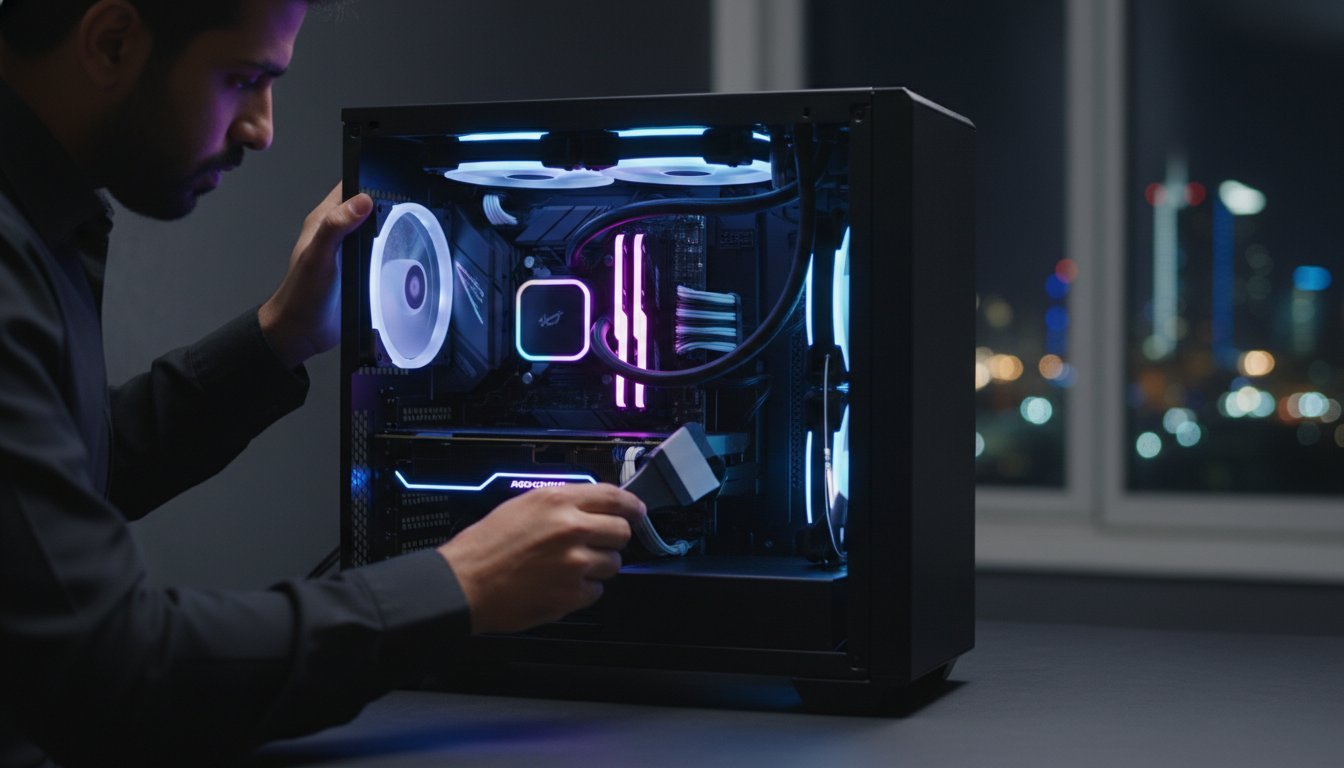

That subtle whine from your high-performance fans isn’t just background noise; it’s the sound of your hardware struggling against an invisible enemy. With component costs rising by up to 12% in 2026, protecting your investment has never been more critical. You know that a dusty rig is a slow rig, and seeing your frame rates dip while your CPU temperatures climb is a nightmare for any serious builder. Professional gaming pc maintenance Cleaning isn’t just about aesthetics. It’s a transformative technical ritual that preserves the internal character and soul of your machine.
We understand that your workstation or gaming build represents a significant commitment to quality. You want a system that stays cool under the 150-watt heat loads of modern processors without sounding like a jet engine. This guide will help you master the expert techniques used by professional builders to eliminate thermal throttling and extend hardware lifespan. We’ll walk through everything from deep-cleaning your GPU to ensuring your latest NVIDIA or AMD drivers are perfectly tuned for peak 2026 performance.
Key Takeaways
- Master the professional techniques to combat thermal throttling and restore the peak FPS your high-end hardware was engineered to deliver.
- Execute a precise gaming pc maintenance Cleaning routine that prioritizes static safety and maximizes chassis airflow for superior cooling.
- Identify critical signs of thermal paste degradation and liquid cooler permeation to protect your motherboard and processor from long-term heat damage.
- Purge “digital dust” and optimize GPU drivers to ensure your DDR5 RAM and storage SSDs operate at their maximum theoretical speeds.
- Learn to distinguish between routine maintenance and the complex diagnostic scenarios that necessitate professional deep-cleaning services.
Why Gaming PC Maintenance is Non-Negotiable in 2026
Your high-end gaming rig is more than a collection of parts; it’s a precision-engineered masterpiece. In 2026, where hardware costs have surged by 8% to 12% due to global chip shortages, protecting your investment is a financial necessity. Neglecting gaming pc maintenance Cleaning doesn’t just make your setup look neglected. It actively degrades the internal character of your machine. When dust accumulates on your heatsinks, it acts as a thermal insulator, forcing your fans to spin faster and louder to compensate. This constant strain eventually leads to bearing failure, turning your silent workstation into a noisy liability.
Thermal throttling is the silent performance killer of the modern era. As your GPU and CPU temperatures spike, the system automatically downclocks to prevent permanent damage. You’ll see this as a sudden, frustrating drop in FPS during intense raids or 4K rendering tasks. To understand the full scope of these risks, you can refer to this comprehensive guide to computer maintenance which outlines the foundational principles of hardware care. Preserving the soul of your build means balancing pristine aesthetics with raw, functional power. A clean PC runs faster, lasts longer, and maintains its showroom-quality finish.
The Enemy: Heat, Dust, and Static
Fine dust particles are relentless. They settle into the microscopic grooves of your GPU heatsink, creating a barrier that prevents heat from escaping. For elite hardware like the NVIDIA RTX 50 series, which demands massive airflow to manage high power draws, even a thin layer of debris can cause significant thermal spikes. Static electricity is another invisible threat. One improper touch can send a lethal discharge through a motherboard. Always use an anti-static wrist strap and stay grounded to ensure your technical ritual doesn’t turn into a costly hardware replacement. Precision is everything when handling bespoke components.
Maintenance Intervals: When to Act
Consistency is the hallmark of a professional builder. To keep your system at peak performance, follow this disciplined schedule:
- The Quick Dust (Monthly): Clear your mesh filters. High-airflow cases act like vacuum cleaners, and keeping the intake clear ensures your components breathe easily.
- The Deep Clean (Bi-Annually): It’s time to open the chassis. Remove the GPU, use compressed air to blast out the heatsinks, and wipe down the fan blades to restore total thermal conductivity.
- The Full Service (Every 2 Years): This is a transformative overhaul. Replace your thermal paste and re-evaluate your cable management to ensure nothing obstructs the internal airflow paths of your machine.
By following these protocols, you ensure your hardware remains as powerful as the day it was assembled. Don’t wait for a system crash to realize your rig is choking on neglect.
The Professional Hardware Cleaning Process
A true hardware specialist treats gaming pc maintenance Cleaning as a transformative technical ritual. It begins with absolute safety. Power down your system, unplug the cable, and hold the power button for ten seconds to discharge any remaining energy in the capacitors. This ensures your high-end motherboards and power supplies are inert before you begin. Once the system is safe, start with the external filters. These are your first line of defense. Rinsing or wiping down mesh filters provides immediate airflow gains, preventing your internal fans from working harder than necessary.
Essential Tools for the Modern Builder
Your toolkit defines your results. While compressed air is a classic choice, many professionals now prefer electric dusters for their consistent, moisture-free output. Never use a household vacuum; the static buildup can be lethal to sensitive DDR5 RAM modules. For stubborn residue on fan blades or heatsinks, 99% Isopropyl alcohol and lint-free microfiber cloths are mandatory. These essential computer maintenance tips highlight how the right materials prevent accidental damage during deep-cleaning sessions.
When moving to internal components, use non-conductive brushes to dislodge fine particles. Pay special attention to the heatsink fins on your GPU and CPU cooler. When cleaning fans, always hold the blades stationary. Allowing them to spin freely from compressed air can damage the bearings or generate back-voltage that harms your motherboard. It’s about precision over brute force.
Focusing on High-Airflow Cases
Modern builds often feature complex designs like the Lian Li PC-O11 Dynamic, which requires a specific approach. The expansive glass panels demand a streak-free finish to maintain that showroom-quality aesthetic. Don’t forget the bottom-intake fans. These are notorious for pulling in carpet fibers and floor dust, which can quickly suffocate your power supply. Clean your RGB strips with a dry, soft cloth to ensure your custom lighting remains vibrant and clear. If you find your current case is too difficult to maintain, consider upgrading to one of the latest Cases for Computers designed for easy access.
Conclude your process with a final inspection. Check every cable connection to ensure nothing was nudged loose during the dusting. A slight tug on the 12VHPWR connector can prevent catastrophic thermal events later. This disciplined approach preserves the soul of your machine and ensures your hardware runs as intended.

Thermal Management: Beyond Surface Cleaning
Surface-level aesthetics are satisfying, but true thermal mastery happens at the component interface. In 2026, high-performance hardware pushes thermal boundaries like never before, making gaming pc maintenance Cleaning an essential practice for internal efficiency. Thermal paste isn’t permanent. Over time, the organic solvents in the compound evaporate, leaving behind a dry, crusty residue that fails to bridge the microscopic gaps between your processor and its cooler. When your idle temperatures begin to creep upward, it’s a clear signal that your thermal interface has reached its limit.
Builders in regions with extreme ambient temperatures or high concentrations of fine dust face unique challenges. In these environments, heat doesn’t just linger; it accelerates the degradation of your cooling fluids and thermal pads. If you’re operating in a room that stays above 25°C, your maintenance frequency must double. Fine sand or dust particles can infiltrate the tight fins of a radiator, creating a “blanket effect” that traditional dusting might miss. You’ll need to be thorough to ensure your high-end CPU Coolers maintain their rated TDP capacity.
Thermal Paste Application and Replacement
Precision application is the difference between a stable overclock and a thermal shutdown. While many debate the “pea method” versus spreading, the goal remains 100% coverage of the heat spreader. Modern, larger CPUs like the latest Ryzen or Intel chips often benefit from a thin, even spread to ensure no corners are left bare. Use 99% isopropyl alcohol to remove old residue, being careful not to scratch the nickel-plated surface. Mastering this process helps you sidestep common gaming pc build mistakes to avoid that lead to uneven pressure and hot spots. If you’re planning a fresh build alongside your maintenance overhaul, our guide to the ultimate gaming pc build for 2026 covers how to pair the latest processors with surgical cooling precision from the ground up.
Liquid Cooling Vigilance
Liquid cooling isn’t a “set and forget” solution. All-In-One (AIO) coolers are subject to permeation, where liquid slowly evaporates through the rubber tubing over several years. Listen for a distinct gurgling or clicking sound coming from the pump head. This often indicates air bubbles are trapped, which can cripple cooling efficiency and eventually burn out the pump motor. For custom loop workstations, a full system flush is recommended every 12 to 24 months to prevent “gunking” or biological growth that can obstruct flow plates.
Finally, validate your maintenance success with data. Use tools like HWInfo or MSI Afterburner to log your temperatures under load before and after your cleaning ritual. Seeing a 5°C to 10°C drop in peak temperatures is the ultimate proof of a job well done, ensuring your “soul” of the machine remains cool and quiet.
Software Hygiene: Optimizing the Digital Environment
Physical debris isn’t the only thing choking your rig’s potential. Digital dust, consisting of fragmented files, unnecessary background processes, and bloated software suites, can be just as detrimental to your 1% lows as a clogged heatsink. Even the most rigorous gaming pc maintenance Cleaning routine is incomplete without a surgical approach to your operating system. High-speed DDR5 RAM and NVMe storage require a streamlined software environment to reach their theoretical maximum throughput. When your OS is bogged down, your elite hardware is forced to work harder for the same results.
A lean system ensures that your hardware’s internal character isn’t compromised by invisible tasks. Start by auditing your startup applications. Many modern peripheral suites and game launchers default to “always-on” status, stealing precious CPU cycles and memory bandwidth. Disabling these non-essential items in Task Manager is a simple yet effective way to reclaim performance. This digital refinement preserves the soul of your build, ensuring every watt of power goes toward your frame rate rather than telemetry data. If you want to push your system to its absolute competitive ceiling, our high fps gaming pc guide for 2026 details the elite hardware configurations and software tuning strategies needed to sustain 240+ FPS in the most demanding titles.
Driver and Firmware Updates
Stability begins with clean code. When updating your GPU, don’t simply overwrite existing files. Use Display Driver Uninstaller (DDU) in Safe Mode to purge every trace of previous installations before applying the latest software. As of May 2026, ensure you are running NVIDIA GeForce Game Ready Driver version 596.49 or AMD Software: Adrenalin Edition version 26.5.2. These specific versions contain critical optimizations for the latest titles and hardware architectures. Don’t ignore your BIOS; modern motherboards often require firmware updates to maintain stability with the latest 2026 processor revisions. Similarly, ensure the firmware for your Mechanical Gaming Keyboards and VR headsets is current to prevent input latency or tracking glitches.
Storage and Registry Cleanup
SSDs need breathing room to perform at their peak. An overfilled NVMe drive cannot effectively execute TRIM commands, which are vital for maintaining NAND flash longevity and consistent write speeds. Aim to keep at least 15% to 20% of your drive capacity empty to allow the controller to manage wear leveling efficiently. Managing massive game libraries is a constant battle, but overfilling your primary drive will lead to noticeable system stuttering. If you find yourself constantly deleting files to make space, it’s time to expand your capacity with high-performance Storage SSDs and HDDs to maintain a responsive digital environment. Clean, organized storage is the foundation of a fast, reliable gaming machine.
Professional Servicing: When to Call the Experts
While the DIY technical ritual is a point of pride for many enthusiasts, certain scenarios demand the precision of a seasoned hardware specialist. Expert gaming pc maintenance Cleaning goes beyond surface-level aesthetics to address deep-seated issues that consumer-grade tools simply can’t reach. High-performance rigs, especially those used as Professional Video Editing Workstations, operate under extreme thermal stress. When you notice persistent overheating despite regular dusting, or if your system exhibits erratic fan behavior, it’s time to leverage professional diagnostic tools. A specialist can identify micro-cracks in cooling loops or thermal pad degradation that the untrained eye might miss.
Protecting your warranty is another critical factor. While opening your case for a quick clean is standard, disassembling complex components like a flagship GPU or a custom liquid cooling loop can sometimes cross the line into warranty-voiding territory. Professional builders understand these boundaries. They possess the specialized non-conductive solvents and precision instruments required to perform a “Deep Clean and Re-format” without compromising your hardware’s protection. This level of care preserves the internal character of your machine while ensuring every component remains within manufacturer specifications.
Advanced Technical Support
For machines dedicated to 3D rendering and high-end content creation, downtime is a luxury you can’t afford. Professional servicing includes component-level cleaning that targets the often-overlooked areas, such as the VRM heatsinks and DDR5 RAM slots. Once the physical cleaning is complete, a true specialist conducts rigorous hardware stress testing. This ensures that your 3D Rendering Workstations remain stable under 100% load, validating the success of the maintenance cycle. We also focus on professional cable management, rerouting paths to eliminate turbulence and ensure that your high-airflow case operates at peak efficiency.
The Grey PC Standard
At Grey PC, we don’t just fix computers; we restore them to their original glory. Every Grey PC Custom Build is treated as a masterpiece of engineering. Our builders approach every service request as a transformative hardware experience, utilizing their deep industry expertise to tune your system for maximum throughput. Whether you need a sophisticated thermal overhaul or a strategic performance upgrade, our team provides the grounded professional authority required for elite hardware. We understand the “soul” of your technology and are committed to ensuring your rig remains a pristine, high-performance asset for years to come.
Secure Your High-Performance Legacy
Your gaming rig is an elite investment that deserves a disciplined care routine. We have explored how physical dusting, thermal paste management, and software optimization work together to keep your system at peak FPS. In 2026, where hardware demands are higher than ever, a proactive approach to gaming pc maintenance Cleaning ensures your components don’t just survive but thrive. Precision care is the only way to protect the soul of your machine from the silent performance killers of heat and digital bloat.
If your rig requires a level of care beyond the standard DIY approach, trust the experts who understand the internal character of your technology. Our technicians bring over 8 years of custom build experience and utilize specialized tools for high-end component care. We provide national technical support for all our custom rigs to ensure your workstation remains a showroom-quality powerhouse. Book a Professional Maintenance Service with Grey PC today to restore your system to its absolute peak. Keep your hardware cool, your frame rates high, and your passion for elite technology alive.
Expert Insights: Frequently Asked Questions
How often should I clean my gaming PC in a dusty environment?
In environments with high dust or pet dander, you should perform a basic cleaning every one to three months. This frequency prevents particles from settling deep into your GPU heatsinks or clogging your radiator fins. Regular gaming pc maintenance Cleaning in these conditions ensures your high-airflow case doesn’t become a vacuum for debris, which can otherwise lead to rapid thermal degradation.
Can I use a hairdryer to blow dust out of my computer?
No, using a hairdryer is dangerous for high-end hardware because it generates static electricity and excessive heat. Hairdryers also lack the concentrated pressure needed to dislodge fine particles from tight spaces. Instead, use an electric duster or moisture-free compressed air to protect your sensitive motherboard traces and DDR5 modules from accidental damage.
Is it necessary to take the GPU out to clean the PC?
Removing the GPU is necessary for a thorough bi-annual deep clean to access the hidden dust traps in the PCIe slot and the underside of the card. This allows you to blast air through the heatsink fins more effectively without pushing debris further into the PCB. It also provides an opportunity to inspect the gold contacts for any signs of oxidation or residue.
What is the best way to clean a tempered glass side panel?
The best method for cleaning tempered glass is using a high-quality microfiber cloth and a specialized, ammonia-free glass cleaner. Avoid paper towels, as they can leave behind lint and microscopic scratches that dull the showroom-quality finish of your chassis. Spray the cleaner onto the cloth rather than the glass to prevent liquid from seeping into the internal electronics.
How do I know if my PC is overheating because of dust?
You can identify dust-related overheating by monitoring your temperatures with software like HWInfo and checking for a sudden increase in fan noise. If your CPU or GPU temperatures are 10°C higher than usual under the same load, it’s a clear sign of thermal insulation. Thermal throttling, which causes visible stuttering or FPS drops, often indicates that your cooling system is choked by debris.
Can cleaning my PC increase my FPS?
Yes, performing a thorough gaming pc maintenance Cleaning can restore your FPS by eliminating thermal throttling. When your components run cooler, the system’s boost algorithms can maintain higher clock speeds for longer periods. This ensures your hardware operates at its full potential without the motherboard forcing a downclock to protect the silicon from heat damage. To maximize those recovered frame rates even further, explore our dedicated high fps gaming pc build and optimization guide for the hardware configurations that sustain peak competitive performance in 2026.
Is it safe to use a microfiber cloth on the motherboard?
No, it’s not safe to use a microfiber cloth on the motherboard because the tiny fibers can snag on the delicate pins, capacitors, and solder joints. This can lead to physical damage or leave behind static-prone debris. Use a non-conductive, anti-static brush or a precision electric duster to safely remove dust from the complex surface of your motherboard.
How often should I replace the thermal paste on my CPU?
You should replace your thermal paste every two years to ensure optimal heat transfer between the IHS and your cooler. Over time, the compound loses its moisture and becomes less effective at bridging microscopic gaps. If you notice your idle temperatures climbing despite a dust-free interior, it’s a strong indicator that your current paste has reached its performance limit.