

Is your search for the best ram for intel 14th gen feeling more like a high stakes gamble than a technical upgrade? In 2026, the hardware landscape has shifted. Massive demand from the AI sector has tightened the global supply of high speed DRAM. This makes your choice of memory both more expensive and more critical for long term system stability. You likely feel the tension between chasing elite frequencies and avoiding the dreaded system crashes that occur when XMP profiles fail. We know that as a specialist, you demand a bespoke machine that performs with absolute precision.
This guide will help you master the technical nuances of DDR5 and DDR4 to unlock the full potential of your Raptor Lake Refresh processor. You’ll gain a clear understanding of capacity needs for 4K editing and learn how to avoid physical clearance issues with large CPU coolers. We will break down the practical limits of the Integrated Memory Controller and identify the performance sweet spots that offer the best stability for your next high performance build. It’s time to move past the confusion of MT/s versus MHz and secure a future proofed hardware selection.
Key Takeaways
- Understand how the refined Integrated Memory Controller in Raptor Lake Refresh processors dictates your ceiling for stable, high speed overclocking.
- Navigate the 2026 price surge by identifying when to invest in DDR5 and when a high end DDR4 configuration remains the superior value choice.
- Discover why the best ram for intel 14th gen falls within the 6400MT/s to 7200MT/s range to balance raw throughput with everyday stability.
- Master physical clearance strategies to ensure your high performance memory modules don’t conflict with massive enthusiast grade CPU coolers.
- Learn how professional stress testing protocols transform off the shelf components into a rock solid workstation or gaming powerhouse.
Understanding the Intel 14th Gen Integrated Memory Controller (IMC)
The Integrated Memory Controller (IMC) is the high speed traffic warden living inside your processor. It manages every byte of data traveling between your CPU and your system memory. For the Raptor Lake Refresh, Intel refined this silicon to its most stable state yet. While the 14th Gen architecture isn’t a total redesign, the internal character of the chip has been polished to handle the aggressive frequencies of modern memory kits. Selecting the best ram for intel 14th gen requires understanding that your CPU is the ultimate gatekeeper of performance.
You’ve likely heard of the “silicon lottery.” This isn’t just a myth for extreme overclockers. Some i9-14900K chips possess a golden IMC that can effortlessly sustain 8000MT/s. Other chips from the same batch might struggle to stay stable at 7200MT/s. This inherent variance means that while your RAM might be rated for elite speeds, your specific CPU must be capable of talking back at that same pace. If your IMC isn’t up to the task, even the most expensive kits will face system crashes.
If you’re aiming for peak performance, avoid the temptation of filling all four DIMM slots. Four stick configurations create electrical noise and signal interference that punish the IMC. For high speed DDR5, a two stick setup is vastly superior for several reasons:
- Reduced Electrical Strain: Two modules allow the IMC to maintain cleaner signal paths.
- Higher Frequency Ceiling: You can often push 7200MT/s or higher on two sticks where four would fail.
- Better Stability: Fewer modules mean fewer points of failure when enabling aggressive XMP profiles.
Following these rules helps ensure you find the best ram for intel 14th gen without compromising on long term reliability.
Official Intel Specs vs. XMP Overclocking
Intel officially guarantees compatibility up to 5600MT/s for DDR5 and 3200MT/s for DDR4. That’s the safe, conservative JEDEC standard. Enthusiasts don’t build for “safe.” XMP 3.0 technology allows you to bypass these baselines with a single click in the BIOS, loading pre tested enthusiast profiles. Your motherboard choice is critical here. A premium Z790 board offers the advanced trace routing required for these speeds, whereas a budget B760 board might limit your ceiling regardless of your RAM kit’s potential.
Gear 1 vs. Gear 2: Performance Implications
Memory “Gears” determine the ratio between the IMC clock and the memory frequency. Gear 1 provides the lowest possible latency by running them in a 1:1 ratio, which is the standard for DDR4 builds. However, Gear 1 hits a physical frequency limit very quickly. Most DDR5 SDRAM technology utilizes Gear 2, which runs the IMC at half the speed of the memory. Gear 2 allows the IMC to remain stable while the memory modules achieve the massive frequency jumps required for modern 14th Gen enthusiast systems.
DDR5 vs. DDR4: The Final Verdict for 2026 Builds
Choosing the right memory standard is the most consequential decision you’ll make for your 14th Gen system. This isn’t just about speed. It’s about a fundamental architectural shift. DDR5 introduces on-die Error Correction Code (ECC) and dual 32-bit subchannels. These features act as the internal soul of the module, ensuring data integrity and doubling the efficiency of data access compared to the aging DDR4 standard. While DDR4 relies on a single 64-bit channel, the dual subchannel design of DDR5 allows the CPU to perform multiple data transfers simultaneously. This efficiency is why DDR5 is consistently ranked as the best RAM for gaming and heavy multitasking.
As of May 2026, the market reality is stark. A high quality 32GB DDR5 kit now commands a premium between $300 and $500 due to global DRAM shortages. In contrast, DDR4 remains more accessible at roughly $150 to $180 for similar capacities. However, you must remember that your motherboard dictates this choice. You cannot swap these standards later. If you’re investing in an elite i9-14900K or i7-14700K, pairing it with DDR4 is a mistake. These chips are designed for high bandwidth environments. Restricting them with DDR4 bandwidth limits is like putting economy tires on a bespoke supercar. You simply won’t see the return on your processor investment.
When to Choose DDR4 for 14th Gen
DDR4 still has a place in the 2026 landscape for specific user categories. If you’re building a budget conscious system with an i5-14400 or lower, the cost savings of DDR4 can be redirected toward a better GPU. It’s also a viable path for those repurposing legendary B-Die DDR4 kits from previous enthusiast builds. For basic office productivity where stability outweighs raw throughput, DDR4 provides a reliable and cost effective foundation. It’s a legacy solution that still gets the job done for non-demanding tasks.
Why DDR5 is Mandatory for Professional Workstations
For creators and engineers, DDR5 isn’t an option; it’s a requirement. The massive bandwidth is essential for 4k video editing hardware that needs to scrub through high bitrate timelines without stuttering. In 3D rendering environments like V-Ray and Octane, the increased speed of DDR5 translates directly into faster frame completion. Gamers also benefit from significantly improved 1% low frame rates, which eliminates the micro-stuttering that ruins immersion. If you want a machine that handles these workloads with absolute precision, a Grey PC custom build utilizing high speed DDR5 is the professional standard. Finding the best ram for intel 14th gen means matching the memory’s velocity to your professional ambitions.

Performance Scaling: Speed, Latency, and Real-World Gains
Finding the best ram for intel 14th gen requires a delicate balance between raw frequency and CAS latency. While high MT/s numbers look impressive on a spec sheet, they don’t always translate to a snappier experience if the latency is too loose. Frequency provides the bandwidth necessary for moving massive files, but CAS latency (CL) determines how quickly the RAM can respond to a CPU request. For most enthusiasts, the reliable performance zone in 2026 sits between 6400MT/s and 7200MT/s. This range offers a tangible boost over stock speeds without crossing into the territory of diminishing returns.
Pushing toward 8000MT/s or higher introduces significant stability risks. Unless you’ve won the silicon lottery with an exceptional Integrated Memory Controller, these elite speeds often require manual voltage tuning that can lead to system degradation or random crashes. Modern memory density also plays a role in your build’s “soul.” While 16GB modules are standard, the newer 24GB and 48GB non-binary modules offer a unique middle ground. They provide the high capacity needed for complex projects without the electrical strain of a four-stick configuration.
Gaming Performance: Chasing High Refresh Rates
In 1080p and 1440p gaming, the CPU often becomes the bottleneck, making RAM speed a critical factor in maintaining high frame rates. Low latency is the undisputed king for competitive eSports titles where every millisecond counts. First Word Latency is the actual time in nanoseconds it takes for the RAM to access the first bit of data, and keeping this number low is essential for driving 240Hz+ gaming monitors without micro-stuttering. High-speed kits ensure that your 1% low frame rates stay high, providing a buttery smooth experience during intense firefights. If you’re assembling a high-performance rig from scratch, the principles covered in this custom gaming pc builder Bahrain guide for 2026 offer an excellent architectural framework for pairing the right memory with your entire component stack.
Content Creation: Bandwidth for Heavy Assets
Professional workflows demand massive throughput to handle uncompressed data. High-performance DDR5 RAM drastically speeds up timeline scrubbing in Premiere Pro, allowing editors to jump between clips without waiting for the system to catch up. For those working in 3D rendering workstations, capacity is just as vital as speed. Designing large-scale environments in Unreal Engine or Blender requires enough headroom to keep textures and geometry in memory simultaneously. A robust memory configuration allows you to run Unreal Engine, Blender, and a dozen Chrome tabs without the system breaking a sweat. It transforms your machine from a simple tool into a true extension of your creative will.
Critical Selection Factors for Enthusiast Builds
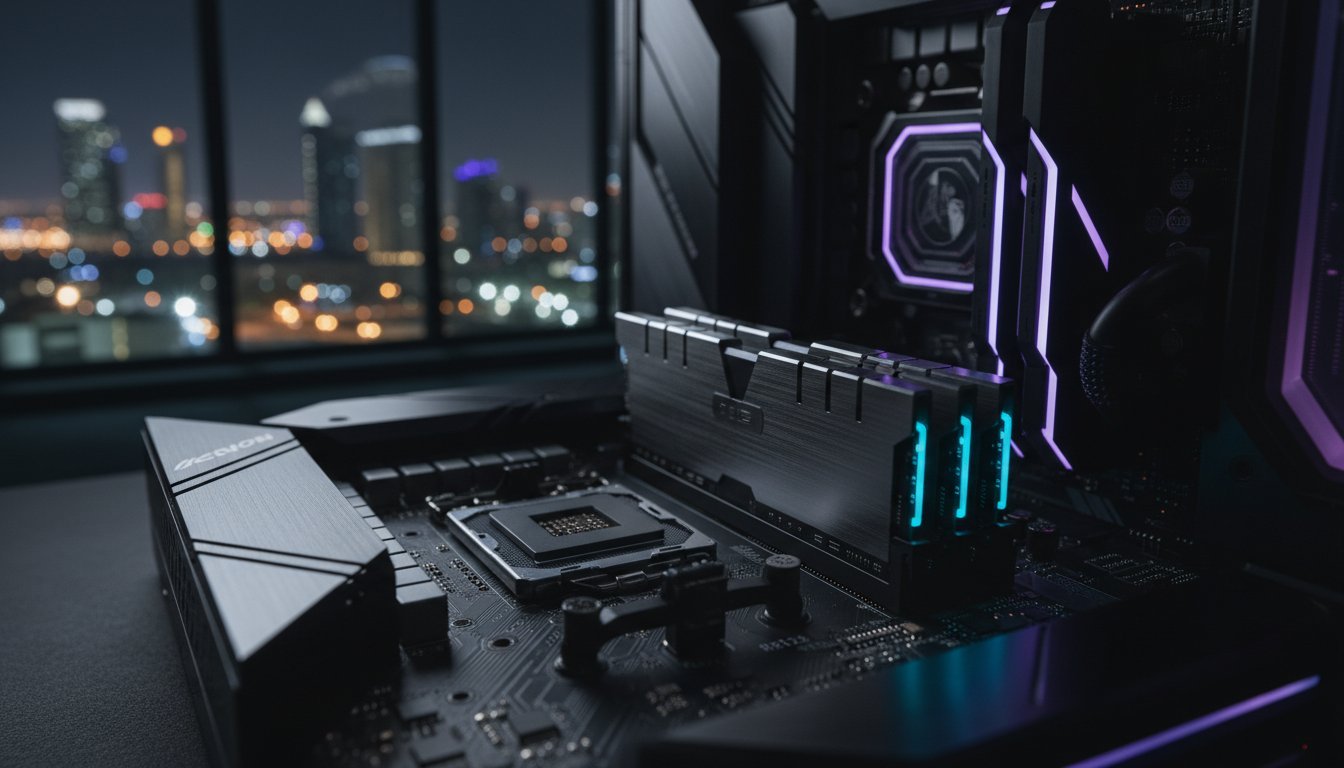
Selecting the best ram for intel 14th gen involves more than just reading a spec sheet. You must account for the physical architecture of your build. Physical clearance remains a primary challenge for enthusiasts. Massive enthusiast grade CPU coolers often hang over the DIMM slots, creating a direct conflict with the tall, ornate RGB heatsinks found on premium kits. If you’re building a compact or air cooled machine, low profile modules are your best ally. Precision in measurements ensures that your high end components coexist without mechanical stress.
Aesthetics often trade blows with function. While RGB lighting provides a bespoke aesthetic, the LEDs contribute to the thermal profile of the memory modules. In a high performance environment, every degree matters. Capacity planning is equally vital. While 32GB is the modern baseline for gaming, professional workloads now demand 64GB or 96GB to maintain fluidity. Always cross reference your selection with your motherboard’s Qualified Vendor List (QVL). This list is the ultimate seal of authenticity, guaranteeing that your specific memory kit has been validated for stability by the board manufacturer.
Thermal Management in High-Ambient Environments
High frequency DDR5 modules pushing 1.4V or more generate significant heat. In regions with high ambient temperatures, this can lead to memory errors or thermal throttling. Active airflow is no longer optional for elite builds. You need a case designed with high pressure intake fans that push cool air directly across the memory bank. Consistent PC maintenance and dust removal are critical to prevent heat buildup. A clean machine is a fast machine, and keeping your internals free of debris ensures your RAM maintains its rated velocity during long rendering sessions.
Future-Proofing with 24GB and 48GB Modules
Non-binary memory capacities like 24GB and 48GB modules have emerged as a sophisticated solution for the Z790 platform. These kits provide a unique middle ground for gaming and streaming hybrids who find 32GB restrictive but don’t require 64GB. They offer superior stability on 14th Gen boards compared to traditional high density quad stick setups. Ensure your BIOS is updated to the latest version to unlock full compatibility with these newer capacities. For those who demand a machine with a true professional soul, a Grey PC Custom Build integrates these cutting edge modules to ensure your system remains at the pinnacle of performance for years to come.
Premium Memory Integration by Grey PC
At Grey PC, we don’t just assemble components. We curate the internal character of your machine. While many retailers chase the highest numbers on a spec sheet, our builders prioritize the absolute stability required for a professional environment. Identifying the best ram for intel 14th gen is just the first step in a much larger journey. Every Grey PC Custom Build undergoes a rigorous professional pc stress testing protocol lasting 24 hours. We push the memory to its limits to ensure that when it reaches your desk, it performs with unwavering precision. We believe that true performance is measured by uptime, not just benchmarks.
Our selection process is elite. We rely on a select group of industry leading partners including G.Skill, Corsair, and Kingston FURY. These brands have proven their worth in our most demanding high performance builds. Our specialists go beyond standard XMP profiles. We perform bespoke tuning of sub timings to squeeze every drop of performance out of your DDR5 RAM. This attention to detail ensures your workstation remains stable during the most intensive 4K exports or complex simulations. It is a transformative experience that turns standard hardware into a bespoke professional tool.
Crafting the Ultimate Professional Workstation
Our 3D rendering workstations are engineered for 100% uptime. Corporate clients and render farms cannot afford a single point of failure during a critical project. We select memory kits that balance high density with thermal resilience, ensuring they can handle the heat of a 14th Gen processor under full load. Every machine carries our definitive guarantee on hardware compatibility and performance. We stand by the “soul” of every system we create, ensuring it meets the rigorous demands of modern creative professionals.
Expert Consultation and National Support
Ready to elevate your setup? Contact Grey PC today for a custom quote on your 14th Gen upgrade. Our commitment to the enthusiast community extends across the country, providing specialized solutions for both individual builders and professional clients. We don’t just sell parts; we provide a partnership in high speed computing. Reach out to our team to start your journey toward a stable, high performance PC build. Let us help you find the best ram for intel 14th gen and integrate it into a machine that defines your professional identity.
Secure Your Ultimate Performance Foundation
Mastering the hardware soul of your machine requires more than just picking parts from a list. It demands a deep understanding of how the IMC interacts with your chosen kit and how thermal management preserves your system’s longevity. You now have the technical blueprint to identify the best ram for intel 14th gen while navigating the complex market of 2026. Whether you’re chasing elite frame rates or slashing 3D render times, the right memory configuration is the bridge between raw potential and sustained excellence.
We understand the pride that comes with a perfectly calibrated build. Our team specializes in expertly assembled professional workstations that feature stress tested high performance components and nationwide technical support. Don’t leave your stability to chance. Build your dream 14th Gen PC with Grey PC today and experience the power of a machine built by specialists who share your passion for perfection. Your next transformative computing experience is just one configuration away.
Frequently Asked Questions
What is the maximum RAM speed supported by Intel 14th Gen?
Intel 14th Gen processors officially support speeds up to 5600 MT/s for DDR5 and 3200 MT/s for DDR4. However, these are conservative JEDEC baselines. Most enthusiast Z790 motherboards allow you to reach much higher frequencies, often exceeding 8000 MT/s, through XMP overclocking. Your actual ceiling depends on the quality of your motherboard and the silicon lottery of your CPU’s memory controller.
Can I use DDR4 RAM with an Intel i9-14900K?
You can use DDR4 memory with an i9-14900K, but you must use a motherboard specifically designed with DDR4 slots. While this is a viable cost saving measure, it limits the data bandwidth available to your flagship processor. We generally recommend DDR5 for the i9-14900K to ensure you aren’t bottlenecking the chip’s elite performance in professional workloads.
Is 32GB of RAM enough for gaming and streaming in 2026?
32GB remains the sweet spot for gaming and streaming in 2026. This capacity provides ample headroom for modern AAA titles while simultaneously running broadcasting software and multiple browser tabs. While 16GB is becoming restrictive for high end builds, 32GB ensures your system maintains smooth 1% low frame rates during intense gaming sessions.
Why is my 7200MT/s RAM only running at 4800MT/s?
Your RAM defaults to its standard JEDEC speed of 4800MT/s until you enable the Extreme Memory Profile (XMP) in your BIOS. High speed kits don’t automatically run at their advertised speeds for safety reasons. You must manually enter the BIOS and toggle the XMP 3.0 profile to unlock the full 7200MT/s velocity of your modules.
Does high-speed RAM improve video rendering times?
High speed memory provides a tangible boost to video rendering times by increasing the bandwidth available for asset heavy timelines. Identifying the best ram for intel 14th gen is a priority for professional editors working in Premiere Pro or DaVinci Resolve. Faster RAM allows the CPU to access data more quickly, reducing the time spent on final exports and timeline scrubbing.
What is the difference between XMP 3.0 and older versions?
XMP 3.0 is the dedicated standard for DDR5 and offers significant improvements over previous generations, including more profile slots and better customization. It allows for five total profiles, including two that users can rewrite and save directly to the module. This gives enthusiasts the power to fine tune their own stable overclocking settings and carry them between different systems.
Should I buy two 32GB sticks or four 16GB sticks for my PC?
You should always prioritize a two stick configuration for an Intel 14th Gen system. Using only two slots reduces the electrical load on the Integrated Memory Controller, which is essential for maintaining stability at high frequencies. Four stick setups often introduce signal interference that forces the system to run at much slower speeds than the RAM is rated for.
Does RAM height matter for liquid-cooled builds?
RAM height is less of a concern for liquid cooled builds than air cooled ones, but it still impacts top mounted radiator clearance. If you’re using a thick radiator and fan setup in the roof of your case, tall RGB heatsinks can physically obstruct the fans. Always verify the clearance specifications of your chassis and AIO before selecting the best ram for intel 14th gen to avoid assembly conflicts.