
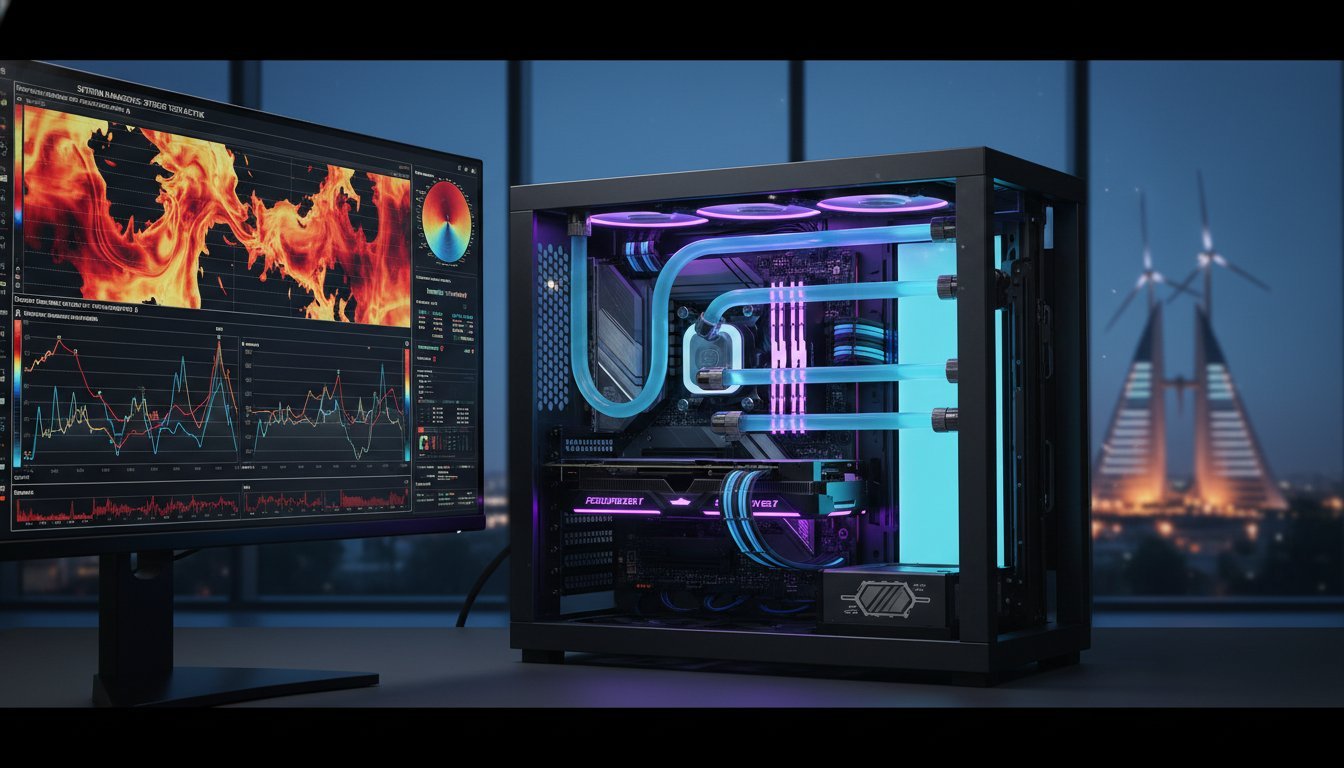

Most builders view a stress test as a digital torture chamber designed to break components, but the reality is far more sophisticated. Professional pc stress testing isn’t about trying to crash your system; it’s about finding the “soul” of the machine and ensuring perfect thermal equilibrium under a sustained, heavy load. You’ve likely felt that sharp spike of anxiety when your workstation fans ramp up during a critical 3D render or a high-stakes gaming session. Nobody wants to face a sudden system crash or permanent hardware degradation because of overheating in a high-ambient room.
We’re here to help you master the elite methodology required to validate high-performance hardware for 24/7 reliability. You’ll gain the peace of mind that comes with a certified-stable system, whether you’re pushing a professional video editing workstation to its limits or demanding absolute precision from your custom gaming rig. This guide previews the 2026 gold standard for diagnostic tools, from the OCCT v17 open beta to the surgical precision of HWiNFO64 version 8.46, ensuring your hardware remains cool, fast, and unfailingly reliable.
Key Takeaways
- Understand the critical distinction between simple benchmarking and true stability validation to ensure your system doesn’t fail during mission-critical tasks.
- Master the 2026 elite software suite for professional pc stress testing, utilizing industry-leading tools like OCCT and Prime95 to find hidden hardware flaws.
- Learn the correct validation sequence that prioritizes DDR5 RAM stability before taxing the processor to ensure a clean, error-free testing environment.
- Discover how to decode HWiNFO64 sensor telemetry to monitor voltages and stay within safe thermal “danger zones” for modern high-performance components.
- Explore the rigorous 24-hour stress cycle methodology we use to certify every Grey PC custom build for maximum reliability and performance.
What is Professional PC Stress Testing and Why is it Essential?
Professional pc stress testing is the rigorous process of placing a computer under a controlled, sustained, and extreme load to verify its absolute hardware integrity. It’s a trial by fire. While most users assume their hardware is perfect out of the box, the reality is that high-performance components often hide subtle defects that only emerge under pressure. This process differs fundamentally from benchmarking. A benchmark is a vanity metric designed to give you a performance score; a stress test is a survival certificate. When asking What is stress testing? in a hardware context, we’re looking for the point where a system might buckle so we can ensure it never happens during your actual work.
This methodology is vital for high-stakes scenarios like 4K video rendering, complex 3D simulations, and competitive esports. In these environments, a single crash isn’t just an annoyance; it’s a loss of billable hours or a tournament-ending disaster. We also use these tests to defeat “Infant Mortality.” This is a documented phenomenon where electronic components are most likely to fail within their first few hours of heavy use. By pushing the hardware to its limits immediately after assembly, we force these early failures to happen in our lab rather than on your desk.
The Difference Between Stability and Performance
Don’t be fooled by a high Cinebench score. Just because your CPU can handle a ten-minute render doesn’t mean it won’t crash after four hours in Premiere Pro. Performance is about speed, but stability is about consistency. Professional testing accounts for “Transient Spikes,” which are sudden, massive draws of power that can overwhelm a weak Power Supply Unit (PSU). A high-quality PSU is the backbone of any stable build. It must maintain clean power delivery even when the GPU and CPU decide to draw maximum wattage simultaneously. Without this validation, you’re just waiting for a voltage ripple to trigger a Blue Screen of Death.
Who Needs Professional-Grade Validation?
This level of scrutiny is mandatory for anyone whose livelihood depends on their hardware. Creative pros using Professional Video Editing Workstations require 100% uptime to meet tight deadlines. For them, a stable machine is a tool of the trade. Gamers also benefit, as professional validation eliminates micro-stutters and ensures “God-Tier” performance during long sessions. Finally, corporate IT managers overseeing bulk hardware procurement for rendering farms or data-heavy offices use these standards to guarantee that every unit in their fleet meets a specific reliability threshold before deployment.
The 2026 Professional Testing Suite: Essential Software Tools
To achieve god-tier stability, you need software that talks directly to your silicon. Professional pc stress testing requires tools that bypass the operating system’s abstractions to saturate every logic gate and memory cell. Forget browser-based benchmarks. They lack the low-level sensor access needed to monitor voltage droop or VRM thermal throttling. Instead, the elite standard relies on a curated suite of specialized stressors designed to reveal weaknesses before they become disasters.
OCCT (OverClock Checking Tool) stands as the modern gold standard. Its v17 open beta, released in April 2026, provides a comprehensive dashboard for CPU, GPU, and PSU validation. While OCCT is the scalpel, Prime95 is the sledgehammer. Often called a “Power Virus,” Prime95 Small FFTs generate heat loads that no real-world application can match. It’s the ultimate test for your CPU’s memory controller and cooling solution. If your system survives two hours of Prime95, it’s statistically bulletproof. For memory, MemTest86+ v8.00 remains non-negotiable. It’s the only way to ensure your high-speed DDR5 modules aren’t throwing silent errors that corrupt your data.
CPU-Centric Stability Tools
Choosing the right tool depends on your specific architecture. While Cinebench 2026 is excellent for measuring sustained performance, it won’t catch the same transient instabilities as Prime95. When you buy intel core i9-14900k, you must validate its immense thermal headroom. Modern chips utilize AVX-512 instructions, which draw massive amounts of current. Professional testing must include AVX-enabled workloads to ensure the motherboard’s power phases can handle these sudden, heavy demands without triggering a system shutdown. Pairing this processor with the best motherboard for i9-14900k is equally critical, as a BIOS-hardened Z790 board with robust VRM design is what separates a truly stable AVX-512 workload from one that throttles under pressure.
GPU and VRAM Stressors
The GPU is often the hottest component in a professional rig. Tools like FurMark 2.10.2 and Superposition push the silicon and VRM cooling to their absolute limits. If you’re looking for an nvidia geforce rtx 5090 for sale, you need to monitor VRAM junction temperatures specifically. The Blackwell architecture’s high-density memory generates significant heat. Use 3DMark Speed Way to test real-time ray-tracing stability. Watch closely for “artifacts” or tiny visual glitches. These are the first signs that your GPU silicon is struggling or your VRAM is clocking too high for its own good.
Every professional build deserves a foundation of components that have been vetted for this level of intensity. If you are starting a new project, ensure you choose a high-performance processor that can withstand the rigors of our 2026 testing suite.

Step-by-Step Guide: How to Stress Test Your PC Like a Pro
Professional pc stress testing is not a single button click. It is a calculated, sequential workflow designed to isolate every potential point of failure. Most enthusiasts make the mistake of running a single software loop and calling it a day. To achieve true god-tier stability, you must follow a structured path that tests components individually before subjecting them to a collective heat soak. This method ensures that if a crash occurs, you know exactly which component caused it. It transforms guesswork into a precise diagnostic science.
- Step 1: Baseline Monitoring. Before you apply any load, establish your idle temperatures and voltages using HWiNFO64. This provides a “clean” data point to compare against your peak results.
- Step 2: Memory First. RAM is the foundation. If your memory is unstable, every other test will produce false positives or corrupted data.
- Step 3: CPU Saturation. Once the RAM is cleared, push every logical core and the onboard cache to their absolute limits.
- Step 4: GPU Burn-in. Validate the graphics pipeline and ensure the power draw doesn’t cause voltage ripples.
- Step 5: Combined “Heat Soak.” This is the final boss. Running CPU and GPU stressors simultaneously simulates a worst-case scenario where every component generates maximum heat inside the chassis.
Phase 1: Validating the Foundation (RAM & PSU)
Stability starts with your memory modules. We recommend running MemTest86+ for at least 4 full passes. This duration is essential to catch elusive bit-flips that only occur as the modules warm up. If you’ve just picked up the best ram for intel 14th gen, you must verify that the XMP or EXPO profiles are actually stable under load. While the RAM works, keep a close eye on your 12V rails. A voltage sag during this initial phase often points to a struggling Power Supply Unit that won’t survive the later stages of professional pc stress testing.
Phase 2: The Thermal Equilibrium Test
You haven’t truly tested a system until it reaches “Thermal Equilibrium.” This is the point where the heat produced by the components exactly matches the heat being exhausted by your cooling solution. It usually takes 30 to 60 minutes of sustained load to reach this state. During this window, watch for thermal throttling, where the clock speeds drop to protect the silicon. This is different from power limit throttling, which is a BIOS-level restriction. Your final validation should always be a 2-hour “Real World” loop. If the system stays within safe thermal zones and maintains its boost clocks for the full duration, you’ve achieved a certified-stable build. If you’re assembling your own rig and want to ensure it’s built correctly from the ground up before stress testing, our guide for every custom gaming pc builder bahrain enthusiasts rely on covers the architectural precision needed to make elite components thrive in our demanding local environment.
Analyzing Results: Decoding Temperatures, Voltages, and Errors
Numbers don’t lie, but they are easily misinterpreted. During professional pc stress testing, your screen becomes a flood of real-time telemetry. You need to know which sensors represent a minor tweak and which signal a catastrophic failure. HWiNFO64 version 8.46 remains our primary source of truth for this data. It provides the most granular look at your system health, from individual core voltages to the specific power draw of your GPU PCIe rails. If you don’t know what you’re looking at, you’re just watching numbers move.
For 2026 hardware, thermal limits have shifted. While modern silicon is often rated for 95°C or even 100°C, a professional rig shouldn’t sustain these peaks indefinitely. If your CPU Package stays above 90°C for the duration of a test, your cooling solution is inadequate for mission-critical work. We also have to account for the “Middle East Heat” factor. If your ambient room temperature is high, your delta-over-ambient will shrink. This makes high-performance cases and premium fans mandatory rather than optional. You must also distinguish between WHEA errors in OCCT and hard system crashes. A WHEA error is a corrected warning; it means your system is on the edge of instability. A hard crash means it has already fallen off.
Monitoring the “Internal Soul” of the Hardware
The “Internal Soul” of your machine is found in the VRMs (Voltage Regulator Modules). These components are the silent killers of high-end workstations. If your VRMs exceed 105°C, your CPU will throttle regardless of how cool the processor itself remains. You should also watch the difference between CPU Package and Core temperatures. The Package temperature is an average, but individual Core temps reveal if your thermal paste application is uneven. Don’t forget your storage. High-speed Gen5 SSDs can hit thermal limits during heavy IO stress, leading to sudden data corruption or severe system lag.
Troubleshooting Common Failures
If your system simply reboots without a warning, you’re likely looking at a PSU issue or a power delivery failure. It’s the machine’s way of protecting itself from a voltage spike. A Blue Screen of Death (BSOD) with the code IRQL_NOT_LESS_OR_EQUAL usually points to unstable DDR5 RAM or a driver conflict. Conversely, if applications just close to the desktop without an error message, your VRAM or system memory is likely the culprit. Identifying these patterns early saves you from hours of frustration during a real project.
Don’t settle for a system that might fail when you need it most. Ensure your next workstation is a certified Grey PC Custom Build that has been vetted through these exact professional protocols.
Bespoke Validation: The Grey PC Standard for Professional Builds
At the heart of every machine we assemble lies a simple, uncompromising philosophy: we build it, we break it, and then we certify it. Professional pc stress testing isn’t an optional service at Grey PC; it’s the core of our technical identity. While standard retail units might get a quick power-on test, every ultimate gaming pc build we create undergoes a relentless 24-hour stress cycle. We push the silicon until it reveals its true character, ensuring that your investment is bulletproof from the moment you press the power button.
This process includes meticulous fan curve optimisation, especially for iconic chassis like the lian li pc-o11 dynamic. We don’t just aim for low temperatures; we aim for a sophisticated balance between thermal efficiency and acoustic comfort. Our builders treat the technical assembly as a transformative experience, turning a collection of high-end parts into a cohesive, high-performance organism. Once the testing is complete, we provide you with professional documentation and a stability certificate. This isn’t just paper; it’s a seal of authenticity that proves your hardware has survived the industry’s most demanding validation protocols.
Optimising for Professional Workflows
Generic advice often fails to account for the unique stresses of professional software. A gaming rig might be stable for a few hours, but a 3D rendering workstation needs to handle 48-hour continuous uptime without a single calculation error. We specifically validate AI workstations to ensure they can manage persistent VRAM saturation without thermal throttling. Beyond the initial build, we emphasize that regular hardware cleaning and professional servicing are vital. Dust is the enemy of stability. Maintaining the “soul” of your machine requires ongoing care to prevent the thermal creep that eventually leads to system failure.
Your Next Steps to a Certified Stable Rig
If your current system is showing signs of age or instability, it’s time to take action. You can request a professional hardware health check to identify exactly where your system is buckling under load. Often, upgrading a single component like your storage SSD or cooling solution can resolve stability bottlenecks and breathe new life into an aging workstation. For those who demand the absolute peak of reliability, contact us for a bespoke, stress-tested professional build. We’re ready to collaborate on a machine that doesn’t just meet your expectations but defines a new standard for your professional workflow.
Secure Your Digital Legacy with God-Tier Stability
Mastering the art of professional pc stress testing is the final bridge between owning a collection of high-end parts and wielding a precision instrument. You’ve learned how to navigate the modern software suite and establish a sequential validation workflow that isolates every potential bottleneck. By prioritizing DDR5 stability and reaching true thermal equilibrium, you ensure your hardware survives the most demanding workloads without flinching.
At Grey PC, we take this methodology to the extreme. Every custom build we deliver features a 24-hour stability certification to guarantee performance under pressure. We are specialists in high-ambient temperature thermal management, a critical factor that has made us a trusted partner for Bahrain’s leading creative agencies. Don’t leave your mission-critical tasks to chance. It’s time to invest in a machine that shares your commitment to excellence and craftsmanship.
Build Your Certified Stable Workstation with Grey PC
Your journey toward absolute reliability starts here. We’re ready to help you build the rig of your dreams.
Frequently Asked Questions
Can professional pc stress testing damage my hardware?
No, professional pc stress testing won’t damage your hardware as long as you monitor temperatures and avoid manual voltage overrides. Modern CPUs and GPUs feature aggressive thermal throttling and safety shutdowns that trigger before physical damage occurs. The goal is to identify a weakness in a controlled environment so you can address it before it leads to a catastrophic failure during a critical project.
How long should I run a stress test for a new gaming PC?
You should run a comprehensive stress test for at least 2 to 4 hours to ensure general gaming stability. For a new gaming PC, this duration allows the system to reach thermal equilibrium and exposes common “infant mortality” issues in the silicon. If you require mission-critical reliability for professional workloads, extending this to a full 24-hour cycle is the elite standard for certifying a rig.
What is the best software for testing GPU stability in 2026?
OCCT v17 and FurMark 2.10.2 are the premier choices for validating GPU stability in 2026. While FurMark provides a raw thermal “burn-in” to test cooling limits, OCCT offers specialized tests for VRAM and power delivery. Using these tools in tandem allows you to monitor for visual artifacts or memory errors that standard gaming benchmarks often overlook during their short runtimes.
Why does my PC pass benchmarks but crash in games or rendering?
Benchmarks are often short bursts of activity that fail to account for sustained heat soak or transient power spikes. Games and professional rendering software place a dynamic, varying load on the system that can expose instabilities in the power supply or memory timings. A true professional pc stress testing workflow simulates these sustained, high-intensity scenarios to find the “soul” of the machine’s limits.
What are safe temperatures for an i9 or RTX 50-series card under load?
For an i9 processor, you should aim to stay below 95°C under maximum load to prevent thermal throttling. The RTX 50-series cards generally operate safely up to 85°C on the core, though you must monitor VRAM junction temperatures to ensure they stay under 100°C. Maintaining these thermal targets ensures long-term component health and consistent boost clock performance during intensive sessions.
Do I need to stress test my PC if I am not overclocking?
Yes, testing is essential even at stock settings because factory defects and assembly errors can occur. Components might arrive with poor thermal paste application or subtle silicon flaws that only emerge under extreme pressure. Stress testing validates that your motherboard, power supply, and cooling solution are all working in perfect harmony to support the hardware’s intended performance.
How often should I perform a stress test on my professional workstation?
You should perform a stability check on your professional workstation every 6 to 12 months. This routine maintenance helps identify performance degradation caused by dust buildup or thermal paste aging. It is also wise to run a quick validation after major BIOS updates or hardware changes to ensure the internal character of your machine remains optimized for your specific professional workflow.
What should I do if my PC fails a stress test?
If your PC fails, immediately check your thermal logs and error codes to isolate the culprit. Failures during memory tests suggest unstable RAM timings, while sudden reboots often point toward a struggling power supply. Once you identify the weak link, you can adjust your cooling, update drivers, or replace the faulty component to restore your system to god-tier stability.