
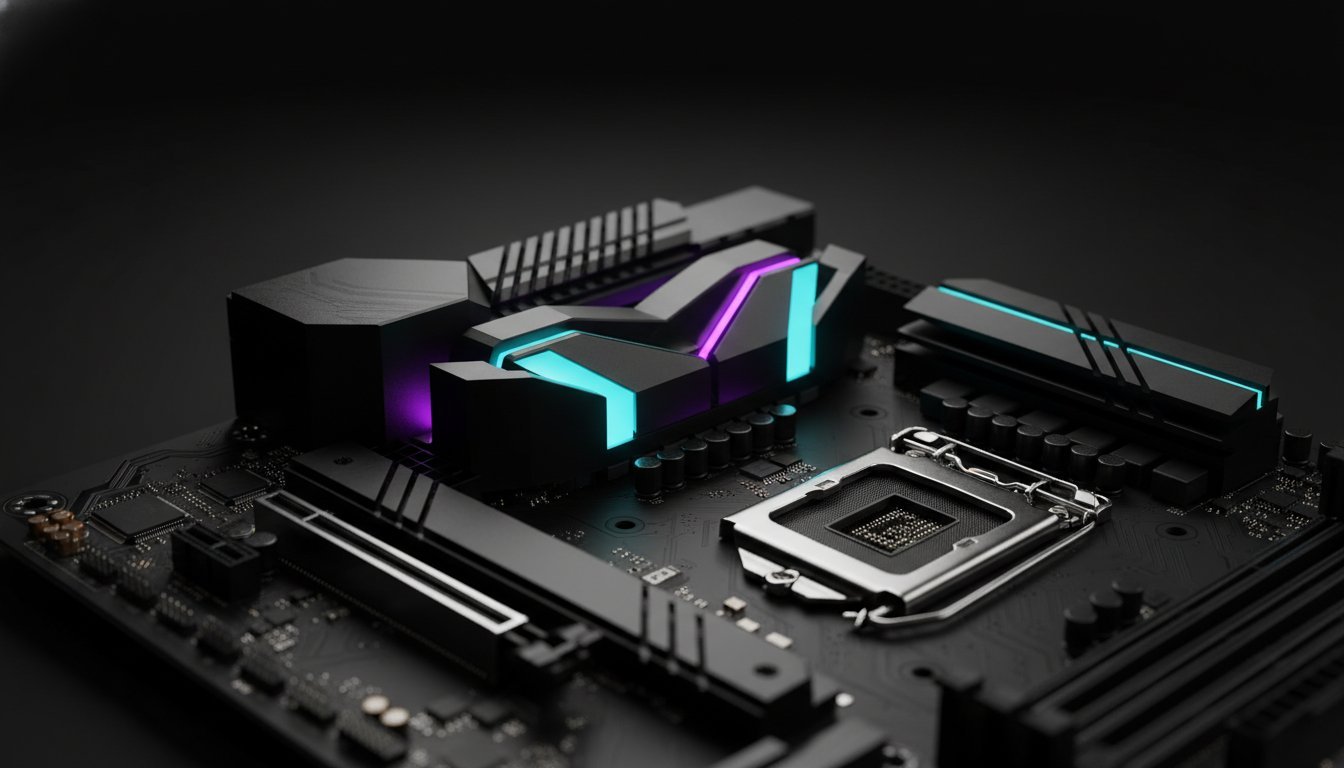

Your high-end workstation isn’t a powerhouse if it crashes during a 4K render; it’s just an expensive paperweight. Even with the market shift toward the newer LGA 1851 platform, the i9-14900K remains a silicon beast that ruthlessly exposes weak VRMs and inadequate cooling. Finding the best motherboard for i9-14900k in 2026 requires looking past the flashy marketing jargon to find the refined Z790 boards that have mastered the power delivery necessary for total stability.
We know the frustration of thermal throttling when you’re deep into a complex 3D project or a high-stakes gaming session. You deserve a system that balances raw performance with the precision of a bespoke build. This guide reveals the elite motherboards capable of taming these legendary power demands while delivering modern essentials like WiFi 7 and PCIe 5.0 connectivity. We’ll show you exactly which BIOS-hardened boards, featuring the latest microcode updates for Vmin Shift stability, keep your professional workstation rock-solid. You’ll learn how to choose a foundation that supports your 240Hz gaming monitors and high-speed DDR5 memory without the risk of system failure.
Key Takeaways
- Learn why 16+1+2 power phases are the absolute baseline for taming the i9-14900K’s extreme power draw during sustained professional workloads.
- Discover the best motherboard for i9-14900k based on real-world thermal performance and VRM cooling efficiency rather than just aesthetic marketing.
- Optimize your professional video editing and 3D rendering workstations by selecting boards with superior PCIe lane distribution for high-speed NVMe storage.
- Implement the latest 2026 BIOS stability protocols and voltage offsets to protect your silicon from degradation while maintaining elite performance levels.
- Future-proof your custom build with essential connectivity like WiFi 7 and PCIe 5.0 to ensure your hardware stays ahead of the curve.
Why the Intel Core i9-14900K Demands a God-Tier Motherboard
The i9-14900K is the absolute pinnacle of the LGA 1700 socket. It’s a silicon masterpiece that pushes the limits of desktop computing to their breaking point. However, this level of performance comes with a massive, unrelenting appetite for power. If you pair this CPU with a mediocre motherboard, you aren’t just leaving performance on the table; you’re actively risking system instability. In 2026, the conversation has shifted. We’ve moved past the era of chasing every last megahertz of unsustainable overclocking. Now, we prioritize “God-Tier” stability. Finding the best motherboard for i9-14900k means selecting a foundation that doesn’t buckle when the PL1 and PL2 power states demand everything the board has to give.
Standard boards often fail under sustained load because they simply cannot handle the thermal output of high-voltage delivery. When your i9-14900K hits its Turbo Boost, it demands an instant, massive surge of current. If the Voltage Regulator Modules (VRMs) aren’t elite, they’ll overheat within minutes. This triggers VRM throttling, which forces the CPU to downclock. It’s a performance killer. Your frame rates will stutter and your 3D render times will double. This is a bottleneck that no CPU cooler can fix if the board’s electrical foundation is weak. A high-end workstation requires a board that treats power delivery as a precision craft.
The Power Hungry Nature of the 14900K
Don’t let the “base power” marketing fool you. While the spec sheet might mention 125W, the reality is a 253W TDP that frequently surges higher during intense workloads. Even more critical are the transient spikes. These are micro-second bursts where the power draw leaps toward 300W or more. A premium board uses high-quality Japanese capacitors and 105A-rated power stages to smooth out these spikes. This level of precision protects your components and ensures long-term system longevity. Without this hardware specialist approach, your professional workstation is just a ticking clock waiting for a crash.
LGA 1700 and the Z790 Chipset in 2026
The Z790 chipset remains the only logical home for a high-end i9 build. In 2026, we specifically look for “Refresh” boards like the Z790 MAX or the Dark Hero series. These later iterations offer superior memory routing for DDR5 and refined power stages that were built with the 14th Gen’s specific voltage requirements in mind. They provide the stability that earlier boards lacked. If you’re still weighing your options between platforms, you might look at how the Intel Core i9-14900K vs the Ryzen 9 9950X comparison stands today. For those staying with Intel, the best motherboard for i9-14900k is the one that prioritizes consistent power over flashy, unnecessary features.
The Hardware Specialist’s Criteria: VRMs, Thermals, and Power Stages
Building a machine around a 14th Gen flagship requires an eye for the internal architecture that mass-market retailers often ignore. The best motherboard for i9-14900k isn’t defined by RGB lighting or flashy shrouds. It’s defined by the silicon and copper hidden beneath the surface. To maintain “God-Tier” stability, you must look at the Voltage Regulator Modules (VRMs) as the lifeblood of your system. A 16+1+2 phase VRM design is the absolute entry point for stability in 2026. Each phase distributes the current, reducing the heat generated by any single component and ensuring the CPU receives a clean, unwavering stream of power. For a deeper look at specific board rankings, an in-depth motherboard analysis can help you distinguish between marketing fluff and real-world current handling.
Signal integrity is the silent hero of high-performance builds. High-speed DDR5 memory pushes frequencies that are incredibly sensitive to electrical noise. An 8-layer PCB provides the necessary shielding and grounding to prevent data corruption during heavy 3D renders or intensive gaming. We believe hardware has a “soul” defined by its reliability. That’s why Grey PC selects server-grade chokes and capacitors for every Grey PC custom build. These components are designed to withstand the brutal electrical pressure of an i9 without whistling or failing under load. Precision is our standard, and quality is our signature.
VRM Efficiency and the Heat Factor
Ambient temperature is the silent killer of high-end hardware. In regions like Bahrain, where ambient heat can stress even the most advanced cooling systems, VRM efficiency is paramount. MOSFETs must convert high-voltage power with minimal energy loss, as wasted energy turns into heat that can melt your chassis’ thermal budget. We recommend specific high-conductivity thermal pads for high-performance workstations to ensure heat moves away from the VRMs instantly. Without this level of thermal management, your system will inevitably throttle, turning your elite processor into a mid-range performer.
Connectivity and Future-Proofing
The best motherboard for i9-14900k must be ready for the hardware of tomorrow. This means providing full PCIe 5.0 support for next-gen GPUs like the RTX 5090. It also means managing the intense heat of modern storage. High-speed drives like the Samsung 990 Pro require massive M.2 thermal guards to prevent speed drops during long file transfers. When you combine these thermal solutions with WiFi 7 and 10Gb Ethernet, you create a professional networking hub that remains relevant well into the future.

Top Motherboard Recommendations for the i9-14900K in 2026
Theory only gets you so far in the high-stakes world of custom PC building. To achieve God-Tier stability, you need hardware that has been battle-tested against the i9-14900K’s aggressive power curves. The best motherboard for i9-14900k isn’t just a component. It’s the commander of your system’s electrical army. In 2026, we’ve identified the elite few that stand above the rest. Whether you’re building a sleek aesthetic masterpiece or a brutalist rendering machine, these boards deliver the precision required for elite performance.
The ASUS ROG Maximus Z790 Dark Hero remains the undisputed Enthusiast King. It features a massive 20+1 power stage design that laughs at transient spikes. With dual Thunderbolt 4 ports and a refined aesthetic, it’s the gold standard for those who refuse to compromise. For those focused on professional output, the MSI MEG Z790 GODLIKE and its sibling, the ACE, offer the Workstation Workhorse experience. These boards utilize E-ATX layouts to provide the physical space needed for extreme cooling and massive connectivity. They’re designed for the creator who demands 100% uptime during week-long renders.
Premium Picks for Maximum Performance
The MSI MPG Z790 Carbon MAX WiFi II represents the sweet spot for enthusiast features. It balances a robust VRM layout with the latest WiFi 7 standards, making it a favorite for high-bandwidth professional networking. These premium boards are specifically engineered with optimized trace routing to handle the Best RAM for Intel 14th Gen. While many competitors struggle with memory stability at 8000MT/s and beyond, these boards maintain rock-solid signal integrity. This ensures your high-speed DDR5 kit actually delivers the performance you paid for without constant BSOD interruptions.
Reliable Mid-Range Options for Gaming
If you want peak performance without the “Enthusiast Tax,” the Gigabyte Z790 Aorus Master is a thermal titan. Its massive finned heatsinks provide superior cooling for the VRMs even in restricted-airflow cases. For a more focused approach, the ASRock Z790 Taichi Lite strips away the unnecessary RGB lighting to focus entirely on performance value. We also recommend the Gigabyte Z790 Aorus Elite AX (2026 Revision) as a top-tier value pick. It provides the essential 8-layer PCB and high-quality chokes needed for stability. When comparing BIOS ease-of-use, ASUS and MSI lead the pack for first-time builders, offering intuitive “Intel Default Settings” toggles that make stabilizing your i9-14900K a one-click process. If you’re still deciding whether Intel is the right platform for your gaming needs, our comprehensive AMD vs Intel for gaming guide for 2026 breaks down the architectural differences and real-world frame rate data to help you make the most informed decision.
For those crafting a clean, modern aesthetic, the ASUS ROG Strix Z790-A Gaming WiFi II is the White Build Specialist. It combines the reliability of the Strix line with a stunning silver-and-white finish. It’s the perfect foundation for a high-performance gaming rig that looks as cool as it runs.
Beyond Gaming: Motherboards for 3D Rendering and Video Workstations
Most hardware reviews treat the i9-14900K as a tool for chasing high frame rates in gaming. While it certainly excels there, the professional world views this chip differently. It’s a silicon heartbeat for high-end production. Professional workflows like Unreal Engine 5 or Premiere Pro don’t just ask for power; they demand absolute endurance. The best motherboard for i9-14900k in a workstation context must handle sustained 100% load for days at a time. This is where the distinction between a “gaming board” and a “workstation board” becomes critical for your bottom line.
Expansion is the lifeblood of the creative professional. You need a board that offers intelligent PCIe lane distribution to support capture cards, high-speed networking, and multiple NVMe drives simultaneously. Thunderbolt 4 support is no longer optional for these builds. It’s the gateway to high-speed external RAID arrays and professional audio interfaces that keep your studio running. At Grey PC, we view the assembly of these machines as a transformative experience. We don’t just click parts together. We craft Professional Video Editing Workstations that are engineered to survive the most punishing production schedules.
The 3D Rendering Powerhouse
3D rendering is a brutalist exercise in thermal management. When you combine a 14900K with an RTX 5090, you’re managing a massive amount of heat within the chassis. We prioritize boards with reinforced PCIe slots to handle the physical weight of elite GPUs without sagging or connection loss. BIOS stability is the silent hero here. A single voltage hiccup 47 hours into a 48-hour render can cost you thousands in lost time. We select boards that have been rigorously tested for long-duration stability under maximum thermal pressure.
Video Editing and Content Creation
For the modern editor, rear I/O is a primary productivity tool. You need USB 3.2 Gen 2×2 ports for lightning-fast footage offloading from external SSDs. Internal headers for front-panel USB-C (20Gbps) are equally vital for a seamless desktop experience. Memory capacity is the final piece of the puzzle. In 2026, Z790 boards must support up to 192GB of DDR5 to handle the massive cache requirements of 8K workflows. When your motherboard supports this much RAM with rock-solid signal integrity, you can scrub through timelines without a hint of lag.
Ensuring Stability: BIOS Tuning and Professional Assembly
Selecting the best motherboard for i9-14900k is only the first half of the journey. Without surgical precision in the BIOS, even the most expensive Z790 board is just a collection of high-end parts. By 2026, the industry has moved toward a strict “Intel Default Settings” mandate. This isn’t just a suggestion; it’s a requirement to prevent the Vmin Shift instability that plagued earlier 14th Gen builds. We focus on providing a foundation where performance and longevity coexist. This requires moving beyond “plug and play” to a state of total system optimization.
Stability is earned through rigorous validation. Manual voltage offsetting is our preferred method for taming the i9’s aggressive heat output. By carefully lowering the voltage floor, we reduce temperatures by as much as 10 to 15 degrees Celsius without sacrificing a single megahertz of clock speed. This level of tuning ensures your DDR5 memory training completes successfully, allowing your RAM to hit its rated XMP speeds without the dreaded boot loops or memory errors. The Grey PC signature involves more than just assembly. We believe that Stress Testing is non-negotiable for any machine leaving our bench.
Essential BIOS Settings for the 14900K
- Step 1: Flash your board to the latest microcode-patched BIOS. As of March 2026, versions like MSI’s “AB” or ASUS’s “2107” are essential for system security and voltage management.
- Step 2: Disable “Multi-Core Enhancement” (MCE) in favor of Intel Stock limits. This prevents the motherboard from pushing unsafe voltages through your silicon during heavy 3D renders.
- Step 3: Configure Load Line Calibration (LLC). Setting this to a middle-of-the-road level prevents Vdroop, ensuring the CPU stays stable when transitioning from idle to a 100% load state.
The Value of Professional Build Services
Airflow is the lifeblood of a high-performance workstation. We handle cable management with a focus on clear paths to the VRMs and memory. This is particularly vital in high-ambient environments where every degree matters. Thermal paste application is another area where we apply a “less is more” philosophy. We use a thin, even spread of high-conductivity compound to ensure the most efficient heat transfer possible. Whether you choose a massive 420mm AIO or a bespoke custom cooling loop, we ensure the mounting pressure is perfectly balanced for the LGA 1700 socket. Precision assembly transforms a standard retail experience into a bespoke hardware partnership.
Ready for a God-Tier build? Order your custom i9 gaming PC today and experience the difference of professional craftsmanship.
Dominate Your Workflow with God-Tier Stability
Your journey to a crash-free, high-performance environment starts with the foundation. We’ve explored how elite VRM architecture and 8-layer PCBs prevent the thermal throttling that often plagues standard builds. By prioritizing the best motherboard for i9-14900k, you ensure your 14th Gen silicon operates within the optimized limits required for 2026 stability standards. Hardware without precise BIOS tuning is just raw potential. Professional assembly turns that potential into a transformative workstation experience.
As Bahrain’s leading custom PC specialist since 2018, we understand the internal character of your technology. Every build includes expert stress-testing to guarantee your system survives the most grueling professional workloads. We offer nationwide delivery on all premium components, ensuring your hardware arrives ready to perform. Don’t settle for mass-produced instability when you can have a bespoke machine built for precision.
Build Your Dream i9-14900K Workstation at Grey PC and take command of your digital world with total confidence.
Frequently Asked Questions
Do I need a Z790 motherboard for the i9-14900K, or will a B760 work?
You should strictly use a Z790 motherboard for the i9-14900K to ensure system stability. While some B760 boards physically support the socket, they often lack the robust Voltage Regulator Modules (VRMs) required to handle the i9’s massive power draw. B760 chipsets also restrict the advanced voltage tuning and undervolting capabilities necessary to prevent 14th Gen CPUs from thermal throttling under professional workloads or intense gaming sessions.
What is the best motherboard for i9-14900K for professional video editing?
The MSI MEG Z790 GODLIKE stands as the best motherboard for i9-14900k when building a professional video editing workstation. It offers an elite E-ATX layout with seven M.2 slots for high-speed storage and dual 10GbE networking for server connectivity. This board provides the physical expansion space and electrical precision needed to maintain 100% uptime during 8K timeline scrubbing and complex multi-layer exports in Premiere Pro.
Is the ASUS ROG Maximus Z790 Dark Hero worth the extra cost in 2026?
The ASUS ROG Maximus Z790 Dark Hero remains a premium investment that justifies its price through elite power delivery and future-proof connectivity. It features 20+1 power stages that easily manage the transient spikes of the i9-14900K. With native WiFi 7 support and dual Thunderbolt 4 ports, it provides a level of high-speed I/O that budget boards simply can’t match. It’s a foundational piece for any enthusiast who values longevity.
Can I use DDR4 RAM with an i9-14900K motherboard?
While a few niche Z790 boards support DDR4, pairing an i9-14900K with older memory is a significant performance bottleneck. The 14th Gen architecture relies on the high bandwidth of DDR5 to feed its high core counts during 3D rendering and modern gaming. We strongly recommend choosing a DDR5-compatible Z790 board to ensure you aren’t leaving double-digit performance gains on the table. It’s about matching the speed of your silicon.
What VRM power stage count should I look for in an i9-14900K board?
A VRM configuration of at least 16+1+2 power stages is essential for managing the electrical pressure of a 14th Gen i9. Higher phase counts distribute the thermal load across more components, which keeps the motherboard cooler and extends its lifespan. When you’re pushing a CPU toward 300W, you need those high-quality chokes and capacitors to provide a clean, unwavering stream of power without the risk of hardware failure.
How do I prevent my i9-14900K from crashing on a Z790 motherboard?
Preventing crashes on a Z790 motherboard requires applying the latest 2026 BIOS microcode updates and enabling “Intel Default Settings” in the UEFI. These updates fix the Vmin Shift instability issues by capping unsafe voltage requests. We also suggest a slight negative voltage offset to lower temperatures. These steps, combined with a best motherboard for i9-14900k selection, create a rock-solid environment for both gaming and professional creative tasks.
Does the i9-14900K support PCIe 5.0 on all Z790 motherboards?
PCIe 5.0 support is a feature of the motherboard’s physical design, not just the i9-14900K processor itself. While the CPU supports the standard, entry-level Z790 boards might only offer PCIe 4.0 slots to save on manufacturing costs. You must verify that your chosen board specifically lists PCIe 5.0 for the primary x16 slot and at least one M.2 slot if you plan to use next-gen GPUs or ultra-fast SSDs.
What is the best budget motherboard that can still handle the i9-14900K safely?
The Gigabyte Z790 Aorus Elite AX (2026 Revision) is the most reliable budget-conscious choice for an i9 build. It strips away the expensive OLED screens and excess RGB to focus on a high-quality 8-layer PCB and capable VRMs. It provides the thermal headroom necessary to run the i9-14900K at its rated speeds without the stability risks found in cheaper, unverified alternatives. It’s the smart choice for value-focused performance.