
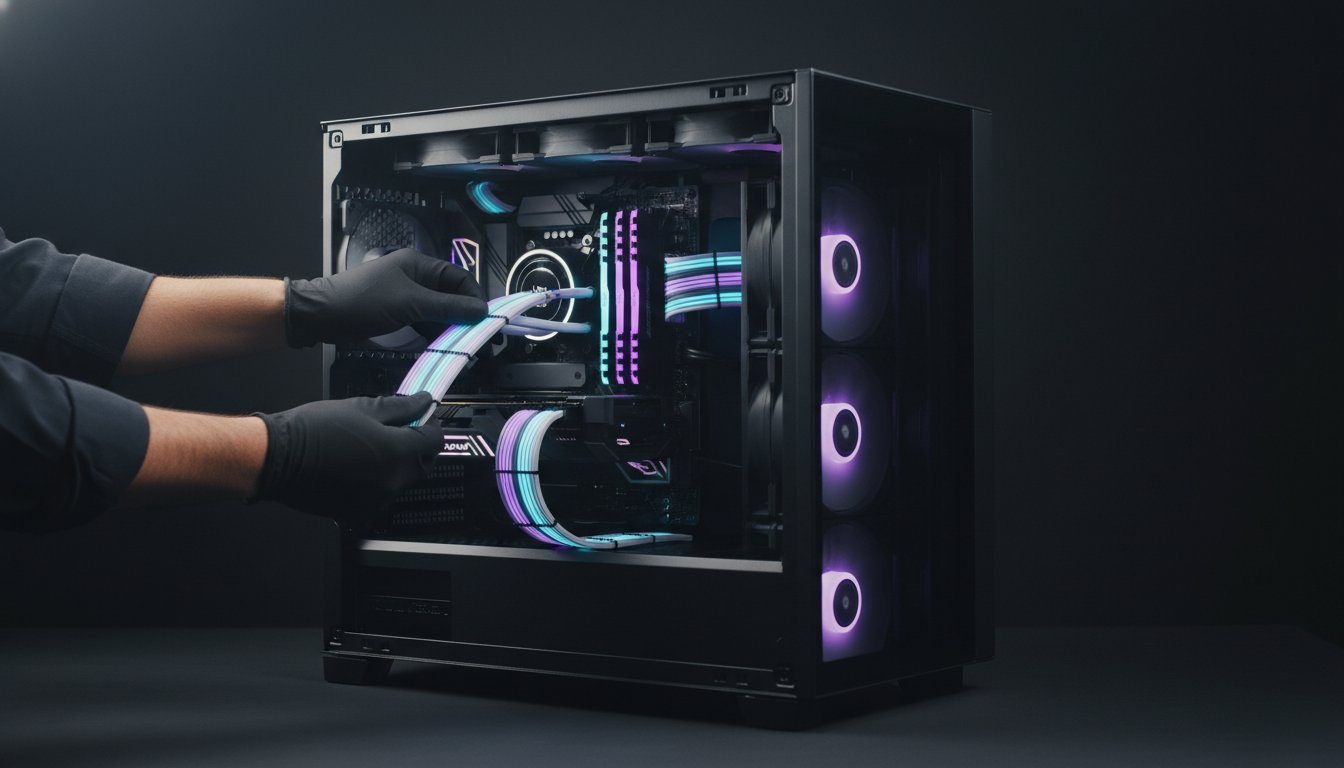

What if the most critical component in your high-performance rig isn’t the GPU or the DDR5 RAM, but the invisible discipline hidden behind your motherboard tray? You’ve likely felt the frustration of finishing a premium build only to realize you’re staring at a tangled “rat’s nest” that makes closing the side panel an actual struggle. It’s a common headache for enthusiasts who want a showpiece but end up with cables touching fan blades or obstructing vital airflow. Mastering clean pc cable management is the true hallmark of a seasoned builder; it’s the point where raw power meets professional craftsmanship.
We believe that the way you route your power cables defines the “soul” of your machine and protects your investment. By following this guide, you’ll learn to transform your cluttered interior into an aesthetically perfect masterpiece with lower component temperatures and effortless upgrade paths. We’ll explore the latest 2026 innovations, including Belcrest silicone organizers and the magnetic systems that define modern, minimalist setups. Get ready to reclaim your airflow and elevate your hardware to its full, unobstructed potential.
Key Takeaways
- Understand the science of “cable choke” and how strategic routing prevents heat pockets from forming around your high-performance VRMs and GPU.
- Identify the essential toolkit required for clean pc cable management and why selecting a dual-chamber chassis is the foundation of a professional build.
- Master the professional sequence for routing the “Big Three” power cables to ensure your side panel closes effortlessly every time.
- Apply the “Invisible Desk” philosophy to your external workstation using specialized trays and J-channels for a completely wireless aesthetic.
- Learn to maintain your rig’s elite status through custom sleeved cable upgrades and the critical six-month hardware audit.
The Science of Airflow: Why Clean PC Cable Management Matters
In the world of high-performance computing, clean pc cable management is far more than a visual flex. It’s the strategic routing and securing of power and data cables to maximize internal volume. When you leave a “rat’s nest” of wires dangling in front of your intake fans, you create what specialists call “cable choke.” This phenomenon disrupts the intended path of cool air, forcing it to tumble and stall before it ever reaches your critical silicon. For enthusiasts running high-TDP components like the latest RTX series GPUs, these air obstructions lead to stagnant hot pockets around the VRMs and memory modules.
This thermal efficiency becomes a survival trait in regions with high ambient temperatures. In the Middle East, where summer heat puts an immense load on cooling systems, a clear intake path is the difference between stable performance and thermal throttling. Messy cables also act as physical magnets for dust and debris. Over time, these “dust traps” insulate your components, trapping heat and requiring much more frequent maintenance to prevent hardware degradation. Professional Cable management ensures that every cubic centimeter of air moved by your fans actually contributes to cooling.
Airflow vs. Aesthetics: Striking the Perfect Balance
A clean build transforms turbulent air into laminar flow. While high-static pressure fans can push through minor obstructions, they shouldn’t have to fight a wall of loose zip ties. You can’t manage what you don’t measure. Using a gaming pc temperature monitor allows you to validate your routing efforts with real-world data. If your idle temps drop after a re-cable, you’ve successfully optimized your rig’s internal character. It’s a satisfying blend of technical precision and visual wonder.
Mechanical Safety and Component Access
Beyond thermals, organization protects the mechanical integrity of your build. Loose cables are notorious for drifting into fan blades, causing irritating noise or total motor failure. Proper clean pc cable management also reduces physical strain on motherboard headers and PSU connectors. When your wires are secured, you aren’t pulling against fragile pins. This level of discipline pays dividends during future hardware swaps. An organized interior is often 50% faster to upgrade because you aren’t hunting for specific connectors beneath a mountain of tangled plastic. It’s about building a machine that is as reliable as it is powerful.
Essential Tools and Pre-Build Planning
Elite builds don’t happen by accident. They’re the result of surgical precision and the right arsenal of tools. Before you even touch a screwdriver, you need a dedicated “Cable Management Kit” consisting of high-quality Velcro ties for adjustable runs, small zip ties for permanent anchors, and flush cutters to ensure no sharp plastic edges remain. Achieving clean pc cable management starts with your component selection. A modular power supply is the mandatory starting point. It allows you to eliminate unnecessary clutter by only installing the cables your system actually requires.
The chassis acts as the canvas for your craftsmanship. The lian li pc-o11 dynamic set the industry standard for routing space, providing a dual-chamber design that hides the mess while showcasing the “soul” of the machine. To further streamline the interior, utilize lighting and fan hubs. These devices consolidate up to ten individual cables into a single control point, drastically reducing the complexity of your wiring. If you’re looking for the perfect foundation, check our curated selection of Cases for Computers to find a layout that suits your vision.
The 2026 Standard: Back-Connect Motherboards
The most significant evolution in 2026 is the rise of back-connect ecosystems like ASUS BTF and MSI Project Zero. These motherboards move power and data headers to the rear of the PCB, making front-facing cables virtually obsolete. This shift redefines the workflow, as your primary focus moves from hiding wires to simply connecting them in the rear chamber. Just ensure your chassis supports these rear-entry headers before committing to this elite hardware configuration. This setup represents the pinnacle of modern aesthetics.
Mapping Your Routing Paths
Never secure a cable until you’ve performed a “Dry Run.” Lay your cables along the intended paths to identify the “Main Artery” of the case. This is usually the vertical channel next to the motherboard tray where the thickest bundles will reside. Pay special attention to 12VHPWR cables for modern GPUs. These require specific clearance to avoid dangerous bends that could lead to thermal issues. Following proper cable routing principles from the start ensures your high-performance rig remains safe and visually stunning. Clean pc cable management is a transformative experience that turns a mechanical task into a work of art.

Step-by-Step Guide: Managing Internal PC Cables Like a Pro
Execution is where the builder’s vision becomes a physical reality. Mastering clean pc cable management requires a disciplined order of operations to avoid trapping smaller wires under the main power arteries. If you route your front panel headers after your GPU cables, you’ll likely find yourself untangling a mess just to reach a single pin. Follow this professional sequence to ensure a flawless interior.
- Step 1: The Power Foundation. Install your PSU and route the “Big Three” first. These are the 24-pin motherboard cable, the EPS (CPU) power, and the GPU power cables. Because these are the thickest bundles, they must occupy the deepest part of the cable channels.
- Step 2: Front Panel IO. Thread your power switch, reset, and USB headers through the bottom grommets. Keep these tight to the motherboard tray to prevent them from “floating” in the visible chamber.
- Step 3: Fan Synchronization. Daisy-chain your fans wherever possible. This minimizes the number of individual headers used on the motherboard and concentrates the wiring into a single, manageable run.
- Step 4: Aesthetic Precision. Use cable combs in the main chamber. These small clips keep parallel lines perfectly straight, giving the 24-pin and GPU cables a professional, “combed” look that defines elite craftsmanship.
- Step 5: Taming the Rear Chamber. The “Back Panel Massacre” is where most builds fail. Secure your bundles to the case’s built-in anchor points using Velcro ties. Avoid zip ties here so you can easily adjust the tension later.
Managing the 12VHPWR GPU Cable
Modern high-power cards require extreme caution. The 12VHPWR connector is sensitive to terminal stress, which can lead to port damage or melting if handled incorrectly. Using 90-degree adapters is a smart way to achieve a cleaner aesthetic while providing safer clearance against the side panel. Maintain a minimum straight clearance of 35mm from the connector before initiating any cable bend. This simple rule protects your high-end GPU from unnecessary mechanical strain.
Fan and RGB Controller Organization
Controllers are often the source of the most clutter. Mount your hubs in the “dead space” of the PSU shroud or behind the motherboard tray where they won’t interfere with the side panel. For complex ultimate gaming pc build setups, labeling each cable at both ends is a life-saving pro tip for future troubleshooting. Finally, master the “flat wrap” technique for SATA power cables. By folding the excess wire flat against the cable itself, you can stack multiple drives without creating a bulky bulge that prevents the case from closing. The ultimate goal of clean pc cable management is a build that looks as intentional from the back as it does through the glass.
Beyond the Case: External Desk Cable Management
Your craftsmanship shouldn’t stop at the tempered glass. Achieving clean pc cable management requires extending that same level of discipline to your entire workstation. The “Invisible Desk” philosophy dictates that a setup is only complete when the technology feels integrated rather than intrusive. This means eliminating the “black vine” effect of wires dangling from your desk to the floor. A professional workspace is a sanctuary of focus, and a wireless aesthetic is the ultimate expression of that focus.
The foundation of external management starts with choosing the right hardware. Under-desk cable trays are the heavy-duty workhorses of this setup, capable of supporting bulky power bricks and thick surge protectors. If you prefer a sleeker look for lighter routing, J-channels offer a low-profile alternative that hides wires against the desk frame. When you’re refining your peripheral layout, remember that a mechanical keyboard for gaming often benefits from a high-quality coiled cable. These aren’t just for show; they provide the necessary slack for movement while maintaining a tight, organized footprint on your desk mat.
Monitor arms are another essential tool for the enthusiast. By using the built-in routing channels within the arm, you can achieve a “floating screen” look that clears up valuable desk real estate. This creates a rhythmic flow between your hardware and your workspace. If you’re ready to elevate your visual experience, browse our elite selection of Gaming and Office Monitors to find the perfect canvas for your clean setup.
Cable Sleeves and Floor Management
To handle the inevitable bundle of PC-to-monitor wires, use braided sleeves to group them into a single, clean “snake.” This umbilical cord approach prevents individual wires from tangling and makes the entire run look intentional. Mount your power strip directly to the underside of the desk to get the “brick” off the floor entirely. When routing high-speed DisplayPort and HDMI 2.1 cables, ensure they aren’t pinched or tightly coiled. Maintaining the physical integrity of these cables is vital to prevent signal interference and flickering at high refresh rates.
Wireless Integration for Professionals
Modern 2.4GHz wireless technology has evolved to the point where latency is virtually non-existent. Switching to wireless mice and keyboards is the fastest way to achieve a zero-cable aesthetic without sacrificing performance. Many professionals in 2026 are now integrating wireless charging pads directly into their desk mats, allowing peripherals to stay topped up while they work. This eliminates the need for charging cables altogether. By combining these wireless solutions with smart routing, you transform a mechanical workstation into a high-energy, bespoke environment that reflects the soul of the technology within.
Professional Maintenance and Advanced Aesthetic Upgrades
The journey toward clean pc cable management reaches its zenith when you move beyond standard plastic and into the world of bespoke aesthetics. Modern enthusiasts in 2026 are increasingly turning to magnetic solutions, such as the LTT Magnetic Cable Management Starter Solution, which has seen wide adoption for its ability to handle height-adjustable desk setups. These tools provide the modular flexibility needed for high-end builds that undergo frequent hardware swaps. However, the most profound visual transformation comes from the choice between cable extensions and full replacements, a decision that defines the internal character of your machine.
Cable Extensions vs. Full Replacements
Cable extensions are the most accessible entry point for builders looking to add a splash of color. They plug into your existing factory wires, providing that elite, sleeved look in the visible chamber. The drawback is the added length, which can make the rear chamber difficult to close. For a truly professional workstation, full PSU replacements are the superior choice. These replace the original wires entirely, reducing bulk and improving airflow. You must never mix full replacement cables between different PSU brands or even different models from the same brand. Pinouts are not standardized at the PSU end; using the wrong cable can lead to catastrophic hardware failure. While PET sleeving offers a stiff, glossy finish that holds its shape, paracord provides a soft, matte aesthetic that feels premium and bespoke.
Maintenance is the final pillar of craftsmanship. We recommend a “Six-Month Audit” for every high-performance rig. Over time, the heat cycles within your case can cause zip ties to settle or heavy GPU cables to sag slightly. Checking these connections ensures your clean pc cable management remains intact and safe. An organized build also makes routine cleaning effortless. Without a “rat’s nest” to trap debris, a quick blast of compressed air can clear the entire interior in seconds. This prevents dust from insulating your components and helps maintain peak performance in demanding climates. Pairing your clean routing with an aio cooler with lcd screen takes your build to the next level, giving you real-time thermal data displayed directly on the pump head so you can monitor the results of your cable management work at a glance.
The Grey PC Servicing Standard
At Grey PC, we view every custom build as a transformative experience rather than a mechanical assembly. Our builders utilize proprietary routing techniques that prioritize both visual wonder and thermal efficiency. We understand the internal “soul” of the technology and ensure that every wire is secured with surgical precision to withstand high ambient temperatures. When a machine enters our facility for a professional refresh, our technicians perform a complete cable management audit. We verify the tension of every tie and the clearance of every intake path. This commitment to precision ensures that your professional video editing workstation or 3D rendering rig remains a high-performance masterpiece for years to come.
Elevate Your Workspace to Professional Standards
Mastering clean pc cable management is the final step in transitioning from a hobbyist to a true hardware specialist. You now understand that a tidy interior is the primary defense against “cable choke” and stagnant heat, which is vital for maintaining hardware longevity in high-temperature environments. By applying a disciplined order of operations and extending your routing expertise to your external desk setup, you create a seamless, high-energy environment where technology feels invisible. It’s about more than just looks; it’s about building a foundation for future upgrades and peak thermal efficiency.
If you want to skip the trial and error, our team is ready to bring your vision to life. Grey PC has been a leader in high-performance custom builds since 2018. We bring expert regional knowledge of thermal management and proprietary routing techniques to every professional workstation we assemble. Build your dream clean PC with Grey PC’s expert assembly service and experience the difference of a machine built with surgical precision. Your hardware deserves an interior that reflects its power. Take pride in your craftsmanship and let your rig finally breathe.
Frequently Asked Questions
Does cable management actually improve PC performance?
Yes, clean pc cable management improves performance by preventing thermal throttling. When cables obstruct airflow, your CPU and GPU hit their thermal limits faster, forcing them to downclock. By clearing the intake path, you ensure your high-performance coolers operate at peak efficiency. This keeps your clock speeds stable during intense 3D rendering or gaming sessions. It’s a simple way to protect your hardware’s internal soul.
What are the best tools for starting PC cable management?
The essential toolkit includes Velcro ties, small zip ties, and flush cutters. Use a set of cable combs to maintain perfectly parallel lines for your visible power cables. For external setups, magnetic organizers and under-desk trays are the gold standard in 2026. These tools allow you to treat the assembly process as a transformative experience rather than a mechanical chore. Precision tools lead to precision builds.
Is it better to use zip ties or velcro straps inside a PC?
It’s better to use Velcro straps for your primary cable runs and zip ties for permanent anchor points. Velcro allows for easy adjustments during the “Dry Run” phase or when upgrading components. Zip ties provide a more secure, low-profile hold for thin fan wires. Always use flush cutters on zip ties to avoid leaving sharp plastic edges that can cut your hands or snag other cables.
How do I hide the cables if my case has no basement shroud?
You can hide cables in cases without a shroud by utilizing the space behind the motherboard tray and the gaps along the drive cages. Route your thickest cables through the closest grommets and secure them tightly to the rear anchor points. If your case has a glass back panel, use adhesive cable clips to create clean, geometric patterns that turn the “messy side” into a secondary showpiece.
Can poor cable management cause my PC to crash?
Yes, poor cable management can cause system crashes through thermal spikes or mechanical interference. A loose wire drifting into a CPU fan blade can stop the cooler entirely, leading to an immediate emergency shutdown. Additionally, “cable choke” creates stagnant hot pockets that can cause VRM overheating. This results in system instability or blue screen errors during heavy workloads. Proper routing is a safety requirement.
What is the best way to manage cables for a multi-monitor setup?
The best approach for multi-monitor setups is grouping all PC-to-monitor cables into a single braided sleeve. This “umbilical cord” method prevents individual wires from tangling and keeps the workspace looking wireless. Use the internal routing channels of your monitor arms to lead the cables down to the desk frame. This maintains a floating screen aesthetic while allowing for easy height and tilt adjustments without snagging.
Are custom cable extensions safe for high-end GPUs like the RTX 4090 or 5090?
Custom cable extensions are generally safe, but full PSU replacements are the superior choice for high-TDP cards like the RTX 4090 or 5090. These components utilize the 12VHPWR connector, which is sensitive to terminal stress. Full replacements reduce connection points, lowering the risk of electrical resistance. Always ensure your cables are rated for the specific wattage of your elite GPU to prevent port damage or thermal issues.
How often should I redo my PC’s cable management?
You should perform a clean pc cable management audit every six months. Heat cycles within the case can cause plastic ties to become brittle or cables to shift slightly. Use this time to air-dust your components and check for any cable sag, especially around the GPU power connector. Regular maintenance ensures your rig continues to look like a bespoke masterpiece while operating at its absolute thermal peak.