
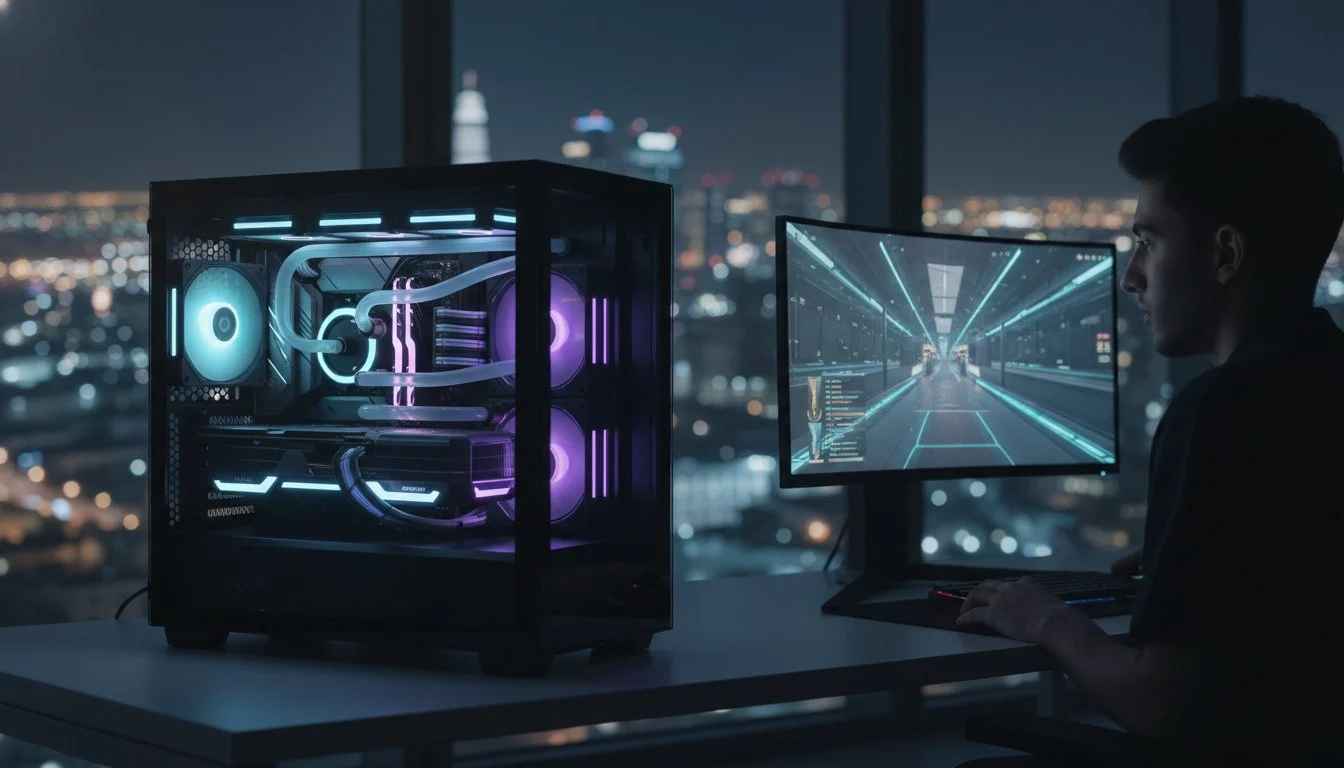

In 2026, the difference between a podium finish and a “Game Over” screen isn’t just skill; it’s the raw, unyielding power of your high fps gaming pc. You’ve likely felt the frustration of a micro-stutter during a critical firefight or watched your frame rates tank as your GPU hits its thermal limit. It’s exhausting to navigate the 400 percent surge in DDR5 prices and the shifting VRAM requirements for Unreal Engine 5 titles. We understand that you aren’t just looking for a machine; you’re looking for a competitive edge that won’t compromise when the heat is on.
This guide reveals the elite hardware configurations and custom cooling strategies required to achieve 240+ FPS in the most demanding titles of the year. We’ll explore why the AMD Ryzen 7 9850X3D has become the gold standard for speed and how Blackwell-era GPUs like the RTX 5080 redefine visual fluidity. You’ll discover how to master DLSS 4.5 settings and select the right DDR5-6000 CL30 kits to ensure your system remains a future-proofed powerhouse. It’s time to build a machine with the soul of a champion.
Key Takeaways
- Understand why 1440p has replaced 1080p as the competitive sweet spot and how to maintain a 240Hz+ refresh rate in 2026’s most demanding titles.
- Identify the specific balance of VRAM bandwidth and L3 cache required for a high fps gaming pc to eliminate micro-stutters in Unreal Engine 5.
- Learn how to optimize thermal headroom through custom cooling strategies that prevent performance-robbing throttling during intense gaming sessions.
- Explore tailored performance blueprints designed for either maximum esports responsiveness or high-fidelity vanguard gaming at 1440p.
- Discover the common engineering shortcuts found in mass-market machines and why a custom-built approach ensures zero-compromise hardware synergy.
The New Standard: What Defines a High FPS Gaming PC in 2026?
The definition of speed has evolved. In 2026, a frame rate (FPS) of 60 is no longer the gold standard for competitive play; it’s the bare minimum for casual immersion. Serious competitors now demand a 240 FPS ceiling to maintain a true advantage. This isn’t just about chasing higher numbers on a benchmark. It’s about the physical clarity of a moving target during high-velocity maneuvers. When every millisecond counts, your hardware must deliver frames faster than your eyes can track them.
The resolution war has finally found its peace at 1440p. While 1080p was once the king of esports, the latest high fps gaming pc builds leverage the massive VRAM bandwidth of modern architectures to deliver 1440p at staggering speeds. This shift provides the pixel density needed to spot distant enemies without sacrificing the fluidity required for flick shots. You’re no longer choosing between “looks good” and “plays fast.” You’re demanding both.
Average frames are often a trap. A machine might claim 300 FPS but suffer from erratic frame-time delivery, leading to a choppy experience. We prioritize 1% lows and frame-time consistency to ensure that every frame arrives exactly when it should. Unreal Engine 5 titles have made this even harder. With heavy reliance on technologies like Nanite and Lumen, these games don’t just tax the GPU. They demand a high fps gaming pc with perfectly synchronized hardware to avoid the micro-stutters that plague mass-market builds.
The 240Hz+ Revolution
High refresh rates do more than make the desktop feel smooth. They significantly reduce eye tracking motion blur. This allows your brain to process visual information faster when you’re scanning the horizon. Achieving this requires perfect synchronization between your system FPS and a gaming monitor with a 240Hz+ refresh rate. Raw GPU power isn’t enough anymore. You need a platform that manages data flow with surgical precision to keep that refresh cycle saturated.
Latency: The Silent FPS Killer
High frames are useless if they arrive too late to matter. System Latency is the total time from mouse click to screen update. Hardware interrupts and poorly optimized background processes can cause micro-stutters even when your average counter looks healthy. We focus on minimizing this end-to-end delay. Our engineering ensures that your reactions are translated to the screen with zero-compromise speed, protecting your competitive edge from the silent drain of input lag.
The Core Blueprint: Selecting Components for Maximum Fluidity
Building the ultimate high fps gaming pc isn’t about simply picking the most expensive parts from a list. It’s about surgical synergy. In 2026, we’ve moved past the era where raw clock speeds told the whole story. We now look at the internal architecture’s ability to move data without friction. If your GPU has the muscle but your RAM has loose timings, your frames will stutter. Precision engineering starts with understanding how these components communicate under heavy load.
The GPU Powerhouse: NVIDIA Blackwell vs. Competitors
The NVIDIA GeForce RTX 5090 for sale represents the pinnacle of the Blackwell era. It’s not just a refresh; it’s a structural leap in how we process geometry and light. While core clock speeds remain high, the real hero is the memory bus width. For 1440p and 4K high-refresh stability, VRAM bandwidth is now the primary metric for success. DLSS 4.5 and the latest iteration of Frame Generation redefine what’s possible, allowing a high fps gaming pc to hit 240+ FPS even in titles that previously crippled high-end hardware. The memory subsystem ensures that frame-time delivery remains flat, providing that “locked-in” feel required for pro-level play.
CPU Synergy: Intel vs. AMD for Gaming
Choosing between the Intel Core i9-14900K vs the Ryzen 9 9950X comes down to your specific performance targets. Competitive titles like Valorant or Counter-Strike 2 are notoriously CPU-bound. In these scenarios, single-core performance and L3 cache size are king. AMD’s focus on massive cache pools often provides a smoother frame-time graph, while Intel’s raw frequency helps in multi-threaded asset streaming. Maintaining peak boost clocks requires aggressive thermal management, which is why we never settle for stock cooling solutions. You need a processor that can breathe while it works.
Memory and Storage: The Low-Latency Foundation
Capacity is only half the story. To achieve zero-compromise fluidity, you need DDR5 RAM with tight CAS latency. We’ve found that 6000 MHz CL30 is the current sweet spot for performance-to-cost ratio, offering the snappiness required for high-velocity gaming. Storage has also shifted from a luxury to a performance pillar. Modern engines now rely on Gen5 NVMe SSDs for real-time asset streaming via DirectStorage. Without this speed, you’ll face “pop-in” and localized stutters that ruin the competitive experience. If you’re ready to stop guessing and start dominating, consider a Grey PC Custom Build tailored to your specific performance targets.

Thermal Headroom: Protecting Your FPS in National Climates
Heat is the ultimate thief of performance. When your silicon hits its thermal ceiling, the clock speeds drop instantly to protect the internal circuitry. This physical reaction results in sudden, jarring frame drops that ruin your competitive rhythm. In a region where ambient temperatures often exceed 40 degrees Celsius, a standard high fps gaming pc designed for cooler climates will inevitably struggle. Most mass-market prebuilts rely on the bare minimum cooling requirements, which leads to aggressive thermal throttling the moment you launch a demanding Unreal Engine 5 title.
We treat thermal management as a core performance pillar rather than an afterthought. While air cooling remains a reliable choice for budget-conscious builds, liquid cooling provides the thermal inertia required for 24/7 gaming stability in high-ambient environments. Our over-engineered approach ensures that your hardware stays well below the throttling threshold even during marathon sessions. By maintaining lower temperatures, we allow your CPU and GPU to hold their peak boost clocks for longer durations. This isn’t just about safety; it’s about extracting every possible frame from your elite hardware.
The Case for High-Airflow Chassis
Choosing the right home for your components is vital for long-term health. We frequently utilize the Lian Li PC-O11 Dynamic for builds that require maximum breathing room. Its dual-chamber design separates heat-generating components from the power supply, while the support for up to nine fans allows for a highly customized airflow map. We prioritize positive pressure to keep dust at bay while ensuring that hot air is exhausted immediately. Custom fan curves are the final touch, balancing acoustics with the aggressive thermal targets required for professional play.
Maintaining Your Edge
Performance inevitably degrades over time as dust accumulates and thermal interfaces age. Regular gaming PC maintenance and cleaning is non-negotiable for a high fps gaming pc. If you notice your fans spinning louder than usual or see a gradual decline in your average frame rates, it’s a sign of thermal creep. High-performance thermal pads and paste eventually dry out under the intense heat generated by 2026’s flagship components. We offer professional servicing to ensure your rig receives expert care, from deep cleaning to the replacement of critical thermal interfaces. Don’t let a layer of dust stand between you and your next victory.
2026 Performance Blueprints: High FPS Examples
The blueprint for a high fps gaming pc has shifted from general-purpose power to specialized performance tiers. You can’t expect a single configuration to master every resolution perfectly. We’ve engineered three distinct profiles that define the competitive landscape in 2026. These aren’t just parts lists; they’re balanced ecosystems where every component is chosen to eliminate bottlenecks and maximize fluid motion. Whether you’re a frame-counting pro or a visual enthusiast, your hardware must match your ambition.
The Esports Pro Blueprint
Speed is the only metric that matters here. We pair the Ryzen 7 9800X3D with the RTX 5070 to create a low-latency monster. The 9800X3D’s massive L3 cache virtually eliminates frame-time spikes in CPU-bound titles. We’ve standardized 32GB of ultra-low latency DDR5 because modern esports titles now cache more assets in memory to reduce storage-to-GPU delay. This configuration easily clears 400+ FPS in Valorant and CS2 on a 360Hz monitor. It’s a surgical tool for those who play to win.
The 1440p Vanguard represents the “sweet spot” for 2026. By utilizing an RTX 5080 and a Ryzen 9 9950X3D, this build masters the high-refresh 1440p experience. It provides the perfect balance between visual clarity and raw speed. It’s designed for the gamer who demands 240 FPS in Apex Legends while still enjoying the rich textures of Unreal Engine 5 titles without a single stutter. This tier is where most competitive players find their home.
The God-Tier 4K Dominator
For those who refuse to compromise, we present the Ultimate Gaming PC Build 2026. This machine harnesses the terrifying power of the RTX 5090 and the i9-15900K. It delivers uncompromised 4K fluidity, hitting 120+ FPS in Cyberpunk 2077 (Blackwell edition) at Ultra settings. This rig is also the premier choice for high-clarity VR, specifically when paired with the Pimax Crystal Light VR headset. The sheer pixel-pushing capability ensures that even in the most demanding virtual environments, your experience remains buttery smooth. This is the high fps gaming pc for the user who wants everything.
Ready to claim your spot at the top of the leaderboard? Explore our latest Gaming Computers and find the blueprint that matches your specific performance targets.
Why Custom Engineering Beats Mass-Market Prebuilts
Mass-market prebuilts are often a collection of compromises hidden behind a flashy exterior. Manufacturers typically prioritize profit margins by cutting corners on the components you don’t see on the spec sheet. You might find a flagship GPU paired with a generic power supply or slow, high-latency RAM that creates a massive bottleneck. A true high fps gaming pc requires a “No Compromise” philosophy. Every component must be selected for its ability to contribute to the collective speed and stability of the system, ensuring that no single part holds back the potential of the Blackwell architecture.
Custom engineering goes beyond the physical assembly. It involves bespoke tuning that mass-market builders simply don’t have the time to perform. We focus on BIOS optimization and rigorous XMP/EXPO stability testing to ensure your DDR5 memory runs at its absolute peak. This level of precision ensures that your frame-time graph remains flat, providing the zero-compromise fluidity required for professional play. We understand the “soul” of the technology, treating the assembly process as a transformative experience that turns a box of parts into a precision instrument.
Eliminating Common Build Mistakes
Avoiding gaming pc build mistakes is the first step toward long-term victory. Many enthusiasts struggle with unbalanced PSU selection, which can lead to system instability during the high-power draws of modern GPUs. We also treat cable management as a performance feature rather than just an aesthetic choice. Professional routing ensures that airflow remains unobstructed, allowing your cooling solution to work at maximum efficiency. Every high fps gaming pc we build undergoes extensive stress testing. We push the hardware to its limits to ensure it won’t crash when you’re in the final circle of a high-stakes match.
The Grey PC National Advantage
Our commitment to your performance doesn’t end when the build is finished. We provide national technical support and hardware servicing for all our custom machines, ensuring your rig stays at peak performance for years to come. You also gain access to exclusive premium components, such as high-clarity Pimax VR headsets and specialized DDR5 kits that are often unavailable in standard retail channels. We aren’t just selling computers; we’re building a partnership with specialists who demand the best.
Ready to claim your competitive edge? Consult with Grey PC today and let us engineer a machine that reflects your ambition.
Claim Your Place on the Leaderboard
Speed isn’t just a number; it’s a competitive necessity. We’ve explored how the shift to 1440p and the complexity of Unreal Engine 5 have redefined the blueprint for elite performance. Achieving zero-compromise fluidity is the result of surgical synergy between Blackwell-era GPUs, low-latency DDR5, and aggressive thermal management. A generic prebuilt simply can’t survive the national heat while maintaining the peak boost clocks required for a true high fps gaming pc.
Our expert builders specialize in over-engineering every rig to ensure you never face a micro-stutter in the final circle. We provide custom-tuned solutions for national thermal challenges and expert assembly with premium Blackwell-era components. Combined with 24/7 technical support and professional maintenance, your investment remains a future-proofed powerhouse. It’s time to stop fighting your hardware and start focusing on your rank. Your next victory is waiting.
Build Your God-Tier High FPS Gaming PC with Grey PC
Frequently Asked Questions
What is the best GPU for a high FPS gaming PC in 2026?
The NVIDIA GeForce RTX 5080 is the premier choice for achieving consistent 240+ FPS at 1440p. It leverages the Blackwell architecture to provide superior VRAM bandwidth and DLSS 4.5 support, which are vital for modern titles. For those seeking the absolute performance ceiling, the RTX 5090 remains the undisputed leader. Selecting a card with high memory bus width is now essential for maintaining stability at high refresh rates.
Is 32GB of RAM enough for high FPS gaming at 1440p?
Yes, 32GB of DDR5-6000 CL30 RAM is the optimal configuration for high-refresh 1440p gaming. While 64GB is beneficial for heavy 3D rendering or professional video editing, most 2026 titles don’t exceed the 32GB threshold. You should focus on low latency (CL30) rather than sheer capacity to ensure smooth frame-time delivery. Tight timings are the secret to eliminating the micro-stutters that ruin competitive play.
How do I prevent my gaming PC from overheating in a hot climate?
You must prioritize a high-airflow chassis and a high-performance CPU cooler to combat extreme ambient temperatures. Utilizing positive pressure fan configurations helps manage dust while ensuring hot air is exhausted immediately. Custom fan curves are also essential to keep your components below the thermal throttling limit during intense sessions. We recommend over-engineered cooling solutions that account for the specific heat challenges of your local environment to prevent performance drops.
Does a high FPS gaming PC require a specific monitor?
A high-performance system is only as effective as the monitor it’s connected to. You need a gaming monitor with a 240Hz+ refresh rate to actually see the frames your hardware produces. Without a high-refresh display, your visual experience is capped by the screen’s hardware limitations regardless of your system’s output. Investing in a 1440p panel with low response times ensures that your high fps gaming pc delivers the clarity you need.
What is the difference between average FPS and 1% lows?
Average FPS measures the general speed of your hardware, while 1% lows track the consistency of frame delivery. High averages can be misleading if the 1% lows are significantly lower; this indicates frequent micro-stutters. A competitive machine focuses on a flat frame-time graph to ensure every movement feels perfectly fluid. You want these numbers to be as close as possible to maintain a “locked-in” feeling during high-velocity gameplay.
Can I upgrade my current PC to reach 240 FPS?
Upgrading to 240 FPS often requires a modern platform shift, particularly to the latest AMD or Intel sockets. If your current motherboard doesn’t support DDR5 or PCIe Gen5, you’ll likely hit a bottleneck that a simple GPU swap won’t fix. Transitioning to an X3D processor is often the most effective way to boost competitive performance. We suggest auditing your power supply and cooling capacity before adding Blackwell-era components to an older chassis.
Why is my high FPS gaming PC stuttering even with a good GPU?
Stuttering is usually caused by a CPU bottleneck or thermal throttling rather than a lack of GPU power. Even an RTX 5090 will stutter if your processor can’t keep up or if your system is hitting its heat limit. Background software interrupts and slow storage can also disrupt the synchronization between your hardware and display. Ensuring your high fps gaming pc uses a Gen5 NVMe SSD helps eliminate asset streaming hitches in Unreal Engine 5.
Is liquid cooling necessary for a high-performance gaming rig?
Liquid cooling isn’t strictly mandatory, but it provides the thermal inertia required for sustained peak performance in demanding titles. For 2026’s flagship processors, an AIO liquid cooler offers superior heat dissipation compared to traditional air coolers. This is especially true if you’re gaming in high-ambient environments where air cooling reaches its efficiency limit much faster. A liquid solution allows your hardware to hold peak boost clocks for much longer durations without throttling.