
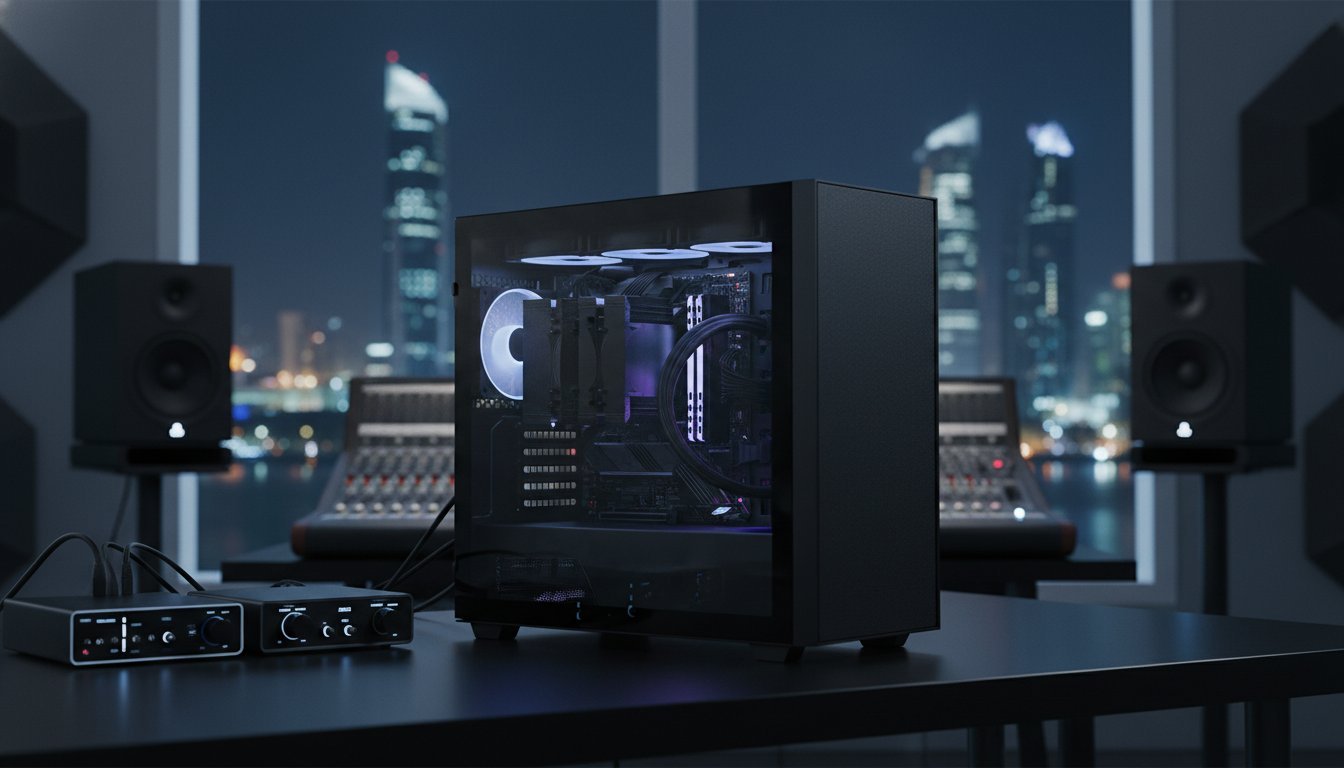

Why are you letting a basic cooling fan dictate the quality of your master recording? It’s a common tragedy in the studio: you’re capturing a delicate vocal or a nuanced acoustic passage, only to find the soul of the take buried under the hum of a struggling workstation. You likely know the pain of microphone bleed or that maddening coil whine that appears during critical mixing sessions. In the intense Bahraini heat, the struggle becomes even more real when you’re forced to choose between unbearable fan noise and the performance-killing lag of thermal throttling.
Mastering a quiet pc build for audio production isn’t just about picking silent parts; it’s about the art of acoustic over-engineering. We’ll show you how to build a workstation where the hardware remains invisible, allowing your creative output to lead. You’ll learn to assemble a studio-grade machine with near-zero decibel output and the low DPC latency required for real-time monitoring. We preview the 2026 elite hardware landscape, featuring the $549.99 Intel Core Ultra 9 285K and specialized sound-dampening cases, to ensure your next project is powered by silent, uncompromising strength.
Key Takeaways
- Aim for a sub-20dB noise floor to eliminate mental fatigue and ensure every subtle detail of your mix remains audible.
- Prioritize zero-RPM components and high-efficiency power supplies to maintain total silence during critical recording and idle phases.
- Evaluate the acoustic benefits of massive air coolers versus liquid systems to eliminate distracting pump hum and mechanical vibrations.
- Engineer a quiet pc build for audio production by selecting specialized chassis lined with bitumen or foam to absorb high-frequency noise.
- Leverage professional stress-testing protocols to ensure your bespoke workstation maintains peak performance even in the intense Bahraini heat.
Why Silence is the Foundation of Professional Audio Production
Silence isn’t a luxury in the studio; it’s a technical requirement. A true quiet pc build for audio production targets a noise floor below 20 decibels under load. This is the threshold where hardware vanishes and the music takes over. When you’re tracking with high-sensitivity condenser microphones, even a faint 30dB fan hum can ruin a take. It’s not just about the recording, either. Constant mechanical noise creates cognitive load. It leads to ear fatigue, causing you to make poor mixing decisions that you’ll only regret the next morning. You need a machine that respects the silence of your room.
A professional Quiet PC isn’t just “not loud.” It’s a precision instrument designed to operate at near-imperceptible levels even when the CPU is crunching through a hundred-track project. Achieving this requires more than just slow fans. It demands a deep understanding of component resonance and electrical interference. We’re building for a world where the only thing you hear is the intended signal from your monitors, ensuring your creative focus remains razor-sharp from the first take to the final master.
The Noise Floor and Signal Integrity
If your PC sounds like a jet engine, you’re losing the battle before you hit record. Ambient noise masks subtle transients and micro-dynamics. You might reach for a noise-reduction plugin, but that’s a destructive process. Every decibel of noise you remove digitally often takes a slice of the original harmonic richness with it. Acoustic transparency in a PC build means the hardware generates no audible signature that competes with the intended signal from the monitors. By eliminating the noise at the source, you preserve the integrity of your signal path and save hours of tedious post-production cleanup.
Audio Production vs. Gaming: Different Silent Needs
A “silent” gaming PC usually isn’t quiet enough for a pro studio. Gamers deal with sustained, massive heat from GPUs. Producers need incredible burst performance from the CPU to handle VST-heavy projects without spikes. We don’t just care about the volume; we care about the character of the sound. A low-frequency hum is manageable, but high-pitched coil whine or the clicking of a cheap bearing can pierce through a mix. A dedicated quiet pc build for audio production also prioritizes low DPC latency. This ensures that your hardware and drivers work in perfect harmony, preventing the pops, clicks, and audio artifacts that can plague lesser systems during real-time monitoring.
Selecting Silent Components: Eliminating the Sources of Noise
Engineering a quiet pc build for audio production requires a ruthless audit of every moving part. While most guides focus solely on fans, true silence begins with eliminating mechanical and electrical noise at the source. We prioritize fanless or semi-passive components that support zero-RPM operation during idle or light tracking sessions. This ensures that your workspace remains an acoustic vacuum when the red light is on. Beyond decibels, we solve for DPC latency. This technical metric determines how efficiently your hardware handles audio buffers. Low latency is the difference between a seamless recording and a session ruined by digital pops and clicks.
The motherboard is often the overlooked culprit of high-pitched electrical buzzing. We select boards with robust VRM cooling and high-quality capacitors to prevent coil whine under load. While researchers at MIT explore the future of isolation with sound-suppressing silk, we currently achieve total isolation through high-mass heatsinks and premium thermal pads. To handle massive sample libraries, we integrate high-bandwidth DDR5 RAM. This ensures your system stays responsive without the thermal stress that triggers aggressive fan curves.
The Power Supply: The Silent Heart
The power supply is the foundation of a silent workstation. We utilize 80 Plus Platinum or Titanium units because their extreme efficiency results in minimal waste heat. By over-specifying your wattage, such as using a 1000W unit for a 500W load, the internal fan rarely needs to spin. Top-tier brands now offer hybrid modes that keep the PSU completely passive until it hits a specific thermal threshold. This keeps the “heart” of your machine silent during the most sensitive parts of your workflow.
Storage and Graphics: Passive is Possible
Mechanical hard drives have no place in a modern studio. The clicking of a read-head is an acoustic intrusion you can’t afford. We’ve transitioned entirely to NVMe storage, specifically recommending a Samsung 990 Pro 2TB buy for its silent, blistering performance. For graphics, many producers thrive on integrated solutions to avoid extra fans. However, if you require a dedicated GPU for video work, look for cards featuring “Zero Frozr” technology. These GPUs keep their fans stationary during standard audio tasks, only engaging when you start a heavy 4K render. If you want a machine that balances this power with absolute stealth, exploring a customized build path is the most reliable way to ensure component synergy.

Thermal Management Without the Turbulence: Air vs. Liquid Cooling
Thermal management is where most attempts at a quiet pc build for audio production fail. In a climate like Bahrain, you aren’t just fighting the CPU; you’re fighting the room temperature. Standard cooling solutions often ramp up aggressively, creating a chaotic noise floor that masks your mix. Choosing between air and liquid cooling isn’t just a matter of preference; it’s about identifying which sonic character your studio can tolerate. While liquid coolers are often marketed as silent, the high-frequency whine of a pump can be far more intrusive than the low-frequency whoosh of a premium fan.
When you’re pushing a high-performance chip, like in the debate of the Intel Core i9-14900K vs the Ryzen 9 9950X, heat is inevitable. The goal is to dissipate that energy without creating turbulence. We look for fans with advanced blade geometry and Fluid Dynamic Bearings (FDB). These bearings eliminate the mechanical grinding found in cheaper sleeve-bearing fans, ensuring your workstation remains a silent partner for years. By matching the right cooler to your specific processor’s TDP, we ensure the system never hits the thermal throttling point that causes performance dips during a critical export.
Air Cooling: The Silent Professional Choice
Oversized heatsinks are the heroes of the silent studio. By using a massive array of aluminum fins, you create a huge surface area that allows heat to soak away from the processor naturally. This means your fans don’t have to work as hard to keep things stable. We lean on industry leaders like Noctua and Be Quiet! for their 2026 flagship models. A 140mm fan is inherently quieter than a 120mm fan because it moves a larger volume of air at a lower rotational speed to achieve the same cooling performance. It’s a simple physics win that results in a deeper, less distracting sound profile that won’t bleed into your recordings.
Liquid Cooling: When Power Demands It
Sometimes, raw power requires a different approach. If your multi-track projects involve heavy real-time processing that pushes your CPU to its limits, a 360mm or 420mm radiator might be necessary. The key is maximizing surface area. A larger radiator allows the fans to spin at near-silent speeds even under heavy load. To avoid the dreaded pump hum, we set custom pump curves to keep the motor at a constant, low-frequency speed rather than letting it fluctuate. We also use rubber decoupling mounts to ensure that pump vibrations don’t turn your PC case into a resonant soundboard, keeping the mechanical noise isolated from the chassis.
The Chassis and Acoustics: Sound Dampening and Airflow Mastery
The chassis is the skin of your quiet pc build for audio production. It’s the final acoustic barrier between your high-performance hardware and your sensitive microphones. While many builders assume a completely sealed “silent” box is the only solution, this often leads to the dangerous “oven effect.” In the intense heat of Bahrain, trapped air inside a dampened case becomes a thermal liability. As temperatures rise, your fans are forced to spin at higher, audible RPMs just to prevent thermal throttling. We solve this by selecting versatile chassis like the Lian Li PC-O11 Dynamic. Its unique layout allows for massive intake through the side and bottom, moving a high volume of air at near-silent speeds before heat can accumulate.
Positioning your PC is just as critical as the case itself. Don’t place your workstation directly on your desk where it can vibrate against the surface. Instead, place it on a decoupled stand under your desk or, better yet, behind the null point of your cardioid microphones. Physical distance is the most effective noise filter available; every meter of distance significantly drops the perceived decibel level in your recordings. If you’re ready to house your gear in a professional enclosure, explore our selection of premium computer cases designed for elite thermal management.
Acoustic Treatment for Your Case
Modern sound dampening relies on mass and absorption. We prioritize materials like bitumen or mass-loaded vinyl for the side panels. These heavy materials stop the metal panels from vibrating like a drum head, effectively killing low-frequency resonance. For high-frequency fan whoosh, high-density foam lining is the superior choice. However, don’t make the mistake of sealing every ventilation gap. You must allow the “Chimney Effect” to work. By leaving the top of the case relatively clear, hot air can rise and exhaust naturally. This natural convection reduces the pressure on your active cooling fans, allowing them to stay in their silent operating range for longer periods.
Optimizing Fan Curves for Zero-Noise Workflows
Software control is the secret to a truly invisible workstation. We use Pulse Width Modulation (PWM) for granular control over every fan in the system. Follow this three-step protocol for a silent-at-source studio: First, establish your “Silent Threshold.” Set your fans to stay between 300 and 500 RPM for any temperature below 60°C. This covers almost all tracking and light mixing tasks. Second, use a gradual ramp-up rather than a steep curve to avoid sudden changes in pitch. Finally, implement hysteresis settings. By adding a 2 or 3-second delay to fan speed changes, you prevent the annoying “revving” sound that occurs when the CPU temperature fluctuates during bursty tasks like sample loading or plugin instantiation.
Bespoke Audio Workstations: The Grey PC Approach to Silent Performance
Professional assembly is the final frontier of silence. You can buy the best parts, but if they aren’t seated with precision, you’ll face component-level resonance. A slight vibration from a fan against a bracket can turn into a rhythmic thrum that ruins your recordings. We treat every quiet pc build for audio production as a transformative experience. Our team meticulously secures every cable to maximize airflow and minimize the air turbulence noise that occurs when intake air hits a messy bundle of wires. This level of craftsmanship ensures your hardware remains a silent partner in your creative process.
In Bahrain, the national climate is a workstation killer. We don’t just build; we stress-test. Our proprietary protocol ensures your system maintains stability and near-zero decibels even when the ambient room temperature rises. For composers who bridge the gap between sound and vision, we offer the NVIDIA GeForce RTX 5090 for sale. This flagship GPU provides the Blackwell-era power needed for heavy video scoring while our custom fan curves keep the machine completely silent during standard audio tracking sessions.
Precision Craftsmanship for Audio Professionals
We go beyond retail standards with our component binning process. Not every fan or PSU is born equal; we select the quietest individual units from our inventory for our studio builds. DPC latency is our obsession. We perform deep BIOS and software tuning to eliminate the background processes that cause audio crackle. This creates a machine with a “soul” that balances raw power with an elegant, silent operation that respects your creative space and ensures your real-time monitoring stays crystal clear.
Nationwide Support for Your Studio
A silent PC only stays silent if it’s maintained. Dust buildup is the enemy of quiet cooling because it forces fans to spin faster to compensate for reduced airflow. We provide comprehensive technical services and hardware cleaning to ensure your workstation maintains its peak performance over the long term. Our legacy in building the ultimate video editing workstation has taught us exactly how to manage high-heat components without the noise. If you’re ready to elevate your studio, contact us for a bespoke quote on a system where your music is the only thing that’s heard.
Command Your Soundstage with Silent Power
Your studio is a sanctuary for sound, not a warehouse for hardware noise. True acoustic transparency is achieved when your workstation vanishes into the background, leaving only the purity of your mix. We’ve explored how sub-20dB noise floors, high-efficiency PSUs, and the elimination of mechanical seek noise create the ultimate recording environment. By balancing the power of the RTX 50-series and high-speed DDR5 with specialized thermal management for the Bahraini climate, you ensure your creative flow is never interrupted by thermal throttling or fan turbulence.
Engineering a quiet pc build for audio production requires a master’s touch to eliminate component resonance and optimize DPC latency for crackle-free monitoring. At Grey PC, we treat every build as a transformative experience. We ensure your hardware is as refined as your output. Stop fighting your fans and start leading with your art. Your best work is waiting to be heard in perfect silence.
Request a custom quote for a silent audio workstation from Grey PC and reclaim the clarity your projects deserve.
Frequently Asked Questions
What is the most important component for a quiet audio PC?
The Power Supply Unit (PSU) is the most critical component for maintaining a silent environment. While many focus on fans, an inefficient PSU generates waste heat that forces every other fan in the system to spin faster. Choosing an 80 Plus Titanium rated unit ensures maximum efficiency. This reduces the thermal load at the source, allowing your workstation to remain whisper-quiet even during intensive multi-track mixing sessions.
Can I use a gaming PC for professional audio production?
While a gaming PC has raw power, it’s often poorly optimized for the studio. Gaming rigs prioritize GPU performance, which often introduces high-pitched fan noise and electrical interference. A dedicated quiet pc build for audio production focuses on CPU core counts and low DPC latency. This ensures your DAW remains stable and your recording environment stays free from the distracting roar of a high-performance graphics card.
Is liquid cooling quieter than air cooling for music studios?
Premium air cooling is usually the superior choice for music studios. Large air coolers eliminate the high-frequency hum and potential vibration of liquid cooling pumps. While liquid systems can move more heat, the mechanical noise of the pump is often more audible in a silent room than a slow-spinning 140mm fan. High-end heatsinks provide a reliable, maintenance-free solution that respects the acoustic needs of sensitive condenser microphones.
How do I stop my PC fans from being heard on my microphone recordings?
Physical distance is your best defense against microphone bleed. Move your workstation at least two meters away from your recording area or place it behind an acoustic baffle. Additionally, use software to set a silent fan curve that keeps RPMs below 500 during tracking. This prevents the PC from ramping up speed exactly when you’re trying to capture a delicate vocal or an acoustic instrument passage.
What is DPC latency and why does it matter for my silent build?
DPC latency measures how long it takes for your computer’s processor to respond to a request from an audio driver. If this latency is too high, you’ll experience pops, clicks, and dropouts in your audio stream. For a silent build, optimizing DPC latency is vital. It allows you to use smaller buffer sizes for real-time monitoring without requiring the CPU to run at high, heat-generating clock speeds.
Are fanless power supplies reliable for high-performance workstations?
Modern fanless power supplies are extremely reliable for high-performance workstations. These units use high-grade components and massive internal heatsinks to dissipate heat without moving parts. However, they require a case with good natural convection to prevent heat buildup. When integrated correctly into a professional build, a fanless PSU eliminates one of the most persistent noise sources in a studio workstation without sacrificing component longevity.
How does Bahrain’s heat affect a quiet PC build?
Bahrain’s high ambient temperatures significantly increase the cooling demand on your system. In a hot climate, a standard quiet build may struggle as fans work overtime to combat the heat. We solve this by over-engineering the thermal solution. Using larger heatsinks and high-airflow cases ensures that your fans can still spin at lower speeds even when the external temperature is challenging your studio’s air conditioning.
Should I use sound-dampening foam inside my PC case?
Sound-dampening foam is effective for absorbing high-frequency mechanical noise, but it must be used strategically. Lining the side panels can kill resonance, but over-stuffing the case restricts airflow and traps heat. This eventually forces your fans to spin faster, which negates the dampening benefits. Focus on high-density materials like bitumen on large flat surfaces rather than thick foam that might turn your workstation into an oven.