
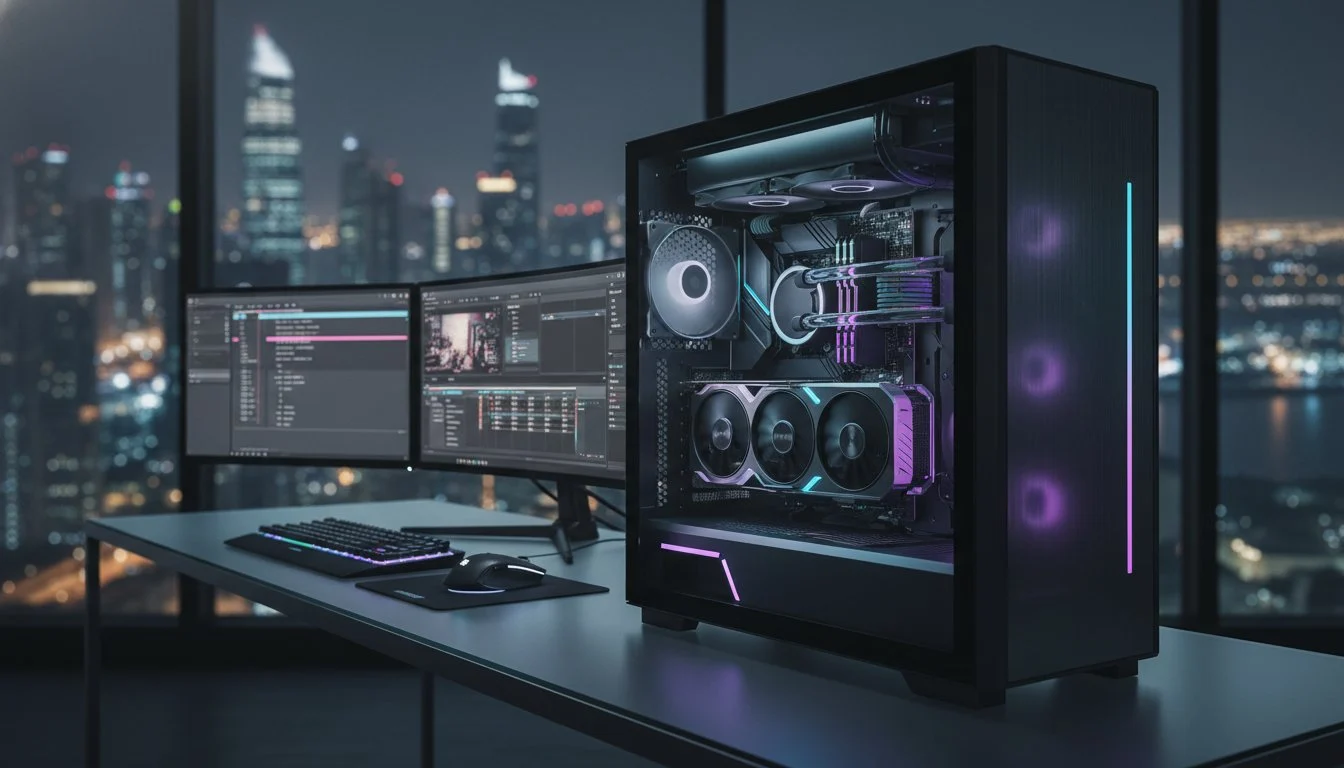

Why does a machine packed with top-tier components still stutter when you drop an 8K ProRes Raw clip onto the timeline? You’ve likely felt the sting of a render crash hitting right as a deadline looms or watched your playback turn into a choppy slideshow during a critical client review. It’s a common pain for creators who realize that simply buying the most expensive parts doesn’t guarantee a smooth workflow. A professional video editing workstation is a balanced ecosystem, not just a list of specs; the true power lies in thermal precision and software-specific optimization that prevents your hardware from throttling under pressure.
We’re going to show you how to build a machine that eliminates these bottlenecks and turns 2026’s demanding workflows into a seamless experience. You’ll learn how to balance the massive 32GB VRAM of an NVIDIA GeForce RTX 5090 with the latest high-core processors like the AMD Ryzen 9 9950X or Intel Core Ultra 9 285K. We’ll also navigate the current market challenges, including the 344% price surge in DDR5 RAM and rising SSD costs, to ensure your investment is future-proof through 2028. From choosing the right CPU coolers to optimizing NVMe storage for DaVinci Resolve 21.0b4, this guide covers the technical mastery required for peak performance.
Key Takeaways
- Prioritize specialized media engines and AI-acceleration over raw clock speeds to handle the complex codecs of 2026.
- Tailor your hardware specifically to your NLE, whether you need a GPU-heavy configuration for DaVinci Resolve or a balanced setup for Premiere Pro.
- Implement a tiered storage architecture with Gen5 NVMe drives to achieve sustained 12,000MB/s speeds without hitting a performance wall.
- Discover why a bespoke video editing workstation outperforms generic retail systems by focusing on thermal precision and component synergy.
- Learn how the Grey PC custom build process transforms high-end parts into a professional-grade machine through expert assembly and optimization.
Defining the 2026 Video Editing Workstation: Throughput vs. Raw Speed
Speed is a vanity metric in the professional world. While a high-end gaming rig might boast impressive clock speeds, a true video editing workstation is built for sustained throughput and absolute reliability. In 2026, the gap between consumer hardware and professional tools has widened significantly. We’ve moved past the era where raw CPU frequency was the only thing that mattered. Today, we prioritize dedicated media engines and NPUs (Neural Processing Units) that handle AI-driven tasks like object masking and real-time denoising without breaking a sweat. If your system crashes during an overnight render, its peak speed doesn’t matter. You need a machine that values stability over everything else.
A custom build allows for a level of precision that pre-built systems simply can’t match. We don’t just throw parts together; we match specific hardware to your chosen software ecosystem. A gaming PC is designed for burst performance, often sacrificing thermal stability for short-term gains. In contrast, a professional build is engineered to run at 100% load for days at a time. This shift from raw speed to intelligent throughput ensures that your timeline remains responsive even when you’re layering complex effects and high-bitrate footage.
The Workstation Identity: Reliability and Precision
The soul of a professional machine isn’t found in a single part. It’s the result of component synergy. We select high-end motherboards not just for their ports, but for their robust power delivery systems that can handle the relentless draw of a 24-core processor. Professional editors demand multi-stream bandwidth that consumer boards often can’t provide. Data integrity is non-negotiable. When you’re managing terabytes of raw footage, every connection must be precise. Our custom assembly process ensures that every component is chosen to support the next, creating a system that stays cool and quiet under heavy pressure.
4K, 8K, and Beyond: What Your Timeline Actually Needs
Resolution isn’t a single standard. A 4K timeline using highly compressed H.265 footage places vastly different demands on your hardware than a 4K ProRes 4444 project. Understanding how Non-linear editing systems (NLE) interact with various codecs is the secret to a lag-free experience. As we move toward 12K production cycles, your hardware must be ready to decode and encode AV1 and high-bitrate raw formats in real time. We don’t just build for today’s 4K delivery; we engineer for the 8K and 12K workflows that will dominate through 2028. It’s about ensuring your investment remains relevant as software updates demand more from your VRAM and storage architecture.
The Engine Room: Balancing CPU, GPU, and VRAM for 2026 Workflows
The heart of a high-performance video editing workstation is a delicate equilibrium. We call it the Holy Trinity: CPU, GPU, and Memory. If one component lags, the entire system chokes, creating those frustrating rendering bottlenecks we aim to eliminate. In 2026, building for peak performance means understanding that AI has fundamentally rewritten the hardware requirements. You aren’t just building a machine to cut clips; you’re building a specialized engine designed to process complex AI algorithms, high-bitrate codecs, and massive data streams simultaneously.
CPU: Intel Core i9 vs. Ryzen 9 vs. Threadripper
Your processor choice dictates the baseline fluidness of your timeline. Deciding between the Intel Core i9-14900K vs the Ryzen 9 9950X is a pivotal moment for any builder. Intel’s QuickSync technology remains a titan for H.264 and H.265 encoding, providing a snappiness that many editors swear by. On the other hand, the AMD Ryzen 9 9950X, priced at $498.20, leverages 16 Zen 5 cores to crush multi-threaded rendering tasks. If your workflow involves massive storage arrays or multiple high-end GPUs, stepping up to a Threadripper system is necessary to secure the high PCIe lane counts required for maximum bandwidth.
GPU Power: The Era of the RTX 5090 and AV1
VRAM is the new gold in the professional editing space. With AI-assisted masking and denoising becoming standard features in Premiere Pro 26.2.2 and DaVinci Resolve 21.0b4, 8GB or 12GB cards no longer meet professional standards. The NVIDIA GeForce RTX 5090 for sale is a transformative tool, offering 32GB of GDDR7 memory. This massive VRAM overhead is essential for 8K color grading and running complex AI object detection without crashing your session. It’s not just about raw frame rates; it’s about the stability to handle the most demanding Blackwell-era workloads without thermal throttling.
Memory: Why 32GB is the Bare Minimum
DDR5 RAM is non-negotiable for a 2026 build. While 32GB is the entry point, it’s often the first bottleneck in complex projects. For heavy After Effects users, 64GB or even 128GB is the sweet spot to ensure timeline scrubbing remains buttery smooth. Current market trends show a 32GB DDR5 kit averaging between $350 and $480, so allocating budget here is critical. To make the right investment decision, understanding exactly how much RAM for video editing your specific workflow demands can be the difference between a fluid timeline and a costly bottleneck. If your work involves long-form documentaries or high-stakes corporate delivery, consider ECC (Error Correction Code) RAM to prevent the minor data bit-flips that can lead to catastrophic render failures. You might want to explore a Grey PC custom build to ensure these high-bandwidth components are perfectly synchronized and thermally optimized.

Software-Specific Optimization: Tailoring Your Build for Your NLE
Software is the conductor of your hardware orchestra. While the engine room components provide raw muscle, your choice of NLE determines how that energy is channeled through your video editing workstation. A machine tuned for Adobe Premiere Pro might struggle with the specific GPU demands of DaVinci Resolve if you don’t account for how these programs utilize VRAM and system memory. In 2026, the most successful creators don’t just buy power; they buy precision. They understand that a generic build wastes potential, while an optimized system turns technical specs into creative momentum.
The rise of the hybrid workflow is the defining trend of this era. Professional editors are no longer staying within a single application. You might be cutting in Premiere Pro, color grading in Resolve, and jumping into Blender for 3D elements or motion graphics. This cross-platform efficiency requires a balanced architecture that supports the high-core counts needed for 3D rendering alongside the single-core speed required for fluid timeline scrubbing. Building for this reality means eliminating the friction between different software environments.
Adobe Creative Cloud Optimization
Adobe Premiere Pro thrives on the Mercury Playback Engine. To maximize this, you must enable hardware-accelerated decoding and encoding in your preferences, allowing your GPU to take the heavy lifting off your CPU. After Effects remains the RAM-hungry king of motion graphics. To prevent timeline stutter, we recommend a dedicated NVMe drive for your disk cache, separate from your OS and project files. While multi-frame rendering utilizes high core counts, tasks in Photoshop and Illustrator still depend on single-core frequency. Balancing these needs ensures your entire Creative Cloud suite remains responsive during intense sessions.
DaVinci Resolve: The Colorist’s Powerhouse
DaVinci Resolve is a different beast entirely. It is famously GPU-hungry, relying on CUDA cores for real-time color grading and noise reduction. The software’s Neural Engine is the secret behind AI-based features like Magic Mask and Smart Reframe; these tools demand the massive VRAM found in the RTX 50-series. If your work involves heavy 3D integration, you should learn how to build the ultimate Blender workstation as part of your hybrid setup. This ensures your video editing workstation can handle the specialized geometry and light-path calculations required for modern 3D/video production without slowing down your primary edit.
The Silent Killers: Storage Architecture and Thermal Management
Raw processing power is useless if your data can’t reach the CPU fast enough or if your hardware chokes under its own heat. Many builders obsess over GPU benchmarks but ignore the two factors that actually kill productivity: storage bottlenecks and thermal throttling. A professional video editing workstation requires a sophisticated storage strategy and a cooling solution that doesn’t quit during a 10-hour render. If your system isn’t precision-engineered to handle sustained peak loads, you’re just waiting for a crash to happen.
Storage isn’t just about capacity. It’s about data velocity. In 2026, the standard for high-bandwidth editing is NVMe Gen5, capable of staggering speeds up to 12,000MB/s. This throughput is essential for real-time 8K or 12K raw footage playback. However, cramming everything onto one massive drive is a recipe for performance disaster. You need a tiered architecture to distribute the workload and prevent drive controllers from becoming overwhelmed during simultaneous read and write operations.
The 3-Tier Storage Framework
We recommend a surgical approach to storage. Tier 1 should be a dedicated boot drive, like the Samsung 990 Pro 2TB, reserved strictly for your OS and applications. Tier 2 consists of high-speed scratch disks. These drives handle your NLE’s cache and temporary files, which are constantly being accessed and overwritten. Finally, Tier 3 involves high-capacity NVMe or SATA arrays designed for your raw media assets. This separation ensures that a heavy cache write doesn’t lag your operating system or interrupt your footage stream.
Thermal Precision in Challenging Climates
Most generic guides ignore the impact of ambient room temperature on sustained performance. If your studio lacks industrial-grade climate control, your workstation needs a robust cooling solution to survive long-form exports. When a component hits its thermal limit, it aggressively downclocks to protect itself. This throttling turns a 1-hour export into a 3-hour nightmare. Liquid cooling is often superior for these sustained loads, providing a thermal buffer that air coolers can’t match.
Airflow is the other half of the equation. Choosing the right chassis, such as the Lian Li PC-O11 Dynamic, allows for a high-volume intake and exhaust setup that keeps internal temperatures stable. Regular maintenance is also vital. Dust buildup acts as an insulator, trapping heat and forcing your fans to work harder. For a machine that stays cool under pressure, you need a Grey PC custom build designed with thermal precision as a primary focus. We don’t just build computers; we engineer thermal environments where high-end hardware can thrive without compromise.
The Grey PC Advantage: Precision-Engineered Professional Systems
A mass-produced retail box is a collection of compromises. When you invest in a professional video editing workstation, you aren’t just buying parts; you’re securing a competitive edge. Generic workstations often prioritize profit margins over thermal headroom, leaving you with a machine that throttles when the pressure is highest. At Grey PC, we view the assembly process as a transformative experience. We understand the internal character and “soul” of the technology, ensuring that every component is selected for its ability to work in perfect harmony with the rest of the system. This isn’t just a mechanical task. It is the creation of a high-performance tool built by specialists who share your passion for cutting-edge results.
Our expertise comes from years of observing the rapid evolution of hardware. We’ve seen core counts explode and VRAM requirements skyrocket, and we build with that trajectory in mind. A Grey PC Custom Build is designed to be more than the sum of its parts. We focus on the fine details that retail manufacturers ignore, from precision cable management that maximizes airflow to rigorous stress testing that ensures 24/7 reliability. When your business depends on meeting high-stakes deadlines, you need a machine that projects confidence and delivers elite performance without fail.
Bespoke Consultations for Production Houses
Every studio has a unique output. Whether you are producing high-velocity social media content, feature films, or broadcast television, your hardware needs to reflect your specific delivery requirements. We offer bespoke consultations to tailor your video editing workstation to your exact workflow. This includes scaling your infrastructure with bulk hardware procurement for larger teams and ensuring your networking is ready for high-bitrate collaboration. As we move deeper into the Blackwell era, we also prepare your systems for AI integration, ensuring you have the NPU and GPU overhead required for the next wave of generative video tools.
A Trusted Partner for National Excellence
We value quality over quantity. Every build that leaves our facility is a testament to our commitment to precision. Our relationship with our clients doesn’t end at the point of sale. We provide comprehensive technical services, from professional hardware cleaning to server management, to ensure your production environment remains at peak efficiency. We act as a trusted partner, offering the sophisticated support that high-stakes environments demand. Don’t settle for a commodity when you can have a bespoke engine designed for mastery. Experience the power of a custom Grey PC workstation today and transform your creative workflow into a seamless, high-speed reality.
Master Your Creative Output with Precision Engineering
Building a high-performance video editing workstation in 2026 is no longer about chasing the highest clock speeds. It is about creating a stable, thermally optimized environment where AI-driven tools and complex codecs can coexist without friction. You’ve seen how tiered storage, software-specific tuning, and massive VRAM overhead transform a stuttering timeline into a seamless creative experience. The soul of your machine determines whether you meet your deadlines or fight your hardware.
At Grey PC, we’ve been the specialist builders for 3D and video professionals since 2018. As an RTX 50-series and Pimax VR launch partner, we understand the cutting-edge components that define the Blackwell era. We don’t just ship parts; we provide national technical support and maintenance to keep your production house running at peak efficiency. Your talent deserves a system that matches your ambition. Stop compromising with mass-produced retail solutions and invest in a tool that respects your craftsmanship.
Build your ultimate professional video editing workstation with Grey PC. Let’s push the boundaries of what your footage can achieve.
Frequently Asked Questions
Is 32GB of RAM enough for 4K video editing in 2026?
32GB of RAM is the absolute entry point for 4K workflows, but it’s often insufficient for professional projects involving AI-assisted effects or multi-layered timelines. With software like After Effects and DaVinci Resolve 21.0b4 demanding more memory for background caching, 64GB has become the new industry sweet spot. If you’re working with high-bitrate 8K footage or complex motion graphics, stepping up to 128GB of DDR5 RAM ensures your system doesn’t hit a performance wall during intensive multitasking. For a detailed breakdown of exact capacity requirements by workflow type, our guide on how much RAM for video editing you actually need in 2026 covers every professional use case in depth.
Which is better for video editing: Intel or AMD?
The choice depends entirely on your primary software and the codecs you use most frequently. Intel’s Core Ultra 9 285K remains a titan for H.264 and H.265 workflows because its QuickSync technology provides unparalleled timeline snappiness. Conversely, the AMD Ryzen 9 9950X is a multi-threaded powerhouse that often wins on raw export speeds for heavily compressed formats. You should choose Intel for a more responsive editing experience or AMD for superior rendering muscle in multi-core applications.
Do I need a workstation-grade GPU like NVIDIA RTX Ada, or is a GeForce RTX enough?
A high-end GeForce RTX card is usually the superior choice for video editors due to its exceptional price-to-performance ratio and raw CUDA core counts. The NVIDIA GeForce RTX 5090 offers 32GB of VRAM, which is more than enough for almost any 8K color grading session. Workstation-grade Ada cards are typically reserved for specialized enterprise environments that require specific software certifications or massive ECC memory for long-term scientific simulations rather than creative video production.
How many SSDs should a professional video editing workstation have?
A professional video editing workstation should utilize at least three dedicated drives to prevent data bottlenecks. Use a primary NVMe for your OS and applications, a second high-speed drive strictly for your NLE scratch disk and cache, and a third high-capacity array for your raw media assets. This tiered architecture ensures that simultaneous read and write operations don’t overwhelm a single controller, maintaining the sustained speeds necessary for fluid 8K playback.
What is the best cooling solution for a workstation that renders for hours?
High-performance liquid cooling is the gold standard for machines that face sustained rendering loads. A premium 360mm or 420mm AIO cooler provides a thermal buffer that traditional air cooling simply can’t match during a 10-hour export session. Pair this with a high-airflow chassis and precision-placed intake fans to ensure your VRMs and storage drives stay cool. This setup prevents the aggressive thermal throttling that turns a quick deadline into a productivity nightmare.
Can I use a gaming PC for professional video editing?
You can use a gaming PC, but it often lacks the thermal precision and storage architecture required for professional reliability. Gaming rigs are designed for burst performance, whereas a workstation must maintain 100% load for days without crashing. Professional systems also prioritize high-bandwidth components like DDR5 RAM and Gen5 SSDs in configurations that gaming PCs rarely offer. A dedicated build ensures every part is synchronized for the relentless demands of a production environment.
Why is my video playback choppy even with high-end hardware?
Choppy playback is usually caused by a mismatch between your footage codec and your hardware’s decoding capabilities. Even a flagship GPU will struggle if your project is running off a slow mechanical drive or if your NLE isn’t configured for hardware acceleration. Check your disk cache settings and ensure you’re using proxies for high-resolution raw formats. Sometimes, the bottleneck is as simple as a thermal limit being reached, forcing your processor to slow down.
Does a video editing workstation need a 4K monitor?
Yes, a 4K monitor is essential for accurate quality control and professional color grading. You can’t effectively check focus or spot compression artifacts in high-resolution exports on a standard 1080p screen. For the best results, look for an IPS panel that offers 100% Rec.709 or DCI-P3 color coverage. High-refresh-rate monitors, like those with 240Hz+ capability, also provide a smoother interface experience that reduces eye strain during long editing sessions.