

Most pilots think a standard gaming rig can handle the skies, but flight simulation is a specialized professional workload that eats generic hardware for breakfast. If you’ve ever felt the soul-crushing lag of a stuttering frame rate during a short-field landing at a dense hub like Heathrow, you know that raw power alone isn’t enough. Building the ultimate flight simulator 2026 pc build requires a surgical approach to hardware, focusing on the balanced-bottleneck between massive CPU cache and high-speed VRAM.
We agree that nothing ruins the immersion of a high-end VR session faster than thermal throttling or a GPU that can’t keep up with complex glass cockpits. You deserve a machine that stays cool under pressure, even in high-ambient environments. This guide promises to reveal the precise hardware configurations needed to achieve stutter-free, ultra-realistic performance through the next five years of sim updates. We will break down why the AMD Ryzen 7 9800X3D and the NVIDIA RTX 5090 are the only choices for a truly god-tier experience, ensuring your 2026 flight schedule remains silky smooth from takeoff to touchdown.
Key Takeaways
- Understand why single-core clock speeds and massive L3 cache are the true gatekeepers of stutter-free performance in modern flight simulators.
- Discover the exact component synergy required for a flight simulator 2026 pc build to maintain ultra-realistic settings in dense urban environments.
- Tackle the unique thermal demands of 2026 simulation with advanced cooling strategies designed to protect high-end hardware during intense workloads.
- Scale your setup correctly by choosing between specialized build tiers that range from high-refresh 1440p to professional 4K VR workstations.
- Eliminate stability risks and system bloat through a bespoke Grey PC build that prioritizes hand-picked parts and rigorous professional stress-testing.
The 2026 Flight Simulation Hardware Landscape
Flight simulation isn’t just gaming; it’s a professional-grade workload that demands more from your hardware than any standard AAA title. While the history of flight simulation began with basic instruments and wireframe horizons, today’s pilots demand photorealistic global streaming. Planning a flight simulator 2026 pc build means accounting for massive world-streaming data that requires a high-bandwidth connection and even faster storage. The simulation engine must process physics, weather, and traffic while simultaneously pulling gigabytes of terrain data from the cloud.
Average FPS is a lying metric that often hides the truth of “Sim-Stutter.” You might see 60 FPS on your counter, but if your 1% lows drop during a flare at a busy airport like LAX, the experience is ruined. This happens when the CPU is choked by main-thread tasks, forcing the GPU to wait for instructions. Modern sim engines have shifted toward multi-threaded optimization, but single-core clock speed still dictates the rhythm of the flight model. You need a system that balances core count with extreme cache depth to smooth out those micro-stutters.
Minimum vs. Recommended vs. Realistic Specs
Minimum specs are a recipe for frustration. They might let you take off, but you’ll be flying through a slideshow. For a realistic experience in 2026, 1440p has become the baseline. You need at least 32GB of DDR5 RAM to handle complex add-on aircraft and high-fidelity scenery. VRAM capacity is now the most critical GPU metric because of how high-fidelity textures are cached and swapped in real-time. Without enough video memory, the system will swap data to slower system RAM, causing immediate performance drops.
The Impact of Blackwell Architecture on Flight Sims
The NVIDIA GeForce RTX 5090 for sale represents the new gold standard for the Blackwell era. It shatters the previous 4K ceiling, allowing for Ultra settings even in the most demanding weather conditions. DLSS 4.0 and advanced Frame Generation aren’t just “nice to have” features anymore; they are essential tools for maintaining fluid motion in heavy weather or busy airspace. High VRAM capacity is mandatory to prevent stuttering when streaming high-resolution textures across complex urban landscapes.
Choosing the Core: CPU and GPU Synergy
Achieving a god-tier flight simulator 2026 pc build requires more than just buying the most expensive parts. It’s about engineering a perfect synergy between the CPU and GPU. Many builders make the mistake of over-speccing the graphics card while neglecting the processor. This results in a powerful GPU that sits idle while the “Main Thread” of the simulation chokes on complex physics and traffic calculations. To avoid this, you must prioritize components that communicate with zero friction, ensuring your data pipelines are wide enough for 2026 workloads.
The importance of PCIe 5.0 lanes cannot be overstated for next-gen storage and graphics. As simulation data grows in complexity, the speed at which your GPU and NVMe drives exchange information becomes a hard limit. A professional build utilizes these high-speed lanes to prevent bottlenecks during rapid scenery transitions. Balancing raw power with thermal efficiency is the hallmark of a specialist’s craft, ensuring your system maintains peak clock speeds without sounding like a jet engine on your desk. If you want a machine built with this level of precision, consider a Grey PC custom configuration tailored for your specific cockpit setup.
Intel vs. AMD: The 2026 Showdown
When analyzing the Intel Core i9-14900K vs the Ryzen 9 9950X for simulation tasks, the winner is often determined by cache architecture. AMD’s 3D V-Cache technology has become the dominant force in stabilizing frame times and reducing micro-stutters. Large L3 cache sizes act as a high-speed staging area for simulation data, which is far more critical for MSFS performance than having a high number of secondary cores. This specialized cache allows the processor to access flight model data instantly, bypassing slower system memory.
VRAM: The Silent Performance Killer
Video memory is the silent performance killer in high-altitude flight. While 12GB is now the absolute minimum for entry-level builds, 24GB is the necessary target for 2026 to ensure high-resolution airport textures don’t overflow. When you fly into a handcrafted airport, the sim loads massive amounts of texture data into the GPU buffer. If you hit your VRAM limit, the simulation will likely crash or suffer from massive stutters during your final approach. Managing this overhead is essential for pilots who demand total reliability during long-haul flights.
Beyond the Basics: VR, Cooling, and Storage
Building a flight simulator 2026 pc build isn’t just about the heart and soul of the machine; it’s about the peripheral infrastructure that keeps you in the air. While the CPU and GPU act as the engine and wings, the supporting hardware determines if your flight is a smooth cruise or a turbulent disaster. A true enthusiast setup requires a holistic approach to VR, cooling, and storage to maintain peak performance during long-haul sessions. We understand the internal character and “soul” of this technology, ensuring every component works in harmony to deliver a transformative simulation experience. A reliable system won’t thermal throttle when the cabin heat rises, and it won’t stutter when the scenery gets dense.
Flight Simulation in VR: A Different Beast
Flight simulation in VR is a different beast entirely. To power a headset like the Pimax Crystal Light, you need a level of system stability usually reserved for a video editing workstation. Achieving total immersion requires balancing extreme visual clarity with high-refresh frame rates. In the cockpit, every gauge must be legible at a glance, which places an immense load on your VRAM and memory bandwidth. It’s a delicate trade-off, but with the right hardware synergy, the sense of presence is unparalleled. You aren’t just looking at a screen; you are sitting in the captain’s seat, and your hardware must be capable of maintaining that reality without a single dropped frame.
Extreme Cooling for Extreme Performance
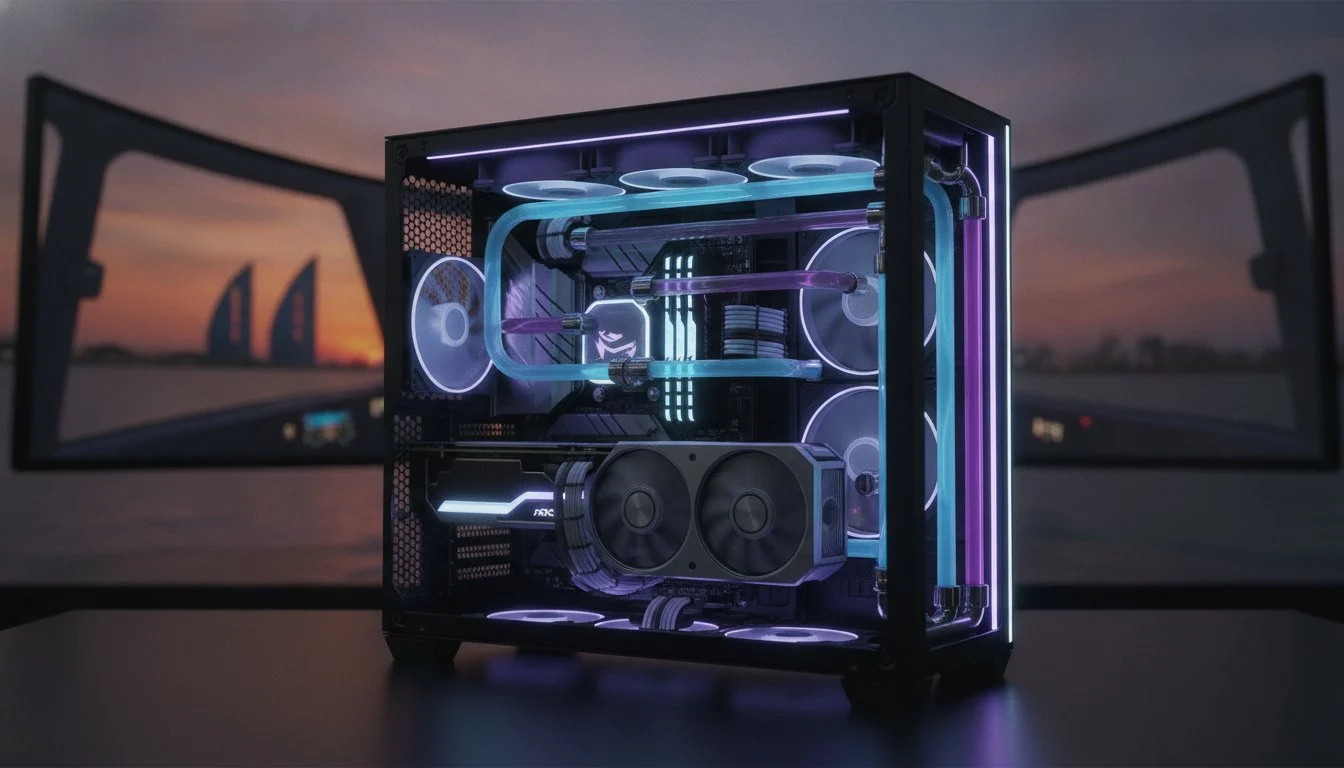
Extreme cooling is mandatory, especially for pilots operating in high-ambient temperature regions like the Middle East. Standard cooling solutions often buckle under the pressure of intense simulation workloads combined with external heat. The Lian Li PC-O11 Dynamic has become the gold standard for a flight simulator 2026 pc build because of its superior airflow and liquid cooling compatibility. Whether you choose a custom loop or high-static pressure air cooling, the goal is 24/7 reliability. Protecting your hardware longevity means keeping temperatures low enough to prevent thermal throttling during a 12-hour oceanic crossing. We prioritize precision over generic solutions, ensuring your thermals stay grounded even when you are at 35,000 feet.
Storage Synergy: NVMe Gen5
Storage speeds affect much more than just your initial loading screen. Utilizing a high-performance drive like the Samsung 990 Pro 2TB is essential for reducing terrain popping and micro-stutters. Modern simulators leverage DirectStorage technology to stream gigabytes of world data directly to the GPU. When your storage can’t keep up, the world literally vanishes beneath you. Moving to a DDR5-8000 memory kit creates the ultimate data pipeline, allowing your system to swap assets with zero latency. This synergy ensures that the horizon stays sharp and the ground remains solid, no matter how fast you fly or how complex the airport scenery becomes.

2026 Flight Sim Build Tiers: From Enthusiast to God-Tier
Every pilot’s journey is unique. Selecting the right flight simulator 2026 pc build means matching your hardware to your specific mission profile. Whether you’re practicing VFR patterns in a light Cessna or managing a complex long-haul in a study-level A350, your rig must be optimized for the task. We categorize these systems into three distinct tiers. This ensures you don’t overspend on power you won’t use or underspec a system that will fail you on a short-field landing. We take pride in this level of precision, treating every assembly as a bespoke piece of flight equipment rather than a generic commodity.
The Enthusiast Tier (1440p Mastery)
This tier encompasses our “First Solo” and “Captain’s Choice” configurations. These builds focus on balancing cost with high-energy performance using mid-range Blackwell GPUs. While 32GB of DDR5 RAM is the absolute baseline here, it provides enough headroom for the simulator to stream high-detail assets without hitting the page file. You can expect stable, fluid frame rates in busy hubs like London or New York, even with live traffic enabled. The “Captain’s Choice” build pushes further into high-refresh 1440p and entry-level 4K territory, utilizing the upper echelon of mid-range processors to ensure your 1% lows never ruin a landing.
The God-Tier: The Ultimate Gaming PC Build 2026
For those who refuse to compromise, this is the only destination. This level of performance is anchored by the NVIDIA RTX 5090 and the AMD Ryzen 9 9950X3D, a dream team that handles 4K Ultra settings with surgical precision. We recommend 64GB or more of high-speed RAM for simmers who maintain massive add-on libraries or fly high-fidelity aircraft with complex glass cockpits. This tier isn’t just a computer; it’s a transformative experience. It supports multi-monitor cockpit setups and the most demanding VR headsets on the market without breaking a sweat. It represents the absolute peak of what modern hardware can achieve in a specialized simulation environment.
A true master-level build requires professional assembly and rigorous stress-testing to ensure zero-fail reliability during your most critical flights. If you’re ready to stop dreaming and start flying at the highest level, explore our Grey PC custom build services to secure your position at the top of the food chain.
Why a Bespoke Grey PC Build is Your Ultimate Co-Pilot
When you invest in a flight simulator 2026 pc build, you aren’t just buying a box of parts. You are commissioning a precision instrument designed for the most demanding virtual environments. Unlike mass-market retailers who prioritize volume, we focus on the internal character and soul of each machine. Every Grey PC custom build is free of performance-sapping bloatware that usually clutters standard retail systems. We hand-pick every component to ensure they meet our elite standards for speed, reliability, and aesthetic harmony. This bespoke approach ensures your hardware is a reflection of your commitment to the craft of flight.
Professional stress-testing is our hallmark. We don’t just turn the machine on and ship it; we push the hardware to its absolute thermal limits. This validates that your system can handle the most complex scenery add-ons and weather simulations without a hitch. We ensure your sim won’t crash during a critical 12-hour oceanic crossing or a high-stakes approach into a busy international hub. Our team understands the frustration of a mid-flight failure, so we build every system to be a reliable partner in your virtual cockpit. We provide national support and hardware servicing to give you long-term peace of mind as the simulation landscape evolves.
Expert consultation is included with every project. We match your build to your specific simulator and peripheral set, ensuring total compatibility with high-end yokes, pedals, and VR headsets. If you’re planning to use a Pimax Crystal Light for total immersion, we ensure your GPU and CPU synergy is perfectly tuned for that resolution. We don’t believe in generic solutions. We believe in precision engineering that respects the technical requirements of the modern pilot. This tailored experience transforms the assembly process from a mechanical task into a shared journey toward peak performance.
Bespoke Assembly vs. Mass-Market Pre-builts
Big-brand gaming PCs often hide the cost of a lower price tag by using proprietary motherboards or under-specced power supplies. These components become immediate failure points during intense simulation sessions. We optimize every build with custom cable management and airflow strategies specifically designed for high-ambient temperature regions. This protects your investment from the heat-related throttling that plagues mass-produced machines. Grey PC is committed to using only premium, industry-standard components that offer a clear path for future upgrades as simulation technology advances.
Getting Started with Your 2026 Build
Your journey to god-tier performance begins with a specialized consultation where we define your performance goals. We work with individual enthusiasts looking for the ultimate home rig and provide bulk requirements for flight schools or corporate training centers. Whether you need a single high-end workstation or a fleet of reliable training machines, we deliver precision-engineered solutions that exceed expectations. Stop settling for mass-produced compromises and take control of your virtual skies with a system built by specialists who share your passion.
Build your dream flight sim PC with Grey PC today
Take Command of the 2026 Skies
Achieving god-tier performance requires more than just high-end parts; it demands a balanced-bottleneck approach where CPU cache and VRAM work in perfect harmony. You now understand that stabilizing your 1% lows is the true secret to a stutter-free landing. Thermal management remains non-negotiable for hardware longevity, especially when pushing the limits of modern simulation engines. Every component in your flight simulator 2026 pc build must be surgically selected to handle the massive world-streaming data of the next generation.
As specialists in high-performance workstations and Pimax VR, we provide expert assembly optimized for regional climates. We are an authorized retailer for premium components, ensuring your rig is a masterpiece of technical precision rather than a mass-produced commodity. We take pride in the soul of our machines, and we’re ready to help you reach new heights. Contact Grey PC for a Custom Flight Sim Build Consultation to begin your journey. Clear skies and smooth landings await you.
Frequently Asked Questions
Is 32GB of RAM enough for flight simulator in 2026?
While 32GB of DDR5 RAM is the recommended baseline, 64GB has become the sweet spot for the smoothest experience in busy airspace. If you fly with high-fidelity add-on aircraft and complex airport scenery, the extra headroom prevents the system from swapping data to slower storage. We always recommend 64GB for pilots who want a truly future-proofed machine that can handle dense urban environments without a hitch.
Do I need an RTX 5090 for Microsoft Flight Simulator 2024/2026?
You don’t need an RTX 5090 for casual flight, but it’s mandatory for a flight simulator 2026 pc build targeting 4K Ultra settings or high-end VR. The 5090 provides the massive VRAM buffer and raw horsepower needed to maintain fluid motion in heavy weather. For anything less than the highest resolution ceiling, an RTX 5080 or 4080 Super remains a formidable choice for most enthusiasts.
How much storage space do I need for a full flight sim installation?
A minimum of 50GB is required for the base installation, but a dedicated 1TB or 2TB NVMe SSD is the professional standard. High-fidelity world updates and rolling caches consume space rapidly as you explore new regions. You should also account for the storage needs of third-party aircraft and handcrafted airports, which can easily double the initial footprint of the simulator.
Can I run flight simulator on a laptop in 2026?
Yes, you can run the simulator on a high-end laptop, but you’ll likely face significant thermal throttling during long-haul flights. Laptops lack the massive cooling surface area of a dedicated custom desktop, which leads to performance drops as heat builds up. For the level of stability required for a 12-hour oceanic crossing, a bespoke workstation is always the superior choice for serious pilots.
Why does my flight simulator keep stuttering even with a good PC?
Stuttering is almost always caused by a “Main Thread” bottleneck where the CPU can’t feed the GPU instructions fast enough. This happens even on powerful rigs if the hardware synergy is off or if the single-core speed is lacking. You might also be experiencing VRAM overflow if your textures are set higher than your graphics card can cache, causing immediate micro-stutters during landing.
What is the best VR headset for flight simulation in 2026?
The Pimax Crystal Light is widely considered the gold standard for clarity and cockpit legibility in 2026. Its high resolution allows you to read small gauges and dials without leaning in, which is a transformative experience for VR pilots. Pairing this headset with a top-tier GPU ensures you maintain the frame rates necessary to avoid motion sickness during complex maneuvers.
Does flight simulator benefit from being installed on an NVMe Gen5 SSD?
Flight simulators benefit immensely from the increased bandwidth of an NVMe Gen5 SSD, particularly for reducing terrain popping. These drives allow the sim to stream massive amounts of world data to the GPU with virtually zero latency. While a Gen4 drive is still very fast, moving to Gen5 ensures your storage won’t be the weak link in your flight simulator 2026 pc build.
How do I keep my high-end PC cool during long flights in the Middle East?
Keeping a high-end rig cool in intense climates requires an All-In-One liquid cooler with at least a 360mm radiator. Using a high-airflow chassis like the Lian Li PC-O11 Dynamic also ensures fresh air reaches your components constantly. Professional assembly includes optimized fan curves that ramp up before the hardware hits critical temperatures, protecting your investment from the regional heat.