
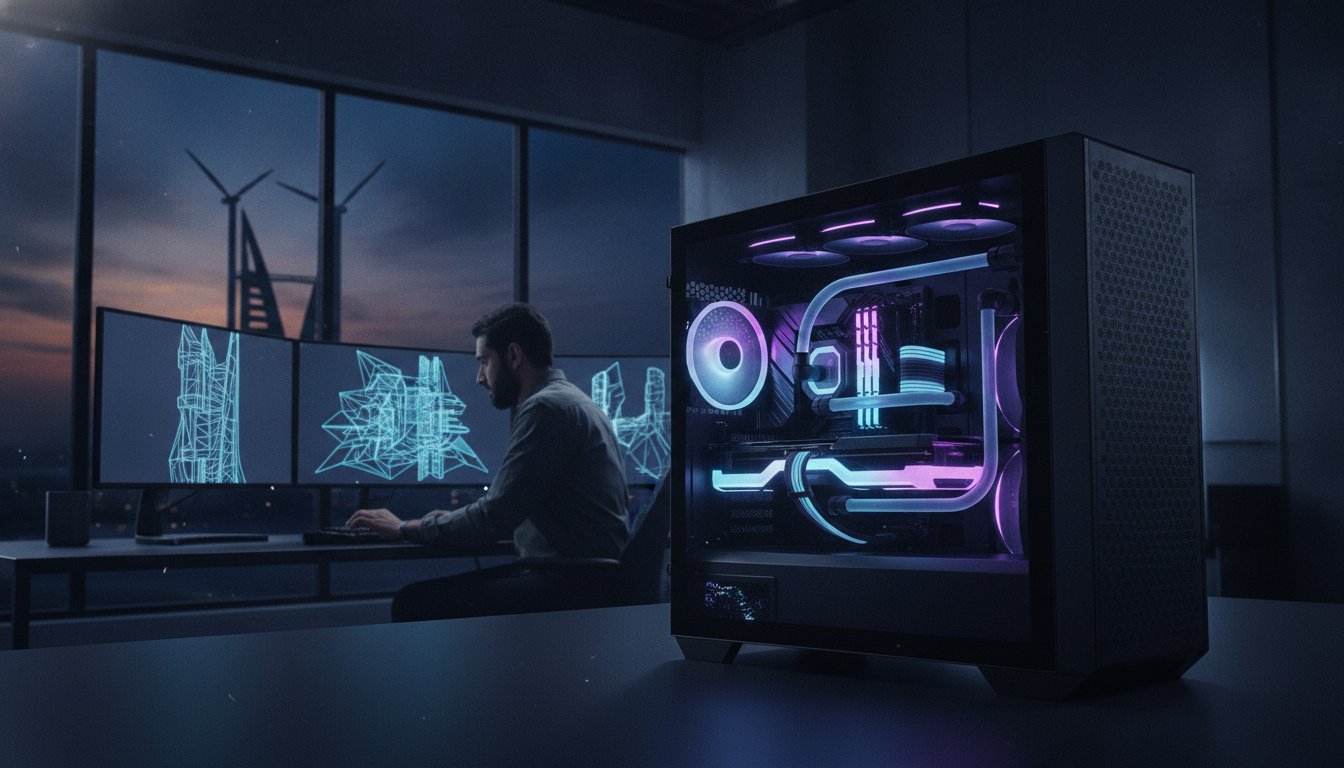

Why are you still building a professional rig based on gaming benchmarks when your viewport is choking on a 2026 high-poly Revit scene? It is a common trap, but the gap between a high-end consumer PC and a true architectural visualization workstation build has never been wider. You know the frustration of a “Not Responding” window just as you are about to hit a deadline or the heat of a machine that thermal throttles during a critical render. We agree that your hardware should be an invisible partner in your creative process, not a bottleneck that kills your productivity and limits your artistic vision.
When modeling these environments, the realism of your textures is just as important as the hardware; for professionals focusing on high-end interior finishes, read more about Gyp Artisan and their specialized gypsum products that define modern architectural spaces.
This guide will help you master the complex hardware requirements of the modern ArchViz era to build a machine that eliminates lag and maximizes flow. You will learn how to navigate the 400% surge in DDR5 RAM prices while still securing the 128GB necessary for massive scenes. We’ll explore the raw power of the NVIDIA RTX 5090 and its 32GB of GDDR7 memory, ensuring you’re ready for Unreal Engine 5.7 and the upcoming shift to Unreal Engine 6. From PCIe 5.0 SSDs hitting 15,000 MB/s to the multi-core density of the Threadripper 9000 series, we’re diving into the elite specs you need for a future-proof powerhouse.
Key Takeaways
- Understand why balancing high single-core speeds for CAD and multi-threaded density for rendering is the foundation of a successful architectural visualization workstation build.
- Discover why DDR5 RAM has become a non-negotiable requirement for high-bandwidth 3D scenes and how to navigate current market volatility to secure 128GB of capacity.
- Learn why VRAM is your most critical metric for real-time ray tracing in Unreal Engine 5 and how the Blackwell architecture prepares your workflow for Unreal Engine 6.
- Master thermal management strategies that prevent performance throttling during 48-hour render marathons while utilizing PCIe 5.0 storage for near-instant scene loading.
- Identify the measurable performance advantages of a bespoke Grey PC build over mass-produced workstations, focusing on premium component selection and airflow-optimized assembly.
The ArchViz Hardware Paradox: Modeling vs. Rendering
Constructing a top-tier architectural visualization workstation build requires solving a fundamental engineering conflict. You’re building a machine that must excel at two diametrically opposed tasks. On one side, you have modeling and BIM (Building Information Modeling) tasks in software like Revit. These processes are largely single-threaded. They rely on the raw speed of a single CPU core to calculate geometry and parameters. On the other side, you have offline rendering engines like V-Ray or Corona that crave massive multi-core density. If you prioritize one at the total expense of the other, your workflow will eventually hit a wall.
The “bottleneck trap” is a real threat to professional productivity. We often see artists invest in high-core-count processors only to find their CAD viewport lagging. This happens because many high-core chips trade high clock speeds for sheer core volume. In a professional architectural visualization environment, a CPU with 64 cores but a low base clock might actually make your daily drafting feel sluggish compared to a high-frequency chip. You need a balanced powerhouse that maintains high “snappiness” during design while providing the heavy lifting required for the final frame.
Software-Specific Requirements
Revit and AutoCAD remain the backbone of the industry, and they still crown single-threaded performance as king. Most geometry calculations in these programs cannot be split across multiple cores. Conversely, the industry’s pivot toward Unreal Engine 5 and Lumion has shifted the burden to the GPU. These real-time workflows demand massive VRAM to handle 8K textures and complex geometry without crashing. 3ds Max and Blender users sit in the middle. They require a delicate balance where the CPU handles complex scene management while the GPU accelerates the interactive preview.
The 2026 ArchViz Workflow
The standard for excellence has shifted. In 2026, AI-assisted upscaling and denoising are no longer experimental; they’re integral to meeting tight deadlines. These AI tools require dedicated tensor cores and high-speed memory access to function without lag. Because of the sheer density of modern assets and the demands of AI integration, 64GB of DDR5 RAM is now the absolute minimum for professional work. In 2026, an ArchViz workstation is no longer just a computer; it is a dedicated rendering engine that must remain responsive during the creative process. Precision in your component selection ensures that your creative flow is never interrupted by a spinning loading icon.
The Engine Room: Selecting the Best CPU and DDR5 RAM
The processor is the heartbeat of your architectural visualization workstation build. It dictates how fast you can manipulate geometry and how quickly your machine calculates light bounces in a CPU-based render. In 2026, the choice isn’t just about raw core counts. It’s about how those cores interact with your software ecosystem. High-performance architectural visualization tools like 3ds Max and V-Ray require a delicate balance of high clock speeds for viewport stability and massive L3 cache to reduce the time your CPU spends waiting for data. A larger cache acts like a high-speed staging area, keeping critical scene data closer to the cores and shaving minutes off every frame.
Intel vs. AMD: The 2026 Showdown
Choosing between the Intel Core i9-14900K vs the Ryzen 9 9950X is the most critical decision for your build. Intel’s architecture uses a combination of P-cores for heavy lifting and E-cores for background tasks, which keeps your workstation responsive while a render chugs away in the background. However, AMD’s Ryzen 9 9950X often wins on platform longevity and energy efficiency. For professional studios, the AM5 platform’s ability to support multiple generations of CPUs without a motherboard swap provides a clear path for future upgrades. If you’re unsure which path fits your specific workflow, exploring a bespoke 3D rendering workstation can help you align hardware with your software priorities.
Memory Density and Speed
The “32GB is enough” myth died in 2025. For 2026 professional standards, 64GB of DDR5 RAM is the absolute baseline. Modern architectural projects are increasingly complex, featuring high-resolution scanned assets and massive texture arrays that quickly saturate lower memory capacities. While the price of DDR5-6000 kits has surged by over 400% since mid-2025, reaching approximately $432 for a 32GB kit, the performance trade-off for staying on older standards is too high. High-bandwidth DDR5 memory ensures that scene loading times remain fast and that you don’t experience the dreaded “out of memory” crash during a final 4K render.
- 64GB DDR5-6000: The professional standard for 4K stills and medium-scale interior scenes.
- 128GB+ DDR5: Essential for massive urban planning visualizations and complex Unreal Engine 5 environments.
- Latency Matters: Low-latency kits (CL30 or CL32) provide the snappiness required for real-time viewport navigation.
When your projects scale to include entire city blocks or intricate landscape designs, 128GB becomes the safety net that prevents system instability. Investing in high-speed, high-capacity memory isn’t just about speed; it’s about the reliability your professional reputation depends on.
GPU Power: Dominating Unreal Engine 5 and V-Ray Renders
The graphics card is no longer just a component; it is the soul of your architectural visualization workstation build. As the industry pivots toward real-time engines like Unreal Engine 5.7 and the newly announced Unreal Engine 6, the GPU has taken over the heavy lifting once reserved for the CPU. Modern workflows rely on hardware-accelerated ray tracing and AI-driven denoising to produce photorealistic results in seconds rather than hours. This shift makes Video RAM (VRAM) the most critical specification for any professional 3D artist. If your scene exceeds your VRAM capacity, the system falls back to much slower system memory, causing viewport stutters and massive render slowdowns.
The VRAM Threshold
Entering the Blackwell architecture era has redefined what is possible for complex scene management. The 32GB of GDDR7 VRAM found on the NVIDIA GeForce RTX 5090 represents a massive leap for UE5 developers. This generous buffer allows you to load entire cityscapes with high-resolution 8K textures and millions of polygons without hitting a performance ceiling. When you outrun your VRAM, you don’t just lose speed; you lose stability. For those running multi-display 4K setups or immersive VR walkthroughs, this 32GB threshold ensures your creative flow remains uninterrupted by technical limitations. It transforms the way you handle massive geometry, allowing for near-instant real-time ray tracing that was previously impossible on consumer-grade hardware.
Professional vs. Gaming GPUs
The choice between NVIDIA GeForce and the professional NVIDIA RTX line often centers on driver stability and specialized features. While high-end consumer cards offer superior CUDA core counts for the price, the professional line justifies its cost through ECC (Error Correction Code) memory and ISV certifications. These certifications ensure your hardware is officially supported by software giants like Autodesk. However, for most ArchViz professionals, the GeForce RTX 50 series paired with NVIDIA Studio Drivers provides the perfect balance. Studio Drivers are meticulously tested against creative applications to ensure the reliability you need during a 48-hour render marathon. You get the raw horsepower of a high-end card with the grounded professional authority of a workstation-grade environment. This combination delivers the CUDA core density required for V-Ray while maintaining the specialized RT core performance needed for interactive light simulation.
Ultimately, your GPU choice determines the scale of your ambition. High-end cards don’t just render faster; they allow you to work with more complex lighting rigs and more detailed environments. This creates a more immersive experience for your clients and a more efficient workflow for your studio. Whether you are pushing pixels for a high-end commercial or a small interior project, the right GPU ensures your machine can handle the pressure of 2026’s most demanding visual standards.

Thermal Integrity and High-Speed Storage for Sustained Loads
Why build a powerhouse if it chokes under pressure? Sustaining peak performance during a 48-hour render marathon is where most generic builds fail. A professional architectural visualization workstation build in 2026 must account for the massive thermal output of Blackwell GPUs and high-frequency CPUs. In regions with high ambient temperatures, heat isn’t just a nuisance. It is a direct threat to your hardware’s lifespan and your project’s stability. You need a thermal strategy that treats cooling as a primary performance metric, not an afterthought. Precision cooling ensures that your machine maintains its “soul” even when the ambient air is working against it.
Cooling for the Middle East Climate
In high-ambient environments, the delta between room temperature and component limits is much smaller than in cooler climates. This requires aggressive fan curves and premium thermal solutions. The Lian Li PC-O11 Dynamic is the industry benchmark for a reason. Its dual-chamber design isolates heat from the power supply, while the massive fan support allows for a positive pressure setup that keeps dust out and cool air moving. For 24/7 reliability, liquid cooling is no longer optional for the top-tier chips we discussed earlier. It is the only way to keep a high-end processor from hitting its 100-degree thermal limit. Don’t forget the VRMs and M.2 drives. High-speed Gen5 storage can reach 15,000 MB/s, but it generates significant heat that requires dedicated heatsinks to avoid performance drops.
Storage Architecture for 3D Assets
Your storage architecture dictates how fast you can jump between projects. The rise of real-time engines means your system must stream massive amounts of texture data instantly. The Samsung 990 Pro 2TB provides the relentless speed needed for texture streaming in Unreal Engine 5.7. We suggest a “3-Drive Strategy” for maximum efficiency. One drive handles the OS and software. A second, lightning-fast Gen5 NVMe serves as your active project and scratch drive. The third consists of high-capacity HDD or SATA SSD storage for archiving. This separation prevents IOPS bottlenecks and keeps your workflow fluid. For long-term storage, a local NAS is often superior to internal SATA for studio-wide collaboration. It allows multiple artists to access the same asset library without slowing down a single machine.
This tiered approach ensures your system remains responsive even when you’re moving terabytes of data. If you’re ready to eliminate thermal bottlenecks and maximize your creative uptime, you can buy a professionally cooled rendering workstation from Grey PC today. Our builds are engineered to withstand the most demanding render cycles without breaking a sweat.
Why a Bespoke Grey PC Build Outperforms Off-the-Shelf Workstations
Mass-produced corporate workstations often hide a frustrating secret. Behind the famous logo and sleek chassis, these machines frequently use proprietary motherboards and mid-tier power supplies to maximize profit margins. When you invest in a professional architectural visualization workstation build, you aren’t just buying parts. You are investing in a machine where every single component is chosen for its ability to survive a high-stress environment. A generic “off-the-shelf” rig might handle basic drafting, but it will often falter when pushed by the relentless demands of a 2026 3D rendering pipeline. We believe your hardware should be a source of confidence, not a point of failure.
The Grey PC Custom Build Philosophy
Our approach starts with the foundation. We hand-pick motherboards featuring robust VRM power delivery systems. This ensures your high-performance i9 or Ryzen 9 processor receives stable, clean voltage even during a week-long render cycle. We never compromise on system stability. Every build utilizes high-efficiency 80+ Platinum power supplies to minimize waste heat and prevent sudden system restarts under load. Beyond the hardware, our technicians perform custom BIOS tuning. We optimize memory timings and power limits specifically for professional software, ensuring your machine is ready for peak performance the moment it lands on your desk. This level of precision is simply impossible to find in a mass-produced commodity.
Local Support and Enterprise Services
Reliability is built through more than just components; it is built through rigorous testing. Every architectural visualization workstation build undergoes a comprehensive “Burn-in” testing process. We stress-test the CPU, GPU, and RAM for 24 to 48 hours to identify any potential hardware weaknesses before the machine leaves our lab. This commitment to quality is backed by our local Bahrain-based warranty and technical support. If a studio faces a hardware hurdle, they don’t call an international helpline. They speak directly to the builders who know their machine’s “soul.”
- On-site Technical Support: We provide hardware servicing directly to your studio to minimize downtime.
- Professional Cable Management: Our builds feature meticulous cable routing to maximize airflow and prevent dust buildup.
- Bulk Procurement: We assist architectural firms in standardizing their entire office with high-performance hardware.
While professional video editing workstations share some DNA with ArchViz rigs, the tuning for 3D rendering requires a different level of thermal endurance and VRAM prioritization. We understand these nuances. Whether you are a solo artist or a large firm, your machine should reflect your professional identity. Don’t settle for a generic solution when you can have a bespoke powerhouse. Consult with Grey PC builders to design your 2026 ArchViz powerhouse and experience the difference that true craftsmanship makes.
Future-Proof Your Vision with 2026 Hardware Standards
Success in modern ArchViz requires more than just artistic talent; it demands a machine that can keep pace with your imagination. We’ve explored how balancing high clock speeds for modeling with the massive VRAM of the Blackwell era is the only way to eliminate bottlenecks. You now understand that thermal endurance and Gen5 storage are the silent guardians of your productivity during those critical 48-hour render cycles. Investing in a specialized architectural visualization workstation build is not just a purchase. It’s a strategic move to ensure your studio remains competitive as we transition toward Unreal Engine 6.
Grey PC has been the trusted partner for hardware specialists since 2018. We combine elite component sourcing, including the RTX 5090 and high-speed DDR5, with the reliability of local Bahrain support and a comprehensive warranty. Our “Burn-in” testing ensures your rig arrives ready for battle. Don’t let generic hardware limit your creative potential. Build Your Custom ArchViz Workstation with Grey PC and take command of your digital environment. Your next architectural masterpiece deserves the precision and power of a bespoke build.
Frequently Asked Questions
Is an NVIDIA RTX 5090 overkill for architectural visualization?
No, the RTX 5090 is not overkill if you are developing in Unreal Engine 5 or handling massive 8K texture sets. The 32GB of GDDR7 VRAM is a necessity for keeping complex scenes entirely within the GPU memory. While a lesser card might handle simple stills, this flagship GPU ensures that real-time ray tracing remains fluid and crash-free during client presentations.
How much RAM do I really need for 3ds Max and V-Ray in 2026?
You should aim for 64GB of DDR5 RAM as an absolute baseline, though 128GB is the new professional standard for complex urban scenes. As scenes grow in density, 32GB setups frequently trigger system instability or forced swaps to slower storage. Investing in high-capacity memory is the most cost-effective way to prevent the dreaded “out of memory” errors during final renders.
Should I choose Intel or AMD for a Revit-based workflow?
Intel is generally the superior choice for Revit because the software relies heavily on single-core clock speeds for geometry calculation. The high frequency of Intel’s P-cores ensures that your viewport remains responsive while you are drafting. While AMD offers excellent multi-threaded performance for rendering, Intel’s raw single-thread speed provides a noticeably snappier experience during the active modeling phase of your architectural visualization workstation build.
Does liquid cooling require a lot of maintenance for a professional workstation?
Modern All-In-One (AIO) liquid coolers are closed-loop systems that require zero maintenance throughout their functional lifespan. Unlike custom open-loop cooling, you don’t need to drain or refill the coolant. These units are engineered for 24/7 reliability, providing a set-and-forget solution that keeps your high-performance CPU from thermal throttling during long render marathons.
Can I use a gaming PC for professional architectural rendering?
You can use a gaming PC for light work, but it often lacks the thermal integrity and memory capacity required for professional pipelines. Gaming rigs are built for intermittent loads, whereas a dedicated architectural visualization workstation build is optimized for sustained 100% utilization. Professional machines also utilize Studio Drivers, which are specifically validated for stability in apps like 3ds Max and Revit.
What is the best storage configuration for large Unreal Engine 5 projects?
The best configuration is a Gen5 NVMe SSD for your active project files and a separate Gen4 or Gen5 drive for your OS. High-speed storage with read speeds approaching 15,000 MB/s is critical for texture streaming within Unreal Engine 5. This setup prevents data bottlenecks, allowing the engine to pull massive assets into the viewport without the hitches associated with slower SATA drives.
How does ambient temperature in Bahrain affect my workstation build?
High ambient temperatures require an aggressive thermal strategy involving high-airflow cases and premium fan configurations. In regions like Bahrain, standard cooling often fails to dissipate heat fast enough during 48-hour renders. We prioritize positive pressure setups and liquid cooling to ensure that internal components stay well below their thermal limits, even when the external climate is working against the hardware.
Why should I choose a custom build over a Dell Optiplex for my studio?
A custom build offers superior cooling, higher-quality power delivery, and complete upgradeability compared to a Dell Optiplex. Corporate machines often use proprietary motherboards and restricted power supplies that limit your ability to add powerful GPUs or more RAM. A bespoke workstation uses premium, industry-standard components that are specifically tuned for the relentless hardware demands of the ArchViz industry.