
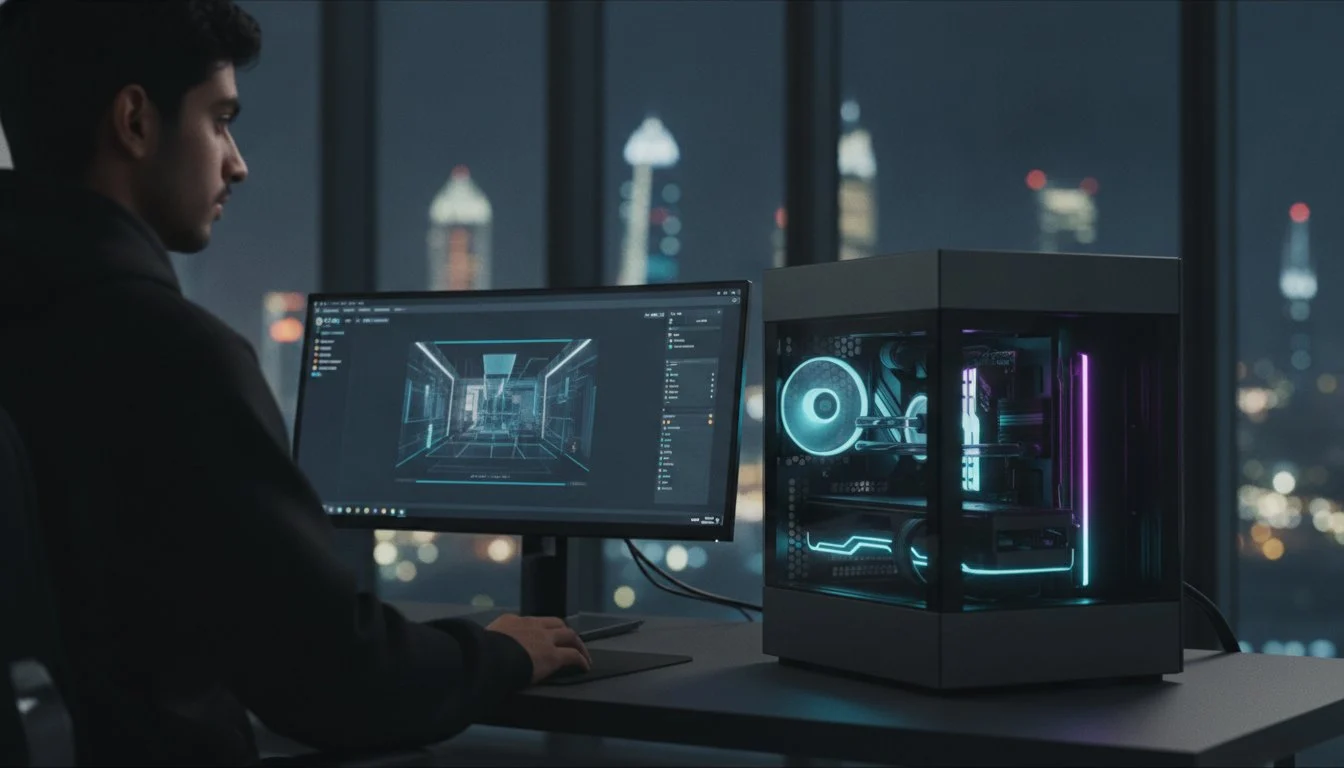

A 6GHz clock speed is worthless if your viewport stutters the moment you place a high-poly Nanite mesh. You’ve likely felt the sting of a 4K render crashing due to out-of-memory errors or the agonizing wait of shader compilation that kills your creative momentum. Finding the best pc build for unreal engine 5 2026 requires more than just picking the priciest parts off a shelf. It demands a precision-engineered workstation where VRAM capacity and thermal stability dictate your freedom to create.
We understand that your hardware is an extension of your craft, not just a box of components. This guide reveals the precise configurations required to master Unreal Engine 5.5+ workflows, ensuring your system handles real-time rendering and complex geometry without breaking a sweat. We’re diving into how the RTX 5090 and Intel Core Ultra 9 285K redefine professional performance. You’ll also learn how to balance massive 32GB memory buffers with the cooling necessary for a reliable Grey PC Custom Build. It’s time to stop fighting your hardware and start building your vision.
Key Takeaways
- Master the hardware shift where 32GB VRAM and high-speed storage become the baseline for stable Nanite and Lumen workflows.
- Identify the best pc build for unreal engine 5 2026 tailored to your specific creative scale, from solo indie setups to high-throughput professional studios.
- Reduce shader compilation times by up to 60% by prioritizing high core-count processors designed for heavy C++ and light baking tasks.
- Ensure long-term hardware health with advanced cooling solutions that prevent thermal throttling during demanding 24/7 rendering sessions.
- Discover why a precision-assembled Grey PC Custom Build offers the stability and professional character required for elite 3D production.
The Evolution of Unreal Engine 5.5+ Hardware Demands
The goalpost for real-time development hasn’t just moved; it has been completely redesigned. In 2021, we were excited about the initial promise of Unreal Engine 5. By 2026, those promises have become demanding professional realities. A modern workstation is no longer just a high-end gaming rig. It is a precision instrument. To achieve the best pc build for unreal engine 5 2026, you must balance massive VRAM with lightning-fast storage. Minimum specs are a trap. They lead to stuttering viewports and lost hours that no studio can afford. We believe a professional machine should have a soul, reflecting the precision and intent of the creator who uses it.
We’re seeing a massive surge in AI-assisted tools within the Unreal Editor. From generative layout tools to sophisticated AI-driven denoising, your hardware needs to do more than just push pixels. It must process complex data streams simultaneously. This is why PCIe Gen5 lanes are non-negotiable. They provide the necessary bandwidth for asset streaming and real-time data handling that older Gen4 systems simply cannot match. Every lane counts when you are moving terabytes of high-fidelity assets across your motherboard. Your hardware must be as forward-leaning as your creative vision.
Understanding the Bottlenecks in Modern UE5 Workflows
Shader compilation is the silent killer of creative productivity. Your CPU choice determines whether you spend your morning designing or waiting for a progress bar. High core counts are essential for multi-threaded shader tasks; an 8-core chip simply won’t cut it anymore. Viewport fluidity depends almost entirely on your VRAM. If you’re working with high-poly Nanite meshes, anything less than 16GB of VRAM will lead to frequent out-of-memory errors and crashes. Disk I/O is the third pillar. Standard NVMe SSDs can’t keep up with the massive project files common in 2026. You need the throughput of Gen5 storage to avoid hitching during asset loading and world partition updates.
Software vs. Hardware Synergy in 2026
The Blackwell architecture has changed the rendering game. These GPUs offer hardware-level optimizations for Lumen that make real-time ray tracing smoother than ever. Paired with high-speed DDR5 RAM, your system can maintain a massive pool of active assets without slowing down. For virtual production, Live Link hardware requirements demand dedicated high-speed network interfaces and synchronized GPU clock speeds to ensure frame-perfect data transmission between physical cameras and the engine. Building the best pc build for unreal engine 5 2026 means ensuring every component works in harmony to support these advanced, interconnected features. It is about creating a bespoke environment where technology and talent meet.
Core Components: The Holy Trinity of Unreal Engine Performance
Building a machine for high-end development isn’t just about picking the most expensive parts. It’s about achieving technical synergy. In the Blackwell era, the relationship between your CPU, GPU, and memory determines whether you’re creating or troubleshooting. We view the assembly of these components as a transformative experience; it’s where raw silicon becomes a professional creative tool. To secure the best pc build for unreal engine 5 2026, you must prioritize components that eliminate the specific bottlenecks of the 5.5+ editor environment.
Your workflow dictates your priority. If you’re a developer frequently rebuilding the engine from source, core count is king. For the cinematic artist, VRAM capacity is your insurance policy against crashes. We don’t believe in mass-produced solutions for elite creators. Every component in a 3D Rendering Workstation should be selected with a shared passion for performance and precision.
Choosing the Right CPU: Intel Core i9 vs. AMD Ryzen 9
The 2026 landscape is dominated by the Intel Core Ultra 9 285K and the AMD Ryzen 9 9950X3D. Intel’s hybrid architecture, featuring 24 cores, offers an 18% advantage in specific productivity benchmarks, making it a monster for multi-threaded tasks like Swarm Agent light baking. However, in-depth hardware testing shows that AMD’s 128MB of L3 cache provides up to 34% higher FPS in real-time viewports. When deciding between the Intel Core i9-14900K vs the Ryzen 9 9950X or their 2026 successors, remember that a 16-core CPU can reduce shader compilation times by 40-60% compared to 8-core alternatives. Efficiency here translates directly into more time spent on your craft.
The VRAM Revolution: Why the RTX 5090 is Non-Negotiable
The launch of the NVIDIA GeForce RTX 5090 for Sale has redefined what’s possible in cinematic rendering. With 32GB of GDDR7 memory, this card provides the massive buffer needed to prevent out-of-memory errors during complex 4K renders. The Blackwell architecture doesn’t just offer raw power; it introduces DLSS 4.0, which uses AI acceleration to maintain fluid viewport performance even with heavy ray tracing enabled. This isn’t just a GPU; it’s the heart of the best pc build for unreal engine 5 2026. It ensures that Nanite meshes and Lumen lighting react instantly to your changes, maintaining the creative flow state that professionals require.
Memory and storage have also seen a baseline shift. 64GB of DDR5 RAM is now the standard for professional development. It allows you to keep the Unreal Editor, Blender, and Substance Painter open simultaneously without system hitching. For storage, we’ve moved beyond standard SSDs. NVMe Gen5 drives are essential for instant asset loading and handling massive project files. When you’re streaming terabytes of data, you need a drive that won’t blink. Precision assembly and high-end components create a machine with a soul, ready to handle any challenge the 2026 creative landscape throws your way.
Tiered PC Build Configurations for Unreal Engine 5
Professional production in 2026 isn’t a one-size-fits-all endeavor. You can’t expect a standard retail machine to survive the rigors of a high-fidelity Nanite environment. The best pc build for unreal engine 5 2026 is a tiered solution, designed to match the specific complexity of your projects. We believe in building machines with a soul, workstations that act as a reliable partner in your creative journey. From indie developers to virtual production veterans, the hardware must be as ambitious as the code it runs.
The Solo Developer Configuration
If your daily workflow centers on 1440p development, balance is your primary objective. You need a CPU/GPU pairing that offers immediate responsiveness without the enthusiast tax of top-tier workstation parts. We recommend a high-frequency 16-core processor paired with an RTX 5070 Ti or 5080. Storage is often the hidden bottleneck here. The Samsung 990 Pro 2TB is the reliable choice for OS and project drives, providing the IOPS necessary for rapid asset streaming. Don’t skimp on RAM; 64GB of high-speed DDR5 allows you to jump between the editor and Substance Painter without a hint of system hitching.
The Professional 3D Rendering Workstation
Architectural visualization and cinematic production demand a shift toward maximum throughput. This configuration leverages the Professional Video Editing Workstation architecture to handle massive texture pools and complex lighting. While Lumen has revolutionized real-time lighting, multi-GPU setups remain relevant for users relying on the Path Tracer for final high-resolution frames. In these professional environments, stability is non-negotiable. ECC RAM serves as a critical safety net for long render sequences, protecting your data from rare but devastating bit-flip errors during overnight bakes.
For those operating in the elite world of virtual production and LED volumes, we move into the God-Tier territory. These builds require professional-grade motherboards with over-engineered VRMs to ensure sustained power delivery during grueling 18-hour shoot days. Every component must be meticulously selected to prevent thermal throttling. When the cameras are rolling, your hardware cannot be the weak link. This level of precision assembly transforms a collection of parts into a transformative creative asset, ensuring your focus remains on the shot, not the system temps.

Thermal Mastery: Protecting Your Hardware in High-Heat Environments
Unreal Engine 5 is a brutal stress test for silicon. While a AAA game might push your GPU in bursts, a professional UE5 workflow maintains a relentless load during shader compilation, light baking, and cinematic rendering. In regions with extreme ambient heat, such as Bahrain, standard cooling advice simply fails. Your hardware isn’t just a collection of parts; it’s a high-performance engine that requires elite thermal management to survive. To secure the best pc build for unreal engine 5 2026, you must look beyond “good enough” cooling and embrace a strategy of thermal dominance.
Heat is the silent enemy of creative longevity. When your CPU hits its thermal limit, it throttles, and your productivity vanishes. We believe in building workstations that maintain their composure under fire. This requires a sophisticated approach to airflow and heat dissipation that mass-produced rigs can’t match. Every degree we shave off extends the life of your investment and keeps your render times consistent.
Advanced Cooling Solutions for 2026 Flagships
Modern flagships like the Intel Core Ultra 9 285K demand massive thermal headroom. For these chips, a 360mm AIO liquid cooler is the bare minimum; we strongly recommend a 420mm radiator for 24/7 rendering stability. Small details make a transformative difference. Using a dedicated contact frame and high-performance thermal paste can drop temperatures by 5-10 degrees, preventing the micro-throttling that plagues standard builds. Professional monitoring software is essential for keeping an eye on VRM and VRAM temperatures, ensuring your motherboard and Blackwell GPU stay within their optimal operating windows during grueling production cycles.
Airflow Optimization in Custom Chassis
Case selection is the foundation of your thermal strategy. The Lian Li PC-O11 Dynamic remains the airflow champion for a reason. Its dual-chamber design and massive fan support allow for a positive pressure setup that keeps dust out while moving hot air away from critical components instantly. Be cautious with vertical GPU mounting; while it looks elite, it can starve modern high-wattage cards of air in specific chassis. We also prioritize Titanium-rated power supplies because their superior efficiency reduces the amount of waste heat generated inside the case. If you want a machine that stays cool while you create, it is time to invest in a bespoke Grey PC Custom Build designed for your specific climate and workload.
Fan curves are your final line of defense. We configure our builds to balance noise with aggressive cooling during long bakes, ensuring the best pc build for unreal engine 5 2026 never falters when the deadline looms. High-performance air cooling has its place, but for the sustained 500W+ draws of 2026 hardware, liquid cooling provides the thermal mass needed for professional reliability. Precision assembly isn’t just about cable management; it is about optimizing every cubic inch of your case for maximum heat rejection.
Why a Grey PC Custom Build is the Ultimate Creative Tool
Choosing the best pc build for unreal engine 5 2026 is an investment in your creative future, not just a hardware purchase. We believe a workstation should have a soul. It must reflect the intensity and ambition of the creator behind the screen. At Grey PC, we don’t just assemble parts; we engineer bespoke solutions that act as a silent partner in your production pipeline. While others offer mass-produced commodities, we provide a precision instrument tailored to the unique demands of the Unreal Editor. Your success is our signature.
Our philosophy is rooted in a shared identity with our clients. We are builders who understand the internal character of the technology we handle. This deep technical expertise allows us to take the high-performance architecture of the ultimate gaming pc build and refine it into a professional powerhouse. We optimize every connection and calibrate every setting to ensure your machine feels like a seamless extension of your own mind. This is the transformative experience of a true Grey PC Custom Build.
Bespoke Engineering for Professional Creators
Stability is the foundation of every machine we craft. We subject every workstation to grueling stress tests and benchmarks to ensure it won’t falter during a 48-hour render sequence. Our precision assembly includes meticulous cable management that prioritizes both aesthetics and airflow for long-term reliability. We also perform custom BIOS tuning for every client. This specialized process maximizes your CPU efficiency and ensures you get the most out of your silicon without the risk of overheating. It is about finding the perfect balance between raw power and refined stability.
Your Partner in Unreal Engine Success
Our relationship doesn’t end when the machine leaves our workshop. We provide national support and technical expertise specifically for professional users who cannot afford downtime. For studios that need to pair hardware reliability with robust digital protection, CyberOne provides the managed security infrastructure necessary to safeguard your high-value projects. We design our builds with 2027 and beyond in mind, ensuring your workstation remains relevant as the engine continues to evolve. Regular hardware servicing and maintenance keep your system at peak performance for years to come. Don’t settle for a generic solution when you can have a bespoke tool built by specialists who share your passion. Contact us for a professional workstation consultation today. Let’s build the machine that defines your career.
Dominate the Blackwell Era of Development
Realizing your creative vision in 2026 requires hardware that doesn’t blink at Nanite or Lumen workloads. We’ve explored how massive VRAM buffers and Gen5 storage speeds have become the new baseline for professional production. You’ve also seen how expert thermal management ensures your system stays cool during those grueling render cycles. Finding the best pc build for unreal engine 5 2026 isn’t just about buying parts; it’s about securing a precision instrument that matches your ambition.
At Grey PC, we bring a shared passion for craftsmanship to every workstation we build. From expert assembly of Blackwell-era hardware to specialized systems for 3D rendering and VR, we ensure your machine has a soul. Our national technical support and maintenance guarantee that your focus remains on your art, not your hardware. Your next masterpiece is waiting to be built. Let’s make it happen together.
Build Your Unreal Engine 5 Masterpiece with Grey PC
Frequently Asked Questions
What is the minimum GPU for Unreal Engine 5 in 2026?
The NVIDIA GeForce RTX 5060 Super with 12GB of VRAM is the baseline requirement for stable development in 2026. This 12GB buffer is essential to prevent crashes when you’re working with high-resolution textures or complex Nanite geometry. For those seeking the best pc build for unreal engine 5 2026, we recommend a card with at least 16GB of VRAM to ensure your creative flow stays uninterrupted by memory errors.
How much RAM do I need for Nanite and Lumen in UE5.5?
You need at least 64GB of high-speed DDR5 RAM to master professional Nanite and Lumen workflows without system hitching. While 32GB might handle smaller projects, complex environments with real-time global illumination will quickly saturate your memory during heavy editing sessions. If you are moving into virtual production or massive architectural scenes, stepping up to 128GB provides the necessary headroom for a truly transformative development experience.
Is an Intel Core i9 better than a Ryzen 9 for Unreal Engine?
Choosing between Intel and AMD depends on whether you prioritize engine compilation or real-time viewport fluidity. The Intel Core Ultra 9 285K is up to 18% faster in certain productivity tasks, making it a monster for multi-threaded shader compilation. However, the AMD Ryzen 9 9950X3D delivers up to 34% higher FPS in real-time viewports thanks to its 128MB of L3 cache. Both are elite choices for professional creators.
Do I need an NVMe Gen5 SSD for game development?
NVMe Gen5 SSDs are no longer a luxury; they are essential for managing the massive I/O demands of modern game development. These drives provide the lightning-fast throughput required for instant asset loading and handling large world partitions in the editor. When you’re streaming terabytes of high-fidelity data, the increased bandwidth of Gen5 ensures your hardware never becomes a bottleneck during critical production phases.
Can I use a gaming PC for professional Unreal Engine work?
A gaming PC can handle basic tasks, but it lacks the professional character and stability of a dedicated workstation. Professional machines prioritize components like ECC RAM and over-engineered cooling systems that are designed for 24/7 rendering loads. While a high-end gaming rig is a great foundation, a bespoke workstation is engineered with a soul that understands the internal character of the technology, ensuring long-term reliability for elite creators.
How do I prevent my PC from overheating during long renders?
Preventing overheating during long renders requires a combination of high-thermal-mass liquid cooling and optimized case pressure. We recommend a 420mm AIO liquid cooler for flagship CPUs and a positive pressure fan setup to move hot air away from your Blackwell GPU instantly. Using a dedicated contact frame can also drop temperatures by up to 10 degrees, ensuring your hardware maintains its composure during grueling overnight bakes.
What is the best PC case for a high-end UE5 build?
The Lian Li PC-O11 Dynamic is the definitive chassis for elite builds because of its exceptional airflow and component visibility. Its dual-chamber design allows you to separate the heat-generating CPU and GPU from other components, creating a more efficient thermal environment. This case provides the space and mounting options needed for the massive radiators and high-wattage power supplies that define a top-tier creative workstation in 2026.
Why should I choose a custom build over a pre-built workstation?
Custom builds provide a level of component synergy that pre-built machines simply can’t offer. Every part of a bespoke system is selected to eliminate the specific bottlenecks of your workflow, from C++ compilation to real-time ray tracing. This precision assembly is why a tailored machine is the best pc build for unreal engine 5 2026, offering a reliable partner that reflects your passion for cutting-edge technology and professional excellence.