
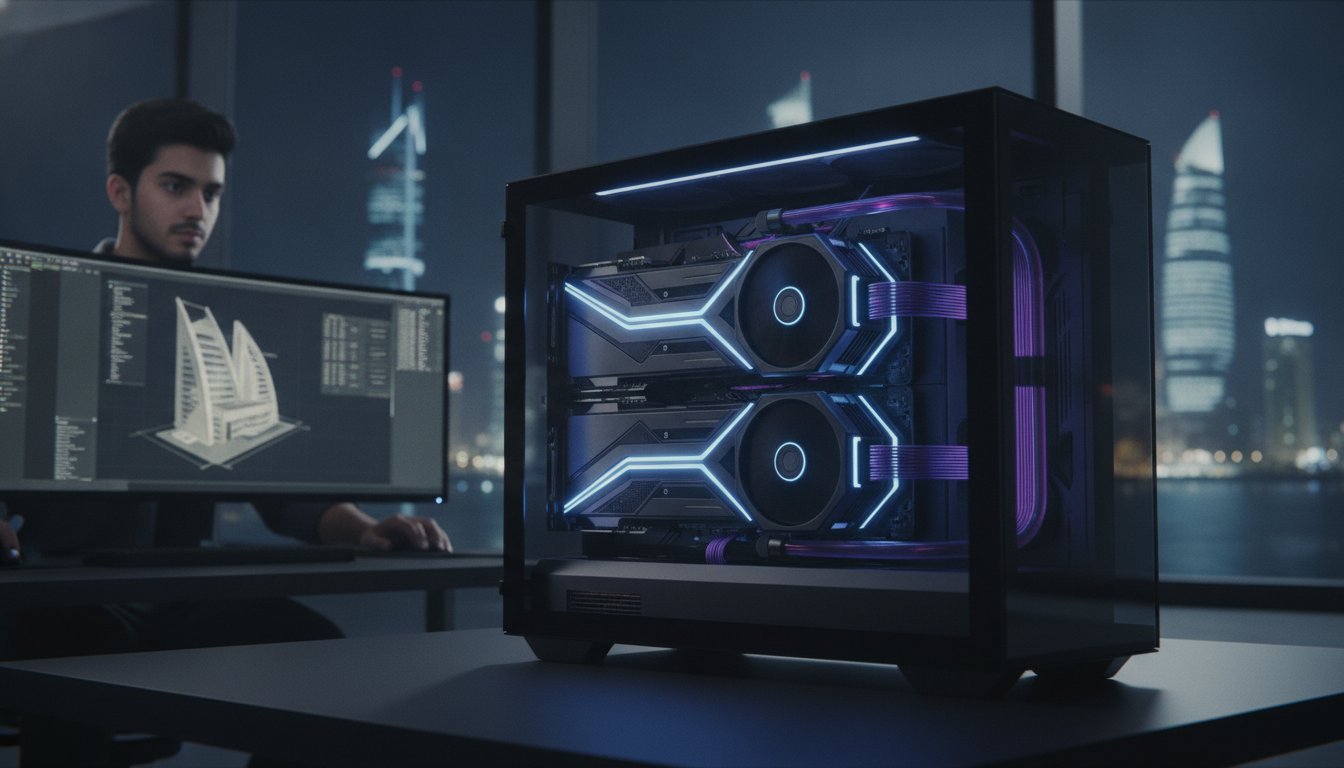

In 2026, the dual-GPU setup isn’t about chasing frames in a video game; it’s the raw engine of professional survival. You’ve likely spent too many hours staring at a frozen render bar or watching your software crash because you hit the VRAM wall. It’s a frustrating bottleneck that kills creativity and drains your project budget. Understanding dual gpu workstation benefits is no longer optional for high-end production; it’s a necessity for anyone serious about their craft.
We’re here to show you how a dual configuration transforms your workflow from a crawl to a sprint. You’ll discover how to cut production times in half and handle massive 8K or 3D datasets that would simply cripple a single card. This guide explores the latest benchmarks for the RTX 5090 and Blackwell series, explains why PCIe 5.0 is your new best friend, and helps you future-proof your build for the next wave of AI integration. We’re moving past the era of “good enough” hardware and stepping into a world of pure, uncompromised performance.
Key Takeaways
- Understand the shift from obsolete SLI gaming to modern parallel compute scaling, where 48GB+ of VRAM is the new professional baseline.
- Discover how to achieve near-linear performance gains in engines like OctaneRender and Redshift while maintaining fluid 8K playback in DaVinci Resolve.
- Master the technical essentials of extreme builds, including 1600W+ power delivery and the critical role of HEDT platforms for PCIe lane management.
- Identify the specific dual gpu workstation benefits for your software stack to ensure your workflow actually supports multi-GPU scaling.
- Learn how a Grey PC Custom Build utilizes expert stress testing and bespoke cooling to ensure sustained peak performance under heavy render loads.
The Evolution of Multi-GPU Workstations in 2026
Forget the old days of messy ribbon bridges and stuttering game frames. The era of SLI is dead, and frankly, we’re better off. In 2026, the narrative has shifted from “linking” cards to “orchestrating” them. We’ve moved into a period of independent compute scaling, where each GPU acts as a distinct, massive engine for your creative vision. This shift is the foundation of modern dual gpu workstation benefits. Instead of trying to force two cards to act as one, modern systems utilize sophisticated APIs to distribute complex tasks across multiple cores with surgical precision.
Data throughput has reached a fever pitch. While PCIe 6.0 is making waves in the enterprise sector, PCIe 5.0 remains the gold standard for high-performance builds. It provides the massive bandwidth necessary to keep your GPUs fed without bottlenecks. When you’re pushing 8K video or training a localized AI model, that bandwidth is the difference between a fluid workflow and a frustrating lag-fest. These machines aren’t just tools; they’re force multipliers that turn hours of waiting into minutes of productivity.
Beyond SLI: Understanding Modern Compute Scaling
The Evolution of Multi-GPU Workstations took a massive leap forward when developers stopped relying on driver-level hacks and started using native API support. Modern engines like CUDA and Vulkan don’t need a physical bridge to talk. They see every card in your Grey PC Custom Build as an independent worker. This allows for asynchronous compute, where one GPU can handle your real-time viewport while the second card crunches a background render or handles AI-driven denoising. It’s efficient, it’s stable, and it’s how professionals stay ahead of the curve.
VRAM: The Invisible Ceiling for Pro Creators
If you’ve ever seen an “Out of Memory” error in the middle of a deadline, you know that VRAM is the real king of the workstation. In 2026, 48GB of total VRAM has become the new professional floor. Why? Because scenes are getting heavier and textures are hitting 8K and 16K resolutions. Dual GPUs allow you to split the load. While workstation cards like the RTX Pro 6000 Blackwell carry massive price tags, a dual-GPU setup often provides a more flexible way to manage these massive datasets. Dual gpu workstation benefits become undeniable when you realize you can fit an entire deep-learning model or a complex 3D environment into dedicated memory without the system ever touching the slower system RAM. It keeps your workflow inside the high-speed lane where it belongs.
We build our 3D Rendering Workstations to exploit this exact parallel power. By doubling the available VRAM and compute units, we’re effectively removing the ceiling on your creativity. You’re no longer designing for what your computer can handle; you’re designing for what your project requires. That is the ultimate goal of high-end hardware.
Quantifying the Performance: Rendering, AI, and Parallel Processing
Performance isn’t just a benchmark score; it’s the difference between hitting a deadline and losing a client. When we talk about dual gpu workstation benefits, we’re looking at raw, parallelized power. Modern creative software doesn’t just see the second card. It utilizes it to perform complex calculations simultaneously. This is why a dual-GPU setup acts as a force multiplier for your most demanding tasks. Understanding how multi-GPU computing works is essential for any professional looking to optimize their hardware ROI in 2026.
3D Rendering: Cutting Wait Times in Half
In engines like OctaneRender, Redshift, and V-Ray, the math is simple. More CUDA cores and RT cores equals faster pixels. Recent benchmarks show that while a single nvidia geforce rtx 5090 for sale is an absolute titan, two RTX 5080s can often provide comparable performance in specific rendering tasks. V-Ray GPU has demonstrated near-linear scaling efficiency of up to 97 percent with multiple cards. This means your render times literally drop by half. Your interactive viewport also stays responsive. You can tweak lighting and materials in real-time without the stutter that plagues single-GPU systems.
Video Production: Seamless 8K Workflows
For editors, the benefits are just as dramatic. DaVinci Resolve is a master at multi-GPU utilization. It can offload heavy-lift tasks like temporal noise reduction, optical flow, and complex OFX plugins to the secondary card. This keeps your primary GPU free to handle the timeline playback. The result is smooth 8K scrubbing and significantly reduced export times for high-bitrate professional codecs. If you’re building a dedicated video editing workstation, the second GPU isn’t a luxury; it’s the key to maintaining a 1:1 real-time workflow even with heavy grading.
Local AI development also thrives on this architecture. Training local LLMs or running Stable Diffusion XL requires massive VRAM overhead. Since GPU acceleration is 6.4 times faster than CPU for machine learning tasks, having two cards allows you to partition your workload. You can run a model on one card while continuing your creative work on the other. It’s about maintaining momentum. If you’re ready to see how this power fits into your specific setup, consider a 3D Rendering Workstation designed for maximum throughput.
Technical Requirements: Power, Cooling, and PCIe Lane Management
Building a high-performance rig isn’t just about plugging in the most expensive parts. It’s about engineering a balanced ecosystem that allows those components to breathe and thrive. When you’re chasing dual gpu workstation benefits, you’re essentially doubling the thermal and electrical stress on your system. You can’t just slap two flagship cards into a standard mid-tower and expect them to perform. It requires a calculated approach to power delivery and thermal dynamics to avoid the performance throttling that kills professional productivity. We treat every build as a bespoke piece of engineering where every milliwatt and every degree of heat is accounted for.
Power Delivery: Feeding the Beast
Two top-tier graphics cards can easily pull over 900W on their own during a heavy Redshift render. Add a high-core-count CPU and your total system draw will push well past 1200W. This makes a 1600W+ Power Supply for Computers an absolute requirement for stability. We insist on ATX 3.1 compliant units with native 12VHPWR connectors. These aren’t just fancy cables. They’re designed to handle the transient power spikes common in modern hardware without melting connectors or triggering safety shutdowns. You’re effectively running a small industrial furnace inside your office; ensuring your electrical foundation is rock solid is the only way to protect your investment. Don’t risk your hardware on a budget unit that can’t handle the pressure.
The PCIe Bottleneck: Lanes and Bandwidth
Bandwidth is the lifeblood of multi-GPU scaling. While the ultimate gaming pc build might get away with a consumer-grade motherboard, a professional workstation needs more. Consumer platforms often force your GPUs into an x8/x8 split. While PCIe 5.0 is incredibly fast, some rendering and AI tasks still crave the full x16/x16 bandwidth provided by HEDT platforms like AMD Threadripper. These High-End Desktop motherboards offer enough lanes to keep both cards running at peak speed while still leaving room for high-speed Storage SSDs. It’s about maintaining signal integrity across the entire board so your data moves as fast as your imagination.
Thermal Management: Keeping It Cool Under Pressure
Heat is the silent killer of performance. When two 450W cards sit inches apart, they create a pocket of stagnant, scorching air that can lead to rapid thermal downclocking. To combat this, we recommend a high-airflow chassis like the lian li pc-o11 dynamic. Its dual-chamber design and massive fan support allow for a constant stream of fresh air to reach the GPUs. We often utilize custom fan curves and specialized CPU Coolers to ensure that the internal temperature never reaches the threshold where the cards begin to struggle. Precision cooling is what separates a generic assembly from a Grey PC Custom Build that can render for days without breaking a sweat.

Software Compatibility: Does Your Workflow Support Dual GPUs?
Hardware is only half the battle. You can build the most powerful rig on the planet, but if your software isn’t designed to talk to both engines, that second card is just an expensive paperweight. Software compatibility is the ultimate gatekeeper of dual gpu workstation benefits. Before you invest in a multi-card setup, you must verify that your specific toolset can actually orchestrate multiple compute units. Most modern professional applications have moved toward native support, but the implementation varies wildly between 3D rendering, video post-production, and AI development.
The “Yes” List: Software that Loves Multi-GPU
If you live in the world of 3D rendering, you’re in luck. Engines like Blender (Cycles), OctaneRender, and Redshift are the gold standard for parallel scaling. Blender’s Cycles engine, for instance, scales exceptionally well. Recent 2025 benchmarks showed that adding a second card can provide nearly a 50 percent speed increase in complex scenes. For AI researchers, the news is even better. Frameworks like PyTorch, which is used in 85 percent of deep learning research papers, and TensorFlow are built from the ground up for multi-GPU distribution. These applications allow you to fit larger models into the combined VRAM pool or split training batches across both cards to slash iteration times.
- 3D Rendering: Blender, Octane, Redshift, and V-Ray GPU (which shows near-linear scaling).
- AI & Development: TensorFlow, PyTorch, and Ollama for local LLM execution.
- Video & Imaging: DaVinci Resolve and Topaz AI for massive upscaling tasks.
The “No” List: When a Second GPU is a Waste
Not every application is a fan of more hardware. Adobe After Effects remains notoriously dependent on a single GPU for most of its processing. While it has improved, you won’t see your timeline speed double by adding a second card. Similarly, CAD software like AutoCAD and SolidWorks prioritizes single-core CPU clock speed over multiple graphics processors. If your primary work involves these tools, your budget is better spent on a higher-clocked processor or a single, more powerful card. Most gaming titles also fall into this category; since the death of SLI, games are optimized to utilize one primary GPU, leaving the second card idle during play.
The “Hybrid” workflow is a clever way to bypass these limitations. You can configure your system to use one GPU for your primary display and viewport while dedicated the second card exclusively to background compute tasks. This prevents your UI from lagging while a render or AI model runs in the background. It’s a level of multitasking that single-GPU systems simply cannot match. If you’re ready to upgrade your compute power, explore our latest Graphic Cards / GPUs to find the perfect match for your software stack.
Configuring these settings is usually handled within the application’s preferences. In DaVinci Resolve or Blender, you’ll find a “System” or “Compute” tab where you can manually toggle each card. Always ensure your drivers are synchronized; running mismatched driver versions on two cards is a recipe for system instability. We stress test every Grey PC build to ensure that these software handshakes are seamless and reliable.
Building Your Dual GPU Beast with Grey PC
A high-end machine is more than a collection of circuits; it’s a living engine of creativity. When you’re hunting for dual gpu workstation benefits, you need a builder who understands the internal character and soul of the hardware. At Grey PC, we don’t just stack parts. We engineer solutions. Our team treats every build as a transformative experience, ensuring your hardware is a reliable partner in your professional journey. We take immense pride in our craftsmanship, delivering bespoke performance that mass-produced systems simply cannot touch. Each machine we craft is an elite tool designed for those who value precision over generic solutions.
Precision Engineering for Professionals
Modern GPUs are massive. Triple-slot designs are now the standard, and fitting two of these titans into a single chassis requires more than just a large case. We hand-select motherboards with specific slot spacing to ensure adequate airflow between the cards, preventing the thermal choking that destroys performance. Every Grey PC Custom Build undergoes a rigorous 48-hour “Burn-In” testing protocol. We push the system to its absolute limits, checking for stability, voltage drops, and thermal spikes. We also provide expert consultation on the heart of your machine. Whether you should buy intel core i9-14900k or opt for the massive lane count of a Ryzen Threadripper depends entirely on your specific multi-GPU synergy. We help you make that choice with the confidence of a seasoned mentor.
Future-Proofing Your Investment
Technology moves fast. Your workstation shouldn’t be obsolete in two years. We prioritize modular Power Supplies for Computers that offer massive headroom for next-generation hardware. This allows you to upgrade your GPUs without rebuilding the entire power delivery system. Our custom liquid cooling solutions provide the thermal stability needed for maximum sustained performance, even as AI integration becomes more demanding. We’re building for the 2026 landscape and beyond, ensuring your machine remains a powerful asset. Our commitment doesn’t end at delivery; we provide ongoing technical support and hardware servicing to keep your beast running at its prime. Let us build your dream workstation today and experience the raw power of a system built by specialists who care about the soul of the machine.
Professional cable management is another hallmark of our work. It isn’t just about aesthetics; it’s about optimizing airflow paths in high-density dual-GPU setups. By keeping the internal environment clean and organized, we ensure that every CPU Cooler and case fan operates at peak efficiency. This meticulous attention to detail is why dual gpu workstation benefits are fully realized in our builds. You get a machine that is both a work of art and a relentless workhorse.
Dominate Your Deadlines with Dual-GPU Power
The transition from legacy SLI to modern parallel compute scaling has redefined the professional landscape. You’ve seen how doubling your hardware can effectively halve your render times and eliminate the VRAM bottlenecks that stall your creativity. Maximizing your dual gpu workstation benefits requires more than just raw components; it demands a perfect synergy between power delivery, thermal management, and software optimization. Whether you’re training deep learning models or grading 8K cinema files, the right architecture is your greatest competitive advantage.
We take pride in being more than just a retailer. As an authorized provider of premium GPUs and high-speed DDR5 RAM, we understand the soul of the technology we build. Our specialists provide expert assembly for high-end rendering rigs, ensuring every machine survives a rigorous burn-in process before it ever reaches your desk. We offer specialized technical support to ensure your professional workstation remains an unstoppable force in your production pipeline. It’s time to stop waiting for your hardware to catch up to your vision.
Ready to experience uncompromised performance? Design your custom dual-GPU workstation with Grey PC today. Your most ambitious projects are waiting for a machine that can actually handle them. Let’s build something elite together.
Frequently Asked Questions
Do I need NVLink to use two GPUs in 2026?
No, NVLink is no longer required or even available for modern workstation and consumer GPUs. In 2026, NVIDIA has made this technology exclusive to enterprise data center hardware. Your system now relies on the massive bandwidth of PCIe 5.0 lanes to handle inter-GPU communication. Modern APIs like CUDA and Vulkan are designed to address each card independently, ensuring you still reap the full dual gpu workstation benefits without needing a physical bridge.
Can I mix different GPU models in a dual setup?
Yes, you can mix different models, provided they are from the same manufacturer to avoid driver conflicts. For compute-heavy tasks like 3D rendering or AI training, software can utilize the cores of an RTX 5090 and an RTX 5080 simultaneously. However, remember that your VRAM won’t pool into one large bucket. Each task must fit within the memory of the specific card assigned to it, so keeping your most VRAM-heavy assets on the primary card is a smart play.
Will a dual GPU workstation increase my electricity bill significantly?
Yes, you should expect a noticeable increase in power consumption when running both cards at full tilt. High-end cards in 2026 often pull 450W or more individually under heavy load. When you add the CPU and cooling system into the mix, your workstation could easily draw over 1,000W during a long render session. We recommend using high-efficiency 80 Plus Platinum or Titanium power supplies to minimize wasted energy and keep heat output manageable.
Does a dual GPU setup improve gaming performance?
No, a second GPU provides zero benefit for almost all modern gaming titles. Technologies like SLI and Crossfire are obsolete and no longer supported by game developers or hardware manufacturers. If your primary goal is gaming, you’re much better off investing your budget into a single flagship card like the RTX 5090. Dual configurations are strictly professional tools designed for parallelized workloads like rendering, video encoding, and AI development.
What is the minimum power supply needed for two RTX 50-series cards?
You’ll need a 1600W power supply at an absolute minimum to safely run two RTX 50-series cards. These GPUs are notorious for transient power spikes that can trip the over-current protection on smaller units. Using an ATX 3.1 compliant power supply is non-negotiable here. These units feature native 12VHPWR connectors designed to handle high-wattage throughput without the need for messy, unreliable adapters that can lead to hardware failure.
How do I prevent my dual GPU workstation from overheating?
Effective thermal management starts with a high-airflow chassis and aggressive fan curves. Since two cards sitting close together create a massive heat pocket, we often recommend using blower-style coolers or custom liquid cooling loops for these builds. Ensuring your case has a direct path for cool air to reach the intake fans of both GPUs is critical. If you’re building in a warm climate, adding dedicated exhaust fans near the PCIe slots can help pull stagnant hot air out before it causes thermal throttling.
Is it better to have one RTX 5090 or two RTX 5080s?
The choice depends on whether you value raw compute speed or a higher VRAM ceiling. A single RTX 5090 offers more VRAM on a single bus, which is essential for massive 3D scenes that can’t be split. However, two RTX 5080s can actually outperform a single 5090 in engines like Octane or Redshift that scale linearly with core counts. If your projects fit within the VRAM limit of the 5080, the dual-card setup often delivers a better price-to-performance ratio for rendering.
Does Windows 11 handle dual GPUs better than Windows 10?
Yes, Windows 11 is the superior choice for multi-GPU configurations due to its updated Windows Display Driver Model (WDDM). It features more advanced hardware-accelerated GPU scheduling and better resource allocation for background tasks. This ensures that your secondary card can crunch numbers for an AI model or a render without causing lag in your primary display’s user interface. For a modern professional workflow, Windows 11 provides the stability and scheduling efficiency that high-end hardware demands.