
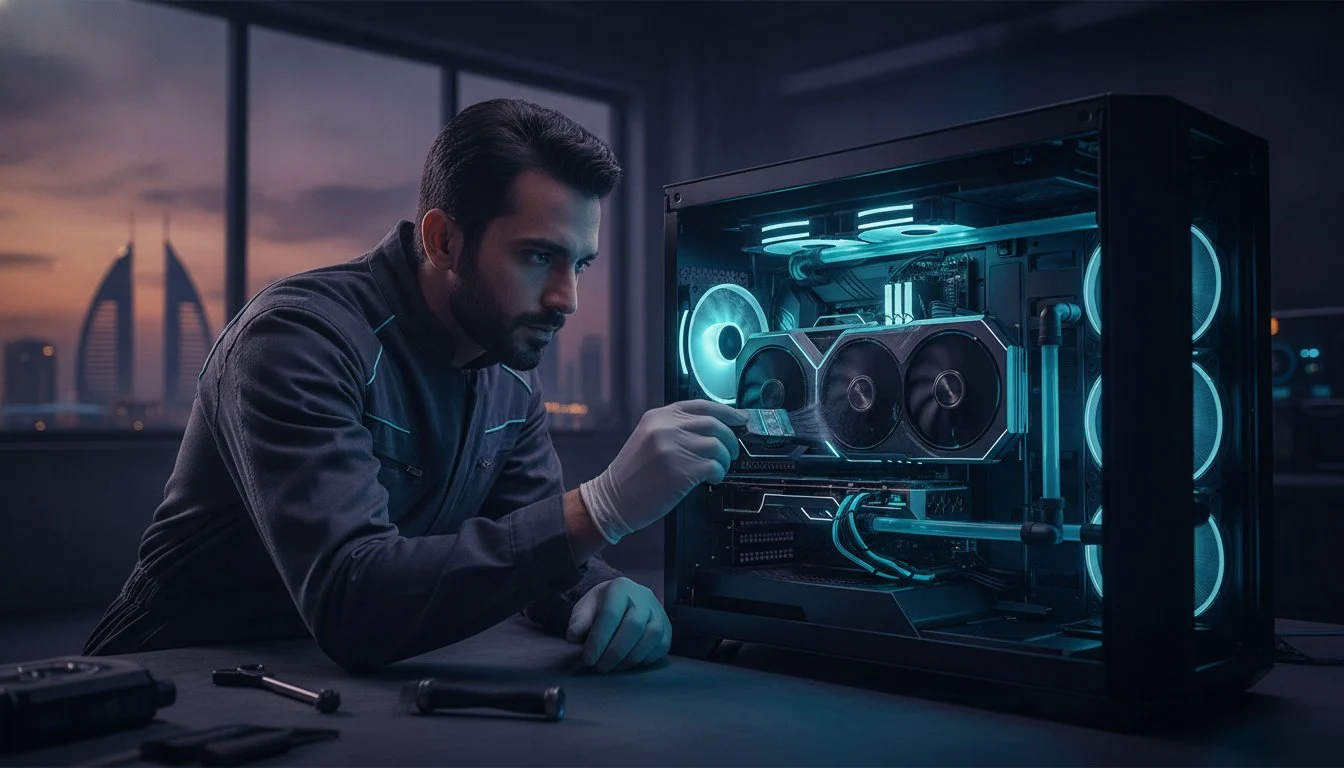

What if your $3,800 RTX 5090 is losing 15% of its power right now just because of the fine dust common in the Middle East? You’ve built a masterpiece of engineering, but even the most elite hardware can’t outrun the laws of physics without a rigorous gaming pc maintenance strategy. It’s frustrating to watch your frame rates stutter or your fans scream during a marathon session because of thermal throttling. You deserve the peak performance you paid for, and we understand that your PC is more than just a tool; it’s a bespoke expression of power.
Protecting your investment is vital in this high-cost 2026 market where component prices continue to climb. We’re going to help you master hardware preservation with a framework specifically designed for extreme climates. You’ll learn how to handle everything from the latest NVIDIA 610.47 driver updates to deep-cleaning your liquid cooling loops. We’ll walk through a monthly, bi-annual, and long-term checklist that keeps your components running at their absolute limit without the fear of hardware failure.
Key Takeaways
- Understand how to manage “Thermal Debt” in next-gen hardware like Gen5 SSDs and RTX 50-series GPUs under extreme environmental stress.
- Discover a systematic approach to gaming pc maintenance that focuses on power isolation and intake mesh decontamination to stop dust in its tracks.
- Master digital hygiene through clean GPU driver installs and essential BIOS updates to maintain peak throughput across all your applications.
- Identify the professional protocols required for maintaining 24/7 rendering workstations and complex multi-GPU arrays.
- Recognize when to step back and seek specialist intervention to protect your warranty and avoid catastrophic static discharge.
The 2026 Maintenance Landscape: Why High-Performance Rigs Demand Vigilance
Owning an ultimate gaming pc build in 2026 is a commitment to precision. It’s no longer enough to just blow some compressed air into the chassis once a year. We’re now dealing with “Thermal Debt,” the cumulative heat stress that builds up when your cooling system can’t fully dissipate the energy generated during high-intensity sessions. In the Blackwell era, components push the absolute limits of power density. Even a minor drop in cooling efficiency leads to aggressive thermal throttling, robbing you of the performance you paid for. Proper gaming pc maintenance is the only way to ensure your hardware doesn’t age prematurely under the weight of its own power.
The “Invisible Enemy” in the Middle East is the microscopic desert dust that bypasses even the most advanced mesh filters. This fine silt forms an insulative layer on your PCB, trapping heat against sensitive capacitors and VRMs. When combined with high coastal humidity, this dust can turn into a sticky residue that accelerates component oxidation and degrades the longevity of premium thermal pads. Consulting a comprehensive guide to computer maintenance reveals that environmental factors are often more damaging than actual usage hours. Vigilance isn’t optional; it’s a requirement for survival.
The Reality of Heat in Bahrain
Ambient room temperatures in Bahrain significantly impact AIO liquid cooler efficiency. When the air entering your radiator is already warm, the delta-T, the difference between the coolant and the air, shrinks, forcing your fans to spin faster and louder. This environment means standard maintenance intervals must be halved. If a global guide suggests a deep clean every six months, you need to do it every three. High-airflow cases are particularly vulnerable, as the constant intake of dust acts as an abrasive that can lead to premature fan bearing failure in even the most expensive units.
Hardware Evolution and New Maintenance Needs
The NVIDIA GeForce RTX 5090 is a beast that demands perfect airflow to stay within its tight thermal tolerances. During your routine checks, inspecting the 12VHPWR or 12V-2×6 cable seating is non-negotiable. A cable that has slightly shifted due to thermal expansion or vibration can create a high-resistance hotspot. Similarly, Gen5 NVMe SSDs are notorious for their extreme heat output, often requiring dedicated heatsinks with their own tiny fans. You must ensure these specialized coolers remain clear of debris to prevent your storage from slowing to a crawl during data-heavy gaming loads.
The Hardware Deep-Clean: A Systematic Approach to Dust and Thermal Management
Effective gaming pc maintenance is a ritual of precision. It’s the difference between a machine that merely runs and one that dominates. To maintain god-tier performance, you must move beyond surface-level wiping and adopt a professional, systematic cleaning protocol. This isn’t just about aesthetics; it’s about preserving the electrical integrity and thermal headroom of your high-end components. Follow these steps to ensure your rig remains a masterpiece of efficiency.
- Step 1: Power Isolation. Shut down your system and flip the PSU switch. Unplug the cable and hold the power button for ten seconds. This crucial step discharges remaining electricity from the capacitors, protecting you and your hardware from accidental shorts.
- Step 2: Filter Decontamination. Remove all magnetic and slide-out filters. Wash them with lukewarm water if they’re plastic mesh, or use a vacuum on low power for fabric variants. Ensure they are bone-dry before re-installation.
- Step 3: Internal Dusting. Use a high-velocity electric blower to clear the chassis. Unlike canned air, these provide consistent, moisture-free pressure. Always hold fan blades in place with a finger; allowing them to over-spin during cleaning can generate back-voltage or destroy sensitive bearings.
- Step 4: Fan Detailing. Use an anti-static brush to remove the sticky “dust-film” that clings to the leading edges of fan blades. This film creates turbulence, increasing noise and reducing static pressure.
- Step 5: Thermal Inspection. Check for signs of “pump-out” or cracking around the edges of your CPU and GPU coolers. If your temperatures have climbed by more than 5°C over three months, it’s time for a re-paste.
For those who want to dive deeper into the technical nuances of component care, this in-depth cleaning and optimization guide offers a fantastic baseline for standard procedures. However, in the 2026 hardware climate, we must go further to protect our bespoke builds.
Essential Tools for the 2026 Builder
Ditch the canned air immediately. It’s inconsistent and environmentally wasteful. A dedicated electric duster is a mandatory investment for any serious enthusiast. Combine this with 99% Isopropyl alcohol and lint-free wipes for contact cleaning. Standard 70% alcohol contains too much water, which can lead to trace oxidation on your motherboard’s delicate traces. If you find the process of handling these sensitive internals daunting, the specialists at Grey PC can provide the expert touch your system deserves.
Advanced Thermal Paste and Pad Application
High-wattage processors like the Intel Core i9-14900K are prone to the “pump-out” effect. This happens when the intense heat cycles cause the thermal paste to expand and contract, slowly pushing it out from the center of the Integrated Heat Spreader. For these large chips, we recommend the “X-method” combined with four small dots in the corners to ensure total coverage. Don’t forget your VRAM; if you’re pushing 240Hz+ on a flagship GPU, replacing factory thermal pads with high-conductivity aftermarket alternatives can drop memory temperatures by 10°C or more.
Digital Optimization: Fine-Tuning Your OS and Software for Maximum Throughput
Your hardware is a physical vessel, but your software is its soul. Even the most pristine, dust-free rig will stumble if the operating system is cluttered with digital debris. Digital excellence is the unseen half of gaming pc maintenance. To maintain a god-tier experience in 2026, you must ensure that every bit and byte is optimized to feed your high-end components without hesitation. Software bloat and driver conflicts are the primary causes of micro-stutters that ruin competitive play.
Driver hygiene starts with a scorched-earth policy. Standard installers often leave behind digital scar tissue that interferes with new software versions. When updating to the latest NVIDIA 610.47 WHQL or AMD Adrenalin 26.6.1 drivers, always use Display Driver Uninstaller (DDU) in Safe Mode. This process wipes every trace of the previous installation, ensuring a clean slate for the new driver to communicate with your GPU. It’s a non-negotiable step for anyone serious about frame time consistency.
Firmware is equally critical. In 2026, motherboard BIOS updates often include vital microcode for CPU stability and improved DDR5 memory training. Neglecting these updates can leave performance on the table or lead to intermittent system crashes. Similarly, your storage requires attention. While you should never defragment an SSD, ensuring the TRIM command is active for your Samsung 990 Pro 2TB is essential. This allows the controller to manage data cells efficiently, preventing the write-speed degradation that occurs as the drive fills up.
Windows 11/12 Gaming Optimization
Modern operating systems are notorious for background telemetry that siphons away CPU cycles. Disable unnecessary startup items and background apps to lower your DPC latency. Ensure “Game Mode” is active to prioritize your primary application, and enable Hardware-Accelerated GPU Scheduling (HAGS) to reduce overhead. For high-performance workstations, customize your power plan to “Ultimate Performance.” This prevents the CPU from down-clocking during brief idle moments, ensuring instant responsiveness when the action spikes.
AI-Driven Performance Monitoring
The 2026 landscape allows us to use AI-integrated telemetry tools to predict hardware failure before it happens. These utilities analyze sensor data to detect anomalies in voltage or fan RPM that might signal a dying PSU or a failing bearing. Set up custom fan curves that respond to the specific thermal signatures of your Blackwell-era hardware. Automating your software updates through a centralized manager can save time, but always verify that these tools don’t inject their own background bloat into your system.

Advanced Maintenance for Professional Workstations and Rendering Rigs
Standard gaming pc maintenance keeps your hobby alive, but professional workstation upkeep protects your livelihood. These machines often operate under 24/7 uptime conditions, enduring sustained thermal loads that would make a consumer rig buckle. When your system is crunching AI training models or rendering complex 3D scenes, the margin for error disappears. Vigilance here isn’t just about speed. It’s about reliability and the prevention of catastrophic data loss during a critical deadline. We treat these machines as the elite workhorses they are, requiring a more refined touch than a standard desktop.
Multi-GPU arrays present a unique challenge for the hardware specialist. In these high-density configurations, the primary card often chokes the airflow of the secondary unit. You must verify that fan curves are aggressive enough to prevent heat soak in the middle of the stack. Beyond the physical, monitor your ECC RAM stability via system error logs. Single-bit errors are corrected automatically, but a sudden spike in these events is a precursor to hardware failure. Don’t ignore your RAID array health. Use SMART monitoring tools to track drive longevity, as the constant read/write cycles of rendering can exhaust the endurance of even pro-grade SSDs faster than expected.
The Professional Video Editing Workstation
A high-performance video editing workstation requires specific digital housekeeping. High-resolution footage creates massive cache files in Adobe Premiere and DaVinci Resolve that can saturate your drive and slow down the timeline. Purge these monthly to maintain peak throughput. Physically, high-density drive bays are magnets for silt in desert environments. Ensure these bays are vacuumed regularly to prevent heat pockets. Pay close attention to VRM temperatures during long export cycles. If your motherboard’s power delivery system is hitting 90°C+, it’s time to adjust your case airflow or consider a more robust cooling solution.
Liquid Cooling Vigilance for Workstations
Liquid cooling in a workstation is a double-edged sword. While it offers superior thermals, it introduces mechanical points of failure that can be devastating. Inspect custom loops for “gunking” or biogrowth, which can happen if coolant isn’t swapped annually. Listen for the early signs of AIO pump failure: a high-pitched whine or a rhythmic clicking usually means the mechanical life of the pump is ending. In the Middle East, coolant evaporation through “permeation” is accelerated by high ambient heat. Check your reservoir levels every three months to ensure your pump never runs dry. If you need a machine built for this level of endurance, explore our range of Professional Rendering Workstations to see how we engineer for stability.
Professional Servicing: When Your Hardware Requires Specialist Intervention
There is a distinct line where enthusiast curiosity meets professional risk. While regular gaming pc maintenance like dusting and digital optimization can be handled at home, certain procedures demand a laboratory-grade environment. Opening a flagship GPU to replace thermal pads often voids manufacturer warranties and exposes the delicate PCB to catastrophic static discharge. We understand the internal character and “soul” of your technology. Sometimes, the best way to honor that craftsmanship is to step back and let a specialist with the right diagnostic arsenal take the lead.
Complex troubleshooting goes far beyond reading error codes. If you’re experiencing intermittent Blue Screens of Death (BSODs) or the aftermath of a power surge, the root cause could be microscopic. Our team utilizes the Grey PC Standard, a comprehensive 50-point maintenance inspection that scrutinizes everything from VRM ripple voltage to PCIe slot integrity. For systems exposed to extreme desert silt or smoke damage, we employ professional ultrasonic cleaning. This process uses high-frequency sound waves in a non-conductive chemical bath to strip away contaminants from places a brush could never reach, restoring your hardware to a factory-fresh state.
Why Choose Grey PC for Your Technical Support?
Precision requires more than just a screwdriver. Our Bahrain-based technical specialists have access to professional-grade diagnostic tools and high-resolution thermal imaging. This allows us to see heat soak patterns in real-time, identifying hotspots before they lead to component failure. The Blackwell architecture found in the latest 50-series cards uses incredibly dense power delivery systems. We provide expert re-pasting and thermal pad replacement specifically tuned for these high-wattage requirements, ensuring your GPU maintains its boost clocks without hitting thermal walls. It’s a transformative experience that breathes new life into your rig.
Securing Your High-Performance Legacy
A scheduled 6-month professional health check is the most effective way to preserve the resale value of your investment. In a market where high-end components cost thousands of dollars, a documented history of professional gaming pc maintenance proves to future buyers that the hardware hasn’t been abused. We don’t just fix problems; we prevent them. This proactive stance ensures your system remains at the pinnacle of performance for years to come. Don’t wait for a hardware failure to ruin your session. Book your professional PC maintenance session today and give your machine the elite care it deserves.
Secure Your Sustained Hardware Dominance
Your high-performance rig is a masterpiece of engineering that deserves more than accidental care. Mastering gaming pc maintenance is the ultimate shield for your Blackwell-era components; it ensures they never fall victim to the silent creep of thermal debt. We’ve explored the necessity of rigorous deep-cleaning protocols and the non-negotiable nature of digital hygiene. In the extreme climate of 2026, consistent vigilance is the only way to keep your frame rates at their absolute peak.
Whether you’re pushing a 24/7 rendering workstation or a bespoke gaming build, precision is our standard. Founded in 2018, Grey PC has established itself as Bahrain’s leading high-performance PC specialists. We don’t just assemble machines; we understand the internal character of the technology. Our experts are ready to apply a 50-point professional diagnostic checklist to your system, identifying vulnerabilities before they become failures.
Protect your investment with Grey PC’s Professional Maintenance Services and reclaim your thermal headroom. Let’s ensure your hardware continues to deliver the elite experience you’ve earned. Your path to sustained performance starts now.
Frequently Asked Questions
How often should I clean my gaming PC in Bahrain?
In Bahrain’s desert climate, you should perform a deep clean every three months and check your dust filters monthly. This is twice as frequent as global recommendations because of the fine silt and high humidity that can turn dust into a sticky, insulative layer. Regular gaming pc maintenance prevents this buildup from choking your high-end components and causing thermal throttling during intense gaming sessions.
Can I use a vacuum cleaner to remove dust from my PC?
You should never use a standard household vacuum cleaner inside your PC chassis. Vacuums generate significant static electricity at the nozzle, which can discharge and instantly kill sensitive motherboards or GPUs. Instead, use a dedicated high-velocity electric blower or an anti-static brush. These tools provide safe, moisture-free pressure without the risk of an electrostatic discharge that could turn your rig into an expensive paperweight.
Does professional PC cleaning really improve FPS?
Professional cleaning directly improves FPS by eliminating thermal throttling and restoring your hardware’s boost clock potential. When dust blocks your heatsinks, your CPU and GPU automatically lower their frequencies to prevent damage, causing visible performance drops. By clearing these obstructions and ensuring optimal airflow, you allow your components to sustain their maximum throughput, resulting in smoother frame rates and more consistent 1% lows.
When should I replace the thermal paste on my CPU and GPU?
You should replace your CPU thermal paste every two to three years under normal conditions. However, if you notice your temperatures have increased by 5°C to 10°C without a change in ambient air, it’s time for a refresh. High-wattage 2026 hardware is prone to the “pump-out” effect, where heat cycles push paste away from the die. GPU re-pasting is more delicate and should only be handled by specialists if factory pads have degraded.
Is liquid cooling more maintenance-heavy than air cooling?
Liquid cooling is significantly more maintenance-heavy than traditional air cooling. All-in-One (AIO) coolers require quarterly checks for pump noise and coolant permeation, while custom loops need an annual fluid flush and biogrowth inspection. Air coolers only require occasional dusting of the fin stacks. If you value 24/7 reliability for a workstation, the simplicity of a high-end air cooler often outweighs the thermal benefits of complex liquid setups.
What are the signs that my gaming PC is overheating?
The most common signs of overheating include fans spinning at maximum RPM during idle, sudden frame rate stutters, and unexpected system shutdowns or BSODs. You might also notice the chassis feeling unusually hot to the touch. Use AI-driven telemetry tools to monitor your sensors; if your CPU or GPU is consistently hitting 90°C+ during gaming, your gaming pc maintenance routine is overdue and your hardware is at risk.
How do I safely clean my mechanical gaming keyboard?
Safely cleaning your mechanical gaming keyboard involves removing the keycaps with a dedicated puller and using an electric blower to clear debris from the switch plate. Wipe the keycaps individually with a solution of mild soap and water, ensuring they are completely dry before re-assembly. For the switches themselves, use a Q-tip dipped in 99% isopropyl alcohol to remove any sticky residue without damaging the delicate internal springs or contacts.
Should I update my BIOS if my PC is running fine?
You should update your BIOS even if the system feels stable, as 2026 updates often include critical security patches and DDR5 memory training improvements. These updates refine how your motherboard communicates with high-speed components, often unlocking better stability or minor performance gains. While the “if it isn’t broken, don’t fix it” rule once applied, modern hardware requires these microcode refinements to maintain long-term health and compatibility with new software.