
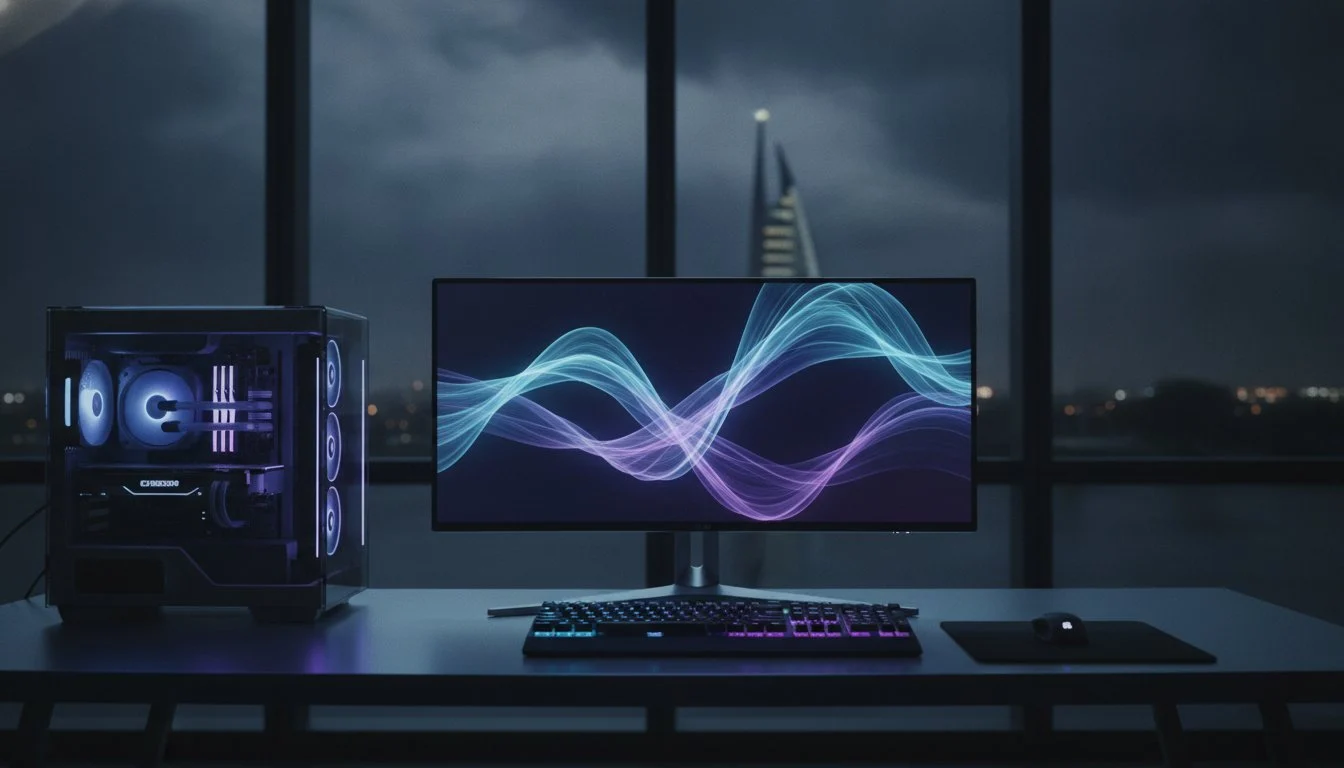

Your high-end gaming rig is only as fast as the glass you’re looking through. You’ve likely felt the sting of screen tearing during a clutch moment or noticed that frustrating motion blur when you’re tracking a target in a fast-paced shooter. It’s a common trap; even a powerhouse Grey PC build feels sluggish if your display can’t keep up with the frame delivery. Securing the right high refresh rate monitor bahrain is the final, essential step to unlocking god-tier smoothness and ensuring your hardware’s soul truly shines.
We understand the confusion between prioritizing raw 4K resolution or chasing the elite 360Hz and 500Hz speeds now dominating the 2026 market. You want a competitive edge, not a compromise. This guide promises to clear the fog, showing you exactly how to pair your GPU’s output with the perfect panel technology to eliminate blur forever. We’ll break down the latest OLED and Fast IPS options available in the Kingdom so you can build a future-proof setup that stays buttery smooth through every intense engagement.
Key Takeaways
- Learn why 144Hz has become the absolute baseline for modern gaming and how refresh rate (Hz) dictates your visual fluidity.
- Audit your hardware synergy to ensure your CPU and GPU can consistently drive a high refresh rate monitor bahrain at peak performance.
- Compare the real-world benefits of 240Hz versus 360Hz+ to see if your competitive edge justifies the move to pro-tier speeds.
- Decode panel technologies like OLED and IPS to balance lightning-fast response times with professional-grade color accuracy.
- Understand why expert curation and professional handling are vital for protecting and optimizing your high-end display investment.
What Defines a High Refresh Rate Monitor in 2026?
Speed is the primary currency of the modern digital experience. To truly master your setup, you must first understand the foundation: What is Refresh Rate? Technically, it is the number of times your display updates the image on screen every second, measured in Hertz (Hz). In the current landscape, the baseline has shifted dramatically. What was once considered “extreme” is now the standard for any serious user. Finding a high refresh rate monitor bahrain today means looking past the ancient 60Hz and 75Hz limitations that once defined office computing.
Currently, 144Hz is the absolute entry-level for gaming in the Kingdom. It is the floor, not the ceiling. For competitive eSports enthusiasts, the target has moved toward 360Hz and even 540Hz panels. These elite displays offer a level of fluidity that feels almost lifelike, removing the mechanical “jitter” associated with slower screens. Beyond the obvious performance gains, there is a significant health benefit. High refresh rates drastically reduce the micro-stutter that causes eye strain during marathon sessions. By delivering a more consistent stream of visual data, these monitors allow your brain to track motion naturally, keeping you fresh for hours on end.
Hz vs. FPS: The Crucial Distinction
It is a common mistake to use these terms interchangeably. Think of Hz as the physical capacity of your monitor, while FPS (Frames Per Second) is the raw output of your PC. Your monitor is a container. If you own a 240Hz display but your PC only outputs 60 FPS, you will experience a jarring “ghosting” effect. The screen is ready to update, but the hardware has no new data to provide, leading to visual artifacts. The ultimate visual harmony is achieved when every frame generated by the GPU finds an immediate and precise home within the monitor’s refresh window.
The 2026 Standard: Beyond 144Hz
For the majority of gamers in Bahrain, 240Hz has become the new sweet spot for 1440p resolution. It provides the perfect intersection of sharp detail and blistering speed. However, we are now seeing the emergence of 4K 240Hz OLED panels as the ultimate luxury standard for those who refuse to compromise. This technology is not strictly for the gaming elite. High-end professional video editing workstations now utilize these high-speed displays to ensure perfect motion clarity. When you are scrubbing through 8K timelines, you need to see every frame transition with absolute precision to spot errors that a standard monitor would simply blur over.
The Hardware Synergy: Can Your PC Handle 240Hz+?
A high refresh rate monitor bahrain is a precision instrument, but it cannot perform in isolation. It relies on a sophisticated hardware symphony to deliver that promised smoothness. Most generic retailers treat the monitor as a standalone peripheral. They overlook the “system latency triangle,” a critical relationship between your GPU’s frame delivery, the CPU’s processing speed, and the monitor’s ability to display that data without lag. If one link in this chain is weak, your investment is wasted. Understanding the technical nuances of Panel Technology: OLED, IPS, or VA is just as important as having a fast GPU, as each panel type interacts differently with your hardware’s output.
To push 240Hz or 360Hz, your CPU must be a beast. An Intel i9 or Ryzen 9 is often mandatory because the processor handles game logic and draw calls before the GPU even sees a frame. If your CPU can’t prepare frames fast enough, your monitor will sit idle. While average FPS looks good on a spreadsheet, 1% low frame rates dictate the actual “feel” of the game. If your 1% lows drop significantly, you’ll experience micro-stutter, rendering that 240Hz panel useless. NVIDIA G-Sync and AMD FreeSync act as a crucial safety net here, synchronizing the monitor’s refresh rate to the GPU’s output to prevent screen tearing during heavy action.
The GPU Bottleneck: RTX 40 and 50 Series
Modern gaming at high resolutions is a VRAM hog. An RTX 5090 provides the massive memory buffer required to push 4K textures at 240Hz. Without this headroom, your system will stutter as it swaps data between the GPU and system RAM. You should also leverage DLSS 3.5 and 4.0. These AI tools use Frame Generation to bridge the gap between native performance and your monitor’s peak refresh rate, ensuring your visuals remain fluid even in the most demanding Blackwell-era titles. If you’re building a new machine, check out our latest Grey PC custom build options to ensure every component is perfectly matched for high-speed gaming.
Cables and Bandwidth: DisplayPort 2.1 vs. HDMI 2.1
Bandwidth is the silent bottleneck in many high-end setups. If you’re still using an old HDMI cable, you’re likely capping your refresh rate or sacrificing color depth. To achieve uncompressed 4K 240Hz signals, DisplayPort 2.1 is the only viable path. It provides the massive data throughput needed for modern panels. Always look for “certified” labels when shopping in the local market. Poor quality cables lead to signal flickering, intermittent blackouts, and frustrating desync issues during competitive matches.
144Hz vs. 240Hz vs. 360Hz: Is the Upgrade Worth It?
Choosing a high refresh rate monitor bahrain often feels like chasing a moving target. While the jump from 60Hz to 144Hz is a transformative experience, the path toward 360Hz involves more nuance. You must weigh the raw speed against your primary use case. For the immersion seeker diving into AAA RPGs, a 144Hz or 175Hz panel offers a massive upgrade in fluidity without requiring the extreme hardware overhead of higher tiers. However, the “pro-gamer” perspective is different. In the elite tiers of competitive play, every frame is a piece of data that your brain uses to make split-second decisions.
The technical reality is found in the math of frame delivery. At 144Hz, your monitor refreshes every 6.94 milliseconds, while a 240Hz display slashes that window to just 4.17 milliseconds. This 2.77ms reduction provides a tighter loop between your input and the on-screen reaction. While you’ll encounter diminishing returns as you move from 240Hz to 360Hz, the increased clarity during rapid camera pans is undeniable. If your goal is to eliminate every possible barrier to performance, the higher refresh rate is a mandatory investment.
Response Time (GtG) and Input Lag
High Hz alone won’t save your visuals if the pixels themselves are sluggish. A 240Hz monitor with poor Grey-to-Grey (GtG) response time will still look “blurry” because the pixels can’t change colors fast enough to keep up with the refresh rate. This is where modern OLED technology changes the game. With response times as low as 0.03ms, OLED panels eliminate motion blur entirely. We specialize in pairing these elite displays with ultimate gaming pc builds to ensure your total system latency is minimized from the click of the mouse to the light hitting your eyes.
The Competitive Edge in eSports
In fast-paced titles like Valorant or CS2, success depends on tracking and flick shots. A smoother visual field reduces the “jitter” of moving targets, making it easier for your eyes to follow a player crossing a gap. There is also a significant psychological benefit. When your visual feed is perfectly fluid, you feel more connected to the game world, which builds the confidence needed for high-stakes matches. Real-world data suggests that while a monitor won’t give you talent, a 360Hz setup provides the consistent visual environment necessary to maximize the skills you already have.

Panel Technology: OLED, IPS, or VA for Bahrain Gamers?
Choosing the right panel is just as critical as selecting the Hz. While your PC provides the data, the panel determines the soul of the visual output. In the search for a high refresh rate monitor bahrain, you’ll encounter four distinct technologies, each with its own character. OLED is the undisputed king of contrast. Because each pixel is self-lit, you get true “inky” blacks and an infinite contrast ratio that makes games feel three-dimensional. However, you must manage static elements carefully to avoid burn-in. IPS remains the professional gold standard, offering superior viewing angles and the chromatic precision required for high-end professional video editing workstations.
VA panels offer a middle ground with deep blacks and high native contrast, though they often suffer from “dark level smearing” during fast motion at high refresh rates. If you play in a sun-drenched room in Bahrain, Mini-LED might be your best ally. It utilizes thousands of tiny LEDs to achieve blistering peak brightness, rivaling OLED’s HDR performance without the long-term risk of image retention. Each technology demands a specific trade-off between speed, color, and durability. To find the perfect balance for your specific setup, you can browse our curated selection of gaming and office monitors designed for the local climate.
Color Accuracy for Professionals
For editors and creators, speed isn’t everything. You need a display that covers at least 95% of the DCI-P3 color gamut. A high refresh rate on an IPS panel isn’t just for gaming; it makes scrubbing through a 4K timeline in Premiere Pro feel incredibly fluid. This motion clarity allows you to spot frame-level errors that a standard 60Hz display would mask. Balancing a pro-grade workflow with elite gaming performance is now possible on a single high-end display, provided you prioritize color depth alongside raw Hertz.
HDR Performance and Peak Brightness
Don’t be fooled by “HDR Ready” stickers. True HDR requires a high peak brightness, ideally reaching HDR 1000, to create the necessary separation between shadows and highlights. In the bright environments common in Bahrain, a monitor with low peak brightness will look washed out. Your visual experience also depends on how fast your system feeds the display. Integrating Samsung 990 Pro SSDs ensures your high-resolution assets and game textures load instantly, preventing the stutter that ruins high-speed HDR workflows. A bright, fast panel is only as good as the storage pipeline supporting it.
Why Buy Your High Refresh Rate Monitor from Grey PC?
A premium display is a fragile, high-performance instrument. Buying a high refresh rate monitor bahrain from a mass-market retailer often means receiving a box that hasn’t been vetted for the specific demands of a power user. At Grey PC, we act as your technical filters. We only curate panels that pass our rigorous “God-Tier” performance tests. This means we verify that the monitor you receive actually hits its advertised response times without excessive ghosting or backlight bleed. We understand that a screen is the window into your hardware’s soul; we treat it with the reverence it deserves.
Our service extends far beyond the point of sale. We provide national Bahrain delivery with professional handling, ensuring your fragile OLED or IPS panel arrives in pristine condition. Once it’s on your desk, our team remains available to help you calibrate your Windows and GPU settings. Many users unknowingly cap their performance through incorrect software configurations or outdated drivers. We eliminate that risk by ensuring your monitor perfectly matches the output of your Intel or Ryzen build, creating a zero-bottleneck environment where every frame is accounted for.
The Grey PC Custom Experience
Quality control is our primary signature. We offer no dead pixel guarantees on our premium displays, removing the “panel lottery” anxiety that plagues standard online shoppers. If you’re undecided on the speed you need, we invite you to experience our on-site testing. You can see the tangible difference between 144Hz and 360Hz with your own eyes before you commit to an upgrade. We also provide specialized bundle deals when you pair your new display with a custom build. This allows you to maximize your budget while securing a perfectly synchronized hardware ecosystem.
Future-Proofing Your Setup
The hardware landscape moves fast, and we stay ahead of the curve. We prioritize stocking DisplayPort 2.1 monitors to ensure your setup remains relevant for 2026 and the next generation of high-bandwidth GPUs. Whether you’re preparing for ultra-wide cinematic experiences or the latest high-fidelity VR headsets, we have the expertise to guide your path. Precision matters in every pixel. Contact us today for a personalized hardware consultation and let’s transform your visual experience into something truly extraordinary.
Master Your Visual Domain
The 2026 standard has redefined what it means to play and create at peak speed. You now understand that a high refresh rate monitor bahrain isn’t just a peripheral; it’s the final link in a sophisticated hardware chain. From the near-instant response of OLED panels to the massive bandwidth of DisplayPort 2.1, your display choice dictates your competitive ceiling. Achieving god-tier smoothness requires more than just high Hertz. It demands perfect synergy between your GPU, CPU, and professional calibration.
Since 2018, Grey PC has stood as Bahrain’s leading custom PC specialist. We don’t merely stock boxes. We curate and expert-test every piece of hardware to ensure it survives the most demanding gaming and professional workflows. Our commitment to your setup includes national delivery and on-site technical support to help you eliminate motion blur forever. Precision matters. Don’t let a sluggish screen hold back your Blackwell-era hardware. It’s time to embrace the clarity you deserve.
Upgrade your view with the best high refresh rate monitors at Grey PC. Your journey toward a future-proof, buttery smooth setup starts with a single, elite upgrade.
Expert Guidance: Frequently Asked Questions
Do I need a special cable for a 240Hz monitor?
Yes, bandwidth is everything when driving elite displays. To reach 240Hz at 1440p or 4K, you must use a DisplayPort 1.4 or 2.1 cable, or an Ultra High Speed HDMI 2.1 cable. Standard cables often cap at 60Hz or 120Hz. Always ensure your cable is certified to prevent signal dropouts or flickering during intense gaming sessions. Using the wrong cable is the most common reason for performance caps.
Can my laptop run a high refresh rate monitor?
Most modern gaming laptops can drive an external high refresh rate monitor bahrain through HDMI 2.1 or USB-C ports with DisplayPort Alt Mode. You must check your laptop’s specific port version to confirm the maximum supported Hz. Even if the laptop screen is 60Hz, the internal GPU can often push much higher rates to an external display. This allows you to turn a portable rig into a desktop powerhouse.
Is 4K 144Hz better than 1440p 240Hz?
This choice depends on your priority: cinematic detail or competitive speed. 4K 144Hz offers breathtaking clarity for AAA RPGs and professional work. However, 1440p 240Hz is the preferred choice for eSports because it provides a more fluid experience with lower system latency. Most gamers find 1440p 240Hz to be the current sweet spot for performance, balancing sharpness with blistering speed.
Why is my monitor stuck at 60Hz even though it’s a 144Hz screen?
Windows often defaults to 60Hz to save power or maintain compatibility. You must manually change this in your Advanced Display Settings. If the option for 144Hz isn’t there, check that you aren’t using an old HDMI cable and verify that your GPU drivers are fully updated. Occasionally, certain monitors only support their peak Hz through the DisplayPort input rather than the HDMI port.
Does a high refresh rate monitor improve video editing?
High refresh rates significantly enhance the editing experience by making timeline scrubbing and playback feel much smoother. When you move the playhead across a complex 4K project, the reduced motion blur allows you to see individual frame transitions more clearly. This precision helps in identifying micro-jitters or editing errors that might be missed on a standard 60Hz office screen. It makes the entire creative process feel more responsive.
What is the best refresh rate for competitive gaming in Bahrain?
For serious competitive gaming in the Kingdom, 240Hz is currently considered the gold standard. It provides a massive leap over entry-level 144Hz panels without requiring impossible hardware specs. If you are an elite eSports player in titles like Valorant or CS2, moving to a 360Hz or 540Hz high refresh rate monitor bahrain gives you the absolute lowest input lag possible. This setup ensures your reactions are never limited by your display.
Is OLED better than IPS for high refresh rate gaming?
OLED is superior for pure gaming smoothness due to its near-instant 0.03ms response times. It eliminates the ghosting often seen on IPS panels during fast movements. While IPS is still the reliable choice for color-accurate professional work, OLED offers the ultimate visual experience for gamers who want perfect contrast and the clearest motion currently available. It represents the pinnacle of modern display technology.
How do I check if my GPU supports 360Hz?
Check your GPU technical specifications for DisplayPort 1.4 or 2.1 support. Most NVIDIA RTX 30-series and 40-series cards, along with recent AMD Radeon cards, have the bandwidth to handle 360Hz at 1080p or 1440p. Remember that supporting the refresh rate is different from actually hitting 360 FPS in-game. You need a powerful CPU to match that speed and maintain a consistent experience.