
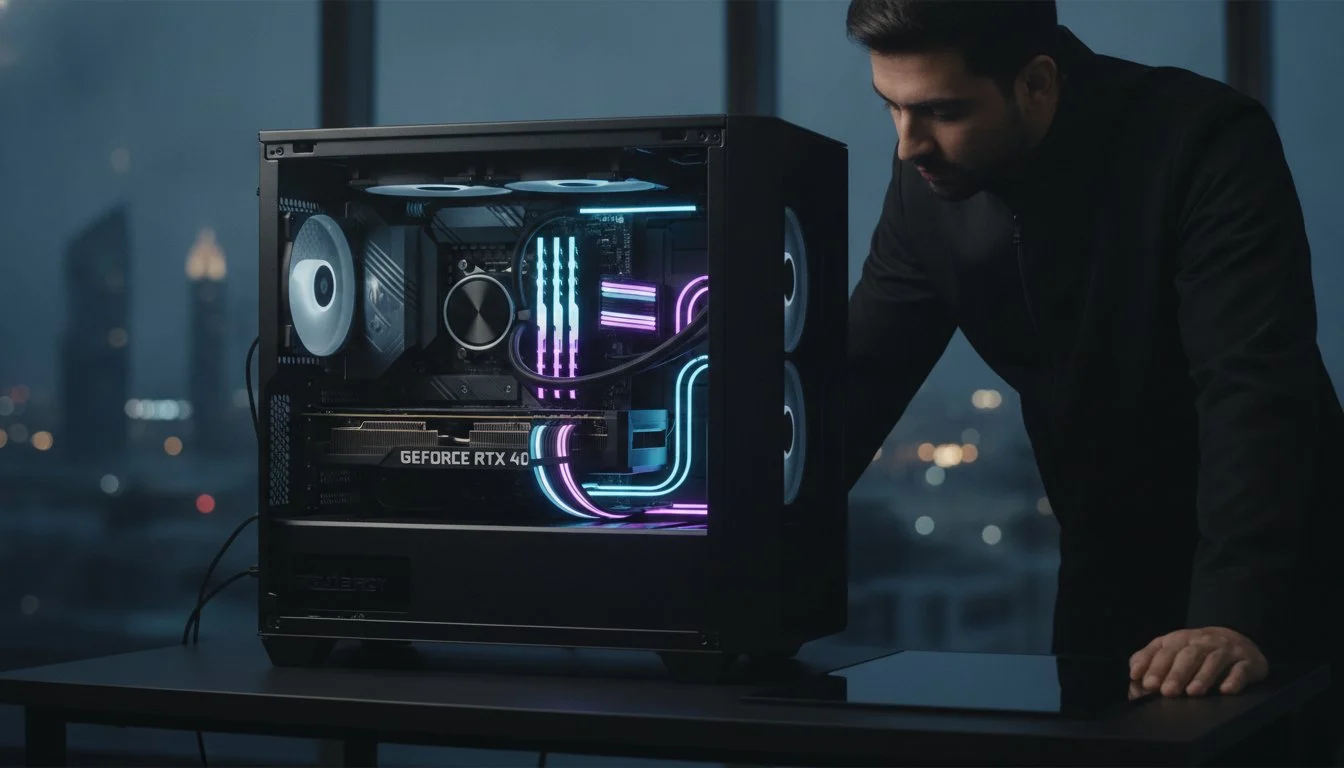

Your high-end GPU isn’t just a collection of circuits; it’s the soul of your creative engine, and in Bahrain’s intense climate, the environment is a silent predator. When your system starts throttling during a critical 3D render, the fear of permanent failure is real. Mastering pc hardware diagnostics bahrain is the only way to ensure your 2026 rig survives the summer months without losing its edge. We’ve seen even the most powerful builds buckle under the weight of extreme heat and dust if they aren’t properly monitored. It’s a frustrating experience that threatens both your productivity and your wallet.
We agree that your hardware deserves better than a generic “wait and see” approach. This guide empowers you with the professional authority to identify bottlenecks and shield your components from environmental stress. You’ll learn how to protect your investment from the unique challenges of the region while optimizing for modern workflows. We’re diving into advanced thermal management for 600W+ components, the latest diagnostic software suites, and the specific steps needed to verify system health before a minor glitch becomes an expensive, permanent disaster.
Key Takeaways
- Understand how Bahrain’s fine desert dust acts as unwanted insulation, silently choking your components and shortening their lifespan.
- Discover why a software “Pass” isn’t always enough and how professional pc hardware diagnostics bahrain reveal hidden stability issues that DIY tools miss.
- Learn to stress test the latest 600W+ GPUs and stabilize DDR5 RAM to ensure your workstation handles heavy 2026 workflows without crashing.
- Master the difference between “Hotspot” and “Edge” temperatures to identify cooling failures before they cause permanent hardware damage.
- Explore how bespoke servicing for professional video editing workstations goes beyond basic cleaning to unlock the true soul of your high-end machine.
Why PC Hardware Diagnostics are Critical in Bahrain’s Climate
In the world of high-performance computing, Bahrain represents the ultimate stress test. High ambient temperatures aren’t just uncomfortable; they’re destructive. When you push a 2026-era workstation, the heat generated internally meets a high external baseline, creating a dangerously narrow thermal window. Without regular pc hardware diagnostics bahrain residents often find their systems aging twice as fast as those in cooler climates. It’s the difference between a machine that lasts five years and one that fails in eighteen months.
Many users mistake a sudden system crash for a simple Windows bug. In reality, it’s often the physical “soul” of the machine crying out. Constant heat cycles cause microscopic degradation in the silicon. Software fixes can’t repair a physically damaged trace or a leaking capacitor. Identifying these issues early prevents total system collapse. For those running 2026 rigs with massive power draws, consistent pc hardware diagnostics bahrain protocols are the only way to catch silicon fatigue before it turns into an expensive paperweight.
The Impact of Extreme Heat and Humidity on Performance
Heat causes physical transformation. Through a process called thermal expansion, PC hardware components literally grow and shrink as they heat up and cool down. Over time, this stresses solder joints, leading to intermittent connection failures that are a nightmare to track down without professional tools. Humidity adds another layer of danger. It accelerates corrosion on exposed motherboard traces, creating high-resistance paths that can lead to short circuits. What’s considered a “normal” operating temperature in London or New York is often a red line in Manama. Your hardware needs a specialist who understands this local reality.
Fine Dust: The Silent Killer of Professional Workstations
Bahrain’s desert dust is unlike any other. It’s fine, pervasive, and highly efficient at creating a layer of “insulation” over your most sensitive parts. This dust blanket masks the true health of your hardware by trapping heat directly against the PCB. Diagnostic signs are often subtle. You might notice your fan RPMs are higher than usual or your CPU voltage is spiking to compensate for thermal resistance. Dust also wreaks havoc on fan bearings, leading to inaccuracy in cooling profiles. When your radiators are clogged, your liquid cooling loop has to work twice as hard, leading to premature pump failure. Regular checks ensure these silent killers are neutralized before they claim your high-end GPU.
DIY Diagnostic Tools vs. Professional Benchmarking
Software success doesn’t guarantee hardware health. You might see a green checkmark in your OS while your capacitors are silently failing. Effective pc hardware diagnostics bahrain requires moving beyond basic triage to understand the physical limits of your machine. A system that “works” for browsing might buckle the moment you launch a high-resolution render. We distinguish between functional hardware and optimal hardware; the gap between the two is where most performance loss occurs.
Built-in Windows Tools for Quick System Checks
The 2026 Windows Diagnostic Hub is a solid starting point for initial triage. It provides a centralized dashboard to identify obvious driver conflicts or basic component failures. You should also master the Event Viewer. Look specifically for “Kernel-Power” or “WHEA-Logger” critical errors. These are the digital breadcrumbs of hardware instability. However, tools like mdsched.exe for memory testing are often too surface-level. They might pass a faulty DDR5 stick that only errors out under the intense heat of a Bahraini afternoon. Use these for quick checks, but don’t consider them a clean bill of health.
Why Software Reports Only Tell Half the Story
Software reporting is limited by the sensors it can access. Firmware often smooths out data, masking brief voltage drops or thermal spikes that cause “ghost” instability. A professional benchmark doesn’t just run a loop. It pushes your machine to its absolute limit under actual professional rendering loads. This is where we identify “silicon lottery” degradation. Some chips lose their ability to maintain high clock speeds over time, especially when exposed to the environmental stressors common in the region. Software might report a “Pass” while your GPU is secretly downclocking to prevent a crash, robbing you of the performance you paid for.
True experts use external hardware monitoring to find what software misses. Thermal cameras reveal hotspots on motherboard VRMs that internal sensors can’t see. Multimeters verify that your power supply is delivering the 12V rail stability required for a 600W+ GPU. If your system feels sluggish despite “passing” grades, it’s time for a deeper look. A Grey PC custom build undergoes this exact level of scrutiny to ensure it performs as intended, not just as reported. Professional benchmarking is about validating the soul of the hardware, ensuring every component meets its rated specification under the most grueling conditions.
Advanced Troubleshooting for High-Performance Components
The hardware of 2026 demands a radical shift in diagnostic philosophy. We aren’t just checking for “on” or “off” anymore. We’re measuring the soul of the machine under extreme electrical loads. In a region where ambient heat is a constant factor, pc hardware diagnostics bahrain must account for the massive power draws of modern components. A 600W+ GPU doesn’t just need a driver update. It needs a perfectly stable power rail and a VRAM buffer that doesn’t choke under the pressure of a 4K render.
GPU and VRAM Stability Testing for 4K Editing
When you’re pushing the NVIDIA GeForce RTX 5090 to its limits, the margin for error vanishes. VRAM failure often manifests as subtle artifacting. You’ll see stray pixels, flickering textures, or geometric anomalies rather than a total crash. This is distinct from a driver timeout, which is usually a software-level conflict. In Bahrain, the primary threat is the power connector itself. High-wattage cards generate immense heat at the point of contact. We use thermal imaging to identify connector hot zones before they reach the melting point. Stress testing should always involve a sustained thermal load that mimics a long workday. A five-minute burst isn’t enough to reveal deep-seated stability issues.
DDR5 RAM and Storage Integrity Checks
DDR5 brings incredible speed, but its internal complexity makes traditional testing obsolete. Unlike DDR4, DDR5 uses on-die ECC. This can mask minor errors while silently slowing down your system. If your XMP or EXPO profiles are failing, it’s often a sign that the motherboard’s VRMs are struggling with the heat. Similarly, high-speed storage like the Samsung 990 Pro 2TB requires active monitoring. NVMe drives are notorious for thermal throttling. Once they hit their limit, read and write speeds drop to a fraction of their rated performance. We look for firmware-level errors that indicate the controller is failing under the heavy I/O loads of 2026 workflows.
Don’t overlook the Power Supply Unit (PSU). High-end rigs are sensitive to voltage ripple and sag. If your 12V rail drops even slightly during a GPU spike, your system will reboot without warning. Common signs of PSU degradation include:
- Sudden system reboots during heavy rendering or gaming tasks.
- A noticeable “coil whine” that changes pitch with system load.
- Inconsistent performance from connected high-speed USB peripherals.
- Unexpected blue screens with “Power Kernel” error codes.
Isolating a faulty RAM stick or a sagging PSU rail requires a methodical approach. We test each component in isolation to ensure that one weak link isn’t compromising the entire workstation. This level of precision is what separates a standard repair from a professional performance restoration.

Thermal Throttling: Identifying and Solving Heat-Related Issues
When your workstation begins to stutter mid-render, you’re witnessing a defensive reflex. Thermal throttling is the hardware’s way of surviving the Bahraini climate. While previous sections covered the electrical soul of the machine, this is about the physical reality of heat dissipation. Effective pc hardware diagnostics bahrain requires a deep dive into sensor data to distinguish between a minor fan curve issue and a total cooling collapse. It’s not just about how fast your fans spin; it’s about how efficiently that heat leaves the silicon.
Reading Thermal Sensors and Interpreting Data
You must look beyond the “package temperature” to find the truth. Modern GPUs report an “Edge” temperature, which is an average of external sensors, and a “Hotspot” temperature, representing the actual peak on the silicon die. A delta of more than 20°C suggests your cooler isn’t making proper contact or your thermal paste has failed. For 2026 processors, the T-Junction Max represents the absolute thermal ceiling, usually between 100°C and 105°C, where the silicon initiates aggressive downclocking to prevent catastrophic failure. Don’t ignore your VRMs during heavy 3D rendering. If these power delivery components hit 90°C or higher, your system will lose stability regardless of how cool your CPU stays.
Optimizing Airflow and Cooling for Long-Term Stability
Your chassis choice dictates your thermal longevity. If you’re running a Lian Li PC-O11 Dynamic, you have a masterclass in airflow, but only if the fan orientation is correct. Many builders accidentally create a “negative pressure” environment. This turns your case into a vacuum that sucks fine desert dust through every un-filtered crack and port. Look for dust patterns around the IO shield or PCIe slots; it’s a diagnostic red flag for improper pressure. If your temps remain high despite a clean case, your liquid cooling pump might be the culprit. A dead pump is a sudden death sentence. If your CPU hits 100°C within seconds of booting, feel the tubes. One should be significantly warmer than the other. If they’re both cold and the radiator is silent, your pump has likely failed.
Physical degradation is the silent enemy of performance. Thermal paste can “pump out” over hundreds of thermal cycles, where expansion and contraction literally push the material out from between the die and the cold plate. If your temperatures have crept up over six months, the material has likely dried or migrated. Don’t let heat rob you of your machine’s potential. If your sensors are screaming, it’s time for a professional intervention. Secure your rig’s future by scheduling a comprehensive thermal audit at Grey PC to restore your peak performance and ensure your hardware survives the next summer heatwave.
Expert Technical Support: The Grey PC Diagnostic Advantage
Generic repair shops treat your system like a commodity. At Grey PC, we treat it like a masterpiece. When you seek pc hardware diagnostics bahrain, you shouldn’t settle for a basic “format and clean” routine that ignores the underlying physical health of your silicon. Our bespoke hardware servicing is a deep dive into the internal character of your machine. We don’t just find what’s broken; we identify exactly where your system is losing its competitive edge. It’s a sophisticated process that bridges the gap between raw technical data and peak real-world performance.
Our diagnostic protocols for video editing workstations and 3D rendering rigs are particularly rigorous. We understand that for professional creators, downtime isn’t just an inconvenience; it’s a financial blow. We also provide enterprise-grade diagnostics for corporate fleets, including bulk requirements for Dell Optiplex, HP, and Lenovo systems. Whether you’re an enthusiast with a single custom rig or an IT manager overseeing a server fleet, our health audits ensure your hardware investment remains secure against the brutal environmental stressors of the region.
Precision Diagnostics for Professional Machines
We’ve developed a signature protocol for auditing high-stakes AI workstations and 3D rendering stations. We use specific alphanumeric naming conventions for our custom builds and diagnostic profiles, creating a proprietary record of your machine’s evolution. This isn’t just a mechanical task; it’s a transformative performance audit. We analyze everything from VRM thermal efficiency to DDR5 latency consistency under load. By the time your machine leaves our lab, it doesn’t just “work” again. It performs with the precision and soul that the original builders intended, fully optimized for the demanding workflows of 2026.
Secure Your Hardware Legacy in Bahrain
Regular professional diagnostics are the only way to prevent catastrophic hardware failure in our unique desert climate. We act as your trusted partner and seasoned mentor for your technology. We’ve seen the evolution of the field and understand how fine dust and extreme heat conspire against your components. A Grey PC health audit identifies these threats early, extending the longevity of your high-end GPUs and processors. Don’t wait for a total system collapse to take action. You’ve invested in elite hardware; give it the elite care it deserves. Book your professional hardware diagnostic at Grey PC today and secure the legacy of your machine.
Future-Proof Your Rig Against the Bahraini Heat
Your high-performance machine is an investment in your creative potential. We’ve explored how Bahrain’s unique climate demands more than just a passing glance at software sensors. Proactive pc hardware diagnostics bahrain are the only way to catch silicon fatigue and thermal paste migration before they lead to permanent damage. Precision is mandatory. From stabilizing 600W+ GPUs to auditing complex liquid cooling loops, our methodology ensures your system thrives where others fail.
Since 2018, Grey PC has focused on the internal character of elite custom builds. We are builders who understand the soul of professional workstations and gaming rigs. Our national technical support provides the grounded authority your high-end components require to perform at their peak. Don’t let environmental stress dictate your productivity. Get a Professional Hardware Audit from the Builders at Grey PC and ensure your workstation is ready for the intensive workflows of 2026. Your hardware deserves a partner that values quality over generic solutions. Keep pushing the limits of what’s possible; we’ll handle the stability.
Frequently Asked Questions
How often should I perform hardware diagnostics on my PC in Bahrain?
You should perform comprehensive hardware diagnostics every three to six months to combat the aggressive environmental stressors found in Bahrain. High ambient temperatures and fine desert dust accelerate component degradation more rapidly than in cooler climates. Regular checks catch early signs of silicon fatigue before they manifest as system-wide failures. This proactive approach is essential for maintaining the soul of your high-performance rig and ensuring its longevity through the intense summer months.
What are the most common signs of a failing graphics card (GPU)?
Visual artifacting, such as stray pixels or flickering textures, is the most common indicator of a failing GPU buffer or VRAM. You might also experience sudden driver timeouts or black screens under heavy rendering loads. If your fans are spinning at maximum RPM while performance remains sluggish, the card’s thermal interface may have failed. These symptoms suggest the hardware is struggling to maintain its internal integrity and requires an immediate technical audit.
Can software tools fix hardware problems identified during diagnostics?
Software tools cannot physically repair damaged hardware components identified during a diagnostic session. While firmware updates can sometimes mitigate stability issues by adjusting power limits or fan curves, they don’t fix leaking capacitors or degraded silicon traces. If a diagnostic report reveals a physical fault, the component requires professional servicing or replacement to restore the machine’s transformative performance levels. Software is merely the messenger for the physical state of the machine.
Why is my PC performing slower even though the hardware diagnostics say “Pass”?
A “Pass” grade often indicates basic functionality but not necessarily optimal performance under load. Your system might be passing basic checks while aggressively thermal throttling to prevent a crash, which robs you of speed. This is why professional pc hardware diagnostics bahrain specialists look for sensor data like clock-speed dips and voltage sag. Basic OS utilities often miss these nuanced performance bottlenecks that occur during actual professional 2026 workflows.
Is thermal throttling a hardware failure or a settings issue?
Thermal throttling is a protective mechanism rather than an outright hardware failure, though it often points to a failing cooling solution. It occurs when components reach their T-Junction max and downclock to stay safe. While it can be caused by poor fan curve settings, in Bahrain it’s frequently due to dust accumulation or dried thermal paste. If your settings are correct but throttling persists, your cooling hardware is likely underperforming and needs attention.
How does Bahrain’s humidity affect my internal PC components?
Bahrain’s high humidity accelerates corrosion on exposed motherboard traces and internal connectors, leading to increased electrical resistance. Over time, this moisture can cause microscopic short circuits or intermittent signal failures that are difficult to track without specialized tools. We often see humidity-related degradation in systems that aren’t kept in climate-controlled environments. Protecting your rig requires a combination of high-quality cases with proper seals and regular professional inspections to catch corrosion early.
What is the difference between a system stress test and a diagnostic test?
A diagnostic test identifies specific component faults, while a system stress test pushes your hardware to its absolute limit to verify stability under pressure. Diagnostics look for errors in the VRAM or firmware; stress tests simulate grueling 2026 workloads like 8K rendering to see if the machine crashes. Both are critical components of pc hardware diagnostics bahrain protocols to ensure your machine is truly ready for high-stakes professional use without risk of failure.
Should I attempt to replace failing hardware parts myself?
You can safely replace simple components like SSDs or RAM, but high-stakes parts like 600W+ GPUs and custom liquid loops require professional expertise. Modern hardware is incredibly sensitive to static discharge and improper mounting pressure. One mistake with a high-end processor can lead to a catastrophic and expensive failure. For professional workstations, we recommend trusting a seasoned builder who understands the internal character and complexity of the technology to ensure a successful restoration.