
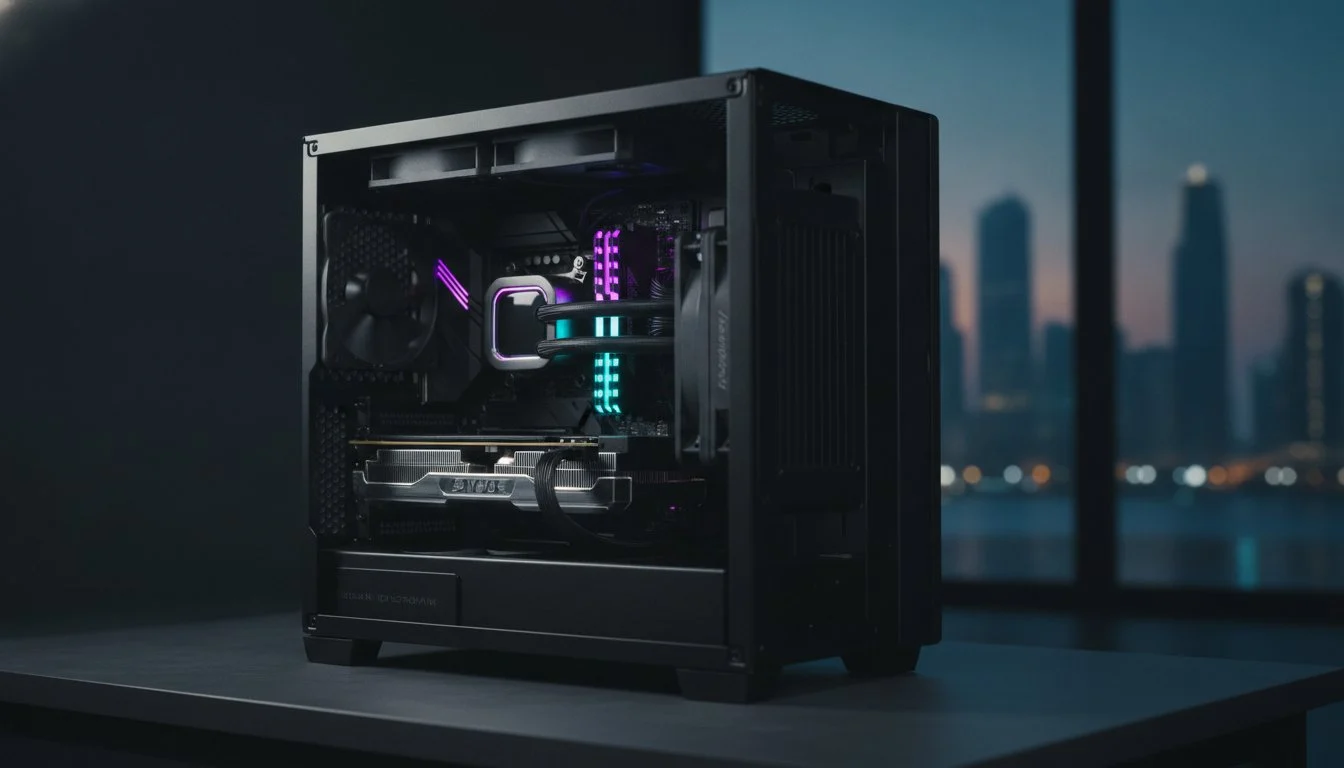

In the scorched, dusty environment of Bahrain, your high-end gaming rig isn’t just fighting digital enemies. It’s suffocating under a layer of fine desert silt that acts as a thermal blanket for your most expensive components. Securing a professional computer cleaning service bahrain is no longer a luxury for enthusiasts; it’s a critical insurance policy for elite hardware. You’ve likely felt the anxiety of watching your frame rates dip or hearing your fans scream during a heavy 4K render session because of thermal throttling. It’s a justified fear, especially when the thought of opening a premium workstation to clean an RTX 5090 yourself carries risks of static discharge or accidental damage.
We understand that your machine has a specific character that requires precision care rather than a generic blast of air. This article explores how professional-grade maintenance preserves thermal performance and extends the lifespan of premium rigs in our unique climate. You’ll discover how to achieve restored “like-new” cooling, whisper-quiet operation, and the total peace of mind that comes from specialist handling. We also preview the latest 2026 trends, including the move toward sustainable electric dusters and why expert CPU repasting is the secret to maintaining a competitive edge in the Bahraini heat.
Key Takeaways
- Understand how Bahrain’s fine desert dust combines with humidity to create a “cementing” effect that traps heat and chokes your premium hardware.
- Identify the critical warning signs of thermal throttling, from aggressive fan noise during idle tasks to noticeable performance stutters in creative workflows.
- Discover why a professional computer cleaning service bahrain is the only safe way to avoid the catastrophic risks of static discharge and fan bearing damage.
- Learn how specialized deep-cleaning techniques reach the core of heatsink fins to restore whisper-quiet, like-new thermal performance that canned air cannot achieve.
- Explore the benefits of white-glove servicing that treats maintenance as a transformative process to protect the internal character and lifespan of your rig.
The Bahrain Environment: Why Dust is the Silent Killer of Performance
Bahrain’s atmosphere presents a unique, aggressive challenge for high-end electronics that most standard maintenance guides simply don’t account for. The combination of microscopic desert silt and high ambient humidity creates a specialized threat to your hardware’s longevity. In our region, dust isn’t just a dry powder you can easily blow away. When these fine particles enter your chassis and mix with the moisture in the air, they undergo a process known as “cementing.” This creates a thick, grimy layer that sticks to heatsink fins and fan blades with stubborn persistence.
This environmental sludge acts as a thermal blanket, trapping heat directly against your silicon. If you haven’t sought a professional computer cleaning service bahrain recently, your system is likely already struggling. Unlike traditional computer maintenance in cooler climates, our local conditions require a more aggressive, precision-based approach to keep airflow channels clear. High-TDP components, such as the latest generation of processors and flagship graphics cards, are particularly vulnerable. These parts generate immense heat and rely on perfect thermal exchange to maintain their advertised clock speeds.
When your cooling system fails to dissipate this heat, the hardware enters a state called thermal throttling. This is a desperate survival mechanism where your CPU or GPU intentionally slows itself down to prevent a catastrophic meltdown. You might notice this as a sudden drop in frames during a gaming session or a sluggish response in your creative software. It’s your hardware’s way of screaming for help before permanent damage occurs.
Thermal Throttling and Your Bottom Line
For video editors and 3D rendering professionals, heat is a direct tax on your profitability. Time is your most valuable asset, and a dusty rig is actively stealing it from you. When your system throttles, your render times don’t just increase slightly; they can skyrocket. Industry data suggests that a mere 10% drop in thermal efficiency can lead to a 20% or greater decrease in render speeds. Every minute your fans spend struggling against “cemented” dust is a minute added to your project deadline. Professional workstations require peak efficiency to ensure that your hardware delivers the ROI you expected when you bought it.
The ‘Invisible’ Damage of Heat Cycles
Consistent overheating causes more than just temporary slowdowns. It triggers premature component degradation through aggressive heat cycles. As parts heat up and cool down, they physically expand and contract. Excessive heat makes these fluctuations more extreme, putting immense stress on motherboard capacitors and delicate solder joints. Over time, this leads to instability, random crashes, and eventually, total hardware failure. Your ultimate gaming pc build represents a masterpiece of modern engineering. It deserves better than a dusty fate that shortens its lifespan and robs it of its soul. Precision cleaning is the only way to ensure your investment remains a high-performance beast for years to come.
Beyond the Air Can: What Professional Computer Cleaning Actually Involves
Most users think a quick blast from a canister is enough. It isn’t. Canned air often just pushes dust deeper into the unreachable crevices of your components, creating hidden blockages. A true computer cleaning service bahrain goes much further. We dismantle the airflow path to reach the core of the heatsink fins. This is where the “cemented” dust mentioned earlier hides; it forms a barricade that no retail air can could ever hope to penetrate. It is a precision task that requires a builder’s touch.
Fan blades are another critical focus. Over time, microscopic dust buildup creates an imbalanced weight distribution. This leads to increased vibration, louder operation, and eventual bearing failure. We utilize specialized cleaning techniques to restore the factory-spec balance of every fan in your system. This process includes a deep audit of your Voltage Regulator Module (VRM) cooling. These tiny components handle massive power delivery. If their thermal pads are choked by dust, your system stability will tank regardless of how cool your CPU remains under load.
Handling elite hardware requires a controlled, static-safe environment. Modern DDR5 RAM and multi-layered motherboards are incredibly sensitive to electrostatic discharge (ESD). Professionals use grounded equipment and anti-static tools that the average home user lacks. This level of care is essential for maintaining a proper workstation environment where sustained performance is the priority. We treat every component as a bespoke piece of engineering, not a mass-produced commodity.
The Science of Thermal Interface Materials (TIM)
Middle East heat is brutal on Thermal Interface Materials. High ambient temperatures accelerate the drying process of thermal paste, turning it into a brittle, insulating crust. This is especially dangerous for flagship GPUs like the NVIDIA GeForce RTX 5090 for sale, which requires perfect contact to manage its high power draw. Thermal conductivity is the measure of a material’s ability to transfer heat from the silicon die to the heatsink; fresh paste is non-negotiable every 12 to 18 months to prevent thermal degradation.
Cable Management and Airflow Optimization
Messy cables are more than an eyesore. They act as “dust traps” and disrupt the laminar airflow required to move heat out of the case efficiently. During a deep clean, a professional rebuild ensures your cables are routed to promote positive pressure. This configuration keeps dust out by ensuring air only enters through filtered intakes. If your rig feels sluggish or cluttered, a Grey PC custom build audit can breathe new life into your hardware and restore its internal soul.
DIY vs. Specialist Cleaning: Protecting Your High-End Investment
Opening your side panel for a quick dusting might seem harmless. However, without the right equipment, you risk turning a maintenance task into a costly repair. One of the most common DIY mistakes is “spinning” fans with compressed air. When air hits fan blades at high velocity, it can force them to spin well beyond their rated RPM. This causes immediate bearing damage and can even generate a back-current that fries your motherboard headers. A professional computer cleaning service bahrain prevents this by physically securing every fan before cleaning begins.
Static discharge remains the most dangerous silent threat to your silicon. Household vacuums and synthetic brushes are massive static magnets. A single microscopic spark, often unfelt by your hand, can kill a delicate component instantly. Specialist technicians operate in ESD-safe zones using ionized air and non-conductive solvents. Beyond just removing debris, the “Rebuild” factor adds significant value. Every component is reseated to ensure perfect electrical contact, cables are checked for heat-related wear, and thermal pads are inspected for oil leakage. It is a comprehensive health check that spots early signs of hardware failure before they become catastrophic.
When to DIY and When to Call the Pros
Routine maintenance is a spectrum. While a user can handle basic external dusting, deep internal work requires a specialist’s touch. The risk assessment of opening a professional video editing workstation without a grounding strap is simply too high for most businesses. High-value components, like when you make a Samsung 990 Pro 2TB buy, require delicate handling to avoid damaging the controller or NAND chips with oils from your skin.
| Feature | Monthly Surface Dusting (DIY) | Annual Deep Clean (Professional) |
|---|---|---|
| Tools Used | Microfiber cloth, hand blower | Industrial blowers, ESD-safe solvents |
| Scope | Case filters and exterior panels | Full teardown, repasting, fan balancing |
| Risk Level | Low | Zero (Specialist Insured) |
| Performance Gain | Minimal | Restored “Like-New” Thermals |
The Specialist Advantage
Professionals have access to industrial-grade tools that are far more effective than retail canned air. We use specialized non-conductive solvents to break down the “cemented” dust mentioned earlier. This expertise is vital for complex enthusiast cases like the Lian Li PC-O11 Dynamic, where multi-chamber designs and intricate fan layouts can hide dust pockets from casual view. Every service concludes with rigorous post-cleaning stress testing. We verify thermal improvements under load to ensure your rig is ready for the next 1,000 hours of peak performance. This is the difference between a simple dusting and a transformative hardware restoration.

The 2026 PC Maintenance Checklist: Is Your Rig Overdue?
Your hardware has a voice. If you listen closely, it tells you exactly when it is suffocating under the weight of Bahrain’s microscopic desert silt. High-end components are expressive; they don’t just fail silently. The first warning sign is often audible. If your fans ramp up to maximum velocity while you are simply browsing the web or handling basic office tasks, your thermal solution is struggling. This “aggressive idling” means your cooling system is working twice as hard to achieve half the results. It is a clear signal that it is time to book a computer cleaning service bahrain before the hardware sustains permanent wear.
Performance stutters are the next red flag. You might notice sudden, inexplicable frame rate drops in intensive games or a jarring lag while scrubbing through the timeline in Adobe Premiere Pro. These aren’t software bugs. They are the physical symptoms of your silicon pulling back power to stay alive. A quick physical inspection often confirms the suspicion. Look for “grey fuzz” accumulating on your intake filters, radiator fins, or the backplate of your GPU. If you see visible buildup on the exterior, the internal state of your machine is likely far worse. Finally, consider the calendar. If it has been more than 18 to 24 months since your last deep clean and repaste, your thermal interface is almost certainly brittle and ineffective.
Diagnostic Signs of Thermal Throttling
You don’t have to guess about your system’s health. Professional-grade software tools like HWInfo64 or MSI Afterburner provide a real-time window into the “soul” of your machine. For modern enthusiast hardware, idle temperatures should typically sit between 35°C and 45°C. While flagship CPUs and GPUs are designed to handle loads up to 90°C, consistently hitting 100°C or higher is the danger zone. You can identify a ‘thermal wall’ by spotting a plateau in temperature that occurs at the exact same moment your clock frequencies take a sharp, sudden dive in your performance logs. This proves your cooling hardware is no longer capable of dissipating the heat generated by your workload.
The Impact of Neglect
Neglect follows a predictable, destructive path. It begins with “it’s just a bit loud” and inevitably ends with “it won’t turn on.” In the humid environment of Bahrain, dust buildup isn’t just an insulator; it can become a conductor. When fine dust absorbs ambient moisture, it can create bridge points on your motherboard that lead to short circuits. This risk is why proactive maintenance is 10x cheaper than replacing a fried motherboard or a flagship graphics card. Don’t wait for a catastrophic failure to value your investment. You can schedule a professional hardware audit today to ensure your workstation remains a reliable partner in your creative or gaming pursuits.
Grey PC’s White-Glove Servicing: Restoring Your Rig’s Soul
At Grey PC, we don’t view maintenance as a mechanical chore. We see it as a restoration of the internal character that defines your hardware. Every machine that enters our lab is treated with the same pride in craftsmanship we apply to our most elite custom builds. Our computer cleaning service bahrain is a transformative experience designed to reclaim the “soul” of your technology from the suffocating desert environment. We don’t just clear dust; we recalibrate your rig for peak performance and long-term stability.
Bahrain’s elite gamers and creative professionals trust our technical assembly process because we speak the language of high-end hardware. We apply our proprietary alphanumeric build standard to every service, ensuring that your machine returns to you with the same precision and aesthetic order as a factory-fresh unit. This commitment to quality has made us the trusted partner for users who demand zero compromise from their flagship components. We understand that a workstation is an investment, and our white-glove servicing is the ultimate insurance policy against the environmental stressors of our region.
The Full Deep Clean & Rebuild Process
Our process is exhaustive and uncompromising. It begins with the complete disassembly of your components. We don’t just spray air into the case; we remove the GPU, heat sinks, and fans to clean them individually. This allows us to reach the deep-seated “cemented” grime that standard cleaning misses. We then perform a precision repasting of your CPU and GPU using premium thermal interface materials to ensure maximum thermal conductivity. The service concludes with rigorous stress testing. We provide a detailed thermal report for every customer, documenting the “before and after” performance metrics. This is our seal of authenticity, proving that your rig has been restored to its peak operational state.
Book Your Professional Service
Maintaining a high-performance rig shouldn’t be a source of anxiety. Whether you have a single enthusiast machine or a corporate fleet requiring maintenance, we offer specialized solutions tailored to your needs. Our technical services are designed to provide quiet operation and restored “like-new” cooling, giving you the freedom to focus on your renders or your rank. Don’t let your investment suffer a dusty fate. Protect your performance and book your Grey PC cleaning service today! We are ready to handle the heavy lifting, ensuring your hardware remains as powerful as the day you first turned it on.
Reclaim Your Peak Performance Today
Your hardware represents a masterpiece of engineering. It shouldn’t be throttled by the harsh environmental realities of the Middle East. We’ve explored how professional maintenance goes beyond simple dusting to include precision repasting and deep airflow optimization. Choosing a dedicated computer cleaning service bahrain ensures your machine remains whisper-quiet and thermally efficient even under the heaviest 4K render or gaming loads. It is the ultimate insurance policy for your silicon.
At Grey PC, we treat every rig with the same pride in craftsmanship that has defined our business for years. Our expert technicians leverage over 8 years of custom build experience within a specialized anti-static laboratory environment. This level of precision is why we are trusted by Bahrain’s top professional editors and elite gamers to handle their most sensitive components. Don’t let your investment suffer a dusty fate. Book Your Professional PC Cleaning Service at Grey PC and give your hardware the transformative care it deserves. Your rig is ready to perform at its absolute best again.
Frequently Asked Questions
How often should I get my computer professionally cleaned in Bahrain?
You should schedule a professional deep clean every 6 to 12 months to combat Bahrain’s aggressive environmental stressors. The unique combination of fine desert silt and high humidity creates a stubborn “cementing” effect that retail blowers simply cannot penetrate. Regular intervals ensure your thermal interface remains fresh and your cooling channels stay clear of performance-robbing debris.
Can I use a vacuum cleaner to clean my PC at home?
Never use a household vacuum cleaner to clean your internal PC components. Vacuums generate massive amounts of static electricity that can kill sensitive silicon instantly through electrostatic discharge. A professional computer cleaning service bahrain uses specialized ESD-safe blowers and grounded equipment to ensure your hardware’s internal character remains intact throughout the process.
Will professional cleaning actually make my computer faster?
Professional cleaning restores your computer’s speed by eliminating thermal throttling and allowing your hardware to breathe. When “cemented” dust is removed and thermal paste is replaced, your CPU and GPU can maintain their peak clock speeds without being forced to slow down to prevent overheating. It effectively unlocks the raw performance you’ve already paid for but were losing to heat.
Is it safe to clean my PC with isopropyl alcohol?
High-purity isopropyl alcohol, specifically 99% concentration, is the industry standard for removing brittle thermal paste and PCB contaminants. It evaporates quickly without leaving conductive residue. However, it should never be used on acrylic case panels or certain monitor coatings. We use specific non-conductive solvents tailored to different materials to prevent accidental aesthetic or structural damage.
What happens if I never clean my gaming computer?
Neglecting your hardware leads to a predictable cycle of aggressive fan noise, performance degradation, and eventual component failure. Over time, the dust buildup becomes a conductive sludge in humid conditions. This can cause microscopic short circuits on your motherboard or flagship graphics card, turning a simple maintenance task into a total system replacement.
Does Grey PC offer cleaning services for corporate office fleets in Bahrain?
Yes, we provide specialized bulk maintenance solutions for corporate office fleets across the Kingdom. We handle large-scale requirements for Dell Optiplex, Lenovo, Acer, and HP systems with professional consistency. Regular servicing for your business workstations reduces unexpected downtime and extends the hardware lifecycle, offering a significant return on your technology investment.
How long does a full deep-cleaning and repasting service take?
A full deep-cleaning and repasting service typically takes 24 to 48 hours. This timeframe allows our specialist technicians to perform a complete disassembly, individual component cleaning, and rigorous post-service stress testing. We prioritize precision over speed to ensure every rig meets our alphanumeric build standards before it returns to your workstation.
Will professional cleaning fix my PC if it keeps crashing?
Professional cleaning will fix your PC if the crashes are caused by thermal instability or extreme overheating. If your system shuts down during heavy 3D rendering or gaming, it is likely a safety measure triggered by dangerous temperatures. However, if the issue is software-related, a clean won’t be a magic fix. We perform a diagnostic check to identify the true root of the problem.