
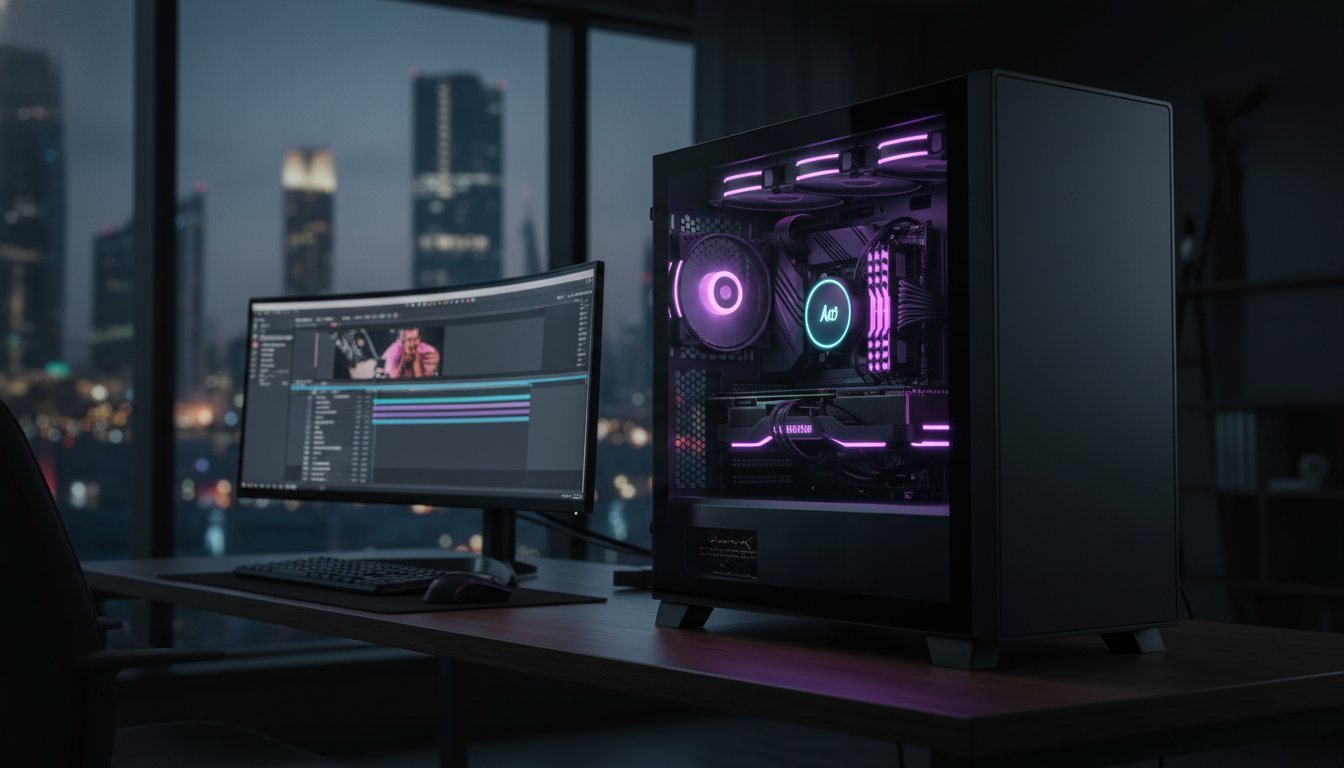

In the peak of a Bahraini summer, your high-end workstation isn’t just a creative tool; it’s a furnace that could be actively killing your productivity. You’ve likely felt the sting of thermal throttling during a critical render or the annoyance of a stuttering timeline while trying to scrub through high-bitrate footage. Finding the right 4k video editing pc build bahrain professionals can rely on means looking beyond raw specs and focusing on hardware that survives the local climate.
We understand that waiting for exports is lost revenue, and choppy playback is a creative killer. You deserve a machine that offers fluid, zero-lag editing and blistering export speeds, even when the ambient temperature climbs. This guide reveals the exact hardware configurations, including the latest RTX 5080 16GB and high-performance Ryzen processors, paired with the thermal-first architecture required to stay ahead in 2026. We’ll explore the specific components and professional assembly techniques that transform standard hardware into a professional-grade workstation built for the long haul.
Key Takeaways
- Identify why standard gaming specs fail in professional NLE software and how to build for the 10-bit 4:2:2 standard.
- Select the ideal combination of high-VRAM GPUs and multi-threaded CPUs for a 4k video editing pc build bahrain pros need for seamless 2026 workflows.
- Beat the heat with cooling strategies that combat Bahrain’s humidity and dust while keeping your render speeds at their peak.
- Configure a high-speed three-tier storage system to eliminate timeline stuttering and secure your most valuable creative assets.
- Learn how professional stress testing and cable management turn a collection of parts into a reliable, elite workstation.
Defining the 2026 4K Video Editing Workstation
The era of 8-bit video is dead. In 2026, the baseline for professional content has shifted to 10-bit 4:2:2 4K workflows as the absolute industry standard. This leap in color depth and chroma subsampling offers incredible flexibility in post-production, but it demands massive computational power. A generic “high-end” PC won’t cut it anymore. You need a specialized non-linear editing system (NLE) designed to handle these dense bitstreams without breaking a sweat.
Many retailers claim that any gaming PC is sufficient for creative work. That’s a dangerous misconception. While gaming rigs prioritize high frame rates in a single application, a professional 4k video editing pc build bahrain requires a synergy of multi-threaded performance and massive I/O throughput. Gaming builds often lack the VRAM or the specific hardware decoders needed to scrub through a timeline without dropping frames. We build for stability under 100% load; precision is our signature.
True power comes from balance. It’s about the relationship between your CPU cores, GPU tensor cores, and your storage bus. If one component lags, the entire workflow stalls. Hardware-accelerated encoding and decoding are now mandatory features. Without dedicated silicon for H.264, H.265, and AV1, your renders will crawl regardless of how many cores you throw at them.
The 4K Bottleneck: CPU vs. GPU
When designing a 4k video editing pc build bahrain, high clock speeds are the secret to a snappy interface. When you’re scrubbing through a 4K timeline, single-core frequency dictates how fast the frames update. However, the GPU is the heavy lifter for color grading and noise reduction. VRAM capacity is non-negotiable. If you’re working with complex nodes or 4K textures, an 8GB card will cause crashes. For 2026, AV1 encoding is a mandatory requirement. It offers superior quality at lower bitrates, and your hardware must support it natively to stay competitive in a modern delivery environment.
Software-Specific Optimization
Adobe Premiere Pro lives and dies by the Mercury Playback Engine. It thrives on a combination of high-clock processors and Nvidia GPUs. For DaVinci Resolve users, the GPU is the undisputed king. Resolve is designed to offload almost everything to the graphics card. If you’re shooting Blackmagic RAW or ProRes RAW, you need massive VRAM buffers to maintain real-time playback at full resolution. Investing in a bespoke video editing workstation ensures that your hardware is tuned for these specific software demands rather than generic benchmarks.
Core Components: Selecting the Best Hardware for 4K Editing
Selecting the right silicon is the difference between a machine that empowers your creativity and one that constantly interrupts it. A professional 4k video editing pc build bahrain requires a strategic balance of multi-threaded processing power and massive data throughput. We don’t just look at clock speeds; we look at how these components communicate under the sustained pressure of a three hour render. In 2026, the introduction of PCIe 5.0 NVMe storage has finally eliminated the data bottleneck, allowing your system to feed high-bitrate 4K assets to your processor at speeds exceeding 12,000 MB/s.
CPU: The Brain of the Workstation
The central processor remains the primary engine for timeline scrubbing and encoding. When evaluating the Intel Core i9-14900K vs the Ryzen 9 9950X, you’re choosing between two different philosophies of power. Intel’s architecture features QuickSync technology, which provides dedicated hardware acceleration for H.264 and HEVC codecs, making it a favorite for editors working with mirrorless camera footage. On the other hand, the Ryzen 9 9950X offers staggering multi-threaded performance that shines during heavy CPU-based rendering. For a deeper technical dive into these requirements, Intel’s hardware guide for 4K editing provides essential data on optimizing your encoding pipeline.
GPU: Accelerating the Creative Process
The graphics card is no longer just for gaming; it’s the primary engine for color grading, noise reduction, and AI-driven effects. The NVIDIA GeForce RTX 5090 for sale is the undisputed king of the Blackwell era, offering 24GB of high-speed VRAM. This capacity is the “sweet spot” for 4K workflows. It allows you to stack multiple nodes in DaVinci Resolve without hitting memory limits. While single-GPU setups are standard, professionals working with heavy 3D integration often opt for multi-GPU configurations to slash render times. You can browse our latest Graphic Cards / GPUs to find the exact performance tier your projects demand.
RAM and Memory Architecture
In 2026, 64GB of DDR5 RAM is the absolute minimum for professional 4K editing. As projects grow in complexity, your system needs a massive, high-speed buffer to store active timeline data. DDR5 speeds, often exceeding 8000MT/s, significantly reduce the latency you feel when jumping between different points on a high-resolution timeline. For long-form documentary work or feature films where system uptime is critical, ECC (Error Correction Code) memory provides an extra layer of protection against data corruption during multi-day renders. Precision memory selection ensures your workstation remains stable when the stakes are highest.

Thermal Management in the Bahrain Environment
Bahrain’s climate presents a unique challenge for high-performance computing. When you’re pushing a 4k video editing pc build bahrain through a complex multi-layered render, heat is your primary adversary. Thermal throttling occurs when your components reach their safety limits and automatically downclock to prevent damage. This doesn’t just slow you down; it halts your creative momentum. Maintaining peak performance requires more than just a standard fan; it requires an architecture designed for the desert.
The physics of air pressure and dust filtration are critical in our region. We prioritize positive air pressure configurations to ensure that air is forced out of every crack in the chassis, preventing fine sand and dust from settling on your sensitive electronics. Keeping professional hardware under 75°C isn’t just about speed; it’s about protecting your investment. High operating temperatures accelerate component degradation. By implementing advanced thermal management strategies, we ensure your workstation delivers the same blistering speeds in year three as it did on day one.
Case selection is a functional decision, not an aesthetic one. A professional workstation needs a high-volume internal environment to prevent heat soak during long work sessions. We select chassis based on their thermal conductivity and airflow paths, ensuring that every watt of heat generated by your GPU and CPU is efficiently exhausted from the system.
Liquid Cooling vs. High-End Air Cooling
For the high-TDP processors used in 2026 workflows, we recommend 360mm or 420mm All-In-One (AIO) liquid coolers. These systems provide the thermal mass necessary to absorb sudden heat spikes during intensive encoding tasks. In dedicated professional studios, custom cooling loops offer even greater efficiency and lower noise floors. Regardless of the system, a strict maintenance schedule is vital. In the Middle East, we suggest a six month internal cleaning and fluid check to combat the effects of ambient humidity and fine particulates.
Case Airflow and Component Protection
The Lian Li PC-O11 Dynamic remains a gold standard for professional builds due to its versatile fan mounting options and dual-chamber design. We utilize a specific intake-to-exhaust ratio to maintain workstation stability under 100% load. Beyond fans, the small details matter. We use premium thermal compounds and specialized contact frames for Intel CPUs to ensure perfectly flat mating surfaces. These technical refinements can drop temperatures by an additional 5 to 8 degrees, providing that crucial thermal headroom needed during a Bahraini summer.
Storage Strategy: NVMe, SSDs, and Data Security
Your storage configuration is the circulatory system of your workstation. A single, large SSD might seem convenient, but it’s a recipe for performance bottlenecks and data catastrophe. For a professional 4k video editing pc build bahrain, we implement a strict three-tier storage architecture. This system separates your operating system from your active project files and your temporary cache data. By isolating these data streams, you ensure that your drive controller never has to choose between loading an application and reading a high-bitrate 4K stream. It’s about maintaining a clean, uninterrupted flow of information.
Speed requirements for 4K RAW playback are uncompromising. When you’re working with uncompressed or lightly compressed 4K footage, your storage must sustain read speeds that keep the buffer full at all times. Reliability is equally critical in professional hardware procurement. We only source enterprise-grade NVMe and SSD components because a drive failure in the middle of a high-stakes project is simply not an option. For final hand-offs, high-speed external connectivity like Thunderbolt 4 or USB4 is essential to move terabytes of data to clients in minutes rather than hours.
The NVMe Revolution
The Samsung 990 Pro 2TB has earned its place as the industry standard for scratch and cache drives. It offers the sustained write speeds necessary for intensive rendering without the performance dips found in consumer-grade alternatives. While PCIe Gen4 is incredibly fast, Gen5 drives are the new frontier for 2026, pushing speeds beyond 12,000 MB/s. This difference is palpable when scrubbing through complex multi-cam 4K timelines or working with 6K and 8K proxies. However, these high speeds generate significant heat. We always pair these drives with dedicated, high-mass heatsinks to prevent thermal sagging during long workdays in the Bahraini climate.
Redundancy and Backups
Data security isn’t optional for professionals; it’s a fundamental part of the craft. We often implement RAID 1 or RAID 10 configurations for local project drives to ensure that a single hardware failure doesn’t kill a production. For creative teams in Bahrain, a local NAS (Network Attached Storage) is the heartbeat of collaborative editing. It allows multiple editors to access the same media pool simultaneously over a high-speed 10GbE network, ensuring that version control is never an issue. Your final archive should always live in a secure cloud environment, providing a geographical fallback for your most valuable assets. If you’re ready to secure your workflow, you can explore our full range of Storage SSDs and HDDs to build your redundant array today.
The Grey PC Custom Build: Professional Assembly for Bahrain
Selecting the finest components is only half the battle. The true character of a high-performance machine emerges during the assembly process. While mass-produced pre-built systems often prioritize speed of assembly over precision, a video editing workstation from Grey PC is a bespoke masterpiece. We treat every 4k video editing pc build bahrain as a unique engineering challenge. Our goal is to eliminate the variables that lead to system instability, ensuring your hardware operates in perfect harmony with your creative software.
Our procurement process is built for the professional. We understand the frustration of limited local stock, so we leverage our supply chain to secure flagship components like the RTX 50-series and high-frequency DDR5 RAM. Whether you are an independent filmmaker or an agency with bulk corporate requirements, we handle the logistics of specialized hardware. You receive a machine that is ready to dominate 2026 workflows from the moment you press the power button. We don’t just sell parts; we deliver a transformative experience that redefines your productivity.
Expert Stress Testing and Optimization
Stability is the foundation of professional work. Every 4k video editing pc build bahrain undergoes a grueling 24-hour stress test before it leaves our facility. We simulate sustained, 100% render loads to ensure your power supply, cooling system, and silicon can handle the pressure. Our builders implement custom fan curves tailored specifically for the Bahraini climate. These curves are more aggressive than stock settings, ensuring your workstation stays ahead of ambient heat spikes. We also provide meticulous cable management. This isn’t just for aesthetics. It creates a clear, aerodynamic path for cool air to reach your most critical components, preventing the heat soak that kills performance.
Ongoing Support and Maintenance
A professional workstation is a long-term investment that requires elite care. We provide a comprehensive local warranty and priority technical support for creative agencies across Bahrain. If you encounter a bottleneck, our specialists are ready to assist. We also offer scheduled maintenance packages that include deep hardware cleaning and thermal paste re-application. In our desert environment, dust is a silent killer that leads to overheating and component failure. Regular servicing keeps your system running at peak efficiency for years to come. Don’t settle for a generic retail box. Build your god-tier 4K editing PC with Grey PC today and secure the reliability your career demands.
Elevate Your Creative Output with a Custom Workstation
Building a machine that survives the desert heat while crushing 10-bit 4K renders requires more than just high-end parts. It demands a thermal-first architecture and a storage strategy that eliminates every possible bottleneck. You’ve seen how the right synergy between NVIDIA’s Blackwell GPUs and the latest multi-threaded processors can transform your timeline from a stuttering mess into a fluid creative space. This level of performance is essential for staying competitive in the 2026 media landscape.
A professional 4k video editing pc build bahrain specialists recommend isn’t a commodity; it’s a bespoke instrument. At Grey PC, we combine premium components from NVIDIA, Intel, and AMD with Bahrain-based expert assembly and specialized stress testing designed for high-heat environments. We ensure every build is optimized for your specific NLE software, giving you the reliability to meet every deadline without fear of thermal throttling.
Ready to stop waiting for renders and start creating? Consult with Grey PC for your custom 4K editing workstation and experience the difference that precision engineering makes. Your next masterpiece is waiting to be built.
Frequently Asked Questions
Why is my 4K video playback choppy even with a good PC?
Choppy playback is usually caused by a codec mismatch or a storage bottleneck rather than a lack of raw power. High-bitrate 10-bit 4:2:2 files require specific hardware decoders or extremely fast NVMe read speeds to play back smoothly without proxies. If your storage can’t feed the data fast enough or your CPU lacks native decoding for that specific codec, the timeline will stutter regardless of your GPU strength.
How much RAM do I really need for 4K video editing in 2026?
You need a minimum of 64GB of DDR5 RAM for a professional 4k video editing pc build bahrain standards demand in 2026. While 32GB might suffice for simple cuts, complex timelines with multiple layers, 10-bit color grading, and motion graphics will quickly saturate your memory. If you’re working with 6K or 8K assets, 128GB is the recommended ceiling to ensure the OS doesn’t swap data to slower storage.
What is the best GPU for DaVinci Resolve in Bahrain?
The NVIDIA GeForce RTX 5090 is the undisputed king for DaVinci Resolve due to its massive 24GB VRAM and high CUDA core count. Resolve is a GPU-centric NLE, meaning it offloads color grading and AI-driven neural engine tasks directly to the graphics card. For those on a tighter budget, the RTX 5080 16GB offers a perfect balance of speed and memory for high-resolution creative workflows.
Can I use a gaming laptop for professional 4K video editing?
You can use a high-end gaming laptop for light editing, but it’s not a viable long-term solution for professional 4K workloads. Laptops suffer from aggressive thermal throttling and power limits that prevent components from reaching their true performance potential. A dedicated workstation provides the sustained power and cooling necessary for multi-hour renders that would cause a laptop to overheat and downclock during a project.
How does the Bahrain weather affect my PC’s rendering performance?
High ambient temperatures and humidity in Bahrain lead to faster heat saturation within your PC case. When the internal temperature rises, your CPU and GPU will automatically lower their clock speeds to protect themselves, a process known as thermal throttling. This results in significantly longer render times and potential system instability if your cooling solution isn’t specifically designed and optimized for the local desert climate.
Should I choose Intel or AMD for a video editing workstation?
The choice depends on your specific software and primary codecs. Intel processors are often preferred for Adobe Premiere Pro users because of QuickSync, which provides hardware acceleration for H.264 and HEVC files. However, AMD Ryzen 9 chips typically offer superior multi-threaded performance for heavy CPU rendering and 3D integration, making them a powerhouse for DaVinci Resolve and Cinema 4D users who need raw core counts.
What is the difference between a custom workstation and a pre-built PC?
A custom workstation is built with hand-selected components optimized for specific professional software, whereas pre-built PCs often use generic, mass-produced parts. Custom builds allow for precision tuning, such as specialized fan curves for the Bahrain environment and high-end thermal compounds. You get a machine with a unique character designed for your exact creative needs rather than a one-size-fits-all retail product from a big-box store.
Is liquid cooling safe for a professional workstation?
Modern All-In-One (AIO) liquid coolers are incredibly safe and are the preferred choice for high-TDP professional workstations. They offer superior heat dissipation compared to traditional air coolers, keeping your processor stable during intensive 4K exports. As long as you follow a regular maintenance schedule to clear dust from the radiators, a high-quality liquid cooler is a reliable, quiet, and efficient thermal solution for any high-end build.