
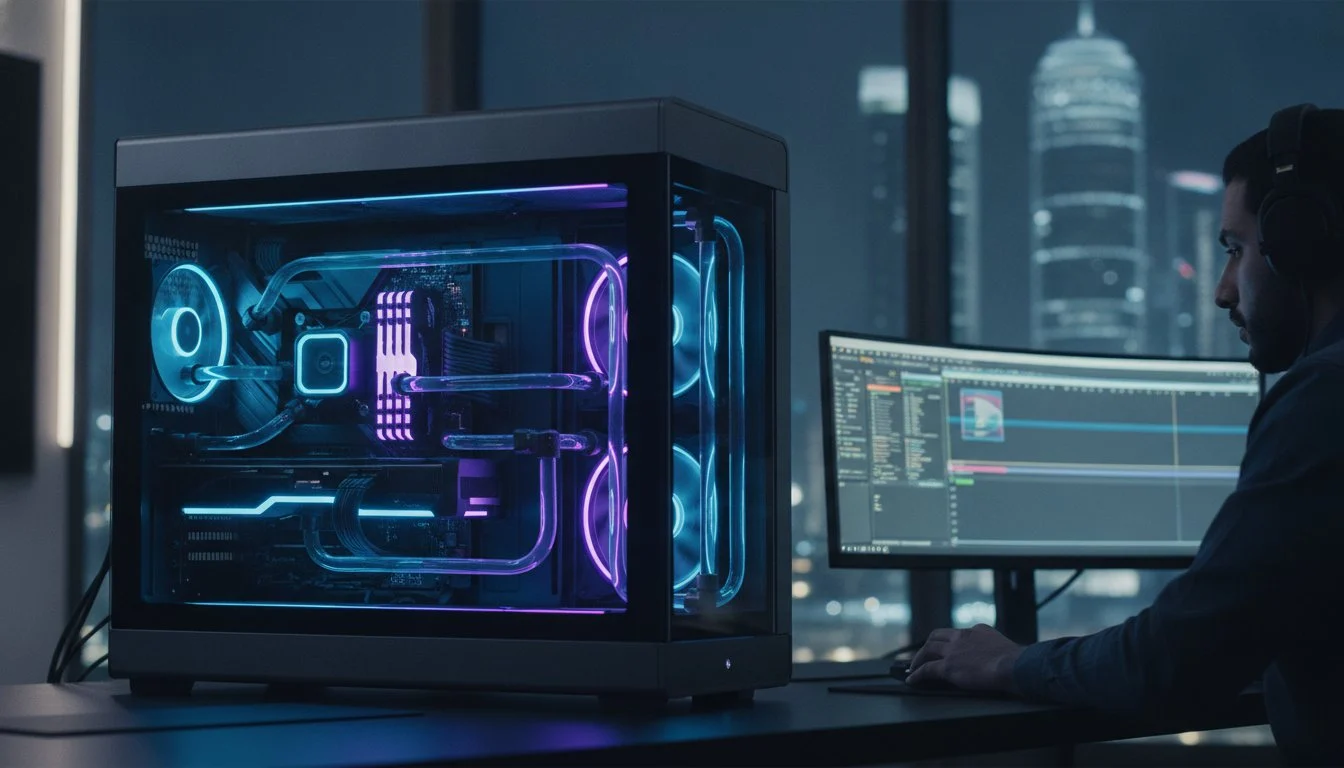

A single NVIDIA GeForce RTX 5090 now delivers the same raw processing power as three previous-generation 4090s combined. If you’ve spent your afternoon staring at a frozen 4K render or wrestling with choppy timeline playback in Resolve, you know that off-the-shelf hardware just doesn’t cut it anymore. We understand that a professional workstation is more than a list of parts; it’s the engine of your career. Finding the right pc for davinci resolve and after effects requires a delicate balance between massive GPU acceleration and the extreme RAM capacity needed for complex motion graphics.
This 2026 guide reveals the exact configurations required to achieve real-time 8K playback and instant RAM previews, even in the most demanding compositions. You’ll discover how to pair the Intel Core Ultra 9 285K or Threadripper 9000 series with PCIe Gen5 storage to eliminate bottlenecks for good. We’re also addressing the critical thermal challenges of high-performance builds, ensuring your bespoke machine stays cool and reliable during those marathon export sessions. It’s time to build a system that doesn’t just keep up with 2026 codecs but dominates them.
Key Takeaways
- Identify the critical hardware bottlenecks that cause standard gaming computers to fail during professional color grading and motion graphics tasks.
- Discover the exact balance of GPU cores and VRAM needed to configure the ultimate pc for davinci resolve and after effects.
- Learn why 64GB of DDR5 RAM and PCIe Gen5 storage are now mandatory for maintaining smooth playback in 4K and 8K workflows.
- Understand how specialized thermal management and high-airflow chassis prevent hardware throttling in challenging climates like Bahrain.
- Explore the performance advantages of a bespoke workstation tailored specifically to the unique demands of the Adobe and Blackmagic ecosystems.
Why Standard PCs Fail DaVinci Resolve and After Effects Workflows
Standard gaming rigs are built for burst performance and high frame rates in predictable environments. Professional creative work is a different beast entirely. It’s a sustained, resource-heavy marathon that pushes every component to its limit. The “Hybrid Bottleneck” occurs because DaVinci Resolve and After Effects demand fundamentally different hardware resources at the exact same time. Resolve wants to devour your GPU, while After Effects is a glutton for CPU cycles and massive pools of system memory. Trying to run both on a consumer machine often leads to the “spinning wheel of death” or a total system freeze during a critical export.
By 2026, the industry landscape has shifted toward high-efficiency codecs like AV1 and data-heavy formats like ProRes RAW. These aren’t just video files; they’re complex mathematical puzzles. Without dedicated hardware-accelerated decoding, your system works ten times harder just to display a single frame. This is why professional workstations are essential. They provide the specific silicon pathways needed to decompress these streams in real-time. Investing in a bespoke pc for davinci resolve and after effects ensures you aren’t just fighting your software to get through the day.
The GPU vs. CPU Tug-of-War
Adobe’s Dynamic Link is a miracle for workflow but a nightmare for underpowered hardware. When you’re jumping between an After Effects composition and a Resolve timeline, your system performs a high-stakes balancing act. The CPU handles the complex logic of AE expressions and the software UI responsiveness. Meanwhile, the GPU crunches the math for Resolve’s color nodes and AI-driven effects. If your specs are only “good enough,” this hand-off fails. You’ll experience laggy UI response or catastrophic crashes during the render process. You need a high-frequency CPU to keep the interface snappy while the GPU handles the heavy lifting.
VRAM: The Silent Killer of Resolve Projects
VRAM is the specialized memory on your graphics card, and in Resolve, it’s the air your project breathes. While 8GB was once acceptable, the 2026 professional standard has moved to 16GB or more for stable 4K and 8K workflows. When Resolve runs out of memory during a render, it doesn’t just slow down; it usually terminates the process with a “GPU memory full” error. This is especially true when using modern noise reduction or the Magic Mask tool. VRAM serves as the dedicated high-speed buffer where your GPU stores and processes every pixel of your color grade and temporal effects in real-time.
The 2026 Core Specs: CPU and GPU Selection for Hybrid Editing
Building the perfect pc for davinci resolve and after effects in 2026 requires a shift in perspective. You aren’t just buying parts; you’re balancing two different software philosophies. While DaVinci Resolve scales beautifully with multiple GPU cores, After Effects still lives and dies by single-core clock speeds. If your processor can’t hit high frequencies, your AE timeline will feel sluggish regardless of how many cores you have. We’ve seen that the most efficient builds prioritize this “snappy” UI response to ensure your creativity isn’t stifled by interface lag.
The debate between Intel Core i9-14900K vs the Ryzen 9 9950X remains a focal point for editors. Intel often holds the edge for those working heavily with H.264 or HEVC footage thanks to QuickSync technology. However, the Ryzen 9950X and the newer 9000 series chips offer incredible multi-threaded performance for heavy rendering. According to Puget Systems’ 2025 hardware recommendations, the introduction of Multi-Frame Rendering (MFR) in Adobe’s ecosystem means higher core counts now translate more directly into faster exports than ever before.
The Best CPUs for Render Speed and UI Fluidity
- Intel Core Ultra 9 285K: High clock speeds and QuickSync make this a formidable choice for real-time decoding.
- AMD Ryzen 9 9900X: A powerhouse for multi-tasking that handles background renders while you continue to grade.
- AMD Threadripper 9000 Series: The gold standard for those running multi-GPU setups or working in 8K RAW environments.
If you’re tired of hardware that bottlenecks your vision, exploring a Professional Video Editing Workstation can provide the surgical precision your projects deserve.
Graphics Cards: Powering the Resolve Neural Engine
NVIDIA continues its dominance in the creative sector with the Blackwell architecture. The NVIDIA GeForce RTX 5090 is a transformative component, offering 32GB of VRAM and performance that can match three previous-generation 4090s in Resolve-specific tasks. This massive VRAM pool isn’t just for show. High VRAM capacity is non-negotiable for noise reduction because these algorithms must store multiple high-resolution frames in the GPU’s local memory simultaneously to analyze and clean temporal artifacts. For AI-driven features like the Magic Mask or the Advanced 3D Renderer in After Effects, the CUDA cores in the 50-series provide a level of stability that competitors haven’t matched.

RAM and Storage: Eliminating Playback Lag and Bottlenecks
While 32GB of RAM was once the gold standard, the 2026 creative landscape has moved on. If you’re building a pc for davinci resolve and after effects today, 64GB is the absolute baseline. For professionals handling 6K or 8K compositions, 128GB of DDR5 memory is the new sweet spot. After Effects is an unrepentant glutton for memory; it caches every frame of your preview into your system RAM. When that pool fills up, the software begins swapping data to your storage drive, which is the fastest way to kill your productivity and introduce stuttering into your workflow.
DDR5 isn’t just a marginal upgrade over DDR4. It’s a fundamental shift in memory bandwidth. This increased speed allows your CPU to feed data to your motion graphics engine at a much higher rate, which is critical for high-resolution assets and complex expressions. Memory bandwidth directly correlates to how quickly your timeline can refresh and how fast your previews can load. Without this throughput, even the fastest processor will spend half its time waiting for data to arrive.
The Three-Drive Storage Strategy
Storage speed is the final pillar of a lag-free experience. High-bitrate 4K RAW multi-cam editing requires massive sustained throughput that older SSDs simply can’t provide. We recommend a tiered approach to storage to maximize both speed and data integrity:
- Drive 1 (OS and Apps): A stable, high-speed NVMe drive dedicated to your operating system and software.
- Drive 2 (Active Projects): A cutting-edge PCIe Gen5 NVMe drive to handle active media and project files.
- Drive 3 (Scratch and Cache): A dedicated Samsung 990 Pro 2TB as your scratch disk ensures that After Effects’ temporary cache files don’t bottleneck your primary project drive.
Optimizing RAM for After Effects Previews
After Effects uses RAM to “cache” playback, which is why your previews get smoother the more times you play them. In 2026, memory-intensive AI features and the “Advanced 3D Renderer” make 128GB configurations more attractive than ever for studio-level work. You should always configure your memory allocation settings to leave at least 20% of your RAM for the OS and background tasks to prevent system-wide instability. High-frequency DDR5 kits reduce the time it takes for these cached frames to load, making your entire interface feel more like an extension of your thoughts rather than a technical hurdle.
Thermal Management: Sustaining Performance in Bahrain’s Heat
Heat is the silent thief of render hours. When your CPU and GPU are locked at 100% utilization during a complex 8K export, they generate a massive amount of thermal energy. In the intense climate of Bahrain, this challenge is doubled. Standard cooling solutions designed for temperate climates often fail here. Without aggressive thermal management, your system will engage in thermal throttling. This safety mechanism downclocks your components to prevent physical damage, but it also slashes your productivity. Choosing a bespoke pc for davinci resolve and after effects means planning for the environment, not just the software.
Selecting a high-airflow chassis is your first line of defense. We frequently recommend the Lian Li PC-O11 Dynamic for professional builds. Its dual-chamber design and support for multiple fan configurations create a wind-tunnel effect that moves hot air out before it can settle around your components. For a high-end workstation, a 360mm or 420mm All-In-One (AIO) liquid cooler is almost mandatory. It pulls heat away from the processor much faster than traditional air towers, keeping your clock speeds stable during a four-hour render marathon. Professional cable management isn’t just about aesthetics; it’s about ensuring unobstructed airflow pathways to every critical sensor.
Combatting Thermal Throttling in Professional Workflows
Thermal throttling can reduce your render speeds by up to 30% if the system can’t dissipate heat effectively. This isn’t just a minor delay; it’s the difference between hitting a deadline and failing a client. We use premium thermal paste with high thermal conductivity and configure specialized fan curves that anticipate heavy loads before they peak. Custom-built cooling solutions outperform generic pre-builts because we tune the hardware specifically for the local environment. If you want a machine that never flinches under pressure, consult with our hardware specialists to design your localized cooling loop.
Workstation Maintenance for Longevity
Dust is the ultimate enemy of high-performance components. In arid environments, fine particles accumulate quickly, insulating your heat sinks and choking your intake filters. A professional rig requires a maintenance schedule, including a deep clean every three to six months, to maintain peak performance. Grey PC optimizes cooling for the Bahraini environment by utilizing high-static pressure fans and positive-pressure airflow configurations to minimize dust ingress. Keeping your workstation clean ensures that your investment in elite silicon continues to deliver 2026-level speeds for years to come.
Bespoke Workstations: The Grey PC Professional Edge
Mass-market retailers sell boxes. We build legacies. When you invest in a pc for davinci resolve and after effects, you’re trusting that machine with your deadlines, your reputation, and your creative vision. A Professional Video Editing Workstation from Grey PC isn’t just a collection of high-end parts. It’s a meticulously tuned ecosystem where every component is selected to eliminate the friction between your brain and the screen. We take the uncompromising engineering standards of our Ultimate Gaming PC Build 2026 and refocus that power toward the surgical precision required by Adobe and Blackmagic software.
Generic pre-builts often hide subpar power supplies or slow memory timings behind a flashy CPU. We don’t operate that way. Every Grey PC Custom Build is an exercise in transparency and elite craftsmanship. We understand that a workstation is an investment in your career. By tailoring every component to your specific creative software, we ensure that your hardware doesn’t just meet the minimum requirements; it exceeds the demands of the most complex 2026 workflows.
From Concept to Creation: Our Build Process
Reliability is the cornerstone of our assembly philosophy. Every machine undergoes a rigorous 48-hour stress-testing phase. We push the silicon to its absolute thermal limits to ensure it won’t flinch during a 24-hour render session. We don’t just install an operating system; we perform a custom OS optimization for DaVinci Resolve and Adobe Creative Cloud. This involves stripping away background telemetry and bloatware that steal precious CPU cycles. Our builders understand the internal character and “soul” of the technology. They treat a cable run like a work of art and a thermal paste application like a scientific necessity. This level of care is what transforms a mechanical task into a transformative experience for the user.
Local Support for Bahrain’s Creative Industry
For agencies and production houses in Bahrain, local support is a lifeline. You shouldn’t have to ship your rig across borders for a professional cleaning or a hardware upgrade. We provide in-country hardware servicing that keeps your studio running at peak efficiency. Our expertise extends to corporate procurement, helping agencies outfit entire teams with standardized, high-performance machines. Whether you’re a solo freelancer or managing a large-scale production house, we offer the technical weight of a mentor and the proximity of a trusted partner. It’s time to stop fighting your hardware and start mastering your craft.
Build your professional workstation with Grey PC today and experience the difference that bespoke engineering makes.
Dominate Your Timeline with Professional Precision
A professional workstation is the heartbeat of your creative studio. You now understand that the perfect pc for davinci resolve and after effects requires a surgical balance between GPU acceleration and high-frequency CPU performance. By prioritizing 128GB of DDR5 RAM and PCIe Gen5 storage, you eliminate the playback lag that kills inspiration. We’ve also highlighted why aggressive thermal management is non-negotiable for sustaining performance in the Bahraini climate. These aren’t just specs; they’re the foundational requirements for a stable and profitable workflow.
Grey PC offers specialized assembly for 3D and video professionals who demand elite reliability. We integrate premium 2026 components, including the transformative RTX 50-series, into every bespoke build. Our partnership continues long after the first boot. We provide comprehensive national technical support and hardware servicing across Bahrain to keep your production house running at peak efficiency. It’s time to stop fighting your hardware and start mastering your craft with a machine built for the future. Your creativity deserves nothing less than perfection.
Design Your Custom Video Editing Workstation at Grey PC
Frequently Asked Questions
Is an NVIDIA or AMD GPU better for DaVinci Resolve in 2026?
NVIDIA remains the superior choice for DaVinci Resolve in 2026 due to its Blackwell architecture and mature CUDA ecosystem. The RTX 5090 offers 32GB of VRAM and specialized hardware for AI-driven features like Magic Mask and the Neural Engine. While AMD cards are powerful, they lack the same level of optimization and stability found in NVIDIA’s Studio drivers for professional video workflows.
How much RAM do I need for 4K video editing and After Effects?
You need a minimum of 64GB of DDR5 RAM for a professional pc for davinci resolve and after effects. While 32GB might suffice for simple HD projects, 4K editing and complex After Effects compositions quickly saturate memory. For studio-level work involving high-resolution textures or 8K assets, 128GB is the recommended standard to prevent system slowdowns and preview stuttering.
Can I use a gaming laptop for professional After Effects work?
Gaming laptops are generally not recommended for professional After Effects work because of aggressive thermal throttling and limited RAM capacity. Sustained 100% CPU usage during renders causes laptop fans to peak, yet temperatures often still reach limits that force the hardware to downclock. A bespoke desktop workstation provides the necessary thermal headroom and expansion slots for high-speed storage and massive memory pools.
Why is my DaVinci Resolve timeline playback so choppy?
Choppy playback is typically caused by a bottleneck in GPU VRAM or storage throughput. If your graphics card has less than 8GB of memory, it will struggle to process 4K color nodes in real-time. Additionally, working from a standard HDD or a slow SATA SSD can’t provide the data speeds required for high-bitrate codecs; switching to a PCIe Gen5 NVMe drive usually solves this instantly.
What is the best CPU for rendering After Effects compositions?
The AMD Ryzen 9 9950X or the Threadripper 9000 series are the best choices for pure rendering speed. These processors take full advantage of After Effects’ Multi-Frame Rendering (MFR) technology by distributing the workload across many high-performance cores. For users who prioritize a snappy interface and UI fluidity, the Intel Core Ultra 9 285K offers superior single-core clock speeds that keep the software responsive.
Do I need a dedicated scratch disk for professional video editing?
Yes, a dedicated scratch disk is essential for maintaining high-speed performance in professional workflows. By separating your cache and temporary files from your OS and project media, you prevent a “data traffic jam” on your primary drives. We recommend using a high-end drive like the Samsung 990 Pro 2TB specifically for After Effects previews and Resolve’s render cache.
How does the Bahrain heat affect my workstation’s performance?
High ambient temperatures in Bahrain can trigger thermal throttling, which reduces your system’s processing speed by up to 30% to prevent hardware damage. Professional workstations require specialized cooling solutions, such as high-airflow chassis and 360mm AIO liquid coolers, to dissipate heat effectively. Without these, your expensive components will underperform during long render sessions in the Middle Eastern climate.
Should I choose Intel or AMD for a hybrid Resolve/AE workflow?
Intel is generally the better choice for editors who frequently work with H.264 or HEVC footage because of its QuickSync technology. This feature provides hardware-accelerated decoding that makes your timeline playback much smoother. However, AMD is the preferred option if your workflow is heavily focused on 3D rendering or if you require the massive PCIe lane counts found on Threadripper platforms for multi-GPU setups.