
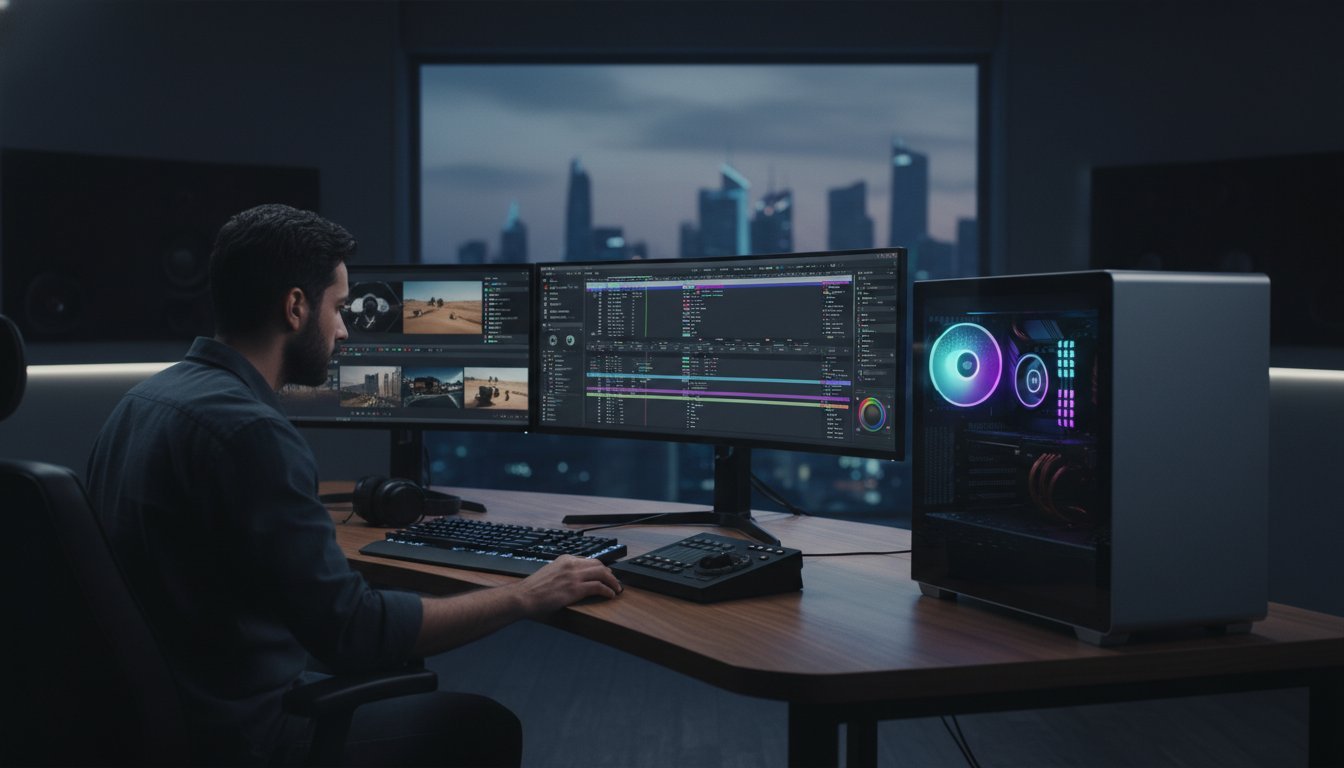

What if the 32GB kit you installed last year is already the primary bottleneck in your creative suite? With DDR5 prices for a professional 32GB kit starting at $375 in the Bahrain market this June, deciding how much ram for video editing has become a high-stakes investment for any specialist. You’ve likely felt the frustration of a timeline stuttering during 4K playback or the panic of a system crash while Premiere Pro 26.2.2 struggles to manage heavy, AI-accelerated layers. We understand that for elite builders and editors, lag is more than an annoyance; it’s a barrier to your craftsmanship.
You deserve a workstation that matches your ambition and handles the most demanding 2026 codecs with ease. This guide promises to reveal the exact RAM capacities required to eliminate rendering bottlenecks and ensure fluid multitasking between After Effects 26.2.1 and DaVinci Resolve 21. We’ll break down why 64GB is becoming the new professional baseline and how to future-proof your custom build for the next three years of AI-driven innovation.
Key Takeaways
- Learn why 32GB is the absolute baseline for 4K workflows and how to calculate exactly how much ram for video editing based on your specific resolution and codec.
- Understand how RAM acts as a critical buffer for the latest AI-assisted masking and object tracking features in Premiere Pro 26.2.2 and DaVinci Resolve 21.
- Discover why transitioning to high-speed DDR5 is mandatory for 2026 workstations to reduce frame-fetch times and eliminate timeline stuttering.
- Identify the unique memory demands of your creative suite, from Premiere’s need for capacity to the high bandwidth required for complex Fusion compositions.
- Find out how a bespoke Grey PC custom build eliminates performance bottlenecks by utilizing hand-picked, high-bandwidth DDR5 modules tailored for professional editors.
The Role of RAM in the 2026 Video Editing Workflow
Think of your professional workstation as a high-performance engine where every millisecond counts. In this ecosystem, Random-access memory (RAM) functions as the primary active workspace where your software parks frame data for real-time playback. It’s no longer just about basic storage; it’s about immediate accessibility. RAM acts as the high-speed bridge between your CPU and your project assets. In 2026, this component also serves as a critical buffer for AI-assisted masking, neural engine processing, and complex object tracking. When you’re calculating how much ram for video editing, you’re essentially deciding how much of your project can stay “alive” and ready for instant manipulation without the system needing to pause for breath.
Efficiency is the hallmark of a master builder’s rig. If your capacity is too low, your operating system forces the hardware to use “swap files” on your SSD. Even the fastest Gen5 NVMe drives are glacial compared to modern DDR5 modules. This mismatch is the root cause of the timeline stuttering and “application not responding” errors that plague inferior builds. For the professional editor in Bahrain, ensuring you have a deep pool of high-speed memory is the only way to maintain a truly fluid creative rhythm.
System RAM vs. VRAM: Knowing the Difference
Hardware specialists understand that memory isn’t a monolith. System RAM handles the core application logic, background processes, and the heavy lifting of general timeline data. Conversely, VRAM lives exclusively on your GPU. It’s dedicated to rendering textures, 3D effects, and hardware-accelerated encoding tasks. Modern 2026 workflows require a balanced ratio between these two memory types. You cannot simply over-invest in system RAM if your VRAM is choked at 8GB. Your 4K renders will still crawl because the data has nowhere to go during the final export phase.
The “Soul” of the Timeline: Why Capacity Matters
Capacity directly correlates to the length and stability of your preview cache. It’s the “soul” of your timeline. There is a profound emotional difference between a smooth, instantaneous scrub and a choppy, frame-dropping experience that kills your creative flow. As you move from 1080p to 4K or 8K, the memory address requirements grow exponentially. Higher resolutions require significantly more bits to define every individual pixel. This means your RAM must be large enough to hold those massive data structures. When deciding how much ram for video editing, remember that capacity provides the headroom needed for your imagination to run wild without technical limits.
Calculating RAM Requirements by Resolution and Codec
Selecting the right capacity isn’t guesswork; it’s a calculation of data throughput. Determining how much ram for video editing starts with your delivery resolution and the complexity of your timeline. In the current 2026 landscape, the memory floor has shifted upward. 16GB of RAM is now strictly the bare minimum, reserved for 1080p social media content and basic trimming. If you’re building a professional workstation in Bahrain, you’ll find that 32GB has become the baseline for standard 4K editing with light effects and color grading. For those handling 4K multicam projects, 6K RAW footage, or heavy motion graphics, 64GB is the recommended standard to maintain a lag-free experience.
When you step into the elite tier of production, the demands become astronomical. 128GB of RAM or more is essential for 8K and 12K workflows. High-end VFX artists working in After Effects 26.2.1 often require this massive headroom to cache complex compositions. If your system runs out of physical memory during a heavy render, your creative momentum will grind to a halt. For a deeper dive into component synergy, check out our guide on The Professional Video Editing Workstation: A 2026 Guide to Peak Performance.
The 4K Standard in 2026
Modern 4K workflows are more demanding than ever. While 32GB was once considered plenty, it’s often pushed to the limit by background OS tasks and memory-hungry browser tabs. Professional editors in Bahrain are increasingly moving to 64GB. This extra headroom is vital when using high-bitrate 10-bit 4:2:2 codecs, which require significant memory to decode in real-time. Industry experts at Tom’s Guide have noted specific shifts in how much RAM you need in 2026 to keep up with these evolving software requirements. If you’re tired of timeline stuttering, a Grey PC custom build with optimized DDR5 can provide the stability you need.
8K, 12K, and Beyond: The Professional Tier
Managing massive frame sizes requires a hardware specialist’s touch. An 8K frame contains four times the pixel data of a 4K frame, which means it requires four times the memory address space. Working with ProRes RAW or REDCODE files demands massive RAM buffers to handle real-time debayering without dropping frames. For feature-film level production, 128GB is no longer a luxury; it’s a necessity. This ensures that your system doesn’t choke when handling the massive data streams required for high-fidelity cinema output.
DDR5 Speed and Latency: Why Bandwidth is the New King
Capacity is the floor, but speed is the ceiling. While our previous sections defined the raw volume needed for high-resolution projects, the actual “snappiness” of your workstation depends on memory bandwidth. In 2026, the transition to DDR5 is mandatory for any serious editing rig. Legacy DDR4 simply cannot provide the data throughput required by modern NLEs. Bandwidth, measured in MegaTransfers per second (MT/s), determines how quickly your system can “fetch” a frame from memory. When you’re scrubbing through a dense 4K timeline, high bandwidth ensures those frames appear instantly rather than lagging behind your playhead. We believe that for elite editors, every microsecond of delay is a distraction from the craft.
Professional throughput also relies on channel configuration. A dual-channel setup is the bare minimum, but quad-channel configurations on high-end platforms provide a massive highway for data to travel. This architecture is vital when you are calculating how much ram for video editing and how that memory interacts with your processor. Without sufficient bandwidth, even 128GB of RAM will feel sluggish during complex multi-layer renders. Precision in hardware selection is what separates a standard retail PC from a bespoke professional tool.
Is DDR5 Worth the Upgrade for Editors?
The performance jump from 4800MHz to 7200MHz isn’t just a number on a spec sheet. In real-world rendering scenarios, faster DDR5 speeds can shave minutes off your export times. One of the most underrated features of DDR5 is “On-Die ECC” (Error Correction Code). This technology improves system stability during those grueling 10-hour render marathons that define the Bahraini production industry. To see the full benefit of these speeds, you need a processor that can keep pace. There is a powerful synergy when pairing high-frequency RAM with an Intel Core i9-14900K, creating a balanced ecosystem where no component is left waiting.
Latency vs. Frequency: The Editor’s Dilemma
Frequency gets the marketing headlines, but CAS Latency (CL) is the secret to a responsive UI. A 6000MHz CL30 kit often outperforms a 6400MHz CL40 kit because it can access the first bit of data faster. This lower latency is what makes your timeline feel “glued” to your mouse movements. Identifying “God-tier” RAM specs requires looking past the high MHz numbers to find the tightest timings. At Grey PC, our approach involves selecting precision-timed memory modules for every custom build. We don’t settle for generic, mass-produced sticks; we choose components that represent the absolute pinnacle of hardware engineering for our clients.
Software-Specific Needs: Premiere, Resolve, and After Effects
Every software suite has a unique appetite for hardware. While capacity is the foundation, your specific choice of NLE dictates the true limit of your performance. Adobe Premiere Pro 26.2.2 operates as a balanced consumer. It prioritizes capacity to keep long-form timelines responsive and assets ready for instant recall. However, if you’re calculating how much ram for video editing for a professional studio, you must account for the “Big Three” apps running simultaneously. Keeping Premiere, After Effects, and Photoshop open requires a massive memory pool to avoid the dreaded system hang during a high-stakes client review in Bahrain.
DaVinci Resolve 21 remains highly GPU-dependent for its primary color grading tasks. Yet, the moment you switch to the Fusion tab, the memory demand spikes. Fusion requires high RAM bandwidth to manage complex node trees and real-time 3D particle simulations. Without enough high-speed DDR5, your Fusion compositions will crawl. This is why we recommend specific V-Ray Rendering Workstations for those pushing the limits of high-end production and 3D integration.
After Effects: The RAM Preview Beast
After Effects is the undisputed “RAM Hog” of the creative world. It utilizes a Global RAM Cache to store every single frame of your preview for instant playback. In 2026, 64GB of RAM is officially the entry-level for serious motion graphics designers. This is because Multi-Frame Rendering now utilizes more memory to keep every high-performance CPU core saturated with data. If your workflow involves a hybrid of 2D and 3D VFX, you should explore How to Build the Ultimate Blender Workstation to ensure your hardware isn’t choking on geometry.
DaVinci Resolve and Fusion Integration
Fusion users face a different challenge than standard “Cut page” editors. Every node in your tree adds a layer of memory address requirements. High-resolution 3D particles and neural-engine-based tracking features in Resolve 21 demand a massive buffer. For professional editors in Bahrain, we suggest a minimum of 64GB to ensure Fusion doesn’t force your system into a swap-file crawl. If you’re ready to stop guessing and start creating, a bespoke Grey PC custom build is the only way to guarantee your software gets the fuel it deserves.
Building Your Bespoke Editing Workstation with Grey PC
Mass-produced hardware rarely meets the exacting standards of a professional editor. Off-the-shelf PCs often fail the “RAM test” by utilizing slow, generic modules that choke your system’s potential. When you’re determining how much ram for video editing, the quality of those modules is just as vital as the capacity. At Grey PC, we provide a distinct advantage. We utilize hand-picked, high-bandwidth DDR5 RAM for every professional build, ensuring your workstation operates at the absolute peak of its technical specifications. We don’t just assemble parts; we engineer high-performance tools that honor your craftsmanship.
Thermal management is another area where standard retail units fall short. High-speed DDR5 can generate significant heat during heavy 8K exports, leading to thermal throttling and reduced stability. Our Grey PC custom builds feature bespoke cooling solutions specifically designed to keep your memory modules within optimal temperature ranges. This commitment to precision ensures that editors across Bahrain receive a reliable, elite-tier machine that can handle intensive production cycles without breaking a sweat. We take pride in delivering hardware that feels like a natural extension of your creative process.
Custom Builds vs. Pre-built Limitations
Big-brand workstations frequently cut corners to save costs. Many use single-channel RAM configurations, effectively cutting your data throughput in half. This creates a massive bottleneck regardless of your total capacity. We ensure every build utilizes dual or quad-channel architecture for maximum efficiency. Our specialists also handle the technical intricacies of XMP and EXPO profiling so your RAM actually hits its advertised speeds. Every machine undergoes a rigorous 24-hour stress test before it leaves our facility, guaranteeing rock-solid stability for your most critical projects.
Start Your Professional Build Today
Choosing the perfect RAM-to-CPU ratio is a delicate science. Whether you’re working with REDCODE RAW or H.265 proxies, our specialists provide detailed consultation services to identify the ideal hardware configuration for your specific codec. If you’re looking to refresh your current setup, we can help you decide when to add more sticks or when a full kit replacement is necessary to leverage modern speeds. Stop settling for generic solutions and invest in a machine that shares your passion for excellence. Build your custom video editing workstation with Grey PC and experience the transformative power of a truly bespoke professional rig.
Master Your 2026 Creative Workflow
Your timeline deserves the precision of a high-performance engine. We’ve explored how the 2026 landscape has shifted the memory floor, making 32GB the absolute minimum and 64GB the professional gold standard for 4K and AI-accelerated tasks. Bandwidth is now the ultimate ceiling; legacy hardware cannot compete with the raw throughput of modern DDR5. Determining how much ram for video editing you truly need is the first step toward reclaiming your creative flow and eliminating the stuttering that kills your momentum.
As specialists in professional 3D and video workstations, Grey PC bridges the gap between raw components and elite craftsmanship. We offer immediate availability on premium DDR5 RAM and the latest RTX 50-series GPUs, ensuring your build is ready for the next three years of codec evolution. Every system receives expert assembly and dedicated national support right here in Bahrain. It’s time to stop fighting your hardware and start commanding it.
Design Your Custom 2026 Video Editing Workstation at Grey PC
The perfect edit is waiting. Let’s build the machine that helps you find it.
Professional Editing Hardware: Frequently Asked Questions
Is 32GB of RAM enough for 4K video editing in 2026?
32GB of RAM is the absolute baseline for 4K workflows in the current landscape. It handles standard 4K trimming and basic color grading well, but you’ll feel the pressure when working with 10-bit 4:2:2 footage or keeping multiple creative apps open. For a truly fluid experience in Bahrain’s professional studios, we recommend 64GB to ensure your system doesn’t rely on slow SSD swap files during complex projects.
Does more RAM increase video rendering speed?
RAM capacity doesn’t calculate the render, but it prevents your CPU from slowing down. If your project exceeds your available memory, the system uses the SSD as “virtual RAM,” which is significantly slower. Having enough capacity ensures your processor stays fully saturated with data, preventing the massive bottlenecks that turn a quick export into a multi-hour ordeal. It’s about maintaining peak hardware efficiency.
Can I mix different brands of RAM in my editing workstation?
Mixing RAM brands is a risky move that we strongly discourage for professional workstations. Even if the speeds match, different manufacturers use different memory timings and voltages, which often leads to system instability or random crashes. For a Grey PC custom build, we always use matched kits from the same production batch to guarantee the 24/7 reliability required for high-stakes video production.
What is the best RAM speed for DDR5 video editing builds?
The sweet spot for professional DDR5 builds in 2026 is 6000MHz to 6400MHz. While higher frequencies exist, these speeds offer the best balance of massive bandwidth and rock-solid stability. When deciding how much ram for video editing you need, remember that speed is the ceiling for your performance. Pairing these frequencies with low CAS latency timings ensures your timeline remains responsive during heavy scrubbing.
Should I prioritize a faster CPU or more RAM for Premiere Pro?
Balance is critical, but the CPU is the primary engine for decoding and encoding tasks. If you already have 32GB of RAM, a faster processor will generally provide a more noticeable performance boost in Premiere Pro. However, if you’re currently at 16GB, the RAM upgrade is your most cost-effective path to eliminating lag. An elite CPU is essentially wasted if it’s constantly waiting for data from a choked memory pool.
How much RAM do I need for 8K video editing?
8K workflows require a minimum of 128GB of RAM to handle the massive data streams involved. Each 8K frame contains four times the pixel data of 4K, demanding enormous buffers for real-time playback and debayering. Working with ProRes RAW or REDCODE at these resolutions without sufficient memory will lead to constant dropped frames and a workflow that grinds to a halt during the final render.
Does RAM latency (CL) matter for video editing performance?
Latency is the secret to a snappy, responsive user interface. It measures the delay before the RAM can start a data transfer. Lower CAS latency (like CL30) means your CPU spends less time waiting for the “first bit” of data. This makes a profound difference when you’re scrubbing through a dense timeline or jumping between different clips in After Effects, providing that “glued to the mouse” feel.