
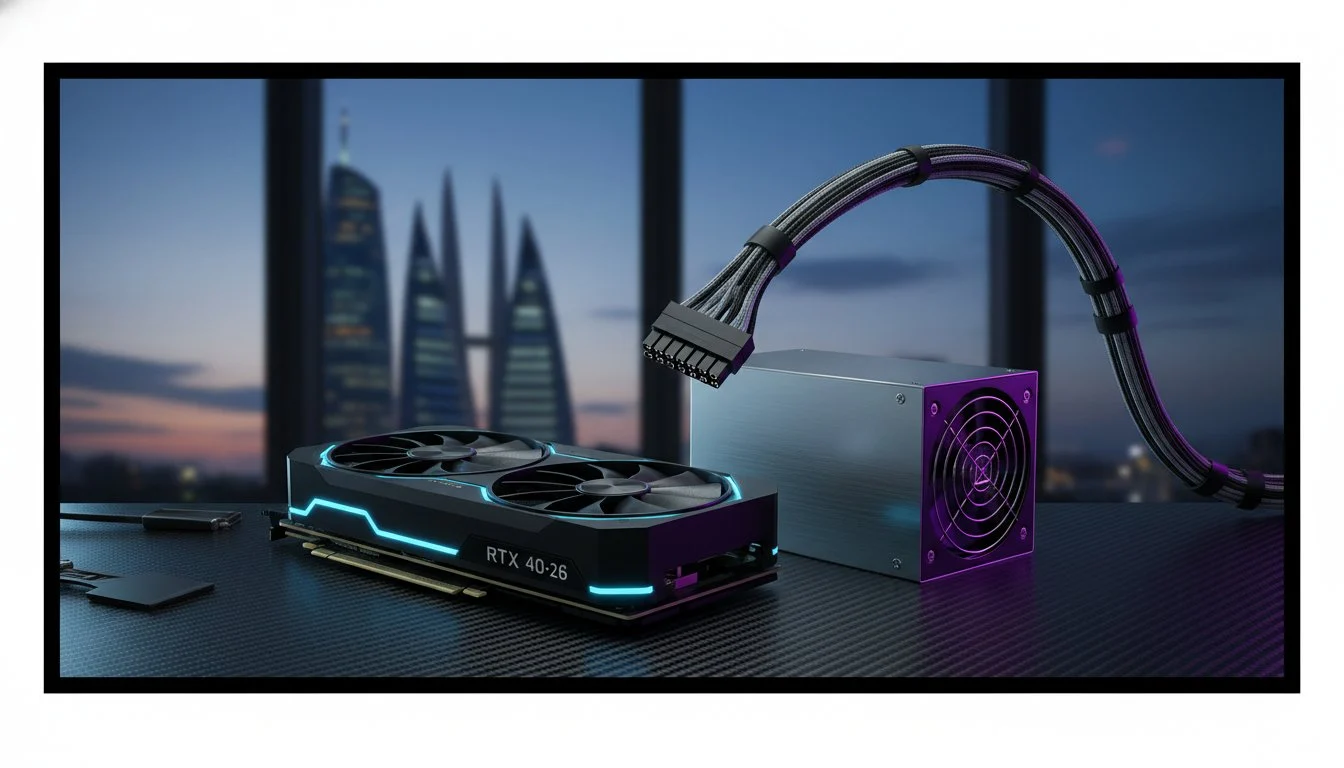

Your $3,400 investment in an RTX 4090 is only as reliable as the cable feeding it. We’ve all felt that pang of anxiety watching power draw climb during a complex 3D render, wondering if a legacy connector can actually handle those notorious transient spikes. Getting the psu requirements for rtx 4090 right is no longer just about hitting a wattage ceiling. It’s about mastering the technical shift to the ATX 3.1 standard to protect your hardware from the ground up.
We’ll ensure your powerhouse rig remains stable and safe with our comprehensive 2026 checklist for high-end power delivery. You will discover why the transition to ATX 3.1 and the 12V-2×6 connector is non-negotiable for high-performance builds while we break down the 1000W headroom necessary for total system stability. From precision cable management to future-proof voltage regulation, this guide provides the professional blueprint for a machine that never flinches under load.
Key Takeaways
- Master the critical gap between the 450W baseline and the aggressive transient spikes that challenge even the most robust systems.
- Upgrade your safety protocols by transitioning to the ATX 3.1 standard and the reinforced 12V-2×6 connector.
- Learn to calculate a total power budget that accommodates power-hungry i9 or Ryzen 9 processors alongside complex cooling loops.
- Confirm that your choice meets the essential psu requirements for rtx 4090 by prioritizing a 1000W capacity for enthusiast-grade headroom.
- Select the ideal efficiency tier between 80 Plus Platinum and Cybenetics Titanium to maintain peak performance during intense workloads.
Decoding the RTX 4090 Power Specifications
Building a high-end rig in 2026 feels like taming a predator. The RTX 4090 remains the undisputed king of performance, but its energy hunger is legendary. When calculating the psu requirements for rtx 4090, you aren’t just buying a box of cables. You are building a foundation for professional-grade stability. Understanding the raw numbers on the box is the first step in ensuring your machine doesn’t blink during a critical render or a high-stakes gaming session.
TGP vs. TBP: What These Acronyms Mean for You
Total Graphics Power (TGP) measures the energy the GPU silicon itself consumes. Total Board Power (TBP) provides a more holistic view, covering the fans, lighting, and complex voltage delivery systems. For a baseline, the Founders Edition carries a 450W TGP rating as seen in the official GeForce 40 series specifications. However, high-end partner cards frequently push this limit toward 600W to maintain aggressive clock speeds. This makes the psu requirements for rtx 4090 a moving target based on your specific card model. If you’ve chosen a bespoke, factory-overclocked card, that 450W baseline is already in the rearview mirror.
The Reality of Power Spikes
Modern silicon is aggressive. It demands massive bursts of energy in milliseconds. These transient spikes are the primary reason why older 850W units fail. Even if your average draw seems manageable, a spike can double the wattage for a fraction of a second. If your power supply doesn’t support modern “power excursion” standards, it will trip the safety sensors and kill the power instantly. A professional build requires a unit that can absorb these shocks without flinching. This is why we focus on high peak-load tolerance rather than just the number on the sticker.
Why does 2026 demand more headroom? It’s simple math. Today’s flagship CPUs and high-speed DDR5 RAM kits have their own massive power signatures. When you combine an RTX 4090 with a modern i9 or Ryzen 9 processor, an 850W unit is operating at its absolute limit. Running a power supply at 95% capacity generates excessive heat and reduces the lifespan of the components. We recommend a 1000W or 1200W unit to provide the breathing room needed for peak efficiency. It’s about precision craftsmanship and ensuring the “soul” of your workstation remains protected against unexpected load shifts.
The ATX 3.1 Standard and Connector Safety Checklist
Safety isn’t optional when you’re pushing 450W through a single interface. While ATX 3.0 was a massive leap for high-power hardware, the 2026 landscape has pivoted entirely toward the ATX 3.1 standard. This revision, originally released in late 2023, specifically addresses the reliability of the 12VHPWR interface. It replaces the first-generation connector with the refined 12V-2×6 design. This isn’t just a minor update. It is a fundamental hardware correction designed to protect your investment.
The 12V-2×6 connector features longer conductor terminals for a deeper, more secure grip and shorter sense pins. This mechanical change ensures the GPU won’t even attempt to draw high current unless the plug is fully and securely seated. If the connection becomes loose, the card powers down instantly rather than risking a thermal event. This failsafe mechanism is a critical evolution in meeting the psu requirements for rtx 4090 without the fear of hardware damage. While some legacy units are still on shelves, Corsair’s PSU recommendations highlight how essential robust connector design has become for modern enthusiast hardware.
Native 12VHPWR Support: No More Adapters
Ditch the “squid” adapters immediately. Using three or four 8-pin PCIe cables into a single plastic adapter creates unnecessary resistance and multiple points of failure. Native cables offer a direct, clean path from the PSU to the GPU. This improves voltage stability and significantly cleans up your internal aesthetics. In a high-airflow chassis like the lian li pc-o11 dynamic, removing cable clutter is vital. It allows cool air to reach the bottom intake fans without hitting a wall of braided sleeves and plastic adapters. Native cables also feature internal sense pins that communicate directly with the PSU to negotiate power delivery with surgical precision.
Connector Integrity and Heat Management
Precision matters during installation. Follow the “35mm Rule” religiously. Never bend your power cable within 35mm of the connector head. Sharp bends cause the internal pins to tilt inside the housing, which creates uneven contact and localized hot spots. We’ve seen connectors fail because a builder forced a side panel shut against a stiff, unyielding cable. For every ultimate gaming pc build, we mandate ATX 3.1 units to ensure the highest safety margins. Check your terminals monthly for any signs of discoloration or warping.
A stable rig is a professional rig. If you want a system that handles heavy workloads with surgical precision, start with the right power foundation. You can browse our curated selection of Grey PC custom builds to see how we integrate these safety standards into every workstation we ship.

Calculating Your Total System Power Budget
Precision power management is the hallmark of a master builder. While the GPU is the headline act, the supporting cast in a 2026 enthusiast rig is equally demanding. When you analyze NVIDIA’s official power supply recommendations, you will see an 850W minimum. This figure assumes a modest configuration, but professional creators rarely build “modest” machines. To truly meet the psu requirements for rtx 4090 in a high-stakes environment, you must calculate the aggregate draw of every high-performance component in your chassis.
CPU and GPU: The Power-Hungry Duo
The relationship between your processor and graphics card defines your system’s “soul.” Flagship chips like the Intel Core i9-14900K or the Ryzen 9 9950X are marvels of engineering, but they are notoriously thirsty. Under heavy multi-threaded workloads, these CPUs can easily pull 250W to 300W on their own. If you are deciding between these giants, check our guide to buy intel core i9-14900k for a deeper dive into their thermal and power profiles. When you combine a 300W CPU load with a 450W GPU draw, you are already at 750W before accounting for a single fan or drive. This razor-thin margin is why an 850W unit is insufficient for elite builds.
Peripherals and Overhead
Do not overlook the “minor” components. They add up quickly. A high-end workstation featuring 128GB of DDR5 RAM, multiple Gen5 NVMe drives, and a complex liquid cooling vs air cooling setup can add another 100W to your total. For example, high-speed storage like the samsung 990 pro 2tb buy choice ensures professional-level performance, but even efficient silicon has an energy footprint. A typical high-end workstation in 2026 can pull over 800W during sustained 3D rendering tasks. This sustained draw is the true test of your power supply’s craftsmanship.
We advocate for the “Efficiency Sweet Spot.” Most power supplies achieve peak efficiency and the lowest noise levels when operating at 50% to 60% of their rated capacity. By choosing a 1200W or 1500W unit, you ensure the psu requirements for rtx 4090 are met while keeping the internal components cool and quiet. Professional 3D rendering workstations demand this level of over-provisioning. It transforms a mechanical assembly into a reliable partner that won’t crash during a 48-hour render marathon. Aim for headroom; your hardware will thank you with years of stable service.
Efficiency Ratings and Build Quality Standards
Efficiency is the silent partner of system stability. When we talk about psu requirements for rtx 4090, the conversation often centers on raw wattage, but the quality of that power is what preserves your silicon. A power supply is effectively a heat generator. Lower efficiency means more energy is wasted as heat rather than reaching your GPU. In a 2026 rig where the RTX 4090 already generates significant thermal output, an inefficient PSU only compounds the cooling challenge. We demand 80 Plus Platinum or Titanium ratings for these builds to ensure the tightest voltage regulation possible.
Thermal Derating and Reliability
High-performance silicon is sensitive. Most power supplies are rated for peak performance at an ambient temperature of 25°C. Real-world conditions inside a professional workstation are much harsher. As internal temperatures rise, a PSU can suffer from thermal derating, where its actual power delivery capacity drops significantly. This is why build quality is non-negotiable. We look for 105°C-rated Japanese capacitors and heavy-duty internal heatsinks. These premium components act as an insurance policy for your $3,400 graphics card. A unit backed by a 10-year warranty isn’t just a purchase; it’s a testament to the manufacturer’s confidence in their internal architecture. Pairing your PSU selection with the right liquid cooling vs air cooling thermal management strategy is equally critical to keeping those internal temperatures in check.
Cybenetics Lambda and Eta Ratings
The 80 Plus certification is a legacy metric. In 2026, the hardware specialist looks to Cybenetics for a more granular analysis. Their Eta (efficiency) and Lambda (noise) certifications test units across thousands of load combinations rather than just a few data points. This level of transparency is vital for professional studio environments where acoustic performance matters as much as raw power. When you analyze the custom gaming desktop vs gaming laptop Bahrain power delivery architectures, you see why desktops remain the king of sustained workloads. A desktop PSU can maintain a Cybenetics A-level noise rating while delivering 1000W, a feat impossible for mobile hardware.
Choosing a power supply with a Titanium rating ensures that your system operates at peak efficiency even during low-load tasks. This precision reduces the wear on internal components and extends the life of your entire workstation. If you want to ensure your machine is built with these elite standards, explore our latest Grey PC custom build options. We prioritize these high-efficiency standards to guarantee that every machine we ship lives up to the “God-tier” performance expectations of our clients.
The Ultimate RTX 4090 PSU Checklist for 2026
Precision requires a final audit. You’ve analyzed the transient spikes and calculated the aggregate system overhead. Now, it’s time to consolidate that expertise into an actionable roadmap. Meeting the psu requirements for rtx 4090 is the final hurdle before you unleash the full potential of your workstation. Use this checklist to verify that your power delivery system is worthy of the elite hardware it serves.
- Minimum 1000W Capacity: Ensure your unit provides enough headroom for 2026-era flagship CPUs and GPU power excursions.
- ATX 3.1 Certification: Verify the latest standard to guarantee the highest safety margins and refined power management.
- Native 12V-2×6 Cable: Confirm the PSU includes the updated, safer connector to eliminate the need for unreliable adapters.
- Cybenetics Validation: Look for Lambda-level noise ratings and Eta-level efficiency for a professional studio environment.
- Physical Clearance: Double-check that the unit fits your chassis without obstructing airflow or forcing dangerous cable bends.
Physical Fit: SFX vs. ATX Units
Size matters as much as wattage. High-performance power supplies, especially those exceeding 1200W, are often significantly longer than standard units. These blocks frequently reach 160mm to 180mm in length. This can create a conflict in compact cases where the drive cage or cable management bar might interfere. If you are building a small-form-factor powerhouse, you will need a specialized SFX-L unit that doesn’t compromise on the psu requirements for rtx 4090. Always measure your case’s PSU shroud before finalizing your purchase to avoid a mechanical mismatch.
Final Hardware Integration
The technical assembly is a transformative experience. Before you seal the side panel, perform a final “tug test” on the 12V-2×6 connector. It must be flush against the GPU terminal with no visible gap. As we look toward the future, staying informed is vital for any serious builder. Check our nvidia geforce rtx 5090 for sale guide to see how upcoming hardware shifts might influence your next power upgrade. If you are also evaluating whether the RTX 4090 remains the right investment for your workload, our breakdown of the best value graphics card options for 2026 provides a comprehensive price-to-performance analysis to help you make the most informed decision. If you want the peace of mind that comes with a professional stress test, consult with our specialists for a bespoke assembly. We ensure every connection is precise and every component is optimized for the long haul.
Secure Your Ultimate Performance Foundation
Mastering the psu requirements for rtx 4090 is about more than just hitting a wattage target. It’s about ensuring your 2026 build survives the most demanding 3D rendering and gaming loads with surgical stability. By prioritizing the ATX 3.1 standard and the refined 12V-2×6 connector, you eliminate the mechanical risks of the past. A 1000W+ unit provides the essential headroom to shield your flagship hardware from violent transient spikes.
At Grey PC, we treat every assembly as a transformative experience rather than a mechanical task. We specialize in precision 12V-2×6 cable management and only use elite power supplies backed by a 10-year warranty. Our team understands the internal “soul” of your technology. We build professional 3D and gaming workstations that don’t just perform; they dominate. Build your God-tier RTX 4090 rig with Grey PC today and experience the peak of professional craftsmanship. Your journey to god-tier performance starts with a stable foundation.
Frequently Asked Questions
Can I use an 850W PSU with an RTX 4090?
You can use an 850W unit, but it’s the absolute minimum for a standard configuration. High-end builds featuring an i9 or Ryzen 9 processor will frequently exceed this limit during transient spikes. We recommend moving to a 1000W or 1200W unit to ensure your system remains stable under heavy professional workloads.
What is the difference between ATX 3.0 and ATX 3.1 for GPUs?
ATX 3.1 is the 2026 industry standard that refines the power delivery of its predecessor. The primary shift is the introduction of the 12V-2×6 connector, which features longer conductor terminals for a more secure fit. It also includes shorter sense pins that prevent the GPU from drawing high wattage unless the cable is perfectly seated.
Is the 12VHPWR cable still prone to melting in 2026?
The industry has largely moved past the melting issues by adopting the 12V-2×6 design found in ATX 3.1 units. Most early failures were caused by improper seating or extreme cable bends. The updated mechanical failsafes in modern hardware ensure that power is cut instantly if the connection isn’t flush, providing much-needed peace of mind for builders.
Do I need a special PSU for the RTX 4090 in a workstation build?
Workstation builds require high-efficiency units with superior thermal management. Sustained 3D rendering or video editing tasks put massive stress on internal capacitors. To meet the psu requirements for rtx 4090 in these environments, prioritize 80 Plus Platinum or Titanium units that can handle continuous high-wattage output without overheating.
What happens if my PSU is underpowered for an RTX 4090?
Your system will likely experience sudden “black screen” crashes or instant shutdowns. These events occur when the GPU demands a millisecond power burst that trips the power supply’s Over Current Protection (OCP). While this safety feature prevents hardware damage, it will consistently interrupt your work or gaming sessions during peak loads.
Should I buy an 80 Plus Gold or Platinum PSU for my high-end rig?
Platinum is the superior choice for a rig of this caliber. While Gold units are capable, Platinum power supplies utilize higher-grade components that waste less energy as heat. This efficiency is a core part of the psu requirements for rtx 4090, as it keeps your internal case temperatures lower and extends the lifespan of your expensive silicon.
How many PCIe cables does an RTX 4090 need if using an adapter?
You must use four independent 8-pin PCIe cables. Avoid using “pigtail” or daisy-chained connectors at all costs. Each 8-pin line should have its own dedicated port on the PSU to safely distribute the 450W to 600W load. However, we strongly suggest switching to a native 12V-2×6 cable for a cleaner and safer installation.
Does the RTX 4090 require a specific brand of power supply?
No specific brand is required, but quality is non-negotiable. Look for reputable manufacturers that offer 10-year warranties and use 105°C-rated Japanese capacitors. The internal craftsmanship of the unit is what determines if it can handle the aggressive power profile of a flagship graphics card over several years of intensive use.